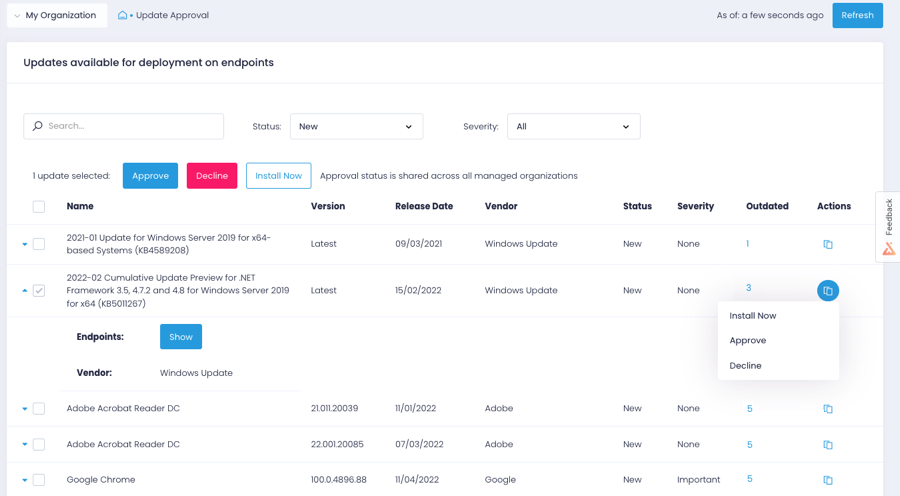
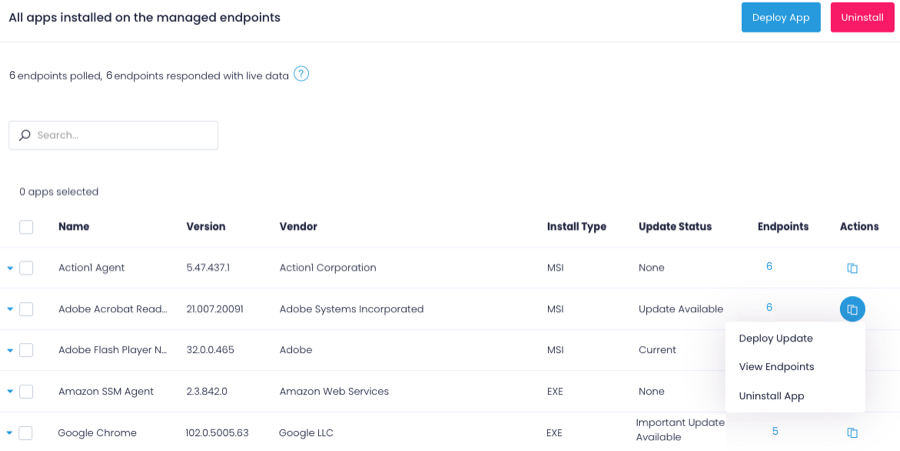
Action1 is an autonomous endpoint management platform that is cloud-native, scalable, and configurable in 5 minutes. It is free for the first 200 endpoints, with no functional limits. By pioneering autonomous OS and third-party patching - AEM’s foundational use case - through peer-to-peer patch distribution and real-time vulnerability assessment without needing a VPN, it eliminates costly, time-consuming routine labor, preempts ransomware and security risks, and protects the digital…
N/A
KACE Systems Management Appliance
Score 10.0 out of 10
N/A
Quest now offers the KACE Systems Management Appliance (SMA) as an IT Asset tracking and management appliance (also available as a virtual deployment if hardware requirements are met). Beyond discovery, inventory tracking and license management, KACE emphasizes automating software upgrade distribution with minimal end-user disruption, featuring remote replication for multi-site upgrades and rollouts. KACE SMA may be bundled with KACE Cloud Mobile Device Management (MDM) to form a complete UEM…
To be honest, I might have been lucky, but Action1 was the first I actually tested. I've heard from our mother company from Italy, that they have tested NinjaOne but it was not what they were expecting in terms of vulnerability and patch management. I've recently suggested them …
GFI Languard was pretty nice, but that was ages ago. I do pay for PDQ deploy and inventory though and am happy with that software...however, while its feature set does overlap with Action1, it is not just another flavor of the same thing, so I find that I use both of them.
Action1 excels with patch management and their ability to show if applications have been marked as vulnerable. It is also hard to beat their free model where the first 200 are free. When I first started with Action1 it was only 50 endpoints so seeing that expand so much is …
From a functionality point of view the platforms are very similar, when we worked with NinjaOne they tried the hard push for us to onboard our entire organization. We didn't want that and they refused to scale down to the requirements of our small satellite office (<10 …
For the amount of functionality you get with the cost, no other product compared to Action1 did. The free trial and free endpoints they offer help prove there is no time trial to rush and select a product. The support has been fantastic with the company as well as the Action1 …
Action1 is a similar but less feature-filled product than ConnectWise or Kaseya. However, Action1 can fulfill the main use-case scenarios of both products at a much lower cost per endpoint. Action1 is also constantly innovating and working with its users to improve upon the …
Price for one. The cost is extremely reasonable IMO. Action1 is easier to use for a non-technical person and there is zero maintenance since it is cloud hosted.
After looking at different solutions, Action1 [Cloud Remote Monitoring and Management Solution] was the perfect fit for us that delivered all of the features we wanted without being as costly as some of the others alternatives we've looked at. There was no minimum endpoint …
Action1 Cloud Remote Monitoring and Management Solution may not be as feature rich as SCCM and Intune, but it does its job without having to set up and support additional infrastructure on your network. It's more user friendly than ManageEngine's Desktop Central but does most …
KACE has been a little bit easier to use and cheaper than when we were looking at Microsoft System Center Configuration Manager (SCCM). We have had much success with KACE as it has extra services such as the license manager and helpdesk ticketing system. Great value for the …
Compared to more robust tools like SCCM, KACE delivers 90% of the value for a fraction of the cost. Not only is the initial upfront investment less it requires significantly less care and feeding to ensure you get what you need.
By far it easier to deploy and manage. It makes the process of deployment, software, and patching much easier, and it's an all-in-one solution that is easy to manage and train helpdesk on.
For our size organization, KACE offered a more complete solution that was easier to understand and deploy when compared to Ivanti. It was also more affordable to get the features we wanted. Ivanti might be more appropriate in a larger environment. You would definitely need …
We liked having the helpdesk portion integrated with our hardware and software inventory instead of having 2-3 different discrete systems that wouldn't talk to each other.
We have selected this software because it rolls several different systems into one. We have a helpdesk system with this and an asset and inventory management system as well. We pay one price for the whole system instead of paying multiple companies different amounts that …
The biggest part to KACE verses these options was the ability to have an agent installed on the endpoint that could communicate back to our primary KACE appliance for updates. As we have customers with different network setups and the machines are never in a direct connect to …
For small teams having to deal with significant ammount of devices, I can't express how useful Action1 is. With very small effort, you can easily keep track of your devices, keep them up to date, deploy new software to your users, create recurring reports/alerts and so on. Initially, the 100 endpoints for free was also a nice touch. Now, even better since they increased to 200. For the forseeable future, I have not to worry about costs and still can't believe it's a full solution for free, not those freeware stuff where what you really desire is behind a cost.
I think it has added value for any organization. It reduced our Tech Support cost by: -Supporting users anywhere -Reducing users downtime as well keep them informed with the status of their tickets -Managing software and hardware actively -Processing automation -deploy mass software installs, patching or updates - Provide approved software's to users to install without IT help
Helpdesk ticketing, the software allows not only the building of a portal that the users can log into to submit the tickets, but it also allows them to generate a ticket via email, which is a huge successful implementation that we have had.
Live inventory tracking. With an agent installed on a PC, as long as we maintain the data, it can report back information that is crucial to the machine.
Web portal makes for easy maintenance and implementation of the software and updates.
Lots of times Action1 will identify a program that needs to be patched, but then not really have a path laid out to get that done...so they just remain as they are, but are tagged as such.
Really wants to replace the windows update mechanism. Resists (or did at least) you if you try to keep updates as they are and update occasionally from Action1
Could develop the scripts section a bit more, looked pretty sparse last time I checked it out.
Administrative interface can be slow at times, and does require some decent PC specifications to run adequately.
The cost of the KACE solution can be very expensive depending on how many agents you plan to deploy
There is a learning curve in order to master KACE's capabilities - however Quest does provide lots of resources to dig into. It is not as intuitive as it could be.
Agent deployment is simple (and silent) - once that is done, you're good to go. Everything is simple, centralized and very easy to work with. There isn't one aspect of this platform that requires crawling over forums and Google, it just works!
Overall, the software is simple to understand and use. That said, most vendors have been slowly updating their user interfaces to HTML5 so that they have a clean updated look and feel. This is where KACE falls short in that the UI is great for a packaged software 10 years ago. This isn't a major limitation as the software is really meant primarily for technology users.
KACE does exactly what you need it to do, it maintains your computer environment. You can set patch schedules, inventory computers, setup software catalogs; basically everything you need to ensure the computers on your network are being actively managed. This is all with little need for constant configuration or updating the setup.
After looking at different solutions, Action1 [Cloud Remote Monitoring and Management Solution] was the perfect fit for us that delivered all of the features we wanted without being as costly as some of the others alternatives we've looked at. There was no minimum endpoint count and they even offer up to 50 endpoints for free, which is really great for a small organization like us to help us lower our starting costs and still allows us to grow at our pace without having to commit to a defined amount of endpoints to start.
For our size organization, KACE offered a more complete solution that was easier to understand and deploy when compared to Ivanti. It was also more affordable to get the features we wanted. Ivanti might be more appropriate in a larger environment. You would definitely need someone that was primarily dedicated to run behind Ivanti.
Saved hours per week on patching and able to ensure a 100% patching success rate.
Able to create custom alerting on potential problems as well as able to create some automation to automatically address problems.
Improved support to our remote locations and users.
Custom deployments allow us to have a mechanism to deploy custom applications we build as well as other third party applications we need to distribute.
The time savings on Windows patching through the KACE SMA alone has helped us in saving hundreds of technician hours.
Ticket tracking through the KACE SMA has reduced the amount of calls to our helpdesk asking about the status of a ticket.
The tracking of licensed software through the KACE SMA has kept us in compliance and saved time from having to run around and look to see where the software is installed.