Chose Adobe Acrobat
Both read documents through Adobe, which is better for security and because the service is more optimized.

| Product | Rating | Most Used By | Product Summary | Starting Price |
|---|---|---|---|---|
 Adobe Acrobat | N/A | Adobe Acrobat DC is the current version of the well-established document / PDF management solution, part of the Adobe Document Cloud (the other part being Adobe's eSign services based on technology acquired with EchoSign in 2011). | $19.99 per month | |
 IT Glue | N/A | IT Glue, a Kaseya company since the December 2018 acquisition, is an information management platform that allows for efficient storage and retrieval of all the documentation an organization needs to help their MSP run better. By integrating PSA and RMM data, the vendor says they can help increase efficiency, and reduce onboarding times. | $29 per month per user (5 user minimum) |
| Adobe Acrobat | IT Glue | |||||||||||||||
|---|---|---|---|---|---|---|---|---|---|---|---|---|---|---|---|---|
| Editions & Modules |
|
| ||||||||||||||
| Offerings |
| |||||||||||||||
| Entry-level Setup Fee | Optional | $545 one-time fee | ||||||||||||||
| Additional Details | — | — | ||||||||||||||
| More Pricing Information | ||||||||||||||||
| Adobe Acrobat | IT Glue | |
|---|---|---|
| Considered Both Products |  Adobe Acrobat  David Vasquez Associate Chose Adobe Acrobat They perform similary but Adobe Acrobat is a better swiss army knife then most platforms.  Amanda Khan Client Coordinator / IT Recruiter Chose Adobe Acrobat In comparison to Smallpdf and iLovePDF, inevitably, Adobe Acrobat is the most popular and higher marketed software. Additionally, Smallpdf and iLovePDF are online conversion software, so your document needs to be uploaded to a cloud where it is converted and then you need to …  Jennifer Blair Creative Director and Owner Chose Adobe Acrobat This isn't really a good comparison, but Adobe Acrobat is more of a program that works among all of these, and I'll keep using it as long as it's a part of Adobe CC. Otherwise, I see DocuSign as suitable for secure/private documents, and Dropbox file previews allows a pretty …  Muhammed Ronaq BS Founder of Finite X Reality Chose Adobe Acrobat Adobe Acrobat stands out because its more powefull and feature rich as compared to these free tools. and it offers more compatibilty, security and many other editing options in a single software. which is much suitable for professional work rather than these cheap alternatives. …  Vic Piano SVP, Global Executive Creative Dir Chose Adobe Acrobat Adobe PhotoShop, Adobe After Effects, Adobe Illustrator CC and Adobe InDesign  Madison Kevorkian Senior Project Manager Chose Adobe Acrobat Adobe Firefly |  IT Glue  Joel LaRusic Founder Chose IT Glue We used simply OneNote before IT Glue and still keep basic info in there. [I believe] it was not great for sharing outside the company but worked very well to share securely with staff. RoboForm can be used to share info to your clients, such as passwords and configuration …  Russ Taylor Network Engineer Chose IT Glue Although it doesn't show up in the search bar here, we've also used BizDox. While all these provide many of the same services, for us, IT Glue just works much better. We can get to the information we need from anywhere, it's well organized, and we get it quickly. But above all …  Matthew Ingram Owner Chose IT Glue This seemed like a cool product. You run these PowerShell scripts that you run on the client computer that updated in IT portal. It worked good at first but then it would mysteriously double the computer in IT Portal. If I don't catch it, it will triple and grow and grow. Later …  Sam Kemp Enterprise Architect Chose IT Glue We tried Confluence but it had such a steep learning curve not only for the installer but for everyone involved. It didn't go very far and everyone got fed up with it quickly. I know confluence can do a ton of things but when you don't have dedicated people to implement you …  Dale Bradford Network Administrator Chose IT Glue This is no joke, when demoed IT Glue at a convention, and then set a call for the rest of the team to look at it, and it was so intuitive and easy to access data, that we signed, without looking at other software.. Prior to ITGlue all data was in our RMM software.  Leonard Johnson Technical Support Chose IT Glue Spiceworks is a free tool to use if you're in MSP. The community is fantastic, but it lacked in certain features. The amount of information I can put into IT Glue is leagues ahead of Spiceworks. You also have to have supplementary software to reach the wealth of information …  William Pote CEO Chose IT Glue We used SharePoint for quite a while and then moved to IT Glue. Then IT Boost came out, and I wanted to like it but it was super flakey and had some security issues. Overall IT Glue has kind of a sucky sales department, but otherwise, it's a solid product that I would recommend …  Rob Rotundo Service Manager Chose IT Glue We used Bright Gauge a long time ago. At the time, we didn't have enough process and procedure in place to truly evaluate it, so we're currently going through an evaluation of Bright Gauge again now and we'll decide what works better. I don't think we're losing IT Glue …  Derek Schroeder Service Manager Chose IT Glue This is the only true "documentation only" product I have used, but it is the industry standard.  Alissa Levanway Purchasing Agent Chose IT Glue Couldn't choose Wikipedia but IT Glue definitely has more options for saving content. It's user friendly and is straightforward. There are several editing tools that come in handy when writing up procedural documentation and I found Wiki to be more difficult to use. You'd have …  Jennifer Henney Systems Analyst Chose IT Glue SharePoint requires specialized training, Confluence isn't MSP-specific, and ITBoost is new and not yet proven. IT Glue's integration with the rest of our toolset was what sold it for us.  Wil Buchanan President Chose IT Glue ITG was created specifically for IT providers and had the integrations that we need for our PSA tool. Confluence is an amazing platform and may end up being our next move.  Benjamin Kaeding Network Engineer Chose IT Glue BackpackIT  Ian Hansen IT Service Director Chose IT Glue We chose IT Glue particularly because it's tailored to IT documentation. As a managed IT service provider, it's perfectly in line with what we were looking for. The flexibility and tagging in particular were the kind of features we were looking for. Confluence is very good, … |
| Adobe Acrobat | IT Glue | |
|---|---|---|
| Small Businesses |  Square 9 Softworks Score 9.1 out of 10 | Square 9 Softworks Score 9.1 out of 10 |
| Medium-sized Companies |  MSB Docs Score 9.4 out of 10 | MSB Docs Score 9.4 out of 10 |
| Enterprises |  Tungsten Capture Score 8.0 out of 10 | Tungsten Capture Score 8.0 out of 10 |
| All Alternatives | View all alternatives | View all alternatives |
| Adobe Acrobat | IT Glue | |
|---|---|---|
| Likelihood to Recommend | 9.1 (0 ratings) | 8.1 (0 ratings) |
| Likelihood to Renew | 9.7 (0 ratings) | 9.0 (0 ratings) |
| Usability | 9.3 (0 ratings) | 9.5 (0 ratings) |
| Availability | 10.0 (0 ratings) | - (0 ratings) |
| Performance | 8.1 (0 ratings) | 8.9 (0 ratings) |
| Support Rating | 7.8 (0 ratings) | 8.0 (0 ratings) |
| Online Training | 9.0 (0 ratings) | - (0 ratings) |
| Implementation Rating | 9.6 (0 ratings) | - (0 ratings) |
| Configurability | 8.5 (0 ratings) | - (0 ratings) |
| Ease of integration | 9.0 (0 ratings) | 7.5 (0 ratings) |
| Product Scalability | 10.0 (0 ratings) | - (0 ratings) |
| Vendor post-sale | 4.0 (0 ratings) | - (0 ratings) |
| Vendor pre-sale | 5.5 (0 ratings) | - (0 ratings) |
| Adobe Acrobat | IT Glue | |
|---|---|---|
| Likelihood to Recommend |
|
 Shaun Joubert Field Support Engineer |
| Pros |
 Adam Montgomery Business Development Manager |
Ian Hansen IT Service Director |
| Cons |
 Jeffrey Lange PHP Web Developer and Linux Server Administrator |
Wil Buchanan President |
| Likelihood to Renew |
 Avery Chipman Interior Designer |
|
| Usability |
|
|
| Reliability and Availability |
 Rod Lott Manager of Marketing Strategy | No answers on this topic |
| Performance |
 Daniel Epstein Senior Clinical Quality Analyst |
Dale Bradford Network Administrator |
| Support Rating |
|
|
| Online Training |
 Dave King Director of IT | No answers on this topic |
| Implementation Rating |
Rod Lott Manager of Marketing Strategy | No answers on this topic |
| Alternatives Considered |
|
|
| Scalability |
 Jamie Caroland Independent Consultant | No answers on this topic |
| Return on Investment |
|
Jennifer Henney Systems Analyst |
| ScreenShots | Adobe Acrobat Screenshots    | IT Glue Screenshots   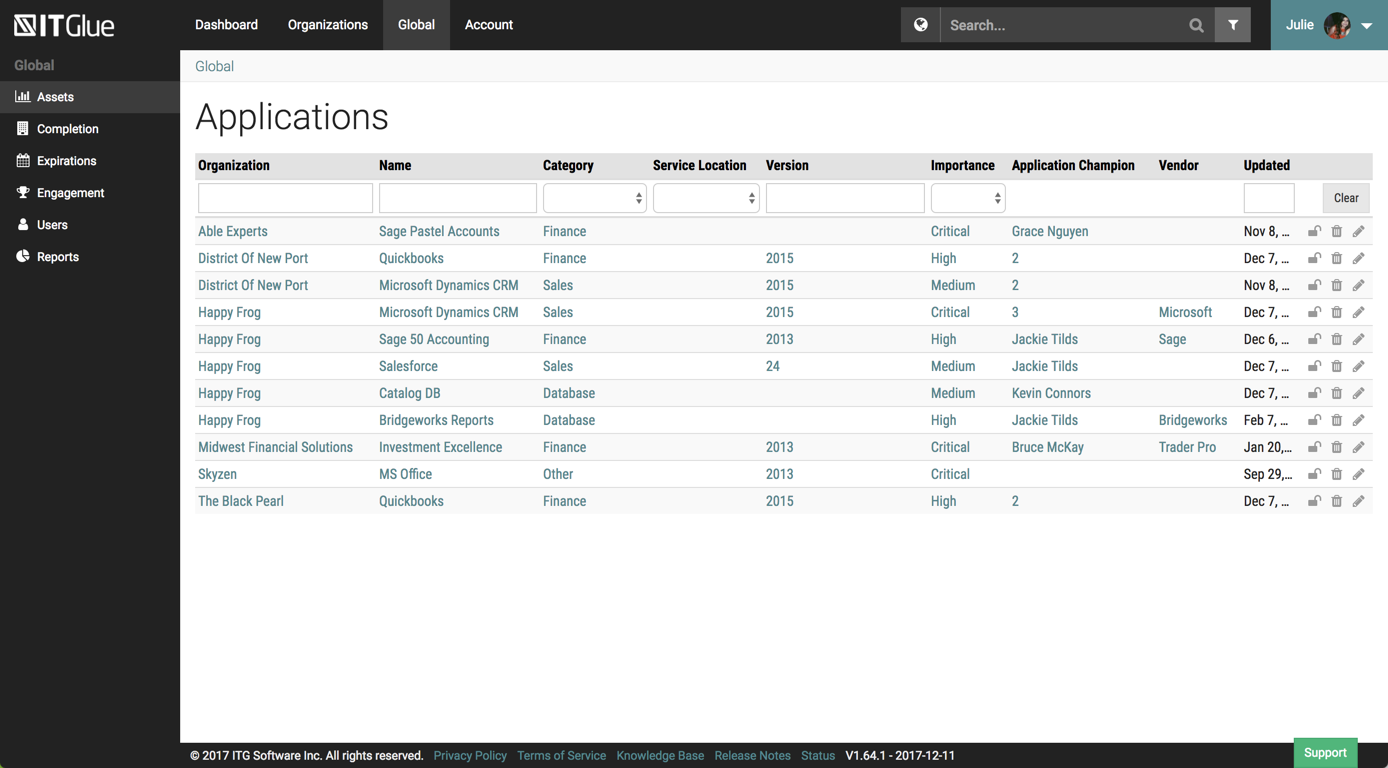 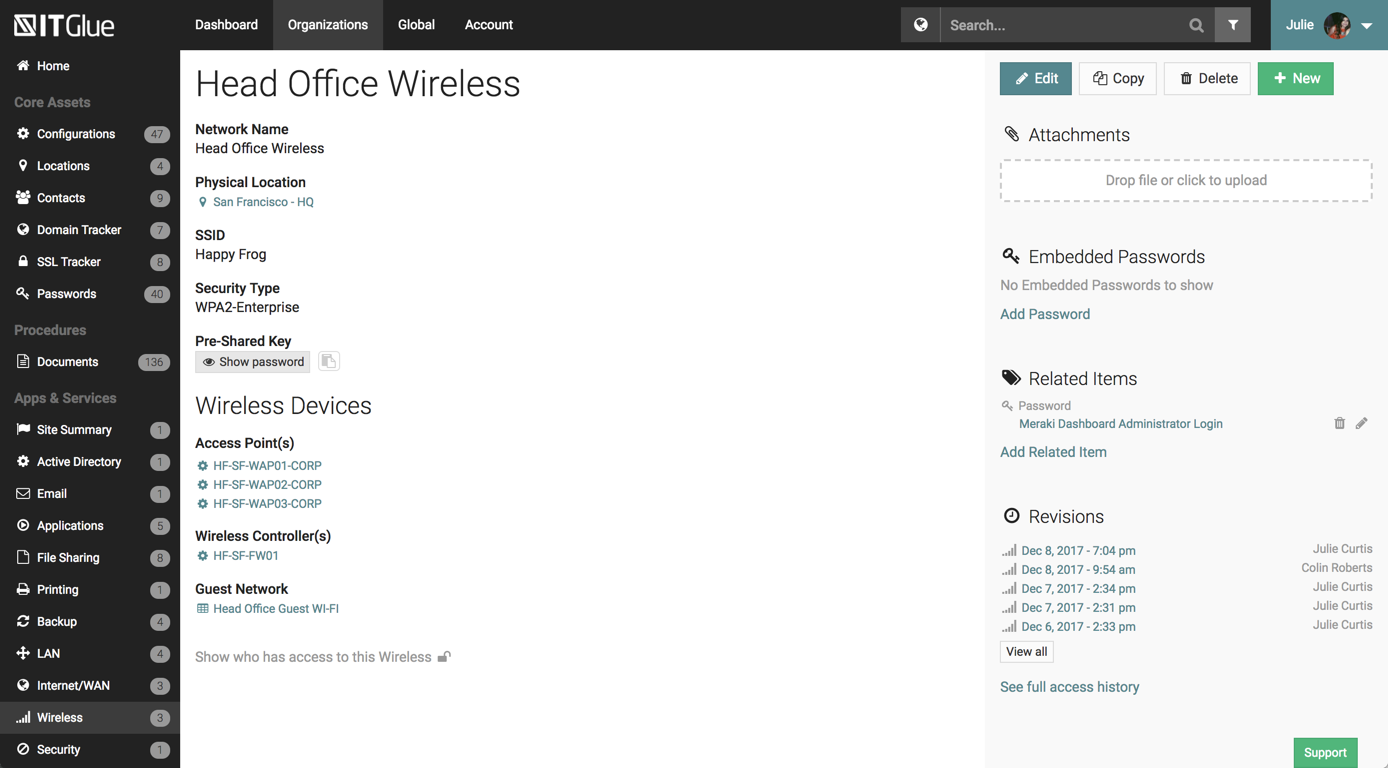  |