Adobe Captivate vs. Auzmor Learn

Overview
ProductRatingMost Used ByProduct SummaryStarting Price
Adobe Captivate
Score 6.8 out of 10
N/A
Adobe Captivate is an elearning authoring and course design tool (or LCMS). It supports mobile HTML5 content. Captivate’s users are commonly midsized businesses to enterprises. Adobe Captivate includes some prebuilt assets as well as customizable workflows.
$33.99
per month
Auzmor Learn
Score 8.9 out of 10
Enterprise companies (1,001+ employees)
Auzmor headquartered in West Des Moines offers Auzmor Learn, a corporate LMS designed to make launching, tracking, and reporting for any type of training, in one centralized location, viewable on any device, with tools to track and encourage employee learning.N/A
Pricing
Adobe CaptivateAuzmor Learn
Editions & Modules
Subscription
$33.99
per month
Student & Teacher Edition
$399
one-time fee
Upgrade
$499
one-time fee
Pereptual License
1,299
one-time fee
No answers on this topic
Offerings
Pricing Offerings
Adobe CaptivateAuzmor Learn
Free Trial
YesYes
Free/Freemium Version
NoNo
Premium Consulting/Integration Services
NoNo
Entry-level Setup FeeNo setup feeRequired
Additional DetailsThere are a few different set up fees based off of number of users, any data migration etc. that needs to be done.
More Pricing Information
Community Pulse
Adobe CaptivateAuzmor Learn
Considered Both Products
Adobe Captivate
Chose Adobe Captivate
Adobe Captivate outshines all of these other tools -Camtasia, Snagit, Powtoons, After Effects, PowerPoint - when it comes to software demonstrations, simulations and/or training videos that contain software demonstrations ( hybrid video containing software demonstrations). But …
Chose Adobe Captivate
1 common platform for reporting & tracking of completion for mandatory trainings. Ability to create own training and mandatory trainings are available & accessible for all employees + contractors
Chose Adobe Captivate
SWAT (internal LCMS) - more flexible but not common to many and difficult to keep up to date Adobe Connect - great for webinars and online classes with live instructor.
Chose Adobe Captivate
At the time Storyline seemed easier to use, but I was already committed to a project and investing time in learning Captivate for it. I also felt some loyalty to Adobe because I had received free Creative Cloud courses through the Adobe Education Exchange.
Chose Adobe Captivate
I use both. Both have their strengths and weaknesses but they complement each other.
Chose Adobe Captivate
Adobe Captivate easily outputs to HTML5 and give you a programming timeline. Lectora does not have a timeline which is a disadvantage when trying to program animations or any other time based interactions. Lectora does have programming capabilities, but at times is difficult to …
Chose Adobe Captivate
Adobe Captivate is the best software for the price, functionality, resources, and training.
Chose Adobe Captivate
It's the absolute worst. Bottom of the barrel. I would never select it. The FBI selected it so my consulting agency has to use it for them.
Chose Adobe Captivate
I selected Adobe Captivate because I can add html features and interactivity to my courses.
Chose Adobe Captivate
I've only ever authored in Adobe Captivate.
Chose Adobe Captivate
Adobe Captivate is a MAC based application that allows for local secure development. A big sell for MAC users.
Chose Adobe Captivate
Captivate is feature-rich and easy-to-use.
Chose Adobe Captivate
I did not select Captivate, it was selected for me. Articulate 360 is easier to use and has a better flow.
Chose Adobe Captivate
I use Camtasia for video editing, however, we have Premier Pro and are now learning to use it. Camtasia and Snagit we use for smaller projects. For bigger projects, we use them all.
Chose Adobe Captivate
Can't touch Authorware. Too bad Adobe killed it. I'd love it if Authorware could be resurrected, modernized and export to HTML5. THat would be the ultimate tool. Animate can do a lot more but it takes a lot more time to build.
Chose Adobe Captivate
Adobe Captivate has more availability and content to be able to change around. Again, I like Adobe Captivate more because of all the content that is available and the pre-made options.
Chose Adobe Captivate
While Captivate has some awesome niche features for some circumstances, currently it cannot beat the ease of use with Storyline. Whether it's content, variables, quizes, etc. things are just "easier" in Storyline. Even something as simple as triggering an event when the …
Chose Adobe Captivate
We are looking for easier templates, automated features, simulations, interactivity activities, and collaboration features.
Chose Adobe Captivate
Captivate is more difficult to figure out. However, once you get passed the learning curve it offers more variety and options than Camtasia. It allows for interactions, simulations, and the likes.
Chose Adobe Captivate
There is a lot more editing/customization capability in Captivate. Zoom is incredibly limited with what you can do within the software.
Auzmor Learn
Chose Auzmor Learn
There are a lot of LMS options out there and it was quite daunting trying to see how everyone compared and differentiated themselves. While they all may have been able to provide the LMS functionality we would eventually need, Auzmor stood out in the conversations we had based …
Chose Auzmor Learn
Auzmor Learn is apt for our use case for an LMS for a smaller organization. It is a package well with good features and at a good price point makes it ideal for smaller companies to get an LMS set up. Other options were either more expensive or did not include as many features.
Chose Auzmor Learn
We had a set of requirements we needed within 3 months timeline. We found many options, but the usability and learner experience in Auzmor Learn was good.
Chose Auzmor Learn
Auzmor Learn LMS provided good integrations and analytics-related features. Many features that felt would be beneficial to our team have been implemented or have considered in the roadmap. The process of finding the right learning management system was a journey through …
Chose Auzmor Learn
Unlike Docebo, Auzmor Learn makes employee, partner, and customer training easy and the interactive courses are much engaging.
Chose Auzmor Learn
[Auzmor Learn is] more efficient for developing training that our company requires, user friendly, and easier to track progress.
Chose Auzmor Learn
Auzmor blended a LMS system as well as content creation that other system were one or the other.
Chose Auzmor Learn
Auzmor Learn has similar functionality to Mindflash, Skyprep and BizLibrary. What sets them apart for me was their willingness to team with me in addressing the unique challenges that our business sector has (construction) due to a very transient workforce.
Chose Auzmor Learn
Auzmor is a superior platform. What separates Auzmor is customer service! When I believe an update or new feature will help our organization, Auzmor listens. Many times, they will implement the idea. Other companies do not have live customer service. You talk to a …
Chose Auzmor Learn
[Auzmor Learn] is the only learning management system we have used. It currently meets our needs and is better than the process we had previously.
Chose Auzmor Learn
The level of support we have received from Auzmor Learn has been fantastic. The amount of training that we received during the implementation process to the level of support we continue to receive is top tier. If we ever have any issues or questions, we know that a member from …
Chose Auzmor Learn
The process of researching various learning management systems was about a two year endeavor. We had a set of very specific features we needed and a strict budget. We found many great options along the way, but the deciding factors were ease of use for our learners and cost of …
Chose Auzmor Learn
While searching for the appropriate LMS, we did a trial period with TalentLMS. Compared with the support we received from Auzmor [Learn], the features with TalentLMS didn't really meet our needs due to the different types of education we were seeking to provide for our EMS …
Chose Auzmor Learn
Auzmor had a more robust course library and easy to navigate user interface than other solutions my organization evaluated.
Chose Auzmor Learn
Compared to the platforms listed above, Auzmor offers a variety of ready to go content packages and subject matters, and it has frequent updates to the content. We selected Auzmor because of the cost and user friendly feel.
Chose Auzmor Learn
It's been a while since I reviewed other LMS'. I found Auzmor Learn to be easy to use and their platform fit our needs.
Chose Auzmor Learn
Reporting and Insights are more effective and easy to access with Auzmor.
Third-party content saves a lot of time in course creations.
I think they have close to 70k contents to choose the appropriate which suits you.
Chose Auzmor Learn
In my 30+ years of experience in the QA and Training areas, I have been both on the user and administrator end of several learning management systems (LMS). Some of the LMSs for previous employers were professionally developed and some were developed in-house. All of them had …
Chose Auzmor Learn
They are extremely similar - better cost to use Auzmor than RISE Training Platform.
Features
Adobe CaptivateAuzmor Learn
Learning Management
Comparison of Learning Management features of Product A and Product B
Adobe Captivate
9.1
Ratings
7% above category average
Auzmor Learn
8.5
Ratings
4% above category average
Course authoring8.00 Ratings8.20 Ratings
Course catalog or library9.00 Ratings8.40 Ratings
Player/Portal8.00 Ratings8.50 Ratings
Learning content9.00 Ratings8.50 Ratings
Progress tracking & certifications9.00 Ratings8.80 Ratings
Learning reporting & analytics9.00 Ratings8.60 Ratings
Social learning10.00 Ratings00 Ratings
Gamification8.00 Ratings00 Ratings
Mobile friendly00 Ratings7.40 Ratings
Assignments00 Ratings8.80 Ratings
Compliance management00 Ratings8.70 Ratings
Learning administration00 Ratings8.80 Ratings
eLearning Content
Comparison of eLearning Content features of Product A and Product B
Adobe Captivate
8.4
Ratings
1% below category average
Auzmor Learn
-
Ratings
Multi-Lingual Support7.00 Ratings00 Ratings
Structured Learning10.00 Ratings00 Ratings
Historical Metrics8.00 Ratings00 Ratings
Cloud-Based Content10.00 Ratings00 Ratings
Automation & Integration7.00 Ratings00 Ratings
Best Alternatives
Adobe CaptivateAuzmor Learn
Small Businesses
iSpring Learn
iSpring Learn
Score 9.6 out of 10
iSpring Learn
iSpring Learn
Score 9.6 out of 10
Medium-sized Companies
Infosec Skills
Infosec Skills
Score 9.9 out of 10
iSpring Learn
iSpring Learn
Score 9.6 out of 10
Enterprises
Infosec Skills
Infosec Skills
Score 9.9 out of 10
Axonify
Axonify
Score 10.0 out of 10
All AlternativesView all alternativesView all alternatives
User Ratings
Adobe CaptivateAuzmor Learn
Likelihood to Recommend
9.0
(0 ratings)
8.6
(0 ratings)
Likelihood to Renew
7.0
(0 ratings)
8.2
(0 ratings)
Usability
8.0
(0 ratings)
8.8
(0 ratings)
Availability
1.8
(0 ratings)
-
(0 ratings)
Performance
7.3
(0 ratings)
-
(0 ratings)
Support Rating
5.8
(0 ratings)
8.8
(0 ratings)
Implementation Rating
2.7
(0 ratings)
-
(0 ratings)
Configurability
5.5
(0 ratings)
-
(0 ratings)
Ease of integration
8.6
(0 ratings)
-
(0 ratings)
Product Scalability
8.2
(0 ratings)
-
(0 ratings)
Vendor post-sale
8.2
(0 ratings)
-
(0 ratings)
Vendor pre-sale
8.2
(0 ratings)
-
(0 ratings)
User Testimonials
Adobe CaptivateAuzmor Learn
Likelihood to Recommend
Adobe Captivate is well suited for software training. Even though we do not use the software simulation recording feature, we simulate the environment with screenshots and then roundtrip into Photoshop to make edits to a screenshot For example, they added 3 new fields and it affects 25 different slides in the course. I dummy up the 3 new fields in Photoshop, copy the layers with the new fields, flatten and save the screenshot and it's instantly updated in Abode Captivate. I then locate the next slide that needs the same new fields added and round trip into Photoshop and then I just select Paste in Place and flatten and save. The alignment is perfect and the screenshots never leave Adobe Captivate. I had a course that I had to do this to with about 25 slides and it was easy peasy.
Read full review
Overall Auzmor Learn works well handling the basic Learning Management Systems needs for OSHA general industry (1910) where employees are in an office, business or industry setting and stay or return to their workplace frequently. Most us a desktop computer to do their training. In the construction industry 90% of employees are in the field nearly 100% of the time. As a specialty contractor that falls under the OSHA standard (1926) Auzmor has listened to my concerns and challenges and has begun to address them by customizing features.
Read full review
Pros
  • Easy learning curve. Captivate makes it easy for a new user to pick it up and understand where to begin. Adobe, in general, does this very well and Captivate is no exception. When you begin using Captivate, many of the tasks to create a video come naturally as things are laid out in a way that makes sense.
  • Embedding with LMS (Learning Management Systems). Adobe has made it very easy to deploy your produced video to any of the popular LMS's available. Captivate also gives you a very easy way of including a SCORM score for any quizzes that must be passed at the end of the video in order to proceed to the next video.
  • Capturing Audio has never been easier. With Captivate you can easily add voice-over audio that you can record directly inside of Captivate, or import a pre-recorded audio clip. You can import sounds from other sources for effects in the video and Captivate already includes all of the commonly used sounds for mouse-clicks, error sounds, etc.
Read full review
  • Assessments can now easily be uploaded in bulk using a CSV template.
  • Successful assessment submission(s) from a learner will trigger a notification to their respective manager/instructor/admin who assigned the training to them.
  • We can create a lesson through video formats, documents, embedding links, YouTube & Vimeo.
  • It can create and track our live training both classroom and online.
  • The course is publicly accessible with public weblink.
Read full review
Cons
  • Templates. There seem to be "themes," but Adobe Captivate has a terrible time saving any sort of object preferences which makes it really difficult when a set of courses need to follow branding guidelines. I have to create a basic course and set up all my colors and whatnot and start every course using that.
  • Ease of use. It is like pulling teeth sometimes to get Adobe Captivate to do things. You may be able to get it to do it, but it'll be like a dozen or more steps which make creating courses incredibly tedious.
  • A bigger focus on software simulation. Adobe Captivate isn't designed for simulation, I get that, and I am happy it does as much as it does. However, it could be better to capture actions and things within a program. For instance, click and drag options and hot-key combinations.
Read full review
  • There was some missing functionality that was raised to the Auzmor team, which they are very receptive of that feedback and work with you on providing a solution, work around or addressing it in a future release.
  • Being able to attach certain file types for training exercises was not supported.
  • There was some limitations on resizing some images and text boxes during course content creation.
  • Some of the whitelabeling and cutomization of the UI has some limitations.
Read full review
Likelihood to Renew
We have hundreds of courses that were created in Adobe Captivate. It will take us a while to convert to Articulate. We'll need a license for another year and/or until Adobe comes out with a true update to the software.
Read full review
From a functionality standpoint the software continues to meet the requirements we had set for the LMS we chose to implement. The addition of new features has increased the likelihood we will continue to use Auzmor Learn. As long as the usability of the software meets the needs of our learners we would not have a reason to look at other options
Read full review
Usability
Adobe Captivate does take some getting used to. There are features that are much more convoluted than they need to be, but overall it is a great product with a some excellent features. Being in a pretty small market, Adobe Captivate and Articulate Storyline dominate the space. They are not the same software, but allow for eLearning authoring. Each has their benefit and their downside, but, for me, Adobe Captivate edges out Storyline.
Read full review
The platform is simple to use. I can have a new employee come to orientation with no computer skills and get that person up and running on Auzmor within minutes. On the admin side, Auzmor is intuitive and easy to use.
Read full review
Support Rating
It is difficult to get in touch with Adobe Captivate support. With a seemingly limited number of resources, mostly outsourced, getting in contact with someone to help troubleshoot an issue is challenging. Typically wait times are long, and the desired path to resolution is to use an existing knowledge base or a self-help guide. It is certainly not a user-friendly experience.
Read full review
Excellent customer support. They work with you to set up the courses, tell you industry best practices, and a good way for structuring courses. Whatever additional features are needed, can be discussed at length with the Auzmor Learn team and they are very open to solve and add these to their product backlog for future updates.
Read full review
Implementation Rating
I'm only aware of the problems Adobe Captivate had with SumTotal LMS and Upside LMS, requiring extensive contact with both internal and external support staff to fix the problems. We had no problems at all with Articulate.
Read full review
No answers on this topic
Alternatives Considered
While Captivate has some awesome niche features for some circumstances, currently it cannot beat the ease of use with Storyline. Whether it's content, variables, quizes, etc. things are just "easier" in Storyline. Even something as simple as triggering an event when the timeline reaches a certain point. We continue to keep Captivate and Storyline because we're hoping it Captivate will continue building its integration with other Adobe apps and become our and the industry standard.
Read full review
There are a lot of LMS options out there and it was quite daunting trying to see how everyone compared and differentiated themselves. While they all may have been able to provide the LMS functionality we would eventually need, Auzmor stood out in the conversations we had based on functionality, pricing and support. It was not just an LMS product, but a partnership we were getting to make sure we would have everything we would initially need and also for where we wanted our training to be for years to come.
Read full review
Return on Investment
  • Adobe Captivate has allowed our instructors to engage students in ways we never have before.
  • Instructors who have used Adobe Captivate in our organization have reported higher levels of engagement with their courses and their students, theoretically leading to improved assessment of student performance.

Read full review
  • Auzmor Learnr has helped us continue our compliance training with ease.
  • Through Auzmor Learn's available trainings, we have been able to create learning paths to help us further develop our Management Teams.
  • Being able to manage the trainings with such ease has saved so much time.
Read full review
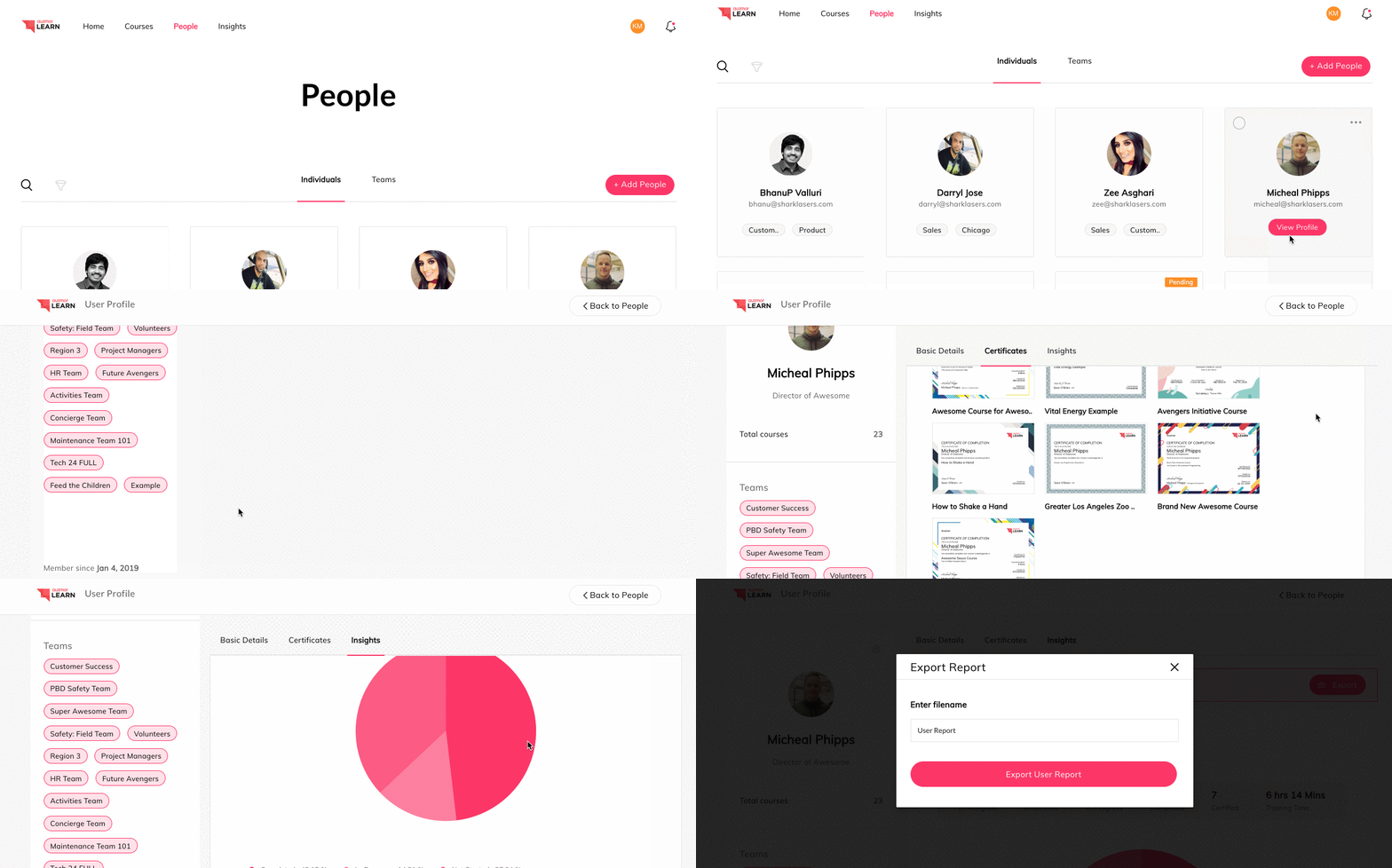
ScreenShots

Auzmor Learn Screenshots

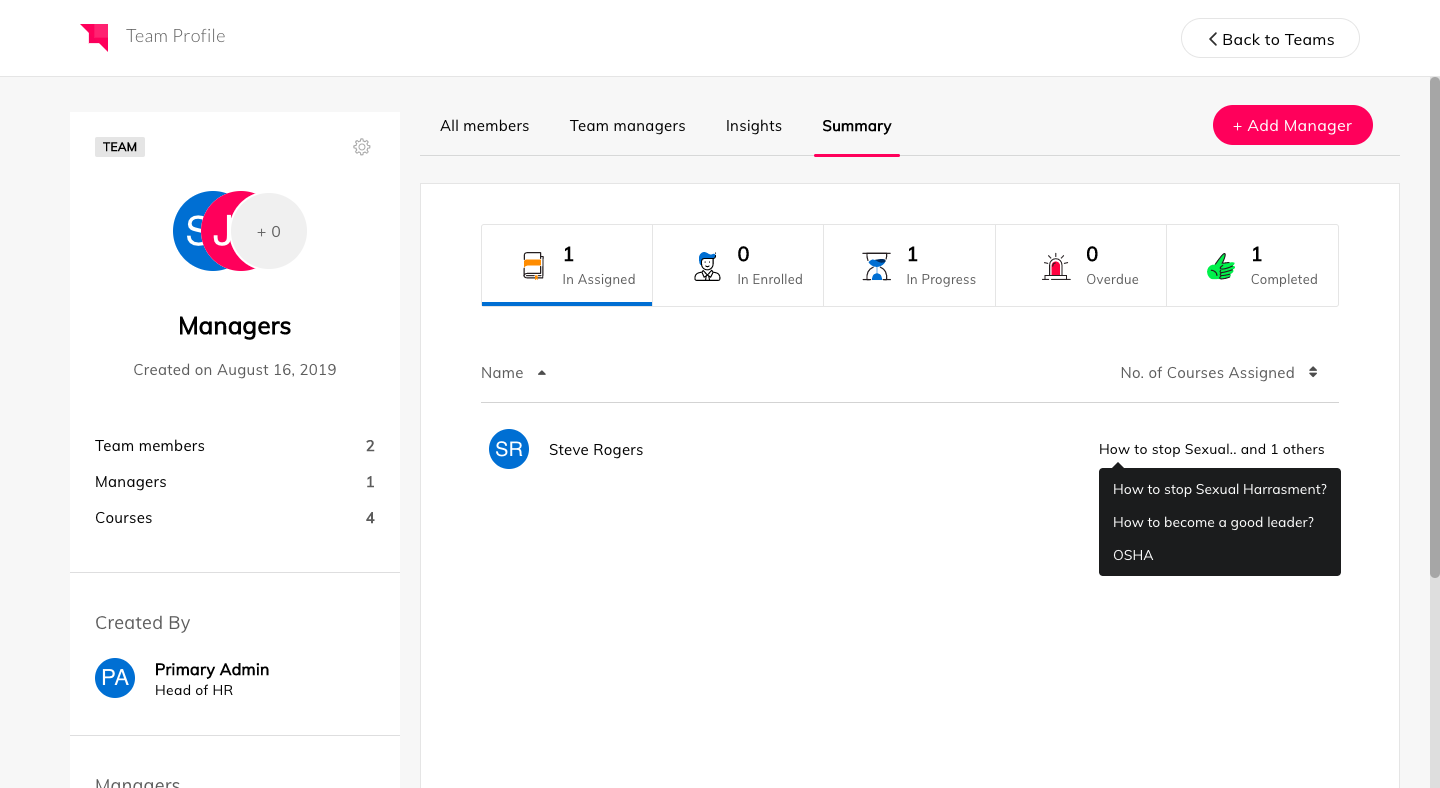
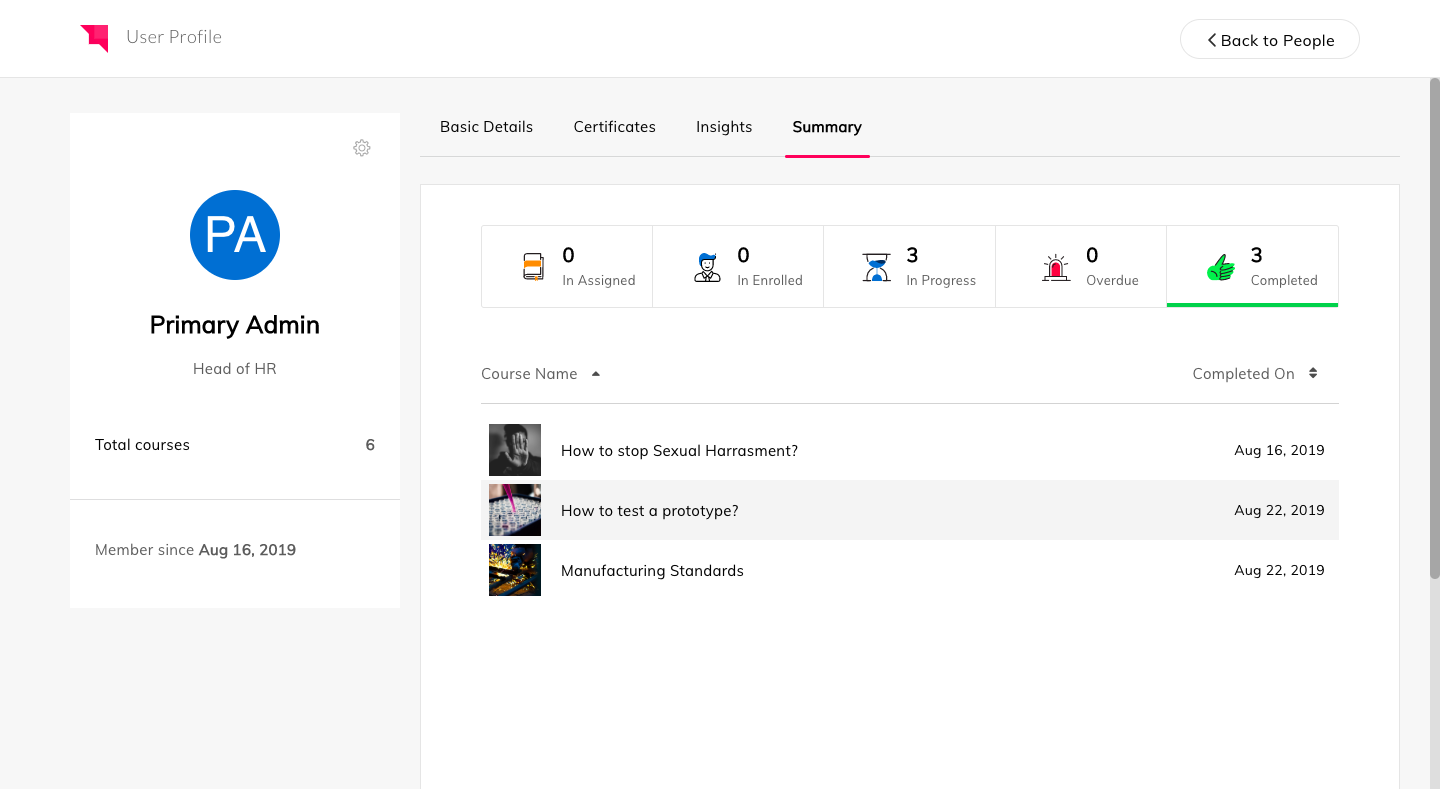
Screenshot of PeopleScreenshot of InsightsScreenshot of Team ProfileScreenshot of User Profile