The WorkForce Suite, by WorkForce Software, is a mobile-first, cloud-based modern workforce management solution with integrated employee communications and collaboration capabilities. The WorkForce Suite aims to help global enterprise organizations optimize their labor, protect against compliance risks, and maximize productivity while building a highly engaged, resilient, and agile workforce.
N/A
HotSchedules
Score 8.0 out of 10
N/A
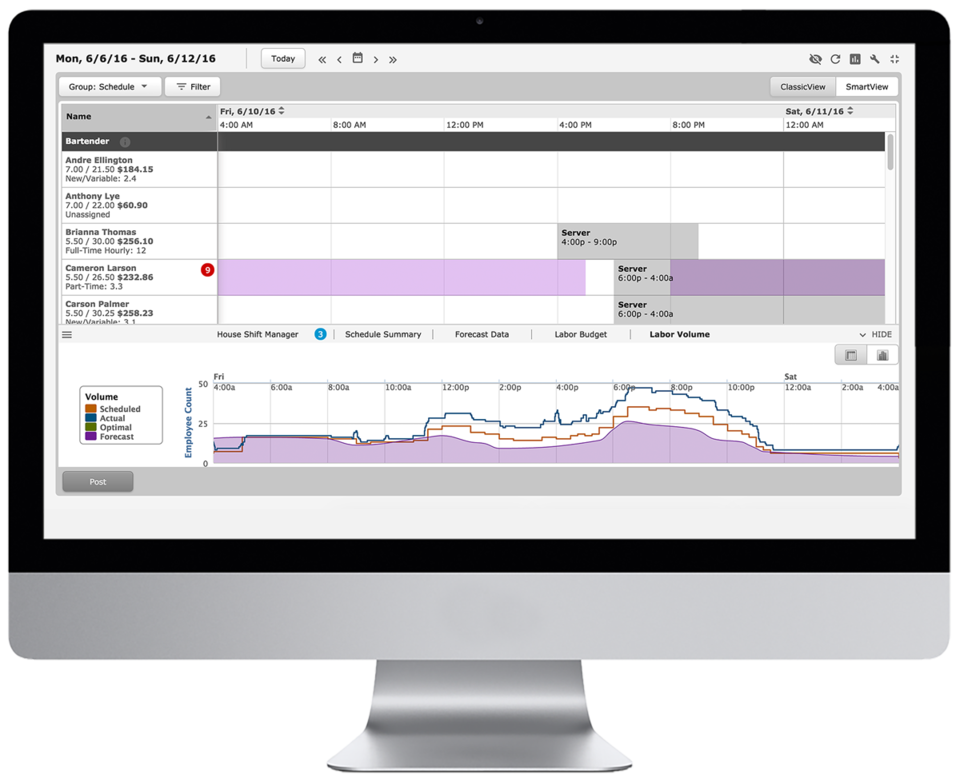
HotSchedules is a cloud-based scheduling, labor and communication management software solution serving the restaurant and hospitality industry. According to the vendor, key benefits include: Build & Communicate Schedules The scheduling and labor management software reduces the time it takes managers to create and communicate schedules. All scheduling and employee information is stored in one central location, so managers have access to time-off requests,…
Functionality is lacking for anything beyond basic clock in/clock out features. Job costing, scheduling, etc. is clunky and requires high level configuration, and still does not always work as intended. The number of steps required to get data from one location to another is over complicated - should be more streamlined and simple
HotSchedules can be implemented in any organization that has to staff a store with varying hours. I have recommended this to my colleague who has 8 employees, yet he has seen great results with the shift swaps and availability tracking/time off requests. I do wish we could see some more attention to general staffing and training VS. the heavy emphasis on restaurant businesses. It feels HotSchedules has grown into many more areas and should work away from marketing so directly to restaurant businesses. Some training programs for other business would be a welcome sight.
All the information needed for your employees can all be found in one place. From the availability of an employee to their pay rate to their phone number. It's all just a click away. Before HotSchedules all of this information was kept in different places and the managers would need to open several documents and contact lists to find what they were looking for about a single employee.
Control over how indepth you use the product. The possibilities of this service are seemingly endless. However if you are solely looking for a specific feature HotSchedules offers you have the ability to soley use that feature. HotSchedules can simply schedule, or it can automatically schedule, or you can assign a specific job to a specific person on a specific day. For us, we have employees who are doing a specific job/task one week and then they are needed for a different job/task the next week. HotSchedules allowed us to narrow down our options starting with department, moving to location, moving down to the job they would be preforming for that scheduled day.
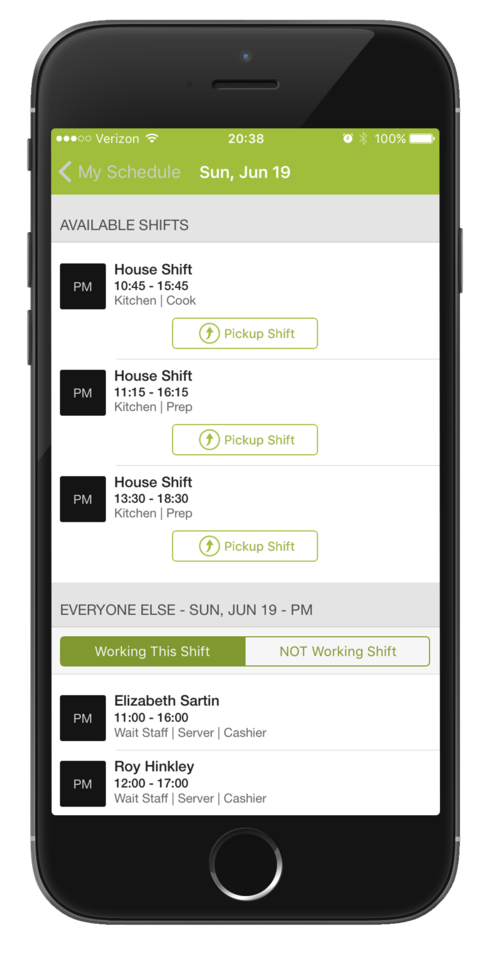
The ease of changing/releasing shifts. If an employee wants more hours they can go in and select shifts that are up for grabs or request to work on a specific day at a specific time. The opposite is also true. If an employee is worried they will have too many hours that week, they can release their shift and put it up for grabs by a different employee. And of course, all of this is fairly customizable to what you want your employees to have the ability to do, with or without your intervention and approval. In our case, if a shift lead releases a shift we only want other shift leads to be able to pick up the shift. HotSchedules allows us to do just that.
EmpCenter's report features need improvement. While it is nice that the user has several options for the format to receive the report in and with a recent update reports can be scheduled to run and be printed or emailed to the user or someone else of their choosing on a regular basis, daily, weekly, monthly. The reports never seem to have all of the information you need on one report and need a lot of manipulating to get the results you actually need. For example we have reports with employees names that show total hours worked, but don't include rates of pay or the job title. When employees have more than one job or rate for the work they are preforming you don't get that breakdown of information with their total hours worked. Another report includes three ways of reporting the same total hours but don't all round the same so, for example the total clocked hours may show 34.3 hours and the work study hours on the same report that should match round to 34.2. We have asked for certain data to be added to certain reports such as a supervisor name and it seems to be such a task for that to be provided and a high cost we are not getting these request met.
Management of time sheets when a supervisor has many employees is difficult. EmpCenter only allows for one manager to be named for each employee. In most settings this may make sense but in our environment in particular with student employees we often have more than one person who oversee different aspects of that employees work and both need access to their records. In our Housing and Dining department we have three managers who are together overseeing several hundred student employees. One manager may be primarily responsible for the employees pay rates and evaluations while another scheduling and they may not all be working at the same time. Because only one of them can have access to an employee’s time sheet if that person is not in and an employee needs assistance with something in EmpCenter the other managers can't help them. Also the display only shows up to 500 employees or assignments. We have some units who have up to eight different assignments for one employee. These areas will have several employees each with several different assignments which means several individual time sheets. This all will result in more than 500 and the supervisor has to use a search feature to get to the employees who do not display in their more user friendly list. Also this many assignments results in many time sheets and the clock times report separately for each and do not combine into one larger complete time sheet so each must be managed separately. It would be nice if there was a view that combined all hours into one time sheet view. Finally on this note when a supervisor is approving time they can only approve one time sheet per employee at a time so they have to do mass amounts of approvals and ultimately simply don't approve time sheets when they are dealing with so many.
Probably our largest problem is that when we do have programming that is not working properly or aspects of the system that we would like improved it is difficult to get those corrections made and made in a timely manner. I do not work directly with the company, but it has taken a few payroll cycles to get programming fixed for some things causing a lot of manual work in my area to pay employees correctly. If anyone is looking at purchasing this product I advise that they be very clear and detailed upfront with what they are getting and what is included in the cost they are being quoted. Because this is a customizable program you buy an off the shelf basic and the company works with you to price what programming will be done from there. Things we thought were covered we are finding are not and it is very costly to add other programming to our contract. I often feel it is not a high priority for them to resolve problems we are experiencing however it is very important for us and the work we are trying to do.
We also have problems with access to the system in different ways and needing more roles. EmpCenter has a role for a user who only has access to certain activity such as reporting their time and requesting time off, a role as a manager who can approve time off and time sheets and see their employees records, and a super user role who has more administrative access to override things and handle some of the errors and issue we may experience. in my role I am an administrator for several different areas of the campus and need to access the system at a higher level to assist employees and managers but can only have the manager role but with wider access granted. So by this I mean that I see the features a manager sees but am seen as a manager of all employees in several areas on campus where the other manager role is restricted to just that managers employees alone. In this sense I suppose this is a fourth role the system allows, but I can't do any more actions than a manager can i can just see more people. The super user role is not granted because it is at such a higher level that they can actually effect programming and this role is highly restricted so that users don't inadvertently corrupt the program. I feel there needs to be one more layer in between the super user level and the manager level. I would like to be able to delete time when employees have clocked in by mistake and simply want that removed or when there are more minor problems with a record that I can't correct. Also when a manager is out and has not delegated their employees to someone else to manage I would like to be able to make that delegation so that someone in the unit can review, correct and approve time in place of that supervisor who is gone.
Overall we have had many problems with things not working right and trying to get the system to calculate properly, finding ways to get information we need from it, and managing and using it. I am sure these are general growing pains anyone would have when transitioning an entire university to a new electronic system, but it has been a difficult first year. If you are thinking of implementing this program have a good communication plan, someone who is the lead and will get things taken care of when they need to be, and clear roles and responsibilities lined out so that everyone knows who does what and who to go to when there is a problem.
After spending close to 5 years to decide on which payroll product to acquire for our University, I cannot image we would switch now that we have it in use.
6 Years of Experience provides me the insight on the upgrades and changes that HotSchedules has done to improve the experience of its users. There are so many features that we still have not started or used to the fullest, but we believe that we are currently getting a strong value out of the money that is paid for this product.
Always cheerful, informative, and educated staff. Each person seems to want to find a way to help us with any issues or questions we have. I love that all the staff is friendly and in a good mood when you call, I have never had a rep be unhelpful or short tempered, or ever less than accommodating to our needs!
I did not make the decision to select EmpCenter and only know our university also considered Kronos although I assume there were other products considered. My use of Kronos was only at an employee level and I am not sure how it all stacks up for sure. What I do think is that EmpCenter is more customizable than other products and was seen to be able to adapt to fit all of our needs so it was a system that could be used by everyone. I think it is good we have one time keeping system and don't have some employees using paper or a different system because the one could not meet our needs, but as I said this also makes it more difficult to network with other users and to get improvements made quickly.
HotSchedules was the first to tie into a POS to control clocking in and out for employees compared to a canned product from major POS providers. HotSchedules is more widely used by hourly employees in the industry, so there is less of a training curve.
Saving time on scheduling means our managers can focus more on guest experience, managing the floor and other areas that contribute to the success of our business.