Artboard Studio vs. Corel Painter

Overview
ProductRatingMost Used ByProduct SummaryStarting Price
Artboard Studio
Score 0.0 out of 10
N/A
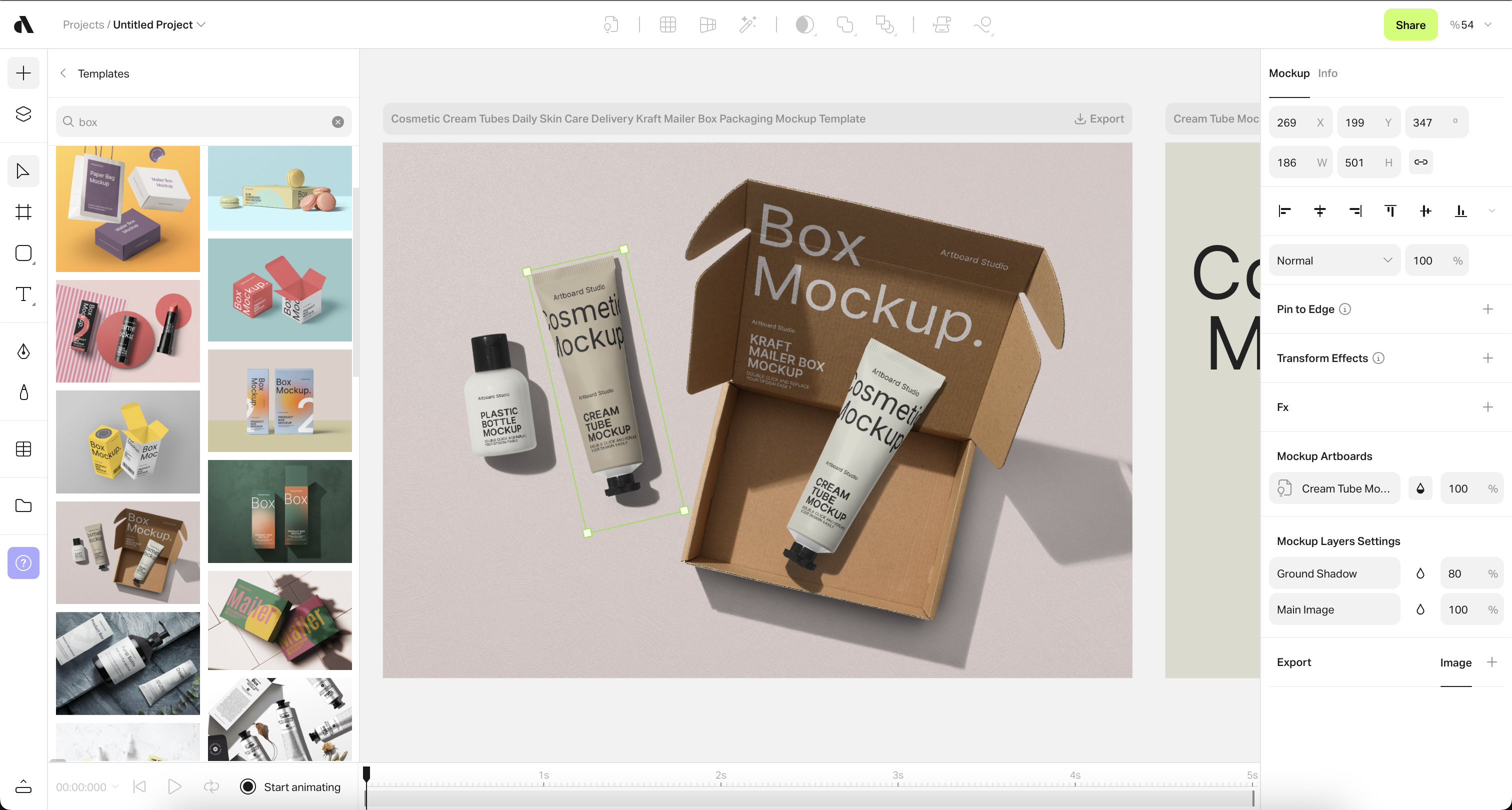
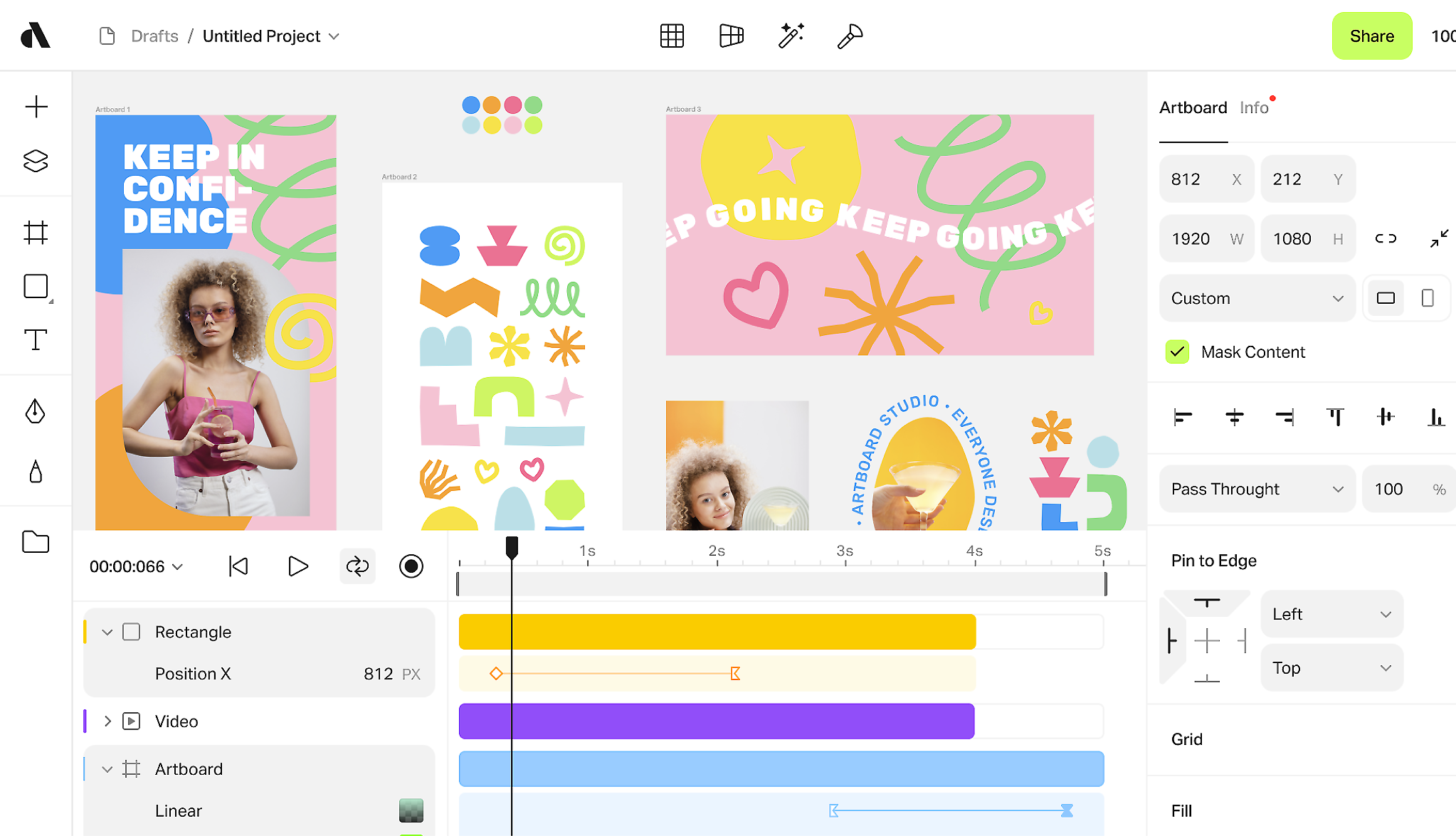
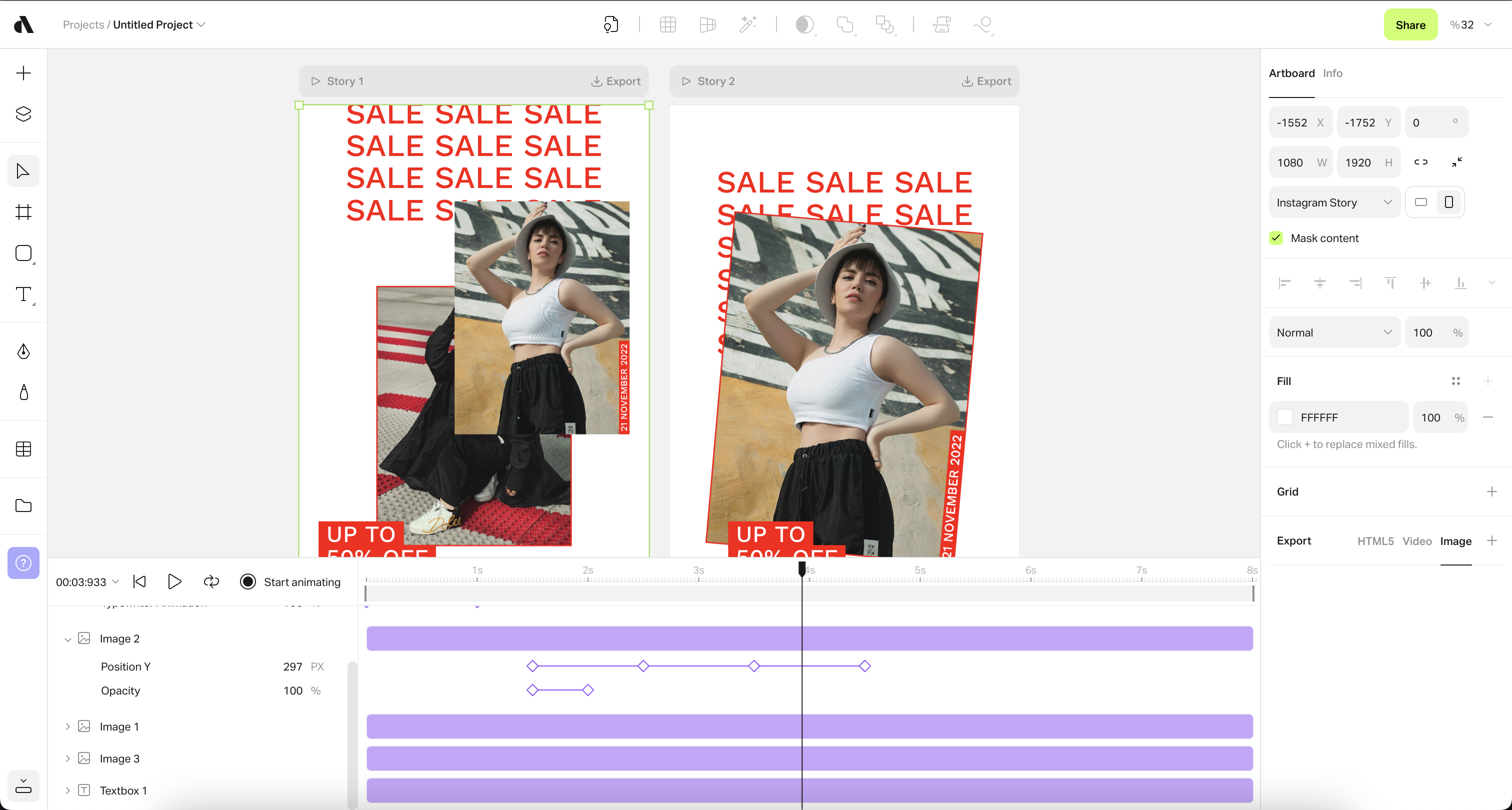
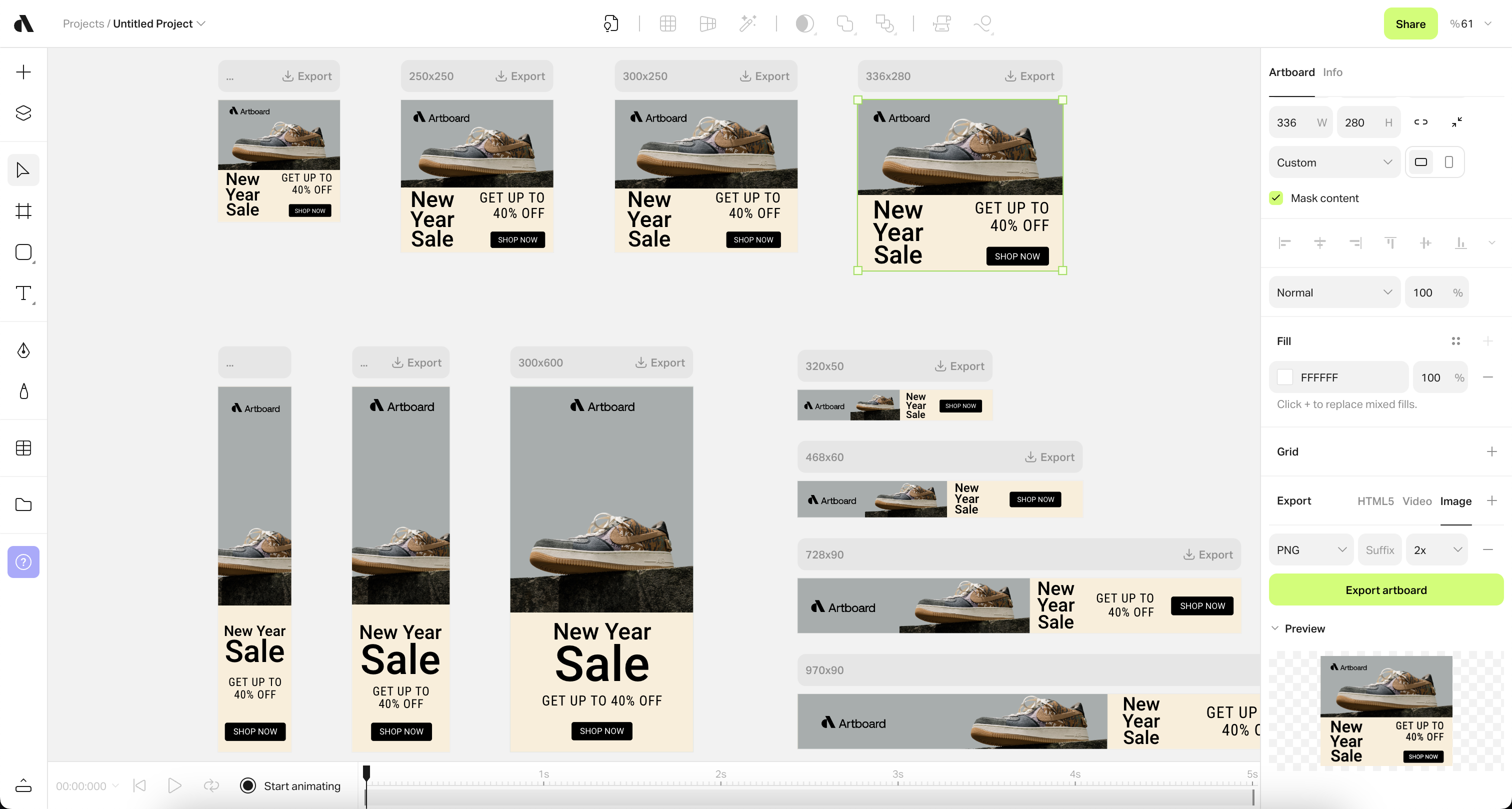
Artboard Studio is a graphic and motion design platform that enables users to create compelling marketing assets. Its features include design, animation, and mockup capabilities, and it is used to streamlines the creative process, allowing users to save time and money. It also includes a content library including various templates and mockups, and integrations with other popular tools to make it easier to adopt by creative teams and marketers.
$0
per month
Painter
Score 9.9 out of 10
N/A
Painter is a digital art and painting application, from Corel Corporation.N/A
Pricing
Artboard StudioCorel Painter
Editions & Modules
Starter plan
$0
per month
Lite Plan
$7
per month
Professional Plan
$12
per month
Ultimate Plan
$29
per month
No answers on this topic
Offerings
Pricing Offerings
Artboard StudioPainter
Free Trial
NoNo
Free/Freemium Version
YesNo
Premium Consulting/Integration Services
NoNo
Entry-level Setup FeeNo setup feeNo setup fee
Additional Details
More Pricing Information
Community Pulse
Artboard StudioCorel Painter
User Ratings
Artboard StudioCorel Painter
Likelihood to Recommend
-
(0 ratings)
7.0
(0 ratings)
Usability
-
(0 ratings)
1.0
(0 ratings)
Support Rating
-
(0 ratings)
3.0
(0 ratings)
User Testimonials
Artboard StudioCorel Painter
Likelihood to Recommend
No answers on this topic
Corel painter is one of the best tools in the market for specialized designing and painting. The spotlight option with watercolor marking is very unique. The new Captured Dab Library is one of the best features of the latest update. The new enhanced brush settings and the redesigned brush libraries make life so much easier.
Read full review
Pros
No answers on this topic
  • Watercolor Compatible
  • Multiple variety of Brushes and shapes
  • Captured Dab Library
Read full review
Cons
No answers on this topic
  • Way too many functional bugs, makes it hard to work with
  • Bad UX and usability, too much unintuitive behavior, makes it particularly hard to work with
  • Overall looks and behaves as if it was coded in the '90s, it really needs a complete UX overhaul
  • Did I mention the many bugs yet? Yeah? I'll mention it again because it's bad
Read full review
Usability
No answers on this topic
If it wasn't quite clear yet, I'll state it again: the usability of Corel Painter is, simply put, horrid. And I am not talking about rendering, lagging, etc., it is not even all that bad there. I am talking about the weird issues like being unable to move a brush into a custom brush palette when you work on a second screen, like being unable to move the software onto the second screen in the first place unless you separate all the palettes and the windows (and if nobody tells you upfront there is no way of knowing because the manual doesn't state this at all), and then having to drag all your separate windows and palettes over one by one every time your computer wakes up again, and they won't really want to move to the other screen but only through a tiny corner of your screen, and the fact that you have to scroll through lists and lists of fonts but can't search and when you apply this font, add another piece of text the font jumps back to the default font of all the text already applied even when you haven't selected any of the text. Just to name a very small few.
Read full review
Support Rating
No answers on this topic
It was really hard to get them to understand what I was having problems with. It was hard to get the message through that Painter has an unacceptable amount of functional and UX bugs. When I finally talked to someone who was easier to communicate with, he was very stoic about the situation, like they didn't really care about the awful amount of bugs.
Read full review
Alternatives Considered
No answers on this topic
Like I already mentioned Photoshop is so much more pleasant to work with. Though out of the box Photoshop definitely has a lot fewer brushes; you can definitely download bushes often for free, or otherwise a small fee (you have to pay to add more brushes with Painter as well). Painter has so many horrible bugs, functional as well as usability bugs, it's just very, very sloppy definitely compared to Photoshop which is virtually bug-free nowadays. All due respect to programmers, I have been a coder myself, but it is obvious that Painter is built by coders and coders alone, it is obvious there have not been many designers (UX or otherwise) involved in the development of Painter. I got Painter on a discount (luckily or I would have been really ticked off) and I wanted to try it out. I would NEVER pay $500 for it now I know it is riddled with bugs.
Read full review
Return on Investment
No answers on this topic
  • Waste of money
  • Waste of time trying to work around all the bugs
  • Waste of time trying to talk to customer service
Read full review
ScreenShots

Artboard Studio Screenshots

Screenshot of 10,000+ mockup items and templatesScreenshot of Design and animate in one infinite canvasScreenshot of Create quality marketing contentsScreenshot of Promote products with professional visualsScreenshot of Manage brand assetsScreenshot of Create Google Display Ads with any size