Autodesk BIM Collaborate Pro vs. Buildertrend

Overview
ProductRatingMost Used ByProduct SummaryStarting Price
Autodesk BIM Collaborate Pro
Score 8.4 out of 10
N/A
Autodesk BIM Collaborate Pro (formerly BIM360) is a construction software for project managers, site managers, and Building Information Modelling (BIM) managers. It is designed to connect the office and site components of construction, providing cloud-based access to plans and models.
$480
per user/per year
Buildertrend
Score 8.0 out of 10
N/A
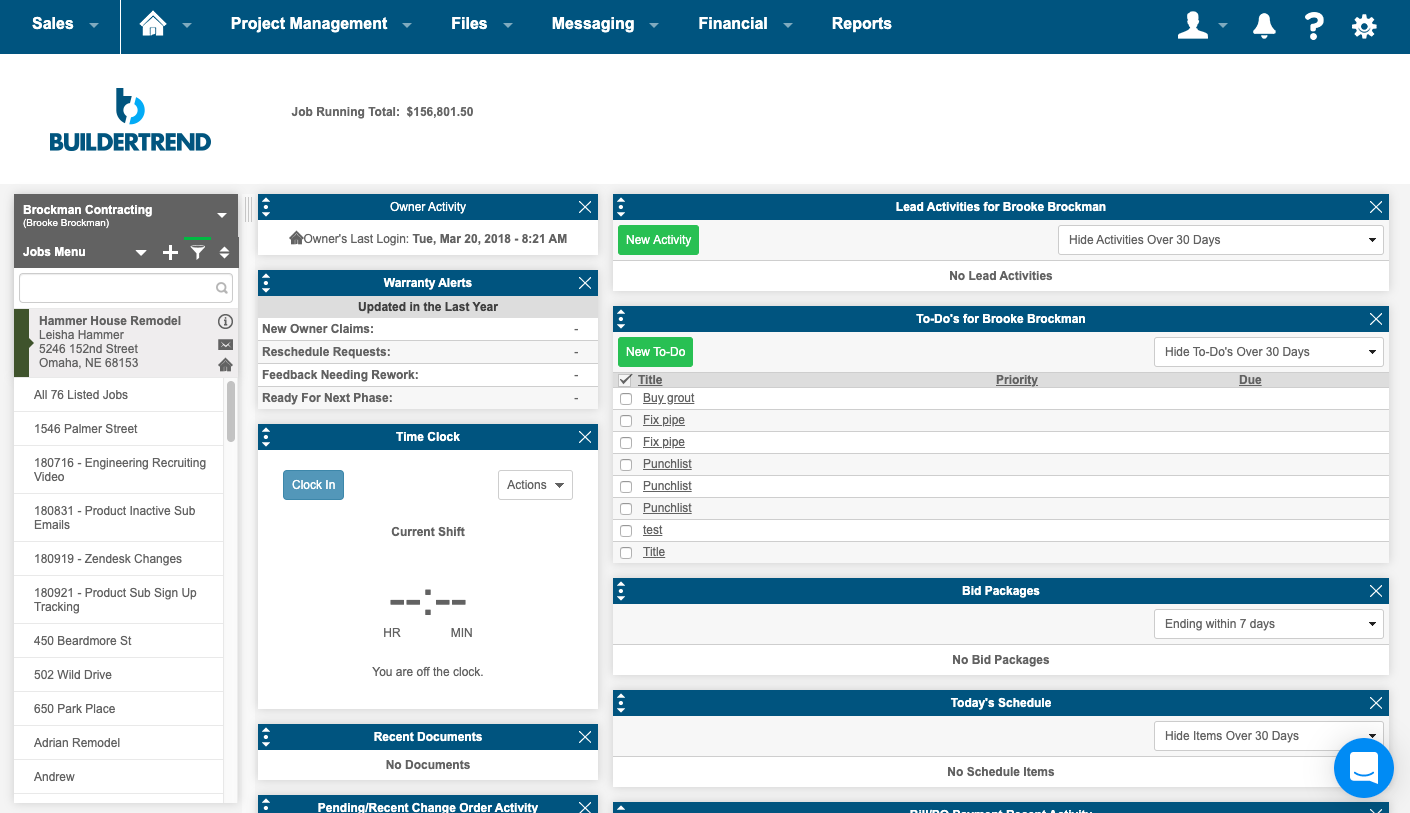
BuilderTrend is a construction management system. It includes functionality for pre-sale, project management, financial management, and customer management processes. It also provides mobile accessibility.N/A
Pricing
Autodesk BIM Collaborate ProBuildertrend
Editions & Modules
Autodesk Bim 360
$480.00
per user/per year
Core Subscription
Contact for quote
per year
Premium
Contact for quote
per month
Premium
Contact for quote
Offerings
Pricing Offerings
Autodesk BIM Collaborate ProBuildertrend
Free Trial
NoNo
Free/Freemium Version
NoNo
Premium Consulting/Integration Services
NoNo
Entry-level Setup FeeNo setup feeNo setup fee
Additional Details
More Pricing Information
Community Pulse
Autodesk BIM Collaborate ProBuildertrend
Considered Both Products
Autodesk BIM Collaborate Pro
Chose Autodesk BIM Collaborate Pro
Storing and managing the project data in one location is not different that Autodesk Vault which is also a data management software. However, Autodesk Vault is slow in accessing and dealing with big Revit projects and files. Even if they are similar, we decided to use only …
Chose Autodesk BIM Collaborate Pro
I have never used anything against BIM Collaborate, as it's our primary collaboration domain.
Chose Autodesk BIM Collaborate Pro
This software streamlines BIM project workflows better than other software. It Saves time, reduces risk, and mitigates errors in construction projects. It will Help to improve quality & safety. The feature of clash detection is the best one and most useful. This software will …
Chose Autodesk BIM Collaborate Pro
Personally I prefer Procore for reviewing submittals and other documentation for LEED purposes only because that platform holds more of the information we are looking for like drawings as well, all in one place. Newforma has been used from time to time, but Autodesk is …
Chose Autodesk BIM Collaborate Pro
They are all very similar. It seems that Bim360 is easier to manage from the front end, which results in a better experience for all of the end users.
Chose Autodesk BIM Collaborate Pro
Integration with glue and field is the primary reason why Docs is better than PlanGrid. I would like for them to remove those silos however and have it under one platform. Unfortunately, it seems like Autodesk swallows up all the small companies so you are more likely to have …
Chose Autodesk BIM Collaborate Pro
Bim360 is an immature, oversold, and under-delivered product that is simply the only option available for collaboration when you are locked into the Autodesk Revit ecosystem. SharePoint Online, Dropbox Business, and other cloud file management and sharing solutions show you …
Chose Autodesk BIM Collaborate Pro
The saving in reduced field changes/mistakes quickly paid for the license plus some. The software allows for easy data collection, especially at project completion for field software by checklist creation. Furthermore, the internal punch-list tracking, tracking completion lists …
Chose Autodesk BIM Collaborate Pro
BIM360 serves us better for live collaboration than any other product. Because it is under the Autodesk umbrella it is compatible with Revit and AutoCAD MEP and Civil 3D. Unlike the other software where the data sharing is a static process. We went with BIM360 ultimately for …
Chose Autodesk BIM Collaborate Pro
We chose Bim360 because it has a dashboard interface and friendly UI to organize data and documents.
Chose Autodesk BIM Collaborate Pro
Bim360 is a CDE in the overall BIM softwares from Autodesk. If you are using Revit, Navisworks or Building design suite from Autodesk, it's highly recommended that Bim360 be the CDE of choice to get your project into BIM technology.
Chose Autodesk BIM Collaborate Pro
BIM360 compared to prolog is comparing apples and oranges. We used these programs to do things the other could not. We used Prolog to handle bids, budget and change orders. While BIM360 we thought was not set up to easily do those options so we used BIM for drawings, …
Chose Autodesk BIM Collaborate Pro
I think BIM360 has much better quality control tools that are much more streamlined than what is available on Procore. However the RFI, Submittal, Drawings tools in Procore are much easier to use and the drawings are much easier to access and view in the field using Procore. …
Buildertrend
Chose Buildertrend
I have not used anything like this before.
Chose Buildertrend
(Hubspot) For Sales & Marketing, it is really a killer awesome program that I would encourage Buildertrend to look into.
Hubspot is just on another level of intelligence and access that Buildertrend doesn't match up to.
At the same time, perhaps HubSpot lacks what Buildertrend …
Chose Buildertrend
I have tried some competitors. Overall, there are some alternatives but personally, I feel that Quickbooks is the "Google" of management systems. The customer service is amazing and they offer a no-hassle product. The only wish would be that they had offered a true "free trial" …
Chose Buildertrend
I am still very new with using BuilderTrend but enjoy using the application. When we have an issue or a feature addition the BuilderTrend team is very responsive to help or point us to where we may seek an answer.
Chose Buildertrend
The program has outstanding customer service. With project scheduling, project management, financial management, customer management, and service management capabilities in a single suite, there's really not much this program can't do! Owners generally love the use of this …
Chose Buildertrend
BuilderTrend allows me to see a full view of all my jobs in one place. I picked it for this reason. I wanted a solution that subcontractors would be able to use without having to do anything except open their email to get the information they needed to get the job done on time. …
Features
Autodesk BIM Collaborate ProBuildertrend
Asset Management
Comparison of Asset Management features of Product A and Product B
Autodesk BIM Collaborate Pro
6.0
Ratings
18% below category average
Buildertrend
-
Ratings
Tracking of all physical assets6.00 Ratings00 Ratings
Reporting & Analytics
Comparison of Reporting & Analytics features of Product A and Product B
Autodesk BIM Collaborate Pro
6.2
Ratings
21% below category average
Buildertrend
-
Ratings
Dashboards4.40 Ratings00 Ratings
Standard reports6.30 Ratings00 Ratings
Custom reports7.10 Ratings00 Ratings
Data exportability7.10 Ratings00 Ratings
Construction Project & Field Management
Comparison of Construction Project & Field Management features of Product A and Product B
Autodesk BIM Collaborate Pro
6.9
Ratings
9% below category average
Buildertrend
4.3
Ratings
55% below category average
Plan distribution & viewing9.90 Ratings1.00 Ratings
Plan markups & sharing10.00 Ratings2.00 Ratings
Issue tracking & punchlists8.20 Ratings2.20 Ratings
Photo documentation5.40 Ratings6.10 Ratings
Jobsite reports4.50 Ratings9.00 Ratings
Document sharing10.00 Ratings2.30 Ratings
RFI tools4.40 Ratings8.20 Ratings
Collaboration & approvals9.80 Ratings4.00 Ratings
As-built drawings4.50 Ratings8.70 Ratings
Mobile app3.00 Ratings1.30 Ratings
Submittal design and management6.30 Ratings3.00 Ratings
Checklists4.50 Ratings00 Ratings
Meeting Minutes9.00 Ratings00 Ratings
Specifications5.40 Ratings00 Ratings
Change orders8.00 Ratings00 Ratings
Estimating
Comparison of Estimating features of Product A and Product B
Autodesk BIM Collaborate Pro
4.4
Ratings
58% below category average
Buildertrend
1.2
Ratings
148% below category average
Takeoff tools4.50 Ratings1.00 Ratings
Job costing3.60 Ratings1.00 Ratings
Cost databases8.00 Ratings1.00 Ratings
Cost calculator2.60 Ratings1.10 Ratings
Bid creation3.00 Ratings2.00 Ratings
Best Alternatives
Autodesk BIM Collaborate ProBuildertrend
Small Businesses
FollowUp CRM
FollowUp CRM
Score 10.0 out of 10
FollowUp CRM
FollowUp CRM
Score 10.0 out of 10
Medium-sized Companies
InEight
InEight
Score 8.3 out of 10
InEight
InEight
Score 8.3 out of 10
Enterprises
InEight
InEight
Score 8.3 out of 10
InEight
InEight
Score 8.3 out of 10
All AlternativesView all alternativesView all alternatives
User Ratings
Autodesk BIM Collaborate ProBuildertrend
Likelihood to Recommend
9.9
(0 ratings)
2.5
(0 ratings)
Usability
10.0
(0 ratings)
10.0
(0 ratings)
Support Rating
6.9
(0 ratings)
10.0
(0 ratings)
User Testimonials
Autodesk BIM Collaborate ProBuildertrend
Likelihood to Recommend
It is very efficient to set up projects using configurable templates for files, issues, and roles. Data management is easy to be understood by many users. As we have multiple users that are located in different areas in the world, it allows managing multi-discipline teams in only one environment. Clash analysis on shared models saves us time too.
Read full review
Perfect for General Contractor's and subcontractor's that want to be a leader in their industry. Sure, you can limp along without a management system but you won't be able to take your business to the next level in most cases. If you are small enough and only doing one maybe two jobs at a time and you are good at keeping every single detail in your head and don't have any issues with schedule or timeframes then you may not need this. However, I have not been in a situation where software like Buildertrend didn't/couldn't add significant value and a need in my company
Read full review
Pros
  • Live updates between design teams. This keeps the team up to date for quicker design and frees up personnel from having to do file transfers.
  • The cloud-based platform gives your company a little bit of a break on computer requirements.
  • Allows multiple offices and/or cloud-based consultants to collaborate on a design as if they are one office or one company.
Read full review
  • The subcontractor PO management area makes managing the scope of work and payments for each subcontractor extremely easy and is well organized.
  • The material selections section also greatly simplifies and organizes a somewhat challenging aspect of remodeling.
  • The ability for customers to view the total project cost and make payments online is a major time saver and improves our cashflow.
Read full review
Cons
  • Bim360 is extremely unintuitive and frequently confusing to end users.
  • There are multiple avenues of sharing and collaboration for models and information. The advantages/disadvantages of each and how to perform even the most basic of tasks requires extensive training and mentoring for even the most advanced of users.
  • There are many enormous limitations and constraints to BIM 360 that are not immediately obvious and even contrary to published marketing materials and even product naming.
  • Development cycles of the product are seemingly monthly, but incredibly minor. This makes the desperately-needed and glaringly obvious massive usability, capability, and performance improvements into deal-breakers and hair pulling events. Change cannot come fast enough.
  • There are no integrations into Microsoft's Azure AD SSO or other 3rd party SSOs available for SMBs. This makes the provided MFA a huge headache for all SMBs.
  • There are no integrations into the Microsoft 365 ecosystem for SharePoint/OneDrive or Outlook. This is desperately needed for most organizations using Bim360.
Read full review
  • In messaging an Out of Office type auto response would be great for when people go out on vacation
  • When using the Job Type field of Mutli-Family this should allow the interface to group that all in one job but be section out into the different unit in that building. So different selections can all be located within that same unit.
  • Building new jobs from templates can take up to 10 minutes some times. Please reduce the amount of time it take to make jobs off templates.
  • Owner accounts should not be directly tied to a job, they should be completely separate so the account can be linked to different jobs and not cause problems to that account or what that account has access to.
Read full review
Usability
It's not very difficult to use for majority of all our users. We really like storing and managing all our project data in one location so users have only one option to access the requested information. Managing our architectural engineering projects with two workflows in one system is really a good asset
Read full review
Its simple to use and intuitive. The level of support that we have from online videos, to access to customer support, and the ability to call anyone at anytime on the main line has been invaluable to utilize and not get stuck on something you don't know yet. We've never not had anyone that couldn't respond in time for us.
Read full review
Support Rating
AutoDesk support is slow and if you are not an enterprise customer they will likely tell you to go to forums and post for help pushing the support on the high-level end-users (some of which are AutoDesk employees). I haven't actually had issues requiring support with docs altough there are some features I wish it had
Read full review
I highly recommend. The only suggestion I have would be to offer a free trial. They do offer a 30 day money back guarantee. The price point isn't daunting if you have had a 100 % no strings attached/no effort to cancel or try to remember to get your money back - no strings attached chance to try out the product. Especially for such a big purchase decision, I think Buildertrend would see an incredible increase in sales. They have the value and companies just need a chance to see it first hand.
Read full review
Alternatives Considered
Personally I prefer Procore for reviewing submittals and other documentation for LEED purposes only because that platform holds more of the information we are looking for like drawings as well, all in one place. Newforma has been used from time to time, but Autodesk is preffered to that because of its straightforward nature. Overall, we use the platform that our projects are already using, but they do make a small difference in the time and effectiveness of which we are able to do our job as consultants.
Read full review
(Hubspot) For Sales & Marketing, it is really a killer awesome program that I would encourage Buildertrend to look into. Hubspot is just on another level of intelligence and access that Buildertrend doesn't match up to. At the same time, perhaps HubSpot lacks what Buildertrend has on the Finance and Construction Management side - that I don't know. Our business is virtually complete by combining both of these platforms together across our teams.
Read full review
Return on Investment
  • Well, I would say it's helpful for me to exchange different models with different specifications.
  • Number of people can work and also characterized models based on its modelling.
  • Even if a number of people are working, none of the models get disturbed, which is one of the most important points of BIM.
Read full review
  • I started my business because of BuilderTrend.
  • My return on investment was 933% in year one.
  • BuilderTrend has not only helped me double my business year over year, but it's also created a new career for myself as a BuilderTrend consultant for new or existing users looking to maximize their ROI faster.

Read full review
ScreenShots

Buildertrend Screenshots

Screenshot of the homeowner portalScreenshot of a summary pageScreenshot of the scheduling interface & Gantt chartScreenshot of photos