Autoklose vs. Mailtrack

Overview
ProductRatingMost Used ByProduct SummaryStarting Price
Autoklose
Score 8.6 out of 10
Small Businesses (1-50 employees)
Autoklose, a VanillaSoft brand, is an SEP solution, presenting a combined package of sales email automation and tracking, contact and email campaign management with sequence templates and optimization.
$59.99
per month per user
Mailtrack
Score 9.7 out of 10
N/A
Mailtrack is a free email tracker for Gmail, boasting over 1,5 million active users. The vendor states users will Ffollow up with more accuracy, find out the moment emails have been read, track the…N/A
Pricing
AutokloseMailtrack
Editions & Modules
Auto Kloser
$59.99
per month per user
Advanced Kloser
$69.99
per month per user
Accelerated Kloser
$99.99
per month per user
No answers on this topic
Offerings
Pricing Offerings
AutokloseMailtrack
Free Trial
YesNo
Free/Freemium Version
NoYes
Premium Consulting/Integration Services
NoNo
Entry-level Setup FeeOptionalNo setup fee
Additional Details
More Pricing Information
Community Pulse
AutokloseMailtrack
Considered Both Products
Autoklose
Chose Autoklose
Most closely is SalesFlare and they directly pull in information for me and have a pipeline so it has been my go to for more important colder sequences as it has more end to end tracking

Chose Autoklose
Autoklose was very reasonably priced compared to the three competitors that I reviewed, but the features were far less robust than Outreach, so I ultimately decided to leave Autoklose after some time. And I went with Outreach, but I still had a great experience with Autoklose, …
Chose Autoklose
Compared to Outreach, Autoklose is similar in the best ways. Both allow you to create email sequences that naturally appear to forward the previous message. Outreach is really intended for Salesforce users, so many of the features seem useless unless you use salesforce. …
Chose Autoklose
HubSpot CRM, Moosend, Salesforce CMS and Shared Contacts for Gmail
Chose Autoklose
Autoklose categorizes information on the display, it is easy to navigate through dashboards and features. In case something is unclear, the Support team always helps to figure it out quickly and clearly.
Chose Autoklose
Outranks them across the board including price, functionality, and customer support, etc.
Chose Autoklose
For me, the most important "why" I selected Autoklose against other platforms is because it had a cheaper price, a very professional team, and it has everything I needed in order to be productive, keep in touch with my team, and use my personal email. And one very important …
Chose Autoklose
Autoklose allows for much more personal emails rather than the typical "mass" email format used by Mailchimp and others. The emails from Autoklose truly look like one you would receive from any person and we have had much higher engagement from these rather than the standard …
Chose Autoklose
Other options have less effective user interfaces.
Chose Autoklose
We used this tool previously and it worked OK but did not integrate with Repfabric or provide the robust reporting as Autoklose.
Chose Autoklose
Autoklose was the first product of its kind that we tested out. Compared to mass emailing with Outlook Autoklose did wonders for our organization. It solved a problem that no other prospective person could do.
Chose Autoklose
Mailshake is more complicated because it's a direct email sender, but it gives you its opinion on the type of messages you may send. The advantage Autoklose takes is the data base and it's more of a lead gen system. LeadFuze is on course with Autokloze. It seems LeadFuze has …
Chose Autoklose
I haven't used any other actual products similar to Autoklose. I would do things manually, which took forever and often would fall to the bottom of my to-do list.
Chose Autoklose
It's quite similar to Yesware. Both have the great basic functionality of email outreach and simple data tracking. I believe Mixmax had already provided more functionality lately, so I'd tier it a step above. Outreach is on a different level and one of the industry leaders.
Chose Autoklose
I think that I have already said it, Autoklose has much better support and is really quick to set up and use compared with any of the other systems that I have used over the years.
Chose Autoklose
Autoklose provided a different set of tools that focused solely on ensuring accurate emails get sent. The other products were more focused on the CRM part or were significantly more expensive.
Chose Autoklose
Autoklose is a much more "sales" focused tool. It is great at getting emails to the right destination.
Chose Autoklose
Autoklose combines all the necessary resources for sending a campaign to a targeted (and clean) list of prospects. It sequences for me and is smart about removing leads from the process when they engage or respond. They give me easy-to-understand and act on reports of what …
Chose Autoklose
The ones I have used in the past were parts or pieces of the flow. Something goes wrong it's back and worth, this has to talk to that, I don't have the patience or the time. Now I can use one tool for a greater part of the client life cycle from lead to partner.
Mailtrack
Chose Mailtrack
Boomerang for Gmail was tested. It works well, but wanted to see what else is available before making any commitment.
Mailtrack provides a really nice daily summary of emails sent which Boomerang did not.
Chose Mailtrack
There's a free tier. Obviously, there are other things to love, like notifications about your email being read, the fact that if an email hasn't been responded to in some time it gets bumped up. The fact that if other people have Mailtrack you will actually get notified who …
Chose Mailtrack
I have not yet used any other product or service other than Mailtrack. The reason why I love Mailtrack is because it was easy to download and even easier to use. What is more, is that it has a lot of really nice features as well, this makes it user friendly too.
Chose Mailtrack
I have not used any other tracking software for my emails since this was recommended online and by a few people as well. I've been told that it's a really good tracking software and so far, I have no complaints as such. Cannot comment on how it would measure up against other …
Chose Mailtrack
I used the pre-installed/internal features of the "mailing box" for tracking email and correspondence. I can not say it was a perfect experience, (will not use product names), but at the moment MailTrack is better.
Chose Mailtrack
First i have considered mailtrack extension as its legit and free version is good and works for me as of now
Chose Mailtrack
I have no point of reference since I have not used other products but I am happy with how Mailtrack has worked so far.
Chose Mailtrack
To be perfectly honest I have only used the same function on Outlook so I don't have anything else to compare it to. However it stacks up very well against Outlook and some aspects are actually superior.
Chose Mailtrack
I used Outlook email many years ago with the feature of receiving a confirmation that the email was read, but these days, Outlook is not working for me, as I want to be able to use the Gmail platform for all the emails of my organization, and Mailtrack is working perfectly for …
Chose Mailtrack
They are great but really focused on blasting out emails.
Chose Mailtrack
I prefer Mailtrack over Bananatag and others because the interface is cleaner and easier to understand.
Chose Mailtrack
Mailtrack is pretty simple, you send an email and it tells you if your recipient has read it. It serves its purpose!
Chose Mailtrack
I have currently not used any other program.
Chose Mailtrack
Simplicity and unobtrusiveness.
Chose Mailtrack
My company uses SalesForce and it has an email tracking system. I found it to be unreliable and it seemed that some people were somehow able to get around it letting me know when it was opened. It just always should unopened, even after I had gotten a reply from my email.
Chose Mailtrack
Mailtrack is the first program I have ever utilized as a tracking system, and I have no intention to utilize anything else. I am perfecting satisfied with it, as it has delivered everything that I have been seeking in an email tracking service. I would highly recommend this …
Chose Mailtrack
I have not used any other product except Mailtrack. Previously MS Outlook had the feature of read receipt. This feature got lost when I switched to Web based Gmail which doesn't have this feature.
Chose Mailtrack
Basically I have not used any other product for email tracking before this. I am not aware about other competitors' features and usability. But I am completely satisfied with Mailtrack because of its simple usability. It just shows us using green ticks like WhatsApp whether a …
Chose Mailtrack
I haven't used any email-tracking software in the past few years. Last time I used one was many years ago, and unfortunately, I don't remember the name. But I do remember that they didn't allow you to remove the watermark, which is when I stopped using it because it was …
Best Alternatives
AutokloseMailtrack
Small Businesses
Salesmate
Salesmate
Score 10.0 out of 10
Salesflare
Salesflare
Score 6.0 out of 10
Medium-sized Companies
Mixmax
Mixmax
Score 8.8 out of 10
Mixmax
Mixmax
Score 8.8 out of 10
Enterprises
Outreach
Outreach
Score 8.5 out of 10
Groove, a Clari company
Score 6.2 out of 10
All AlternativesView all alternativesView all alternatives
User Ratings
AutokloseMailtrack
Likelihood to Recommend
8.6
(0 ratings)
9.4
(0 ratings)
Likelihood to Renew
9.1
(0 ratings)
-
(0 ratings)
Usability
9.2
(0 ratings)
8.7
(0 ratings)
Availability
9.1
(0 ratings)
-
(0 ratings)
Performance
9.1
(0 ratings)
-
(0 ratings)
Support Rating
8.5
(0 ratings)
7.1
(0 ratings)
In-Person Training
9.1
(0 ratings)
-
(0 ratings)
Online Training
9.1
(0 ratings)
-
(0 ratings)
Implementation Rating
9.1
(0 ratings)
-
(0 ratings)
Configurability
9.1
(0 ratings)
-
(0 ratings)
Ease of integration
9.1
(0 ratings)
-
(0 ratings)
Product Scalability
9.1
(0 ratings)
-
(0 ratings)
Vendor post-sale
9.1
(0 ratings)
-
(0 ratings)
Vendor pre-sale
9.1
(0 ratings)
-
(0 ratings)
User Testimonials
AutokloseMailtrack
Likelihood to Recommend
I would recommend Autoklose to smaller teams that do not have the tools and processes in place for conducting sales outreach or business development activities. I would also recommend it to Sales development reps who are relying on manually managing their sales outreach without the benefits of automation. I'd also recommend it if they are trying to do the above while using a CRM like Pipedrive, as Autoklose works well with some CRMs.
Read full review
It is critical in Sales to understand if someone received and read the email you sent, and Mailtrack is perfect for this. It is not a critical tool when you are receiving emails but definitely a critical tool when sending emails and you need to know the status and to understand if they even read what you sent.
Read full review
Pros
  • It is helping in editing, managing, and send[ing] out large marketing campaigns.
  • It is easy to handle multiple emails in appropriate sequence.
  • Our company [has been] using this for a very long time. It is one of the perfect email solutions we found for our organization.
  • I have been very much impressed by their support staff.
Read full review
  • Immediately you will be notified once any user accesses the email. There is no delay. We have crossed checked and it works awesome.
  • The Mailtrack extension is easy to use. Setting up an account and getting started is smooth and fast.
  • Free version includes unlimited email tracking, this is fab.
Read full review
Cons
  • The system is not designed to send out hundreds of emails within the hour. Thus if you have timely information, and you have a large list, it will generally take many hours to execute.
  • Related to the above, timing of email delivery does jot exist nor can it be customized by timezone.
Read full review
  • Some of the settings can be confusing at first.
  • Some alerts are on by default and can be annoying at times.
  • Good to know if the email was deleted.
  • It would be great to know how much time recipients spent on each email.
Read full review
Likelihood to Renew
Will 100% be renewing all 3 seats.
Read full review
No answers on this topic
Usability
It is well set out from a user interface perspective and once you understand how it works you understand the power and the logic of how it is done. Like any software it helps to be a frequent user, but Autoklose lets you set up campaigns in the shortest possible time based on experience with other systems that I have used.
Read full review
I would rate Mailtrack's overall usability as a ten out of ten. The reasons for this are actually quite simple. For now, only I have been using Mailtrack. However, looking at the rather easy to use characteristics Mailtrack has to offer, I would not hesitate to recommend it to the rest of my colleagues.
Read full review
Reliability and Availability
We have really had no issues.
Read full review
No answers on this topic
Performance
Always loads fast.
Read full review
No answers on this topic
Support Rating
Our Autoklose rep is amazing! Jelena has always gotten back to us within 24 hours, despite living on a different continent. She is completely proficient with the tool and is usually able to answer our questions with a brief email or short virtual meeting.
Read full review
This rating is fully deserved for the reasons I mentioned earlier. Namely, firstly, ease of use. Secondly, the reliability and speed of the application. Thirdly, the unobtrusiveness of its functioning. Fourth, the positive effect that the application has on the process of management communication between company employees. Fifth, the overall usability of the application due to the minimum settings.
Read full review
In-Person Training
Jelena is amazing! Very knowledgable. Great instructor.
Read full review
No answers on this topic
Online Training
Jelena is fantastic. She always responds to emails immediately.
Read full review
No answers on this topic
Implementation Rating
It is extremely easy to implement and start using right away
Read full review
No answers on this topic
Alternatives Considered
Autoklose was very reasonably priced compared to the three competitors that I reviewed, but the features were far less robust than Outreach, so I ultimately decided to leave Autoklose after some time. And I went with Outreach, but I still had a great experience with Autoklose, and I'm able to give them great scores for their product and their service. Salesloft was less robust, and Mailshake wasn't sophisticated enough for my needs.
Read full review
The biggest alternatives I've tried are whole email systems - Polymail and Newton. Newton was bar none the best email handling application AND the best email tracker, however, unfortunately, they went out of business at the end of summer 2018. Mailtrack is different because it only does one thing, it tracks email. Without Newton (Polymail is also iOS only, and expensive), Mailtrack is really the only decent solution for email tracking without buying a big system like a CRM. I didn't want to pay $100+/month for user seats, I just wanted to track my own emails for some better intel. That's what Mailtrack does, and that's what Mailtrack is priced to do.
Read full review
Scalability
It's expensive to have a single seat for each salesperson, so the alias feature will be the perfect addition to this product.
Read full review
No answers on this topic
Return on Investment
  • This product saves my business development manger at least 2 hours per day.
  • The weekly digest reports give us a nice look at how the campaign is performing.
  • Having the analytics for the whole campaign in an easy-to-read format gives a quick snapshot of the campaign activity.
Read full review
  • After I started using the Mailtrack, the responses to my emails increased by at least 30%.
  • Once I submitted/sent an important email and got the notification that the email was sent, I feel safe that my email/request has been processed/viewed without being worried that the email went to the spam box.
Read full review
ScreenShots

Autoklose Screenshots

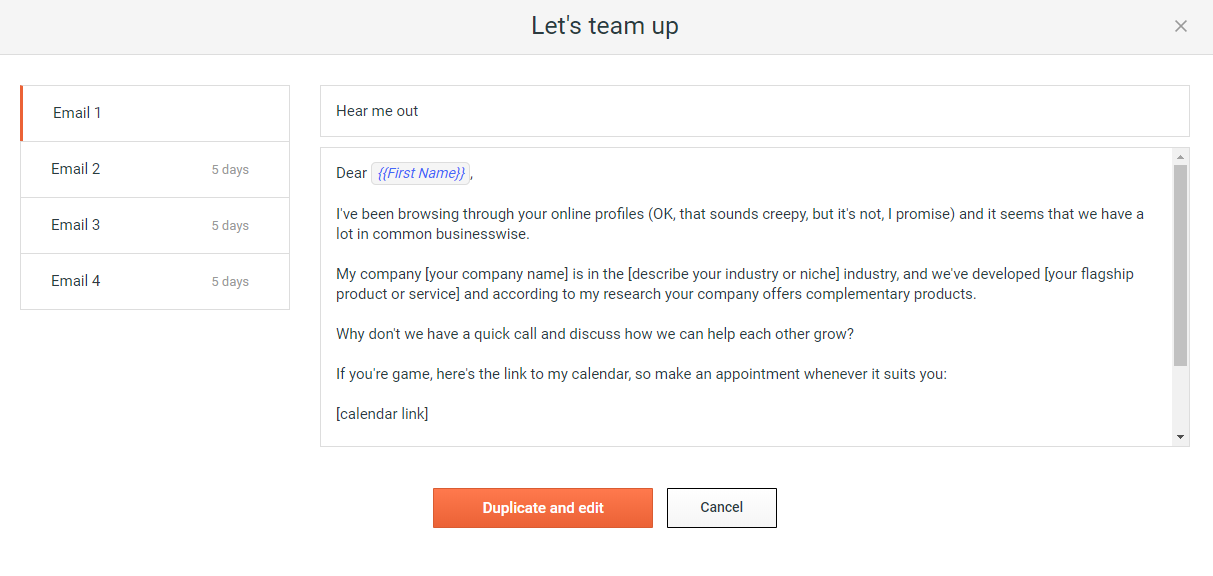
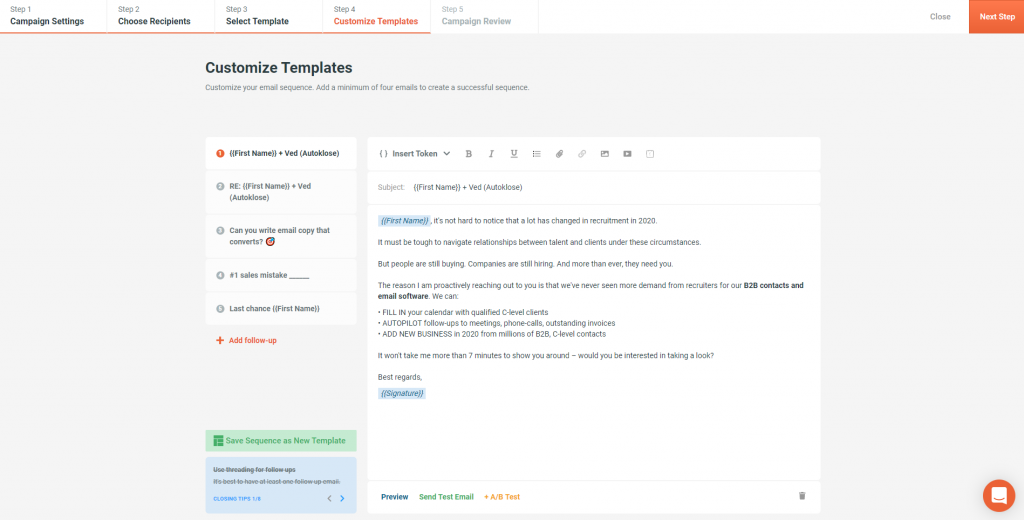
Screenshot of Step 01: Set up your campaignScreenshot of Step 02: Choose your recipientsScreenshot of Step 03: Select the best converting templateScreenshot of Step 04: Customize your e-mail sequence

Mailtrack Screenshots

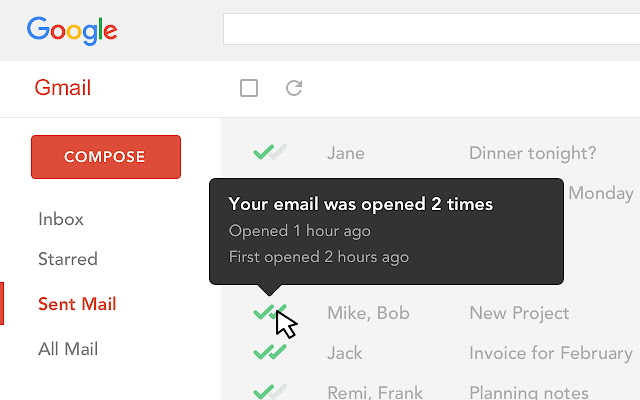
Screenshot of Know when your emails were opened, and how many times.