Avaza vs. Microsoft To Do

Overview
ProductRatingMost Used ByProduct SummaryStarting Price
Avaza
Score 8.2 out of 10
Mid-Size Companies (51-1,000 employees)
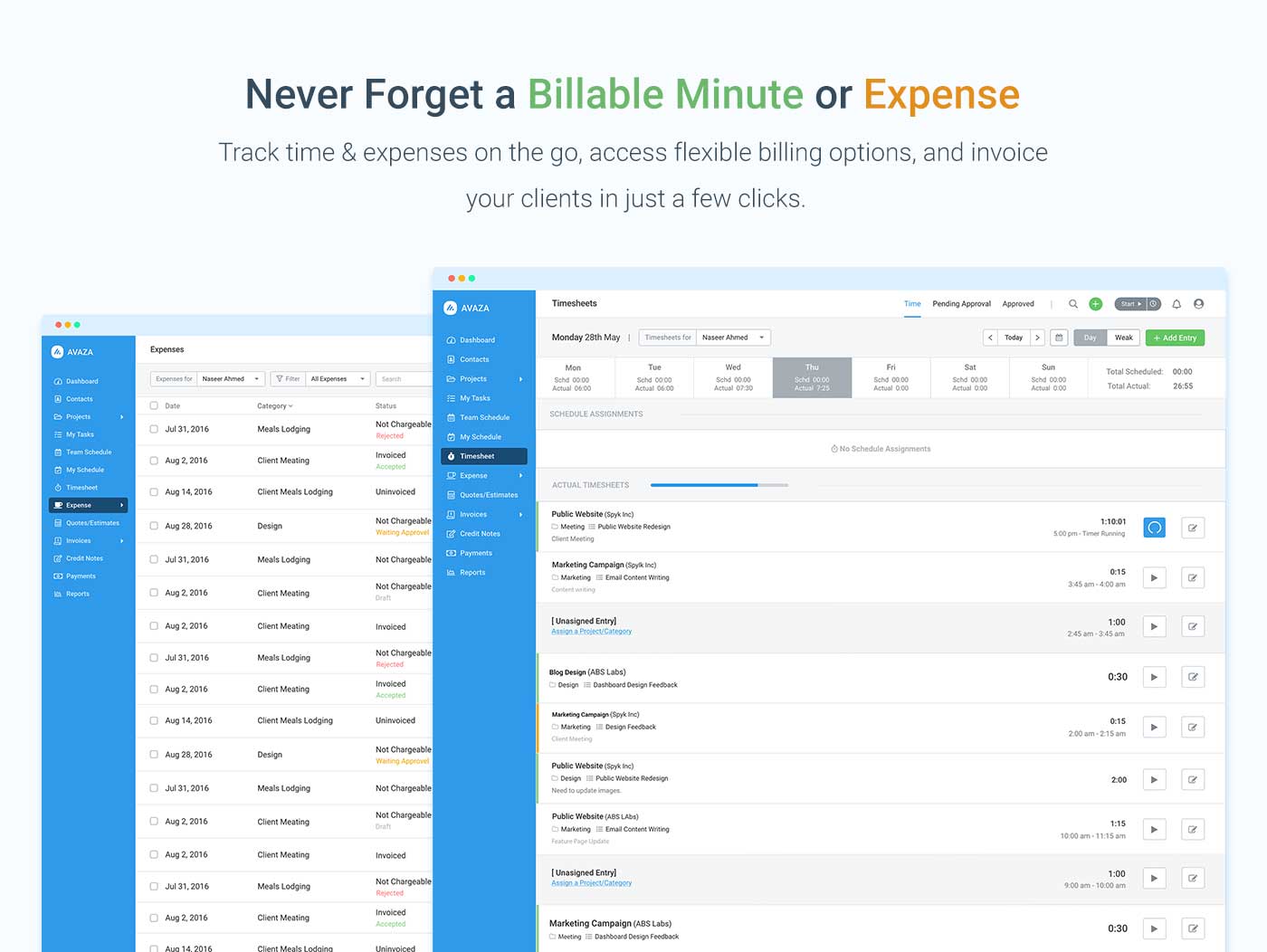
Avaza is a software suite targeted for all business sizes. It includes modules for project management and collaboration, resource scheduling, team chat, time tracking, expense management, quoting and invoicing. Depending on their business needs, companies can use as many, or as few, of the modules as they need. Avaza offers reporting functionality, and the project management module is designed with both list view and Kanban style task management, so users can choose…
$0
Unlimited Project Collaborators, 1 Admin, 1 Timesheet/ Expense User, 1 Resource Scheduling User
Microsoft To Do
Score 9.5 out of 10
N/A
Microsoft To Do replaces the former Wunderlist task management tool.N/A
Pricing
AvazaMicrosoft To Do
Editions & Modules
Free Plan
$0
Unlimited Project Collaborators, 1 Admin, 1 Timesheet/ Expense User, 1 Resource Scheduling User
Startup Plan
$11.95
per month
Basic Plan
$23.95
per month
Business Plan
$47.95
per month
No answers on this topic
Offerings
Pricing Offerings
AvazaMicrosoft To Do
Free Trial
YesNo
Free/Freemium Version
YesNo
Premium Consulting/Integration Services
NoNo
Entry-level Setup FeeOptionalNo setup fee
Additional Details
More Pricing Information
Community Pulse
AvazaMicrosoft To Do
Considered Both Products
Avaza
Chose Avaza
Avaza takes the easy of Asana and adds the invoicing and bookkeeping capabilities you need all in one place.

Chose Avaza
Avaza's time tracking capabilities are much more detailed than Upwork's. Upwork focuses on simplicity, using a simple on/off button and a spot for taking notes about each project, but Avaza gives you more to work with, allowing you to add detailed notes and specify tasks.
Chose Avaza
I've used Trello before, but Avaza has way more features and is more applicable for cross-team collaboration. We selected Avaza for it's ability to not only project manage, but also for invoicing, expenses and it's ability to track time. We've gotten more accurate with estimate …
Chose Avaza
This is miles ahead of ActiveCollab. It has more features, the interface is easier to use and the invoicing is easier to use. Across the board better. We migrated from ActiveCollab, but that was just essentially a Fancier Wunderlist. If you just need one project and a few tasks …
Chose Avaza
I have not used any other products like Avaza.
Microsoft To Do
Chose Microsoft To Do
I choose Microsoft to do because is easier and is on the job email, but Clickup is more handful and Google Tasks its in my personal email, so its more convenient.
Chose Microsoft To Do
Microsoft To-Do simply put just does to-do lists very well. I don't want the visual components of software like Trello or ClickUp, and I had used Asana in previous roles and just found it to have too much going on. I also didn't like the notification system of Asana, constantly …
Chose Microsoft To Do
I am a fan of to-do lists. Previously they were all pen and paper though, which is fine for chores but not so much when you consistently receive emails and chat messages with various tasks mentioned in there. To Do helps keeping track of them.
Chose Microsoft To Do
The main alternative that I've used is Todoist. Todoist is better at auto-detecting dates and tags, and I found it easier to assign items to other people using Todoist. I think the big benefit that Microsoft To Do has is that it is more integrated into existing Microsoft …
Chose Microsoft To Do
The biggest selling point of Microsoft To Do is that it's free. We were able to jump in and start learning it without having to worry about making up for the cost of the software. We liked the idea of using all Microsoft products in hopes of some of our older employees being …
Chose Microsoft To Do
Its the only tool I use to manage my to dos and daily tasks
Chose Microsoft To Do
I selected MS To-Do because is easy to use, has a pretty UI and in my organization is free to use. Amazing to schedule your work, meetings, to-do list, prioritize task, etc, but is not like other software like Evernote that have more functionalities like a diagram, …
Chose Microsoft To Do
To be honest, I loved Wunderlist, and so just moved over to Microsoft To Do out of inertia. Also Trello is more Kanban than a to-do list, so not exactly what we needed. Todoist might be more what we need, but we were already using Wunderlist, so we didn't want to take the time …
Chose Microsoft To Do
I prefer Microsoft To Do because of it's amazing app. It seamlessly integrates with mobile so if you're on the go or need to set a reminder, you can very easily take care of it.
Chose Microsoft To Do
Compared to in-built apps from Microsoft or Apple, Wunderlist is far better. It is incredibly hard to collaborate on both Outlook, Gmail, or Apple calendar/reminders. I wouldn't suggest any of those for team projects. Additionally, Wunderlist allows me to separate your work and …
Chose Microsoft To Do
Wunderlist is overly simplistic and a bit outdated compared to competing tools. Trello and Microsoft To-Dos and Planner accomplish the same things better.
Chose Microsoft To Do
I started using Wunderlist purely to keep track of my to-dos and organize my time around the general tasks I have to complete. Attempts I have made to extend Wunderlist into project management or other broader tasks have been largely unsuccessful because it feels like there …
Chose Microsoft To Do
Both Trello and Remember the Milk offer their own value in managing tasks and projects. Wunderlist is the best simple task manager I've come across in that it focuses on the critical features you'd want in a task manager - great interface, ease of use, and accessible anywhere. …
Chose Microsoft To Do
Tried Google Tasks, and Microsoft To-Do (before its integration with Wunderlist) and they didn't quite serve the purpose we were looking for.
Chose Microsoft To Do
Wunderlist was a good starting point, but we now use Todoist, and I definitely wouldn't look back. It is more complicated, but with that comes much more control than you get in Wunderlist - rather than simple search tags you have filters that can run across projects, human …
Chose Microsoft To Do
I have tried numerous programs in the past, this one, in particular, has an easy interface and almost anyone can use it. One of the most recent programs we have tried is Microsoft To-Do and it does not even compare. We have created access databases specific to do this type of …
Chose Microsoft To Do
It is more simple, direct, and easy to manage. Also, the price point is much less than most, if not all CRM's on the market.
Chose Microsoft To Do
While I have tried a number of other to-do lists, Wunderlist is easy to use and free. Most other to-do lists that I have tried I have used for a day or two and the have deleted and returned to Wunderlist. Part of it is that I am used to this tool, but I think it is also just …
Chose Microsoft To Do
I think they merged or something—I don’t remember—but it was not as easy as this one was. We love that it is simple and easy.
Chose Microsoft To Do
Not available, this is the first task management app we have tried so far. Slack is the closest thing we have.
Chose Microsoft To Do
Google drive is another helpful way to share to-do's with other parties and help share ideas. It can help share goal lists. I also use notes on my iPhone and it's been great too, but I really like Wunderlist because if I'm making a list and sharing it, it's pretty …
Chose Microsoft To Do
Both products are pretty comparable. I prefer the Wunderlist app because it was just a bit easier for me to use.
Chose Microsoft To Do
Wunderlist has a much simpler layout than the other software we have tried. Others are too complex when reminders and note-taking should not be this complex. Their homepage layouts are even more convoluting and unnecessary. Simpler is normally better for something like this. …
Features
AvazaMicrosoft To Do
Project Management
Comparison of Project Management features of Product A and Product B
Avaza
8.0
Ratings
4% above category average
Microsoft To Do
7.0
Ratings
9% below category average
Task Management10.00 Ratings8.00 Ratings
Resource Management7.00 Ratings7.00 Ratings
Gantt Charts7.00 Ratings4.50 Ratings
Scheduling8.00 Ratings5.00 Ratings
Team Collaboration10.00 Ratings7.80 Ratings
Support for Agile Methodology7.00 Ratings5.10 Ratings
Support for Waterfall Methodology7.00 Ratings6.30 Ratings
Document Management9.00 Ratings6.90 Ratings
Email integration8.00 Ratings6.00 Ratings
Mobile Access8.00 Ratings10.00 Ratings
Timesheet Tracking7.00 Ratings6.60 Ratings
Budget and Expense Management8.00 Ratings9.00 Ratings
Workflow Automation00 Ratings6.40 Ratings
Change request and Case Management00 Ratings9.00 Ratings
Professional Services Automation
Comparison of Professional Services Automation features of Product A and Product B
Avaza
10.0
Ratings
28% above category average
Microsoft To Do
6.5
Ratings
15% below category average
Quotes/estimates10.00 Ratings5.00 Ratings
Invoicing10.00 Ratings7.00 Ratings
Project & financial reporting10.00 Ratings7.90 Ratings
Integration with accounting software10.00 Ratings6.00 Ratings
Best Alternatives
AvazaMicrosoft To Do
Small Businesses
Stackby
Stackby
Score 9.0 out of 10
Stackby
Stackby
Score 9.0 out of 10
Medium-sized Companies
InEight
InEight
Score 8.3 out of 10
InEight
InEight
Score 8.3 out of 10
Enterprises
InEight
InEight
Score 8.3 out of 10
InEight
InEight
Score 8.3 out of 10
All AlternativesView all alternativesView all alternatives
User Ratings
AvazaMicrosoft To Do
Likelihood to Recommend
10.0
(0 ratings)
10.0
(0 ratings)
Likelihood to Renew
10.0
(0 ratings)
8.0
(0 ratings)
Usability
9.0
(0 ratings)
8.0
(0 ratings)
Support Rating
10.0
(0 ratings)
7.6
(0 ratings)
Implementation Rating
-
(0 ratings)
10.0
(0 ratings)
User Testimonials
AvazaMicrosoft To Do
Likelihood to Recommend
There are teams who work hard, and there are those who work smart. Avaza helps you be the latter--it's is a great tool for any team collaborating on several projects, especially multiple projects with a lot of simultaneously moving parts. It has just about everything you need - from team schedules to timesheets, down to the task and sub-task monitoring. The best part for me is that we can switch from List View to Kanban to Gantt charts!
Read full review
Wunderlist is a fantastic task management system, not the best project management system. For a long time, I tried to use Wunderlist to plan large events with multiple users and it wasn't as effective. But, once we simplified our desired outcome to accomplishing tasks that repeat or are unique to a given work-week, we had much more success. Now my assistant can manage her weekly tasks and give feedback through this app. I can also add tasks, assign them and see what is being accomplished
Read full review
Pros
  • Helps keep track of time spent on each project
  • Helps employees break down their time spent throughout the day
  • Encourages better time management skills
Read full review
  • Smart due dates are the greatest thing about Wunderlist. I can tell it to "print past due reports on Monday" and then set that up as a repeating event.
  • It's clutter free. When I'm creating or assigning tasks I like to have a distraction free area to think, and the simplicity of Wunderlist gives me that.
  • The fact that I can look at it on my phone, on the web, and on my PC and it always looks the same is great. I can always tell what I'm doing b/c of their consistent design choices.
Read full review
Cons
  • I wish sub-tasks could also have due dates
  • For really big projects, we hope there could be phases (aside from sections)
  • In the chatbox, it would be great if photo attachments could be displayed as screenshots (instead of downloading the file)
Read full review
  • Sub-tasks should have their own separate due dates
  • The main list needs some more intuitive tools to sort the list in any way I choose
  • Hovering over links should show a description of how to use it. For example, it would have been nice to know right away that double-clicking on a task is the way to open the details list.
Read full review
Likelihood to Renew
Because it has been amazing and easy to work with.
Read full review
I believe Wunderlist is the best to do management app on the planet. So far we are extremely satisfied with the performance.
Read full review
Usability
Avaza is very easy to use, but the mobile app needs work.
Read full review
The actual user interface and the way to navigate around the app is very intuitive and easy to learn/use which would make me give it a high ranking, but the syncing issues drop down my rating because there are times where you add an item to the list and then it just disappears. Then when you add it again the sync will happen and now you have duplicates. The other negative with the usability is adding extra information to an item, such as files or comments or assignments. You can do it but it's difficult to tell which items have this information from the main screen. You have to click on them individually.
Read full review
Support Rating
They are always available and open to doing a call or a shared screen to walk through the issues.
Read full review
I have not had an issue where I needed to reach out to Wunderlist, but I know their contact and online chat is easy to access and feel confident that they would be helpful. My only worry is Wunderlist is becoming Microsoft to-do in May 2020, and I believe the app will become worse after that.
Read full review
Implementation Rating
No answers on this topic
Wunderlist giving 100% work satisfaction for me and my organization
Read full review
Alternatives Considered
I've used Trello before, but Avaza has way more features and is more applicable for cross-team collaboration. We selected Avaza for it's ability to not only project manage, but also for invoicing, expenses and it's ability to track time. We've gotten more accurate with estimate project hours, and therefore create more accurate proposals
Read full review
It's a small tool compared to bigger project management software, but we found that they work perfectly together. It helps you declutter the larger PM tools, keep your smaller tasks in-line and make sure they get completed. When you're working in a creative agency, ideas and tasks are flying around, so having a tool like this that keeps you accountable and reminds you of your tasks is a must!
Read full review
Return on Investment
  • Avaza has made it easier to see how long I spend on certain types of projects and where I could be spending more time.
Read full review
  • We reduced the number of meetings of teams and companies by 5 times because now all participants have access to comments and know at what stage the project is located.
  • Simple to use common to-do lists allow you to manage the projects of the group and give all its participants a clear idea of who is responsible for each task. There is no need to waste time explaining the business processes and responsibilities of team members
  • Wunderlist for business stores all group correspondence together with tasks.
  • This is convenient for all participants and for management because sometimes important moments are lost in other messengers or chats. Now you can do everything in one application. The number of problems with this
Read full review
ScreenShots

Avaza Screenshots

Screenshot of avaza, appearing across platformsScreenshot of visual project resource scheduling for teamsScreenshot of time and expense trackingScreenshot of team chatScreenshot of time trackingScreenshot of the expense management interface