Avaza vs. Webexpenses

Overview
ProductRatingMost Used ByProduct SummaryStarting Price
Avaza
Score 8.2 out of 10
Mid-Size Companies (51-1,000 employees)
Avaza is a software suite targeted for all business sizes. It includes modules for project management and collaboration, resource scheduling, team chat, time tracking, expense management, quoting and invoicing. Depending on their business needs, companies can use as many, or as few, of the modules as they need. Avaza offers reporting functionality, and the project management module is designed with both list view and Kanban style task management, so users can choose…
$0
Unlimited Project Collaborators, 1 Admin, 1 Timesheet/ Expense User, 1 Resource Scheduling User
Webexpenses
Score 9.2 out of 10
N/A
Webexpenses is a global provider of spend management solutions, combining integrated Expense Cards with cloud-based software for businesses of all sizes across 70+ countries. Serving industries such as retail, finance, technology, construction, and not-for-profit, Webexpenses gives businesses control over company spending by automating processes, proactively enforcing policies, and controlling costs. Features The Webexpenses…N/A
Pricing
AvazaWebexpenses
Editions & Modules
Free Plan
$0
Unlimited Project Collaborators, 1 Admin, 1 Timesheet/ Expense User, 1 Resource Scheduling User
Startup Plan
$11.95
per month
Basic Plan
$23.95
per month
Business Plan
$47.95
per month
No answers on this topic
Offerings
Pricing Offerings
AvazaWebexpenses
Free Trial
YesYes
Free/Freemium Version
YesNo
Premium Consulting/Integration Services
NoNo
Entry-level Setup FeeOptional$250 null
Additional Details
More Pricing Information
Community Pulse
AvazaWebexpenses
Considered Both Products
Avaza
Chose Avaza
Avaza takes the easy of Asana and adds the invoicing and bookkeeping capabilities you need all in one place.

Chose Avaza
Avaza's time tracking capabilities are much more detailed than Upwork's. Upwork focuses on simplicity, using a simple on/off button and a spot for taking notes about each project, but Avaza gives you more to work with, allowing you to add detailed notes and specify tasks.
Chose Avaza
I've used Trello before, but Avaza has way more features and is more applicable for cross-team collaboration. We selected Avaza for it's ability to not only project manage, but also for invoicing, expenses and it's ability to track time. We've gotten more accurate with estimate …
Chose Avaza
This is miles ahead of ActiveCollab. It has more features, the interface is easier to use and the invoicing is easier to use. Across the board better. We migrated from ActiveCollab, but that was just essentially a Fancier Wunderlist. If you just need one project and a few tasks …
Chose Avaza
I have not used any other products like Avaza.
Webexpenses
Chose Webexpenses
this is the only apps we used for the same purpose
Chose Webexpenses
Webexpenses is easier to use and understand to me and my colleagues. you literally can just look at the page and you can see the hwole graph of everything and the pie chart that is displayed so that you dont have to figure it out yourself
Chose Webexpenses
I cannot remember the name of the product I used previously but compared to that this one is a lot more user friendly and efficient.
Chose Webexpenses
Webexpenses can be integrated with accounting and payroll software (like Sage, SAP, or QuickBooks) for seamless processing and reporting.
Chose Webexpenses
I used an internal programme in CBRE Ireland and it was not user friendly and you'd have to input the same information over and over for every expense added.
Chose Webexpenses
Previously have not used any.
Chose Webexpenses
For me, Webexpenses is slightly better than Concur, but I was not involved in selecting it over Concur.
Chose Webexpenses
Webexpenses was chosen as they were very responsive, flexible and qualitative at the beginning, not anymore, after 4 years.
Chose Webexpenses
Previously i had only used excel sheets for my expenses
Chose Webexpenses
The biggest difference between Webexpenses and Concur honestly lie in the simplicity of what is needed from the employee and their expenses. Concur asks for a lot of itemization sometimes and may even have to import other receipts and invoices that are spent by the employee and …
Chose Webexpenses
Webexpenses is, from what I remember as it was about 6 years ago I used it, very similar to Concur. Find both easy to use.
Chose Webexpenses
They are different systems so I can not compare them against each other but these systems are more user friendly.
Chose Webexpenses
I would say SAP Concur is slightly easier to use that Webexpenses
Chose Webexpenses
I am unable to provide any detail to this question as I have not used these products, but I am aware of these products and other applications.
Chose Webexpenses
Immediate reporting, saving time at the end of the month.
Chose Webexpenses
I was not part of the decision team; the system was introduced before I joined the company.
Chose Webexpenses
The ease of use of the platform has been the biggest benefit of this system. We didn't need to provide any structured training to our staff, we just sent out the link and people were able to intuitively use the platform. Other competitors were harder to navigate and to use.
Chose Webexpenses
I much prefer Web Expenses to Concur. Although one functionality that Concur had, a user could email their receipts from the registered user email to Concur then these receipts would be available for the user add to their expense claim.
Features
AvazaWebexpenses
Project Management
Comparison of Project Management features of Product A and Product B
Avaza
8.0
Ratings
4% above category average
Webexpenses
-
Ratings
Task Management10.00 Ratings00 Ratings
Resource Management7.00 Ratings00 Ratings
Gantt Charts7.00 Ratings00 Ratings
Scheduling8.00 Ratings00 Ratings
Team Collaboration10.00 Ratings00 Ratings
Support for Agile Methodology7.00 Ratings00 Ratings
Support for Waterfall Methodology7.00 Ratings00 Ratings
Document Management9.00 Ratings00 Ratings
Email integration8.00 Ratings00 Ratings
Mobile Access8.00 Ratings00 Ratings
Timesheet Tracking7.00 Ratings00 Ratings
Budget and Expense Management8.00 Ratings00 Ratings
Professional Services Automation
Comparison of Professional Services Automation features of Product A and Product B
Avaza
10.0
Ratings
28% above category average
Webexpenses
-
Ratings
Quotes/estimates10.00 Ratings00 Ratings
Invoicing10.00 Ratings00 Ratings
Project & financial reporting10.00 Ratings00 Ratings
Integration with accounting software10.00 Ratings00 Ratings
Expense Management
Comparison of Expense Management features of Product A and Product B
Avaza
-
Ratings
Webexpenses
8.5
Ratings
1% below category average
Employee Expense Reporting00 Ratings8.70 Ratings
Corporate Card Reconciliation00 Ratings8.40 Ratings
Payment Management
Comparison of Payment Management features of Product A and Product B
Avaza
-
Ratings
Webexpenses
8.2
Ratings
0% above category average
Customizable Approval Policies00 Ratings8.10 Ratings
Financial Document Management00 Ratings7.80 Ratings
Payment Status Tracking00 Ratings8.20 Ratings
Payment Audit Trail00 Ratings8.60 Ratings
Duplicate Bill Detection00 Ratings8.10 Ratings
Advanced OCR00 Ratings7.80 Ratings
Electronic Funds Transfer00 Ratings8.70 Ratings
Best Alternatives
AvazaWebexpenses
Small Businesses
Stackby
Stackby
Score 9.0 out of 10
Dext
Dext
Score 9.8 out of 10
Medium-sized Companies
InEight
InEight
Score 8.3 out of 10
Precoro
Precoro
Score 2.8 out of 10
Enterprises
InEight
InEight
Score 8.3 out of 10
Emburse Chrome River
Score 9.2 out of 10
All AlternativesView all alternativesView all alternatives
User Ratings
AvazaWebexpenses
Likelihood to Recommend
10.0
(0 ratings)
9.1
(0 ratings)
Likelihood to Renew
10.0
(0 ratings)
9.2
(0 ratings)
Usability
9.0
(0 ratings)
9.1
(0 ratings)
Availability
-
(0 ratings)
9.3
(0 ratings)
Performance
-
(0 ratings)
9.6
(0 ratings)
Support Rating
10.0
(0 ratings)
8.5
(0 ratings)
In-Person Training
-
(0 ratings)
8.7
(0 ratings)
Online Training
-
(0 ratings)
9.8
(0 ratings)
Implementation Rating
-
(0 ratings)
7.8
(0 ratings)
Configurability
-
(0 ratings)
6.5
(0 ratings)
Ease of integration
-
(0 ratings)
7.3
(0 ratings)
Product Scalability
-
(0 ratings)
9.3
(0 ratings)
Vendor post-sale
-
(0 ratings)
8.7
(0 ratings)
Vendor pre-sale
-
(0 ratings)
9.1
(0 ratings)
User Testimonials
AvazaWebexpenses
Likelihood to Recommend
There are teams who work hard, and there are those who work smart. Avaza helps you be the latter--it's is a great tool for any team collaborating on several projects, especially multiple projects with a lot of simultaneously moving parts. It has just about everything you need - from team schedules to timesheets, down to the task and sub-task monitoring. The best part for me is that we can switch from List View to Kanban to Gantt charts!
Read full review
Really suits me well for making mileage claims, the map works well and it has an accurate log of addresses. Very handy and easy to be able to add any necessary receipts. Could be a good idea to include live road closures? but I understand that's quite tricky to do. Really easy to be able to move routes when you have gone a different way than recommended.
Read full review
Pros
  • Helps keep track of time spent on each project
  • Helps employees break down their time spent throughout the day
  • Encourages better time management skills
Read full review
  • imports credit card transactions from our corporate card program without issue
  • allows for easy set up of new users
  • is a very intuitive, easy to learn tool
  • has a very responsive support and customer service team
  • Set up and configuration was thorough, and they were able to work through our unique issues, such as custom segments in NetSuite.
  • It is a very inexpensive product. Well worth the cost.
Read full review
Cons
  • I wish sub-tasks could also have due dates
  • For really big projects, we hope there could be phases (aside from sections)
  • In the chatbox, it would be great if photo attachments could be displayed as screenshots (instead of downloading the file)
Read full review
  • When you click add receipts after putting the details of your expense, you get the impression that you have done something incorrect from the prompt that you receive
  • Two options for adding receipts can confuse people when training them on how to use
  • An easy to access FAQ would be helpful
Read full review
Likelihood to Renew
Because it has been amazing and easy to work with.
Read full review
It depends if alternative systems for other functions (HR / Payroll) have expenses functionality included as a supplementary service. If they’re part of a total system then having a separate system for expenses when another system provides the functionality (even if mildly less efficient, etc) then it wouldn’t be viable
Read full review
Usability
Avaza is very easy to use, but the mobile app needs work.
Read full review
Based on what I have used it for, it was very easy to use and navigate. The approval process was already setup on the back end so there was no confusion on my end. Notifications were sent to my email based on status which made it helpful to understand where an expense was in the process.
Read full review
Reliability and Availability
No answers on this topic
it is always available when I need it
Read full review
Performance
No answers on this topic
Some times image uploads can be slow and you have to alter the image resolution to increase the speed
Read full review
Support Rating
They are always available and open to doing a call or a shared screen to walk through the issues.
Read full review
The support for the initial setup was great, but since then we have only had to contact support once when we had problems uploading credit card files. The help we received at this time was not good and we ended up trying various things until we resolved the problem ourselves. The online support tutorials are good, but searching for a specific issue is difficult.
Read full review
In-Person Training
No answers on this topic
All went well.
Read full review
Online Training
No answers on this topic
It was difficult to train multiple people via video, as they learned at different speeds, and most of the user champions were not as capable with systems and finance processes as our dept.
Read full review
Implementation Rating
No answers on this topic
As long as you have people that are fully aware of the setup steps to get users into the software then I would see no issues arising for any company.
Read full review
Alternatives Considered
I've used Trello before, but Avaza has way more features and is more applicable for cross-team collaboration. We selected Avaza for it's ability to not only project manage, but also for invoicing, expenses and it's ability to track time. We've gotten more accurate with estimate project hours, and therefore create more accurate proposals
Read full review
The ease of use of the platform has been the biggest benefit of this system. We didn't need to provide any structured training to our staff, we just sent out the link and people were able to intuitively use the platform. Other competitors were harder to navigate and to use.
Read full review
Scalability
No answers on this topic
because as the business has grown to has the user base
Read full review
Return on Investment
  • Avaza has made it easier to see how long I spend on certain types of projects and where I could be spending more time.
Read full review
  • Easy integration with your existing finance / accounting software.
  • Lot of time is being saved in maintaining records and now going completely online.
  • Love the option of Scan receipts with Google-vision-powered optical character. This also resulted in less use of paper in our office.
Read full review
ScreenShots

Avaza Screenshots

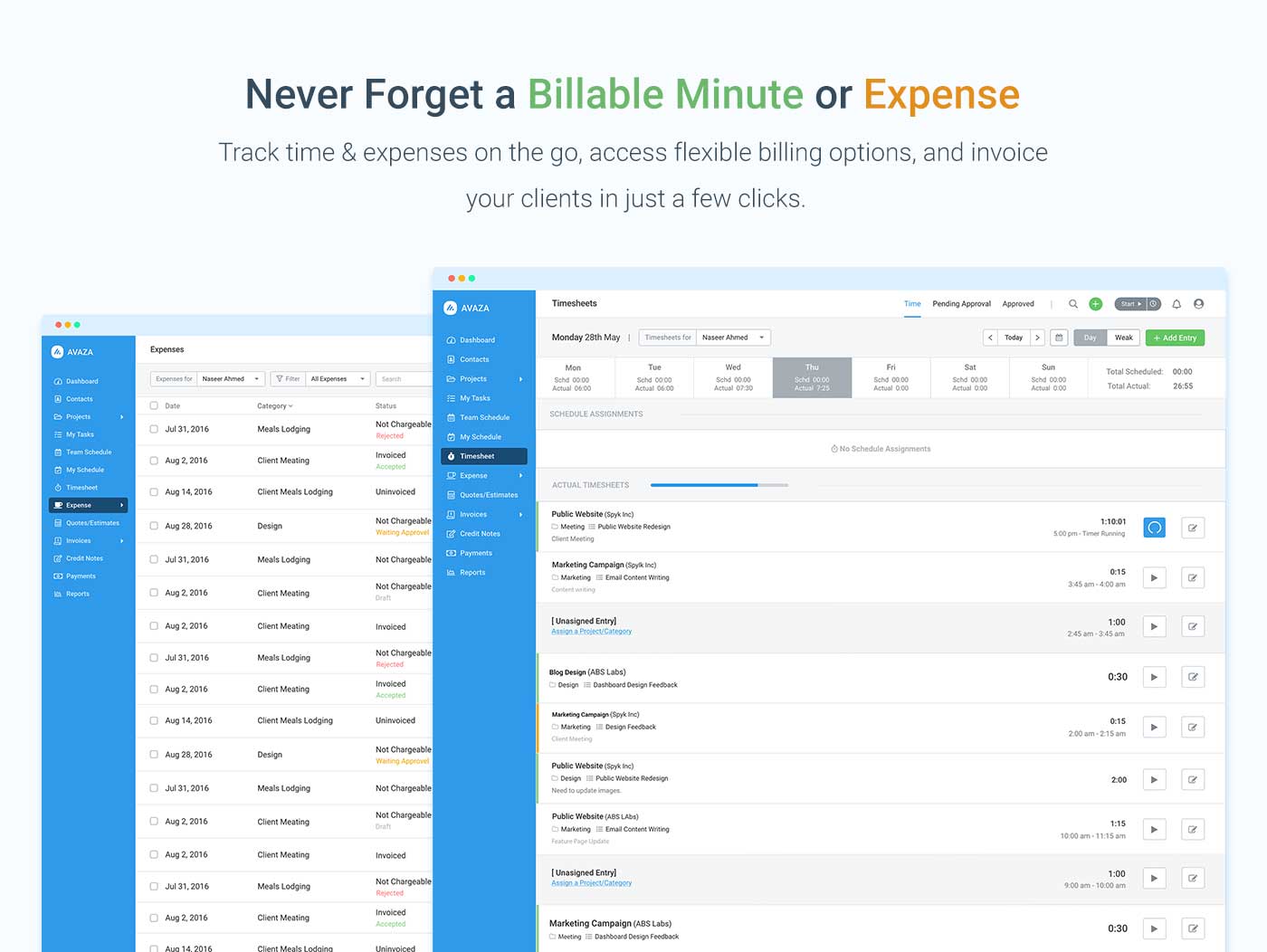
Screenshot of avaza, appearing across platformsScreenshot of visual project resource scheduling for teamsScreenshot of time and expense trackingScreenshot of team chatScreenshot of time trackingScreenshot of the expense management interface

Webexpenses Screenshots

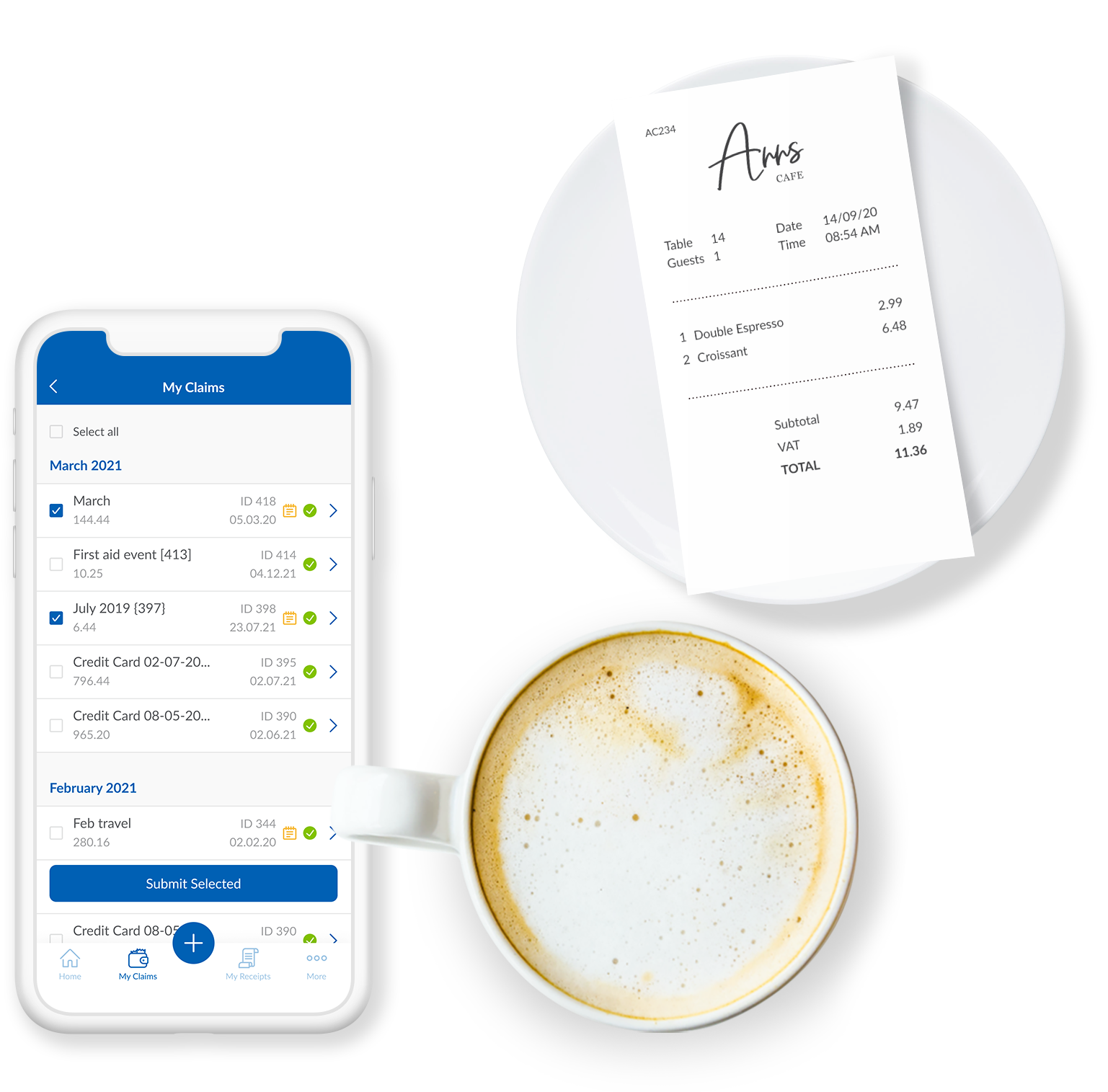
Screenshot of the Webexpenses mobile app, that captures receipts instantly.Screenshot of Webexpenses, accessed through a desktop, iOS, Android or Windows device.Screenshot of mileage tracking with Webexpenses.Screenshot of a display of expense-related spend, reported and tracked with customisable reports.Screenshot of the mobile app, where users' expenses can be built, submitted and approved.Screenshot of Webexpenses payments and expense reimbursements.