Azure Analysis Services vs. SyncFirst Standard

Overview
ProductRatingMost Used ByProduct SummaryStarting Price
Azure Analysis Services
Score 7.8 out of 10
N/A
Azure Analysis Services delivers enterprise-grade BI semantic modeling capabilities with the scale, flexibility, and management benefits of the cloud. Azure Analysis Services helps transform complex data into actionable insights. Azure Analysis Services is built on the analytics engine in Microsoft SQL Server Analysis Services.N/A
SyncFirst Standard
Score 0.0 out of 10
N/A
SyncFirst turns text documents, PDFs, formatted ASCII files and electronic reports into usable data tables. Once the information is captured in a table, users can create filters to view subsets of the data, sort the table on any combination of fields, create summaries that show totals for numeric fields, or simply export data for use in databases, spreadsheets, or other applications. SyncFirst includes full support for several standard chart types. All charts are automatically copied to the…
$549
Pricing
Azure Analysis ServicesSyncFirst Standard
Editions & Modules
No answers on this topic
SyncFirst Standard
$549
SyncFirst Financial
$649
SyncFirst IQ 5-User
$2,599
SyncFirst IQ 10-User
$4,749
Offerings
Pricing Offerings
Azure Analysis ServicesSyncFirst Standard
Free Trial
NoYes
Free/Freemium Version
NoNo
Premium Consulting/Integration Services
NoYes
Entry-level Setup FeeNo setup feeNo setup fee
Additional DetailsVolume licensing is available. Contact us for details.
More Pricing Information
Features
Azure Analysis ServicesSyncFirst Standard
BI Standard Reporting
Comparison of BI Standard Reporting features of Product A and Product B
Azure Analysis Services
8.7
9 Ratings
6% above category average
SyncFirst Standard
-
Ratings
Pixel Perfect reports8.99 Ratings00 Ratings
Customizable dashboards8.78 Ratings00 Ratings
Report Formatting Templates8.59 Ratings00 Ratings
Ad-hoc Reporting
Comparison of Ad-hoc Reporting features of Product A and Product B
Azure Analysis Services
9.0
9 Ratings
11% above category average
SyncFirst Standard
-
Ratings
Drill-down analysis9.07 Ratings00 Ratings
Formatting capabilities8.98 Ratings00 Ratings
Integration with R or other statistical packages8.98 Ratings00 Ratings
Report sharing and collaboration9.09 Ratings00 Ratings
Report Output and Scheduling
Comparison of Report Output and Scheduling features of Product A and Product B
Azure Analysis Services
9.0
9 Ratings
8% above category average
SyncFirst Standard
-
Ratings
Publish to Web9.19 Ratings00 Ratings
Publish to PDF8.98 Ratings00 Ratings
Report Versioning9.48 Ratings00 Ratings
Report Delivery Scheduling9.09 Ratings00 Ratings
Delivery to Remote Servers8.78 Ratings00 Ratings
Data Discovery and Visualization
Comparison of Data Discovery and Visualization features of Product A and Product B
Azure Analysis Services
9.1
8 Ratings
13% above category average
SyncFirst Standard
-
Ratings
Pre-built visualization formats (heatmaps, scatter plots etc.)9.37 Ratings00 Ratings
Location Analytics / Geographic Visualization9.28 Ratings00 Ratings
Predictive Analytics8.87 Ratings00 Ratings
Access Control and Security
Comparison of Access Control and Security features of Product A and Product B
Azure Analysis Services
9.3
9 Ratings
9% above category average
SyncFirst Standard
-
Ratings
Multi-User Support (named login)9.38 Ratings00 Ratings
Role-Based Security Model9.49 Ratings00 Ratings
Multiple Access Permission Levels (Create, Read, Delete)9.29 Ratings00 Ratings
Single Sign-On (SSO)9.58 Ratings00 Ratings
Mobile Capabilities
Comparison of Mobile Capabilities features of Product A and Product B
Azure Analysis Services
8.8
8 Ratings
11% above category average
SyncFirst Standard
-
Ratings
Responsive Design for Web Access8.58 Ratings00 Ratings
Mobile Application9.54 Ratings00 Ratings
Dashboard / Report / Visualization Interactivity on Mobile8.56 Ratings00 Ratings
Application Program Interfaces (APIs) / Embedding
Comparison of Application Program Interfaces (APIs) / Embedding features of Product A and Product B
Azure Analysis Services
8.9
8 Ratings
13% above category average
SyncFirst Standard
-
Ratings
REST API8.97 Ratings00 Ratings
Javascript API8.77 Ratings00 Ratings
iFrames9.06 Ratings00 Ratings
Java API8.98 Ratings00 Ratings
Themeable User Interface (UI)8.65 Ratings00 Ratings
Customizable Platform (Open Source)9.24 Ratings00 Ratings
Best Alternatives
Azure Analysis ServicesSyncFirst Standard
Small Businesses
BrightGauge
BrightGauge
Score 9.0 out of 10
BrightGauge
BrightGauge
Score 9.0 out of 10
Medium-sized Companies
Reveal
Reveal
Score 10.0 out of 10
Reveal
Reveal
Score 10.0 out of 10
Enterprises
Kyvos Semantic Intelligence Layer
Score 9.9 out of 10
Kyvos Semantic Intelligence Layer
Score 9.9 out of 10
All AlternativesView all alternativesView all alternatives
User Ratings
Azure Analysis ServicesSyncFirst Standard
Likelihood to Recommend
9.1
(10 ratings)
-
(0 ratings)
User Testimonials
Azure Analysis ServicesSyncFirst Standard
Likelihood to Recommend
Microsoft
We would have many technical issues and glitches with previous similar providers but found that Azure Analysis Services can simply handle our workload and memory better. I remember we lost an account due to cloud issues not fully saving or corrupting some files. Granted, this is rare with any cloud but haven't had that issue with the same load of memory with Azure Analysis Services.
Read full review
Data Synergy Corporation
No answers on this topic
Pros
Microsoft
  • Providing role based access or we can say privilege based on the role to the user if it is integrated with Azure active directory and hence securing the access to sensitive data.
  • We use to run different type of analytics services to get the better result which is hectic if done manually or with human efforts.
  • We also use to collect bulk of data with the help of this tool and run customized test cases for better efficiency of result and better decision making. The result are very crucial and helps in taking big decision.
  • It supports different or we can say heterogeneous database vendors like the Oracle, SQL, and hence make the task easy.
Read full review
Data Synergy Corporation
No answers on this topic
Cons
Microsoft
  • There is very least content available on Microsoft docs and the Internet to get through with AAS.
  • i faced lots of connection issues while implementation.
  • The need for serious platform experience or expertise.
Read full review
Data Synergy Corporation
No answers on this topic
Alternatives Considered
Microsoft
The platform has vast number of features and modules. The UI is sleek and once you get to use to it, you will be able to do a lot of stuff. Also support for data sources is more in Azure Analysis Services.
Read full review
Data Synergy Corporation
No answers on this topic
Return on Investment
Microsoft
  • The tool has helped us a lot for taking critical decision which has resulted in the increase of profit of organization by 18 percent.
  • Return on investment is 70 percent as we are unable to utilize the tool with full functionalities, so we are still testing some of the use cases.
  • Human effort has been reduced and task has become automated hence helped in cost management
Read full review
Data Synergy Corporation
No answers on this topic
ScreenShots

SyncFirst Standard Screenshots

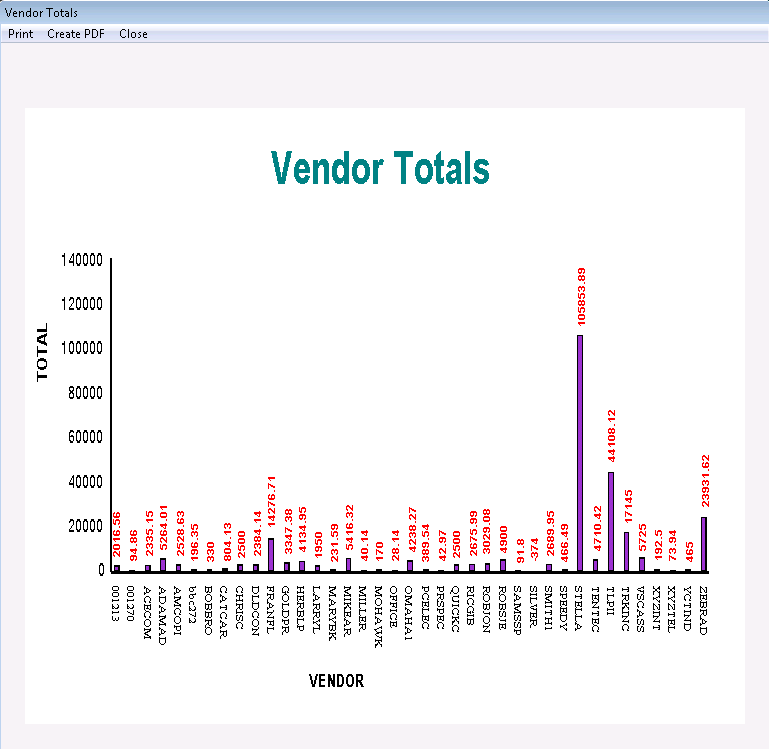
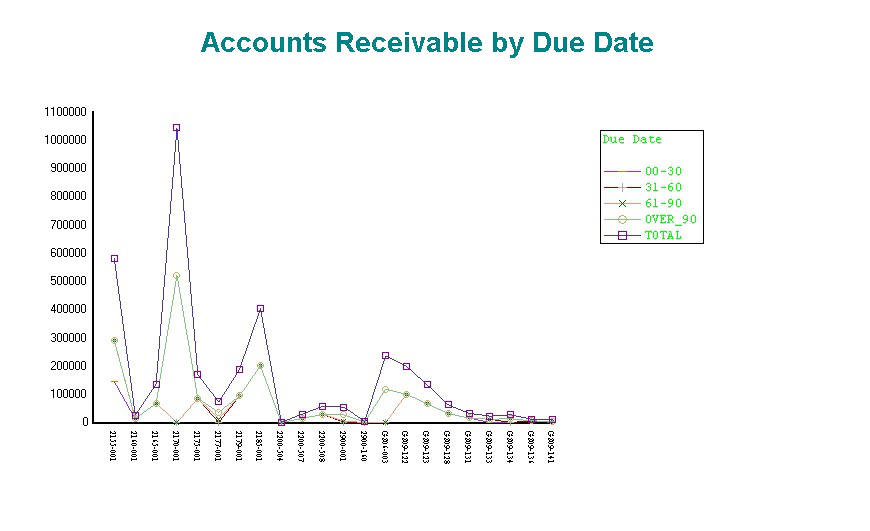
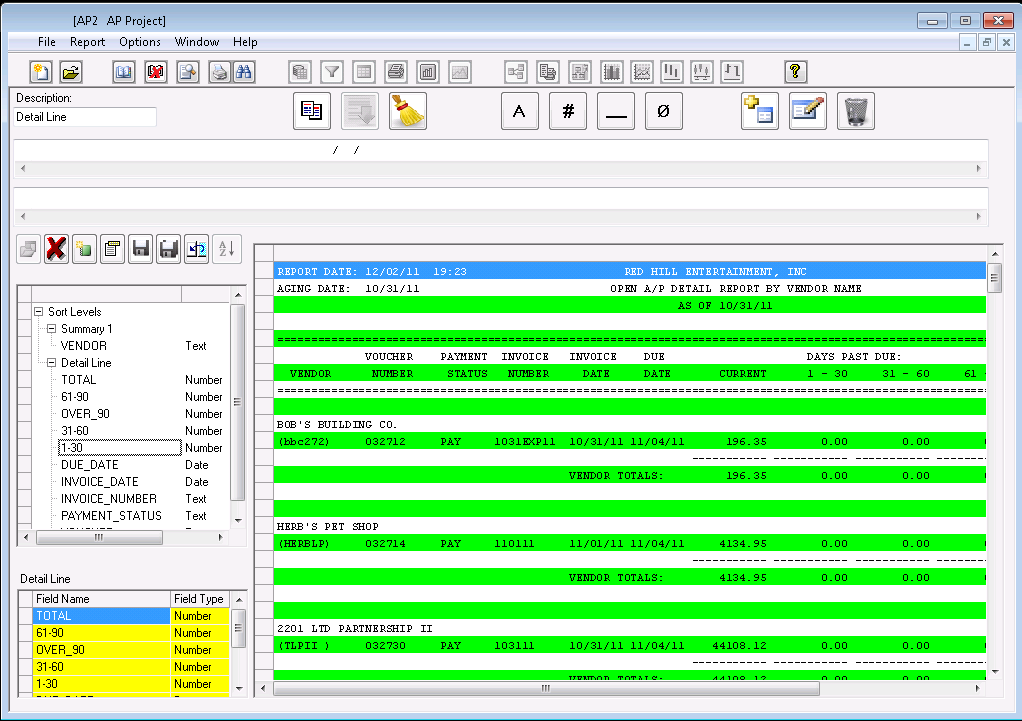
Screenshot of SyncFirst allows you to perform drill-down analysisScreenshot of View charts and graphs of report dataScreenshot of Charts can show data for any fieldScreenshot of Choose the fields you want to capture.