Chose Azure API Management
N/A

| Product | Rating | Most Used By | Product Summary | Starting Price |
|---|---|---|---|---|
 Azure API Management | N/A | Microsoft's Azure API Management supports creation of API. | $0.04 Lightweight and serverless version of API Management service, billed per execution | |
 WSO2 Choreo | N/A | Since WSO2's June 2021 acquisition of Platformer, the company now offers and supports Choreo, the former Platform IPaaS and low-code cloud native engineering for API Developers. | $0 1 project, up to 5 components. $100 in Choreo infrastructure credits per month. |
| Azure API Management | Choreo by WSO2 | |||||||||||||||
|---|---|---|---|---|---|---|---|---|---|---|---|---|---|---|---|---|
| Editions & Modules |
|
| ||||||||||||||
| Offerings |
| |||||||||||||||
| Entry-level Setup Fee | No setup fee | No setup fee | ||||||||||||||
| Additional Details | — | 1 step is a maximum of 500ms of compute time. An incoming event, message, or outgoing API call is a minimum of 1 step. | ||||||||||||||
| More Pricing Information | ||||||||||||||||
| Azure API Management | Choreo by WSO2 | |
|---|---|---|
| Considered Both Products | Azure API Management  Gordon Lo Digital Solutions Architect Chose Azure API Management Azure APIM vs Amazon API Gateway: 1) Azure APIM was a complete package that included a developer portal. 2) We are very Microsoft centric - so the Microsoft product suite aligned very well with our business needs. |  WSO2 Choreo No answer on this topic |
| Azure API Management | Choreo by WSO2 | ||||||||||||||||||||||||||||||||||||
|---|---|---|---|---|---|---|---|---|---|---|---|---|---|---|---|---|---|---|---|---|---|---|---|---|---|---|---|---|---|---|---|---|---|---|---|---|---|
| API Management |
| ||||||||||||||||||||||||||||||||||||
| Platform-as-a-Service |
|
| Azure API Management | Choreo by WSO2 | |
|---|---|---|
| Small Businesses |  NGINX Score 9.2 out of 10 |  AWS Lambda Score 8.6 out of 10 |
| Medium-sized Companies | NGINX Score 9.2 out of 10 |  Red Hat OpenShift Score 9.3 out of 10 |
| Enterprises | NGINX Score 9.2 out of 10 | Red Hat OpenShift Score 9.3 out of 10 |
| All Alternatives | View all alternatives | View all alternatives |
| Azure API Management | Choreo by WSO2 | |
|---|---|---|
| Likelihood to Recommend | 8.0 (0 ratings) | 9.0 (0 ratings) |
| Azure API Management | Choreo by WSO2 | |
|---|---|---|
| Likelihood to Recommend |
|
|
| Pros |
|
|
| Cons |
Gordon Lo Digital Solutions Architect |
|
| Alternatives Considered |
Gordon Lo Digital Solutions Architect | No answers on this topic |
| Return on Investment |
|
|
| ScreenShots | WSO2 Choreo Screenshots 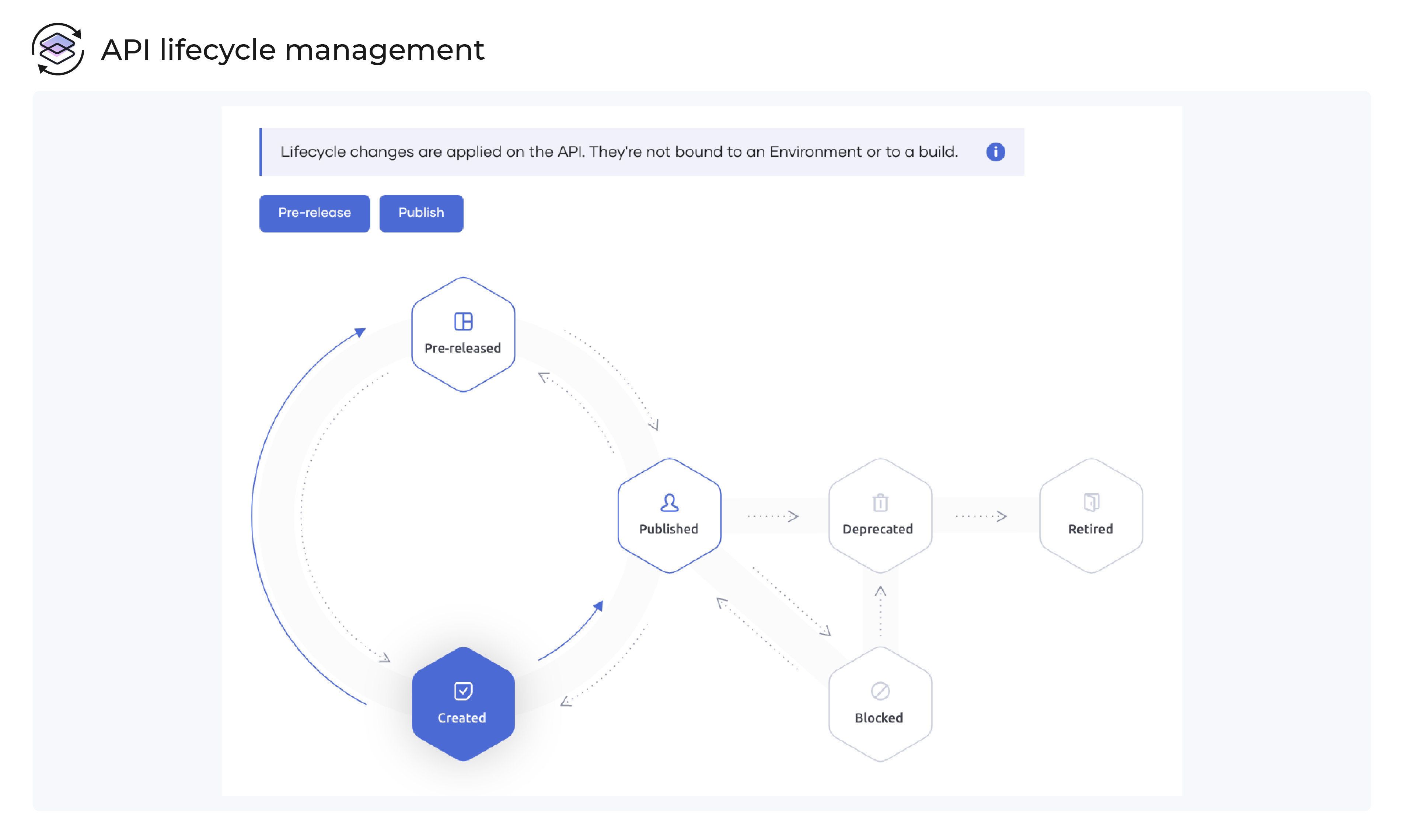   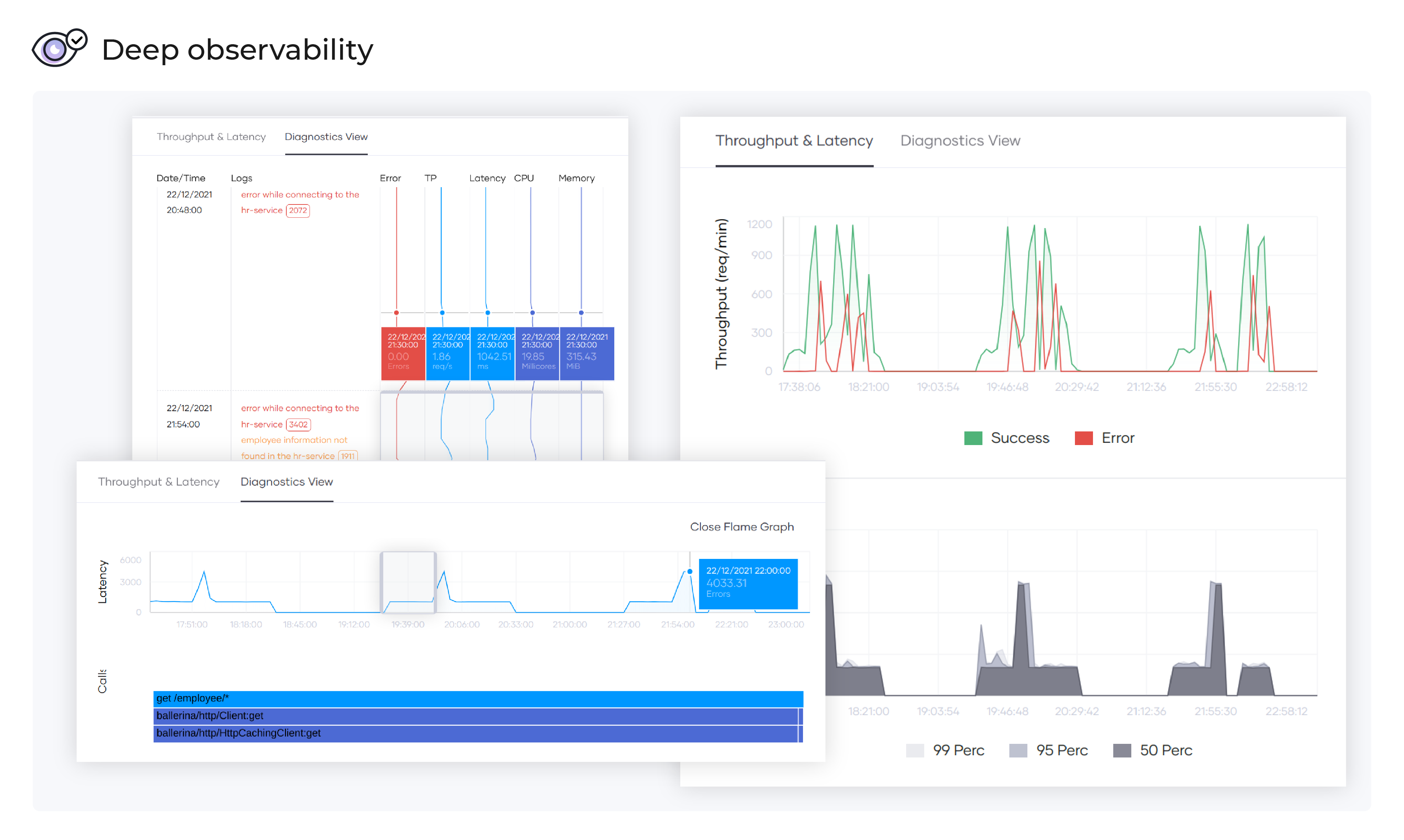  |