Virtual Machines (VMs) are available on Microsoft Azure, providing what is built as a low-cost, per-second compute service, available via Windows or Linux.
$0
Per Hour
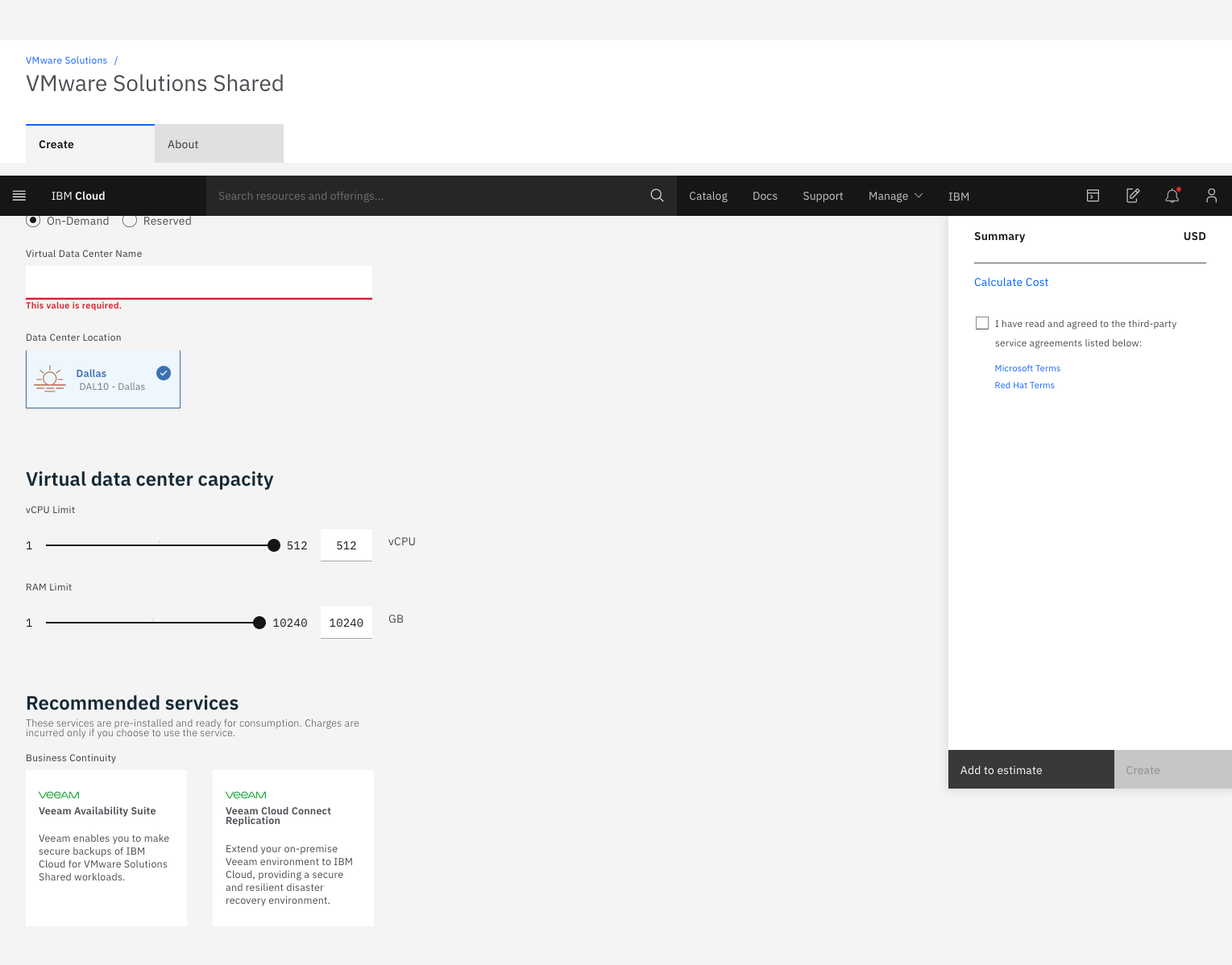
IBM Cloud for VMware Solutions
Score 7.0 out of 10
Enterprise companies (1,001+ employees)
IBM Cloud for VMware
Solutions is designed to make cloud adoption easier, allowing the user to optimize the
value of existing on-premises infrastructure, while leveraging the
same tools, technologies and skills in the cloud. The solution provides rapid scalability,
deployment in 35+ global data centers and access to disaster
recovery, backup, security and compliance solutions from an array of ecosystem
partners. To address varying workload needs, IBM Cloud…
$0
IBM Cloud Object Storage Cross-Regional Smart Tier 1 GB (hourly)
Pricing
Azure Virtual Machines
IBM Cloud for VMware Solutions
Editions & Modules
3 Year Reserved - Burstable VMs - B1S
$0.0038
Per Hour
Spot - General Purpose - Av2
$0.005
Per Hour
1 Year Reserved - Burstable VMs - B1S
$0.0059
Per Hour
Pay as You Go - Burstable VMs - B1S
$0.0075
Per Hour
Spot - Compute Optimized - Fsv2
$0.0104
Per Hour
Spot - General Purpose - Dv3
$0.0125
Per Hour
Spot - Memory Optimized - Ev3
$0.016
Per Hour
3 Year Reserved - Compute Optimized - Fsv2
$0.0307
Per Hour
3 Year Reserved - General Purpose - Dv3
$0.0369
Per Hour
3 Year Reserved - Memory Optimized - Ev3
$0.0481
Per Hour
1 Year Reserved - Compute Optimized - Fsv2
$0.05
Per Hour
1 Year Reserved - General Purpose - Dv3
$0.0548
Per Hour
1 Year Reserved - Memory Optimized - Ev3
$0.0753
Per Hour
Pay as You Go - Compute Optimized - Fsv2
$0.0846
Per Hour
Pay as You Go - General Purpose - Dv3
$0.096
Per Hour
Pay as You Go - Memory Optimized - Ev3
$0.126
Per Hour
Add-on
$0
IBM Cloud Object Storage Cross-Regional Smart Tier 1 GB (hourly)
On-demand
$0
0.25 IOPs 1 GB
Reserved (monthly or 730 hours)
$0
0.25 IOPs 1 GB (Per gigabyte of storage (hourly))
Add-on
$0
IBM Cloud Block Storage 1 GB (hourly)
On-demand
$0.01
Per vCPU (hourly)
On-demand
$0.09
Per gigabyte of network and bandwidth egress (monthly)
Reserved (monthly or 730 hours)
$0.09
Per gigabyte of network and bandwidth egress (monthly)
Reserved (monthly or 730 hours)
$12.80
Microsoft license (monthly) per 1 vCPU²
Add-on
$13
Veeam backup license
Offerings
Pricing Offerings
Azure Virtual Machines
IBM Cloud for VMware Solutions
Free Trial
No
No
Free/Freemium Version
No
Yes
Premium Consulting/Integration Services
No
No
Entry-level Setup Fee
No setup fee
Optional
Additional Details
—
—
More Pricing Information
Community Pulse
Azure Virtual Machines
IBM Cloud for VMware Solutions
Considered Both Products
Azure Virtual Machines
Verified User
Anonymous
Chose Azure Virtual Machines
Azure Virtual Machines offer unparalleled flexibility in provisioning, managing and upgrading the VM instances, both manually and programmatically. AVM offer very granular billing options and enables high costs optimisations (while still being costly). The other competitors I …
Oracle Cloud Infrastructure's Compute supports Windows, but is really geared towards Linux. You can install Windows on some Linode servers, but again, Linode is geared towards Linux. AWS does everything but is complex and can have high costs.
Azure VM's are far way cost effective than the AWS EC2 service also Azure VM's provides up Smart Hybrid Cloud integration with the Existing on Prem architecture. One of the key feature of Azure VM are they provide High availability and data redundant zones for the VM to be hosted.
We use both Azure and AWS VM services currently. AWS' EC2s have been around for longer an offer a much more reliable Linux OS support. But the gap getting smaller by the day, and Azure VMs are catching up nicely. In our case, we use a lot AWS for Linux-based applications …
Our main reason for selection of Azure Virtual Machines was easy availability of databricks and windows based VM natively. These features are not available on EC2.
Amazon EC2 provides a cost-friendly server hosting platform but the underlying infrastructure of Azure Virtual Machines is way more speedy and responsive than AWS. We have a 40:60 ratio of our servers deployed on Azure and Amazon and I can tell you how responsive and …
Amazon EC2 is useful for easy migration from physical to virtual. While Azure Virtual Machines are very handy to use and the management console is very simple which gives all the important features at a glance of a screen. We have a good presence of virtualization and Windows …
I have tested AWS EC2 instances, however, we chose
Azure Virtual Machines as we use SCOM as an enterprise monitoring solution and it goes very well
with Azure as monitoring. We have a lot of customers on Azure and monitoring the Azure environment with SCOM is easy through
Azure Virtual Machines is much easier to manage and is a user-friendly management console. Billing is much easier and more predictable to calculate and expect, the configuration is much easier to access and change, the cost is cheaper for Azure Virtual Machines than other …
More or less these are comparable offerings in my opinion as a user of both the AWS and Azure Clouds in a business environment in which there's a use case for a multi-cloud environment. We were able to complete a feature parody between the Azure Cloud and AWS Cloud for key …
We also use AWS Cloud Services, personally, I think AWS is a little more expensive than Azure Virtual Machines but its swings and roundabouts mostly. I prefer the interfaces in Azure Virtual Machines as I feel I'm closer to the Machine than with AWS and my roots are from a …
If you have Fffice360 and use Azure for data and other purposes, I will suggest using Azure Virtual Machine for better integration and security. Pros and cons from both, but it's more convenient to stay on the same platform for security and stability.
Azure has a better interface than its competitors like Amazon and IBM. It is more intuitive and easier to use. It also has more features like connection troubleshooting, boot diagnostics, and running remote commands.
Azure Virtual Machines was faster, cheaper, and took up less storage than Amazon EC2 Auto Scaling and is why we continue to use it to this day. We are very satisfied with all that Azure Virtual Machines can do and would recommend it to anyone looking for a virtual machine in …
Trust in the IBM brand and their Industry experience into delivering Value to the customers and the management relationship with the sales and delivery teams proceeded to the selection of IBM Cloud for VMware Solutions for delivering VMware Horizon cloud. IBM Cloud for VMware …
Compared to AWS, I found the IBM Cloud for VMware solutions service very easy to use since the administration interface is intuitive, well distributed and easy to use, also in the way of performing configurations and deployments it has fewer steps than on AWS, the security …
We have previously used Veeam and while they offer a very good solution for the purposes of backups and virtualization, IBM's is superiors by far. I would imagine the years of experience IBM has in the industry has helped them come up with a more efficient version of the …
IBM Cloud for VMware Solutions stacks up against them, we fully agree there are so many features in IBM cloud for VMware Solutions that make it unique and different. The system provides us hypervisor security level and the system even has live backup and storage capacity of …
IBM Cloud for VMware [Solutions] stacks up against the rest, if nothing else, based on support. Their support is great once you engage them and that is the main reason for going with them.
IBM Cloud for VMware was a cheaper alternative to AWS and provided best-in-class tools such as security, backup, recovery/DR. The interface was easy to navigate and the support skillset is high.
We chose VMware over Azure App Service because of the way that it was at that point natural and still offered similar cloud capacities that Azure would have acquired us. This permitted us to continue to utilize a similar interface and not need to relearn everything beginning to …
We ended up choosing iland instead of IBM Cloud for VMware Solutions primarily because of support and performance. IBM's cloud is not on par with others. It's slower and out of date on some aspects, and the support is just not responsive or available.
We believe IBM Cloud for VMware Solutions really stood out from Nutanix and Oracle VM VirtualBox. We really liked that the solution was a one-stop shop where IBM could provide all the required elements. We also trust IBM to provide the best-in-class solution to our problems …
IBM Cloud for VMware Solutions is better for clients on a dollar to dollar basis compared to AWS Backup. It allows customers to easily see how much resources they are using in the cloud (a feature not fully available with AWS). This helps save them money and be smarter with …
I haven't used other products, but I am happy with VMware VSphere on IBM Cloud. Our team enjoys using it as well, and the support that we have gotten from IBM keeps us satisfied as customers.
IBM Cloud for VMware solutions is much easier to use and makes migration simple. This is huge for a diverse team that needs to learn software quick and be able to utilize it fast to respond to a data issue. We have also saved money by switching.
We selected VMware over Azure due to the fact that it was already familiar and still offered the same cloud capabilities that Azure would have gained us. This allowed us to keep using the same interface and not have to relearn everything from start to finish with a new product.
It's well suited to delivering information about our sports events as during the events a lot of processing power is needed and instantly becomes available by scaling out when the event is over the service can be scaled right back making massive savings. We use it for football, horse racing, Olympics games etc, it is also used when things happen in the world like right now there is a lot of concern over the Russia and Ukraine conflict, since the demand for this information is high we instantly scale to meet the demand of our news feed services. I believe up to 90% of the UK's News, sports and media information actually passes through our computer systems, we are a market leading news and information service and Azure Virtual Machines provide us with the reliability that we need so that we can provide a rock solid reliable news and information service to the world.
VMware Cloud Foundation for Disaster Recovery environment, when the client needs to deploy a pay-as-you-go service or if they need to migrate SAP workloads, you can use VMware Cloud Foundation for Classic and VPC. We are the unique SAP-Certified VMware cloud service provider.
Pricing can be a concern if you are truly agnostic to which cloud you are building your particular solution in.
The UI, as is the case with any cloud provider, is crowded.
As with any cloud provider, it can be difficult to tune in exactly the right amount of servers for your needs...you might find yourself under/overprovisioning.
Everything is very clearly laid out. Being familiar with vSphere already, it was a quick transition over to the IBM environment. This allowed us to spend less time on the implementation phase and move quickly to actually utilizing the system on a day to day basis. Also, the performance is very good. No lagginess to the website like our previous on-prem environment.
I give the overall support for Azure Virtual Machines a 7 because I think while the overall support do a great job there are still areas that it could improve on such as efficiency and speed. So while I only give it a 7 and it has some issues it is still better than the overall support at Amazon EC2 Auto Scaling.
Overall, just a great experience here. No one in my opinion gets a perfect 10/10 rating (no one is ever perfect), so 9/10 is probably as good as it gets! From initial planning to post implementation support, the IBM Cloud and professional services has been there for my group as much as we have needed them. Great job!
IBM professional services helped us plan and implement the project with great success. They guided the project from planning, scoping, pre-implementation, testing, roll-out, then production and post-production support. We were very impressed with their knowledge of VMware and really appreciated their desire to make our project a success. I would highly recommend them!
Oracle Cloud Infrastructure's Compute supports Windows, but is really geared towards Linux. You can install Windows on some Linode servers, but again, Linode is geared towards Linux. AWS does everything but is complex and can have high costs. If you want to host Windows servers in the cloud, nothing beats Azure. From licensing to management, Microsoft Azure provides the easiest way to deploy and manage Windows Servers in the cloud, especially if you utilize other Microsoft services like Microsoft 365 an Visual Studio subscriptions.
We chose VMware over Azure App Service because of the way that it was at that point natural and still offered similar cloud capacities that Azure would have acquired us. This permitted us to continue to utilize a similar interface and not need to relearn everything beginning to end with another item.
It's so easy to spin up new instances, that it becomes also to easy to have to many of them to manage. Many teams end up with a couple of hundreds of VMs after a short while, making the whole thing very hard to maneuver
Azure VMs are the next step for us to rely on Onprem servers, and leaving the management of the infrastructure to the professionals
The ease of use, is also important when our main focus is to deliver new applications and integrations fast, and not having to worry about infrastructure. We sell bottles, not CPUs