Backup Radar is a backup monitoring solution for MSPs designed to reduce risk of data loss, drive business and process efficiency, and achieve greater visibility across backup platforms. It is an automation software that helps MSP’s of all sizes and enterprise IT departments catch missed or failed backups in real-time, streamline backup checking workflows and give full customization for reports, alerts and dashboards. Backup Radar makes it possible for MSP's to see the "unseen". …
N/A
N-able N-central
Score 8.9 out of 10
N/A
MSPs
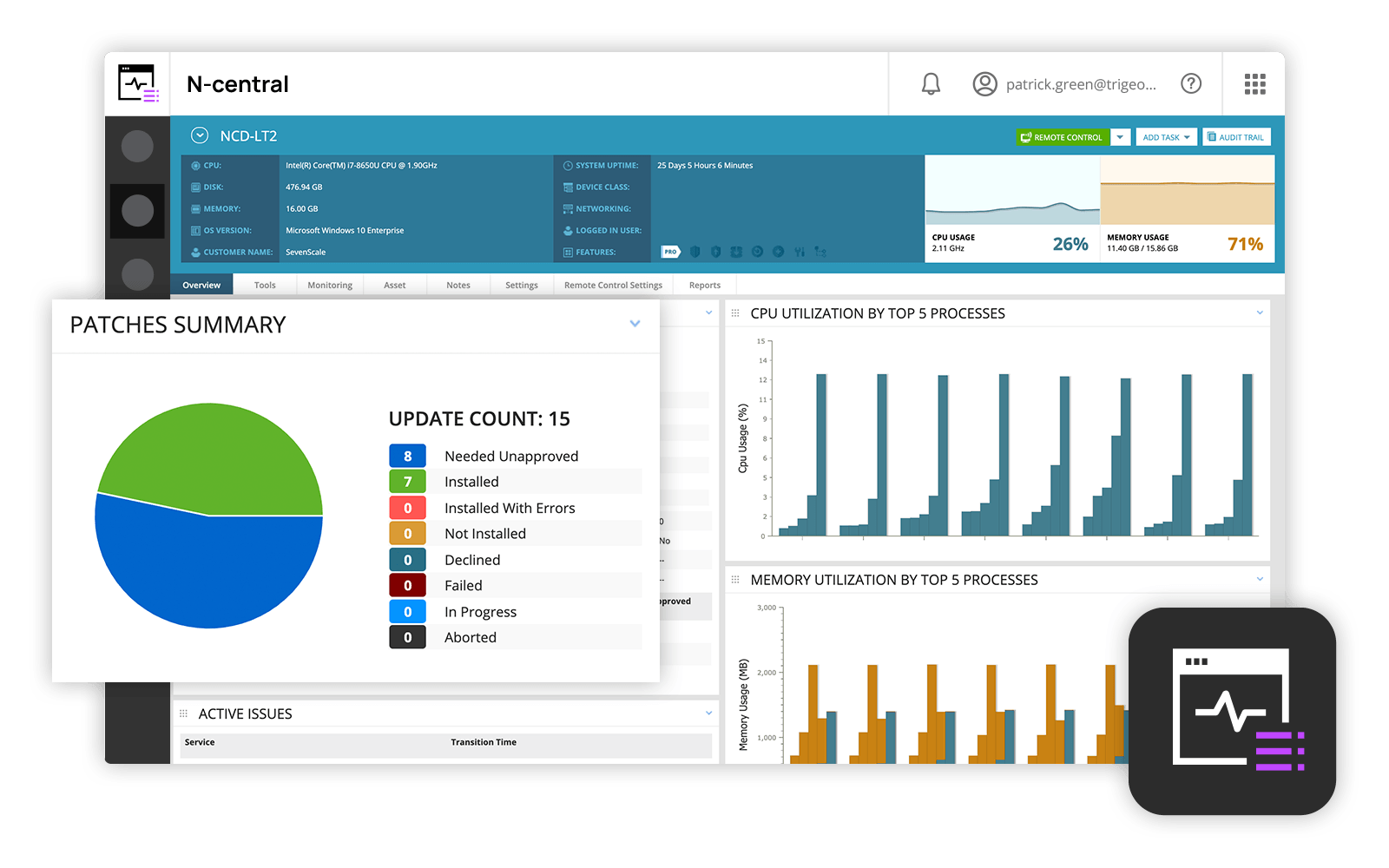
and IT professionals use N-able™ N-central® to monitor and manage devices and complex
networks remotely. N-central provides
visibility and efficiency as the user's needs scale. N-central can help users:
1. Proactively monitor everything on a customer network—not just servers
and workstations—and troubleshoot.
2. Stay on top of threats with features like MFA, antivirus, integrated endpoint
detection and response, data backup, disk encryption, email protection,…
N/A
Pricing
Backup Radar
N-able N-central
Editions & Modules
No answers on this topic
No answers on this topic
Offerings
Pricing Offerings
Backup Radar
N-able N-central
Free Trial
No
No
Free/Freemium Version
No
No
Premium Consulting/Integration Services
No
No
Entry-level Setup Fee
Required
No setup fee
Additional Details
—
—
More Pricing Information
Community Pulse
Backup Radar
N-able N-central
Features
Backup Radar
N-able N-central
Monitoring Tasks
Comparison of Monitoring Tasks features of Product A and Product B
Backup Radar
10.0
Ratings
25% above category average
N-able N-central
7.4
Ratings
0% below category average
Remote monitoring
10.00 Ratings
9.70 Ratings
Multiple Server Monitoring
10.00 Ratings
00 Ratings
Multi-device monitoring
10.00 Ratings
00 Ratings
Automated alerts and notifications
10.00 Ratings
00 Ratings
Network device monitoring
00 Ratings
8.30 Ratings
Management Tasks
Comparison of Management Tasks features of Product A and Product B
Backup Radar
10.0
Ratings
30% above category average
N-able N-central
9.0
Ratings
19% above category average
Service configuration management
10.00 Ratings
00 Ratings
Policy-based automation
10.00 Ratings
00 Ratings
Patch Management
00 Ratings
9.00 Ratings
Reporting
Comparison of Reporting features of Product A and Product B
We have more than 2500 individual backup jobs across our customer base. With Backup Radar, I now have a detailed, accurate insight into all jobs. I do not have to wonder or doubt if the backup job did not run, it logs a "no result in 24 hours" ticket for me and if it failed, I get a failure ticket logged. It cannot be more simple. This is done across multiple different backup software. The reporting, be it on demand, or scheduled, is absolutely brilliant and super valuable
In my opinion, N-able N-central is a good "learn your lesson and move onto something better" tool. I've used many RMM tools over the years and I feel that this one is slow, does a terrible job with reporting, alerting, monitoring, software deployments, etc. The ability to turn on services like AV, backup, etc easily is cute, but you're not going to be able to use your own tools with this easily. In my experience, if you do turn those tools on for testing during the trial, you'll be charged later (despite it being a trial). They also turn off your ability to monitor these increased costs or to turn them off yourself. As a company, I found that they were impossible to work with. The sales team is right there if you want to buy something - but if you need anything other than to buy something, in my experience, they take days or weeks to navigate. I found that they are not a terribly ethical company and are more concerned with making a few dollars than creating a partnerships with MSPs. I can see value is in the advertised price of $99 for a hundred endpoints. However, you need to remember to not trial any other tools (like AV, backup, etc).
Robust patch management: it is easy to set up patching groups via tags, and configures patch management profiles and maintenance windows.
Remote Control: as long as the agent checks in, it is very quick and easy to take control of an endpoint, either in a separate session (RDP, kick the current user out), or to join the existing session of the current user, to provide desktop support or collaborate remotely.
Overall we have liked our solar winds experience, however, as our company has grown to support larger enterprises, this product does not have the functionality that our teams need in order to fully support them. The lack of granularity with backups and lack of ability to support nutanix environments is slowly drawing us into the use of other tools.
The user interface is fairly straight forward, with logic groupings for objects. I did not deploy this software, but am one of the daily administrators. Once you get the correct agent package (Which can be a challenge) the integration into AD is not bad. The UI could be more customized, but that may have been a design choice.
Every time we have reached out to SolarWinds they are quick to respond, even offering support chat 24/7. Their support team is great and works with you to find solutions to issues. They have taken items we had issues with before and used those to create updates so that the issue is handled better in the future.
Most advanced, and other technicians in the business already used it before. NinjaOne was a close competitor, but lacked some features that we ideally need. ITarian was too basic but was MUCH cheaper. For a startup MSP, it would be much more attractive. Splashtop was just for remote connections, which we used for some time before realizing full RMMs were a better fit for our requirements.
Positive, the ROI is no match compared to the integrity and business reputation value we get by using Backup Radar, as we do not "resell" Backup Radar to our customers, it is our internal monitoring and reporting tool for the customers we look after.
The product definitely increases productivity. Technicians can spend a few seconds to take care of remote tasks with a few clicks as opposed to minutes to get a user to start a remote control session, or worse, going on site to work on a piece of equipment.
The packaging of the features makes selling and pricing the product fairly straight-forward and convenient. This saves our sales team time from trying to work with add-ons when pricing our services - the product makes it easy to just have an "all you can eat" package at a set price.
When something goes wrong with the product, our business and our customers suffer. If for example, a bug causes all managed computers to reboot, our customers call in, resulting in our technicians being booked solid doing damage control. This also causes loss of trust with our customers - we can't simply blame the product, the customer trusts us to provide them a service and if the product fails, we fail.