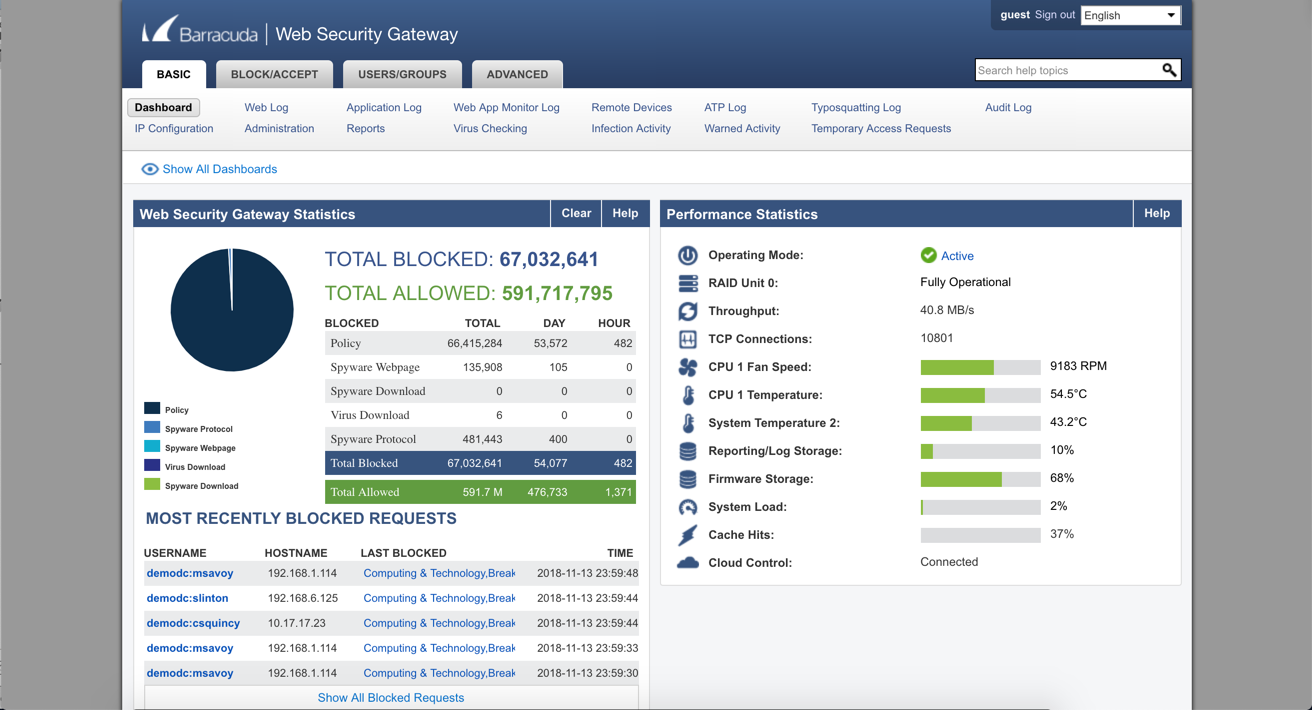
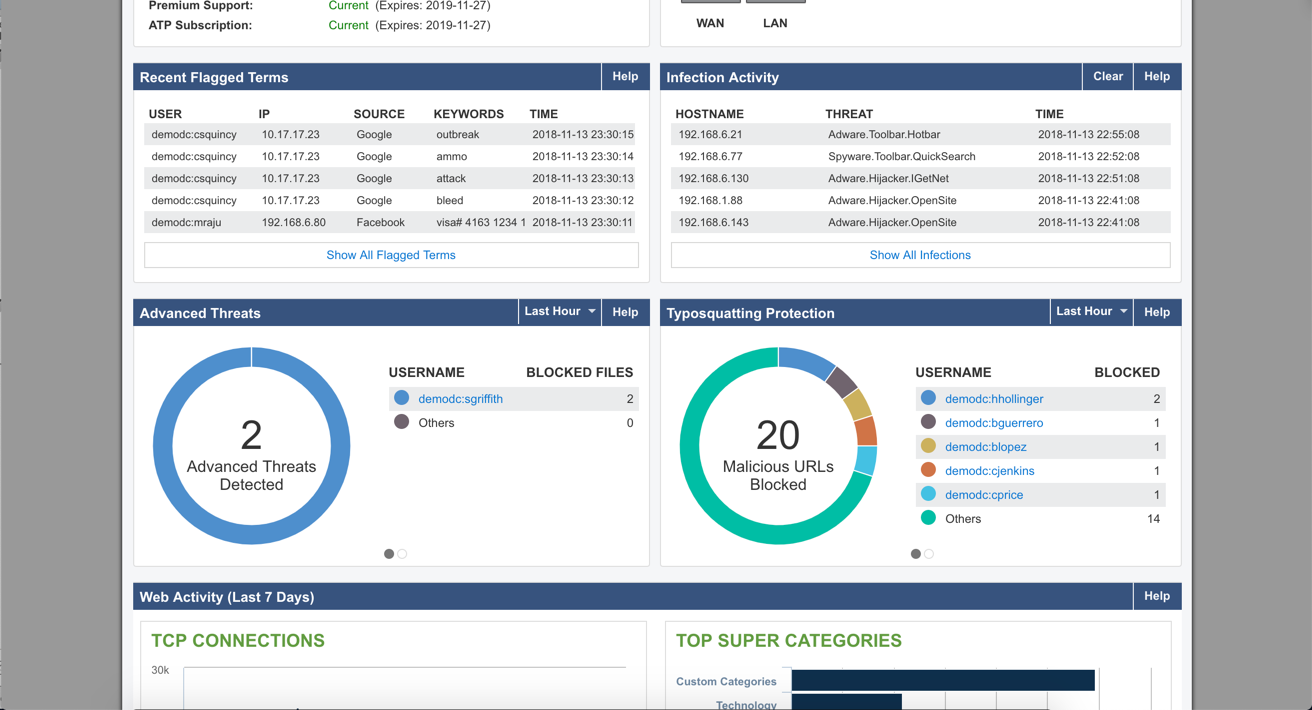
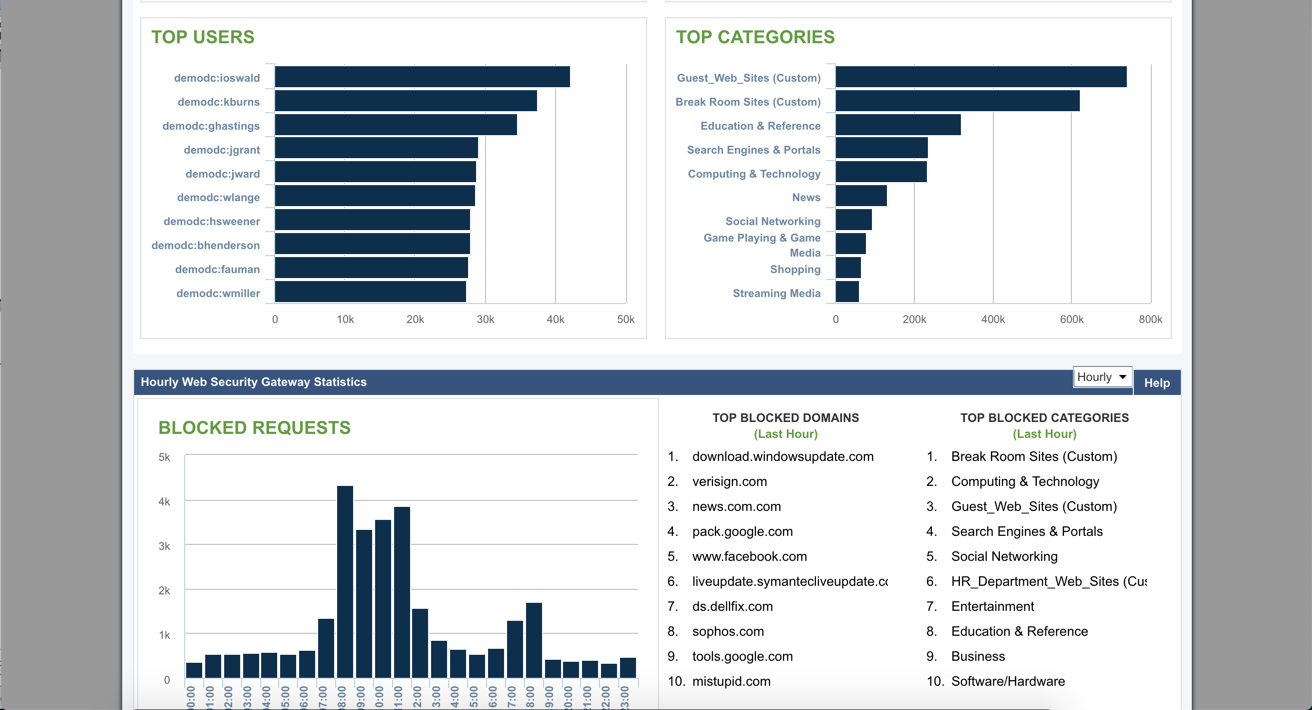
Barracuda Web Security Gateways now available in the 200 through 1000 series provide web content filtering as well as access and advanced threat protection, and are available as physical appliances, virtual appliances, or as a SaaS.
N/A
Forcepoint SWG
Score 9.7 out of 10
N/A
The Forcepoint ONE Secure Web Gateway (SWG) is one of the three foundational gateways of the Forcepoint ONE all-in-one cloud platform. Forcepoint ONE SWG monitors and controlsany interaction with any website, including blocking access to websites based on category and risk score, blocking download of malware, blocking upload of sensitive data to personal filesharing accounts, detecting shadow IT, and optionally providingRemote Browser Isolation (RBI) with Content Disarm andReconstruction (CDR).
When we had Barracuda it was not capable of SSL inspection. IronPort has some more granular aspects that I liked. What really sold me on Forcepoint was the single pane of glass for web, email and DLP.
Barracuda Web Security Gateway is a secure solution. This solution offers advanced filtering for web content, application control, access control, network monitoring, and user authentication to control network access. It is easy to use, helps prevent access to harmful content. Therefore, I highly recommend the Barracuda Web Security Gateway to enhance your network security, secure remote administration, and approve and control application usage.
Over the years, [in our experience], the maintenance of the Forcepoint Web Security solution proved to be more cumbersome and troublesome with each version upgrade. In addition, it did not transition well to support the large increase of remote workers. We also experienced weird incompatibilities with the client. We have since replaced this solution with Zscaler Internet Access, a cloud-based secure web gateway solution with a client that behaves as expected, is more flexible, and requires significantly less administration.
It can integrate with active directory to place restrictions based on a specific user or group if required - or alternatively to allow a user/group to access more on the web if needed.
The application blocking features have been especially useful in our enterprise, and there is a large number of applications & web applications available to block/allow as needed.
This package is one of the few that offers a category, quota time, that allows us to limit certain categories and or websites for staff that would normally be blocked for customers and may not be something that is needed in their day to day job duties. We allow staff one hour a day, broken down into six 10 min increments, to visit sites for shopping, travel arrangement and other areas that are more of a personal need than a business need.
Forcepoint has a wide selection of categories that can be enabled, quota timed or restricted at a top-level or you can go more granular and drill down to subcategories to allow for only partial access.
There are 2 different policies; authenticated and unauthenticated. Sometimes the filter does not pick up the user that is logged in. When this happens, that user could potentially access sites that would normally be blocked.
Sometimes blocking one thing could block something you need. We had an instance where we use remote software. We block BitTorrent but for some reason, the filter was seeing this remote software as BitTorrent traffic. I got support on the line and we were eventually able to figure out a solution.
We put in certain applications. One of them is supposed to be blocked but a lot of the time it doesn't get blocked.
The user access logs contain a lot of useless information. I understand this is very hard to tackle as I've seen this across any product that logs web activity.
I would like to see more customization options of website block pages.
It is very stable, the organisation has "locked in" the product and has no plans to change or try another product. We have already renewed our 2019-2020 licenses. It is user friendly and people catch on easily when they first use it. The only downtime is when we install Microsoft updates! It has excellent reporting which help in determining how the organisation's Internet is used and also during both internal and external IT audits.
There are a lot of settings you can adjust. The web log is easy to use. If a user is having issues accessing a website, you can go in and see what's being blocked and why. After that, you can make adjustments fairly easy. The GUI is easy to navigate and updating the software is a simple click of a button.
Despite the intimidating Linux CLI when you use the appliance for troubleshooting, the web security usability compensates as most of the Administration of the system is done there. It is GUI based and has an easy to use UI where one can navigate around rather easily like getting reports, checking alerts, looking the whole setup under deployment to check if all services are running in one place though there are other parts to the system.
Barracuda support is always available, 24/7. They are always friendly, supportive, and follow-up with anything they promise. Any ticket that is opened is touched constantly by the support team until it is remedied
The is a quick first response to acknowledge your issue and the Engineers never take more than two hours to fix an issue and we hardly get issues looking at the fact that the system is pretty stable. There is also a robust Knowledge Base in the site for known problems.
Research known issues with upgrading from the Support Knowledge base, this will enable you avoid road blocks along the way and reduce your dependence on Forcepoint Support
Barracuda Web Filter is superior to the built-in content filters of any firewalls (even next gen) that we have encountered. It's a misconception that the built-in filtering on a SonicWALL or WatchGuard is enough. I don't believe that Barracuda has any direct competitors in this space that it's not head and shoulders above.
To be honest, once using Forcepoint for our Web Security, I have not wanted to look anywhere else. The dashboard gives me quick insight of threats, productivity, and bandwidth usage. Again, this is a layer in my security and it fills many holes. I feel safe and I do like I can just let it do its thing
We had several of our divisions that we thought needed to increase their internet bandwidth, due to decreased speed and productivity. After installing the Barracuda Web Security Gateway, we realized we had some abusive behavior going on with online activity. We set some controls and the bandwidth usage decreased by at least 30%, allowing us to maintain the current bandwidth and not spending more money.