Blackboard Inc. is an enterprise learning management systems vendor. Blackboard was founded in 1997 and became a public company in 2004. The company provides education, mobile, communication, and commerce software and related services to clients including education providers, corporations and government organizations. As of December 2010, Blackboard software and services are used by over 9,300 institutions in more than 60 countries. Blackboard Learn is the company's flagship LMS, supporting…
N/A
Blackbaud Education Management Solutions
Score 7.9 out of 10
N/A
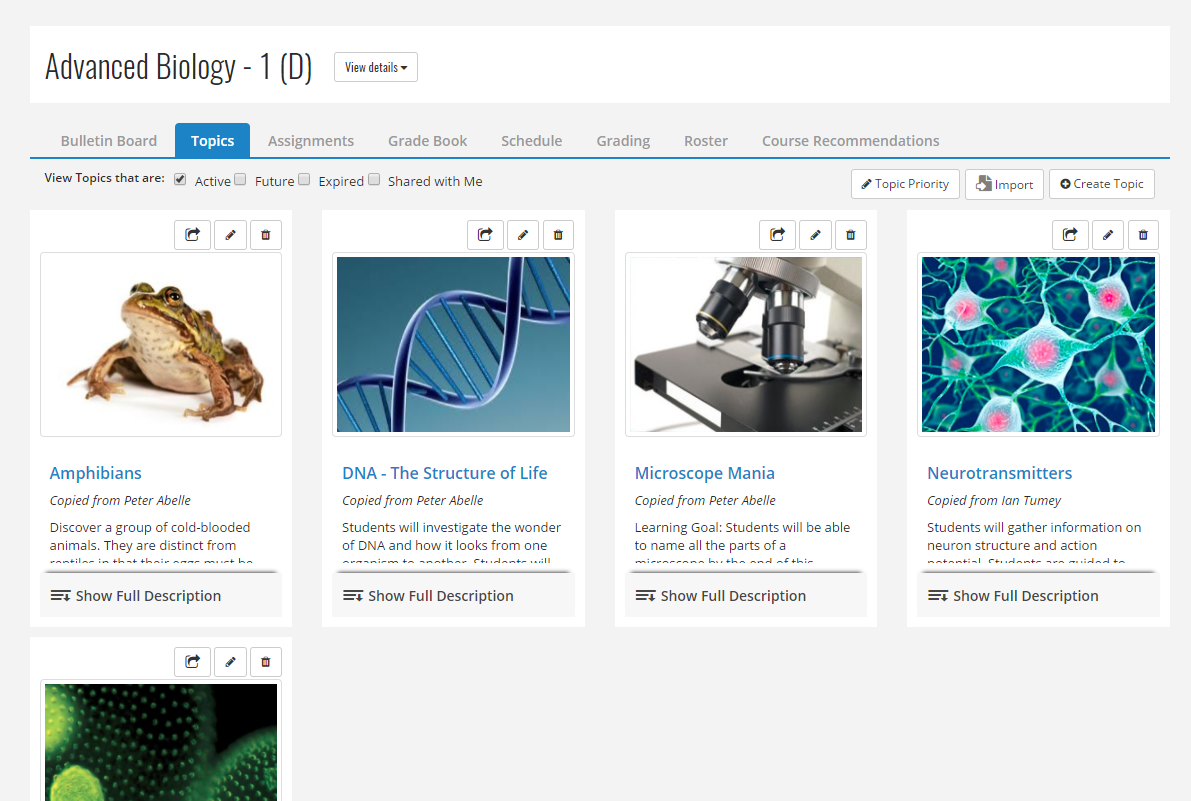
Blackbaud Education Management Solutions is a unified student management system for K–12 private schools. Blackbaud Enrollment Management System™: Gives schools and families the ability to track admissions progress from first impressions all the way through the application process to acceptance, enrollment, and tuition payment. Blackbaud Learning Management System™: Track students' academic performance and progression…
We originally had Blackboard but it did not bring everything together in one place and frustrated parents, particularly those with more than one child. The high school not as much as the younger divisions. It was not setup in a way that teachers of younger kids could use. It …
Senior Systems products were evaluated. Blackbaud was not specifically chosen, our school is a legacy Whipplehill school and we decided to continue with Blackbaud. This decision was due to the length of time we were with WH and our investment in the software both economically …
A school with a well-established technology imprint with their students (for example, ours is a BYOB school where every student has their own laptop and must bring it to school every day and where over 99% of our families have reliable broadband at home) is a reasonable scenario for using The arrogance and intransigence of the sales force is quite disconcerting… They are no longer the only game in town and don't yet realize it. Less well-off schools/families may find it a challenge if students must be on campus or at a public library in order to use the technology. Obviously, during the pandemic, this became problematic for some districts.
Blackbaud Education Management Solutions is well-suited for schools who are interested in having it as the central piece to their student suite. I've heard that it does integrate with some other Learning Management systems but we've found that having it all in one place has made communication, dependability, and transparency greater. We appreciate that the views are the same for parents, students and teachers so when teachers make up a bulletin board, they know that what the parent is seeing is the same as them.
Provides HTML quality course content that is easily retrievable and viewable.
Provides multiple methods of communication: email, threaded discussions, real-time "live" online discussions, as well as grade portal.
Allows facilitators multiple methods of grading or providing feedback: threaded discussions, rubric scoring, personal comments, inline viewer, or download/upload attachments.
Incredibly easy to use interface for the User (parents, applicants, etc.).
Ease of gathering data - Helpful lists, formulas, and reports.
Time saver - Especially in the Admission office. Since everything is done digitally from the user through the employee, there is no need to hand-enter data; you just click the button, and everything imports or exports as needed!
Lists -unable to just create a simple list of say 100 students of varying grade levels. Need to export, then whittle the list down. Super time-consuming. Not possible to run a list and then click the students needed from there.
Reports - [I feel there is] not enough of a selection of "canned reports" and no ability to create your own reports
Advanced lists - [in my experience] THE WORST - again creating more work - I spent over 3 hours trying to make an advanced list of all NHS eligible students, that included email addresses for the students AND the parents. Way too difficult and needs to be simplified
Learning Profile: [I feel] Fields for the person creating a learning profile for a student are too small. It would seem like the developers creating this have literally no idea how complex some accommodations are. Many accommodations come directly from a physician.
Checklists: Should be in Academics not just Enrollment Management
Ideas: [I feel it's a] good concept, poor execution. Many of the people who are actively using BB do not have the time needed to submit an idea, know it even exists or have time to search and vote.
Some aspects of Enrollment management should follow a student into Education Management. For example, [I feel]The Candidate Summary should be viewable once the student is enrolled. Converting a process from all paper to electronic-only works if the information is accessible to all pertinent staff
There are several aspects of Desire2Learn that outweigh the benefits of using Blackboard. I find that the Desire2Learn system is a bit more user friendly and looks more up-to-date. However, the decision to renew systems is not up to me because the entire University uses the same system. Regardless, I think I would choose Desire2Learn over Blackboard because of its improved user interface.
We are just starting and highly invested in our journey and partnership with Blackbaud. We have committed to this system and are finding new ways to incorporate it into our everyday tasks. For example, we now track ACT and SAT scores in the test section for each student. This allows the counselors to easily look up any students test scores in an instant
It is very usable for both faculty and students. The interface is pretty intuitive and most students can use it without a lot of additional training. Faculty do need some training to effectively use the interface, but they usually get it pretty quickly. We have had to create some additional programming to give faculty a way to delve deeper into the content.
Blackbaud EMS is very usable from my perspective. I am a power user and get lots of valuable functionality. It is, however, a complex system. Sometimes necessarily complex to accommodate flexibility for diverse customer needs. Some complexity seems unnecessary and/or hold-over functionality from earlier versions; nice to see this type being evolved away from over time. It is valuable to receive regular updates to the system along with good release notes of what changed and notices of significant changes in advance.
Itʻs a good platform for certain things such as tests. Blackboard may not be the most user friendly but there is always room for improvement in any website, business, etc. When used with other platforms such as Google Classroom, Blackboard can be more effective, but when used by itself I feel it is not as impactful from a student perspective.
Always very helpful and informative. They always have an answer or are willing to research it. Also if the system has been down in after hours the emergency support has been helpful. I do use Chat primarily and I find if you ask a very detailed question they get straight to the point and support is very quick.
Blackboard is the all around better fit for our intuition. It provides the "bells and whistles" we require in having a diverse faculty and flexibility in course delivery. The "bells and whistles" aren't cheap, but we have found that budgeting for this large expense has been more than worth it for us.
Blackbaud K-12 is very similar. I feel like I would be trading one set of issues for another so it's kind of a wash. We are very much hooked into the Blackbaud website with our Google SSO, SmartTuition, and Schooldoc integrations. It would be difficult for us to transition. That is the main reason I haven't really entertained other web firms.
Integration between SLS and SIS is definitely a time saver for teachers.
Integration with the 3rd party for conferences is working great for us. A lot of mistakes are avoided with parents not being able to schedule the wrong teachers.
Attendance and conduct visibility is a great feature.