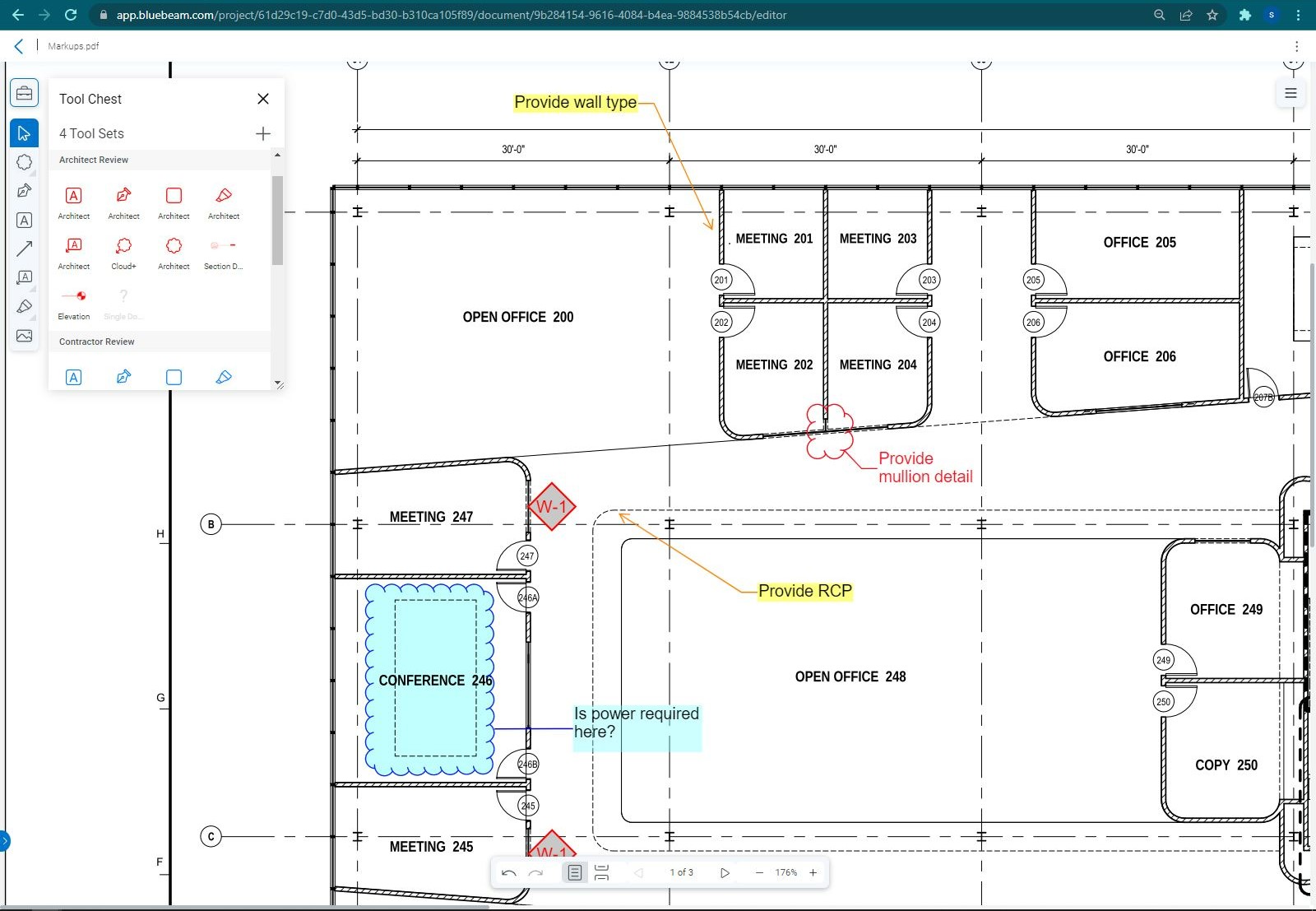
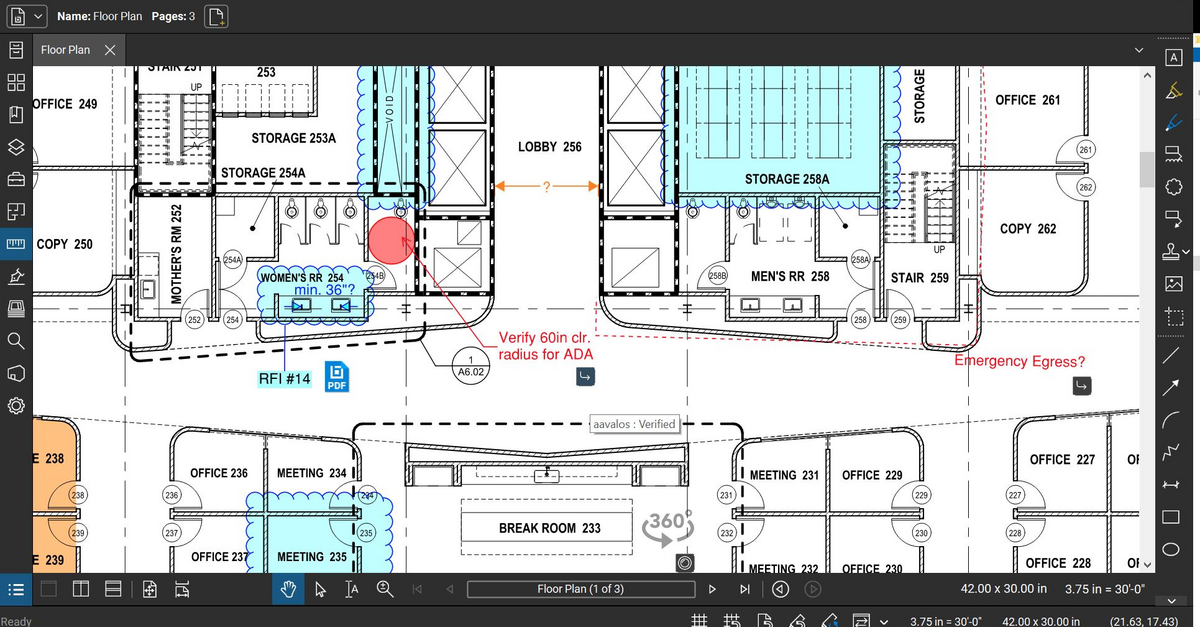
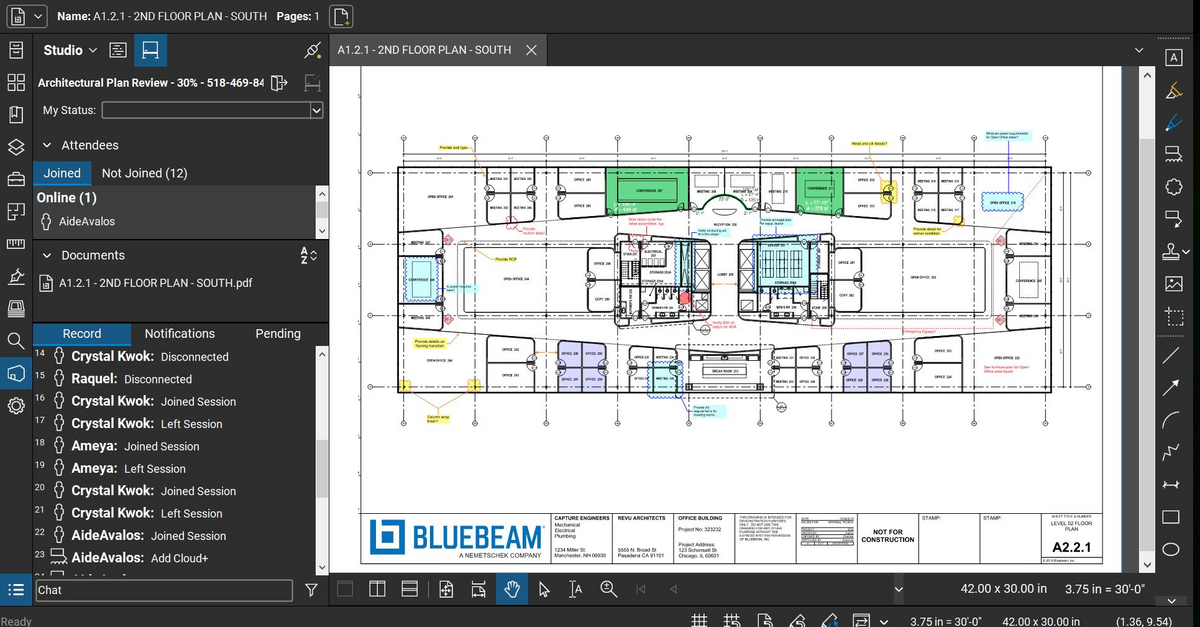
Bluebeam Revu is a PDF management, control, and editing tool. It enables collaboration and markup within shared documents across projects’ life cycles and has takeoff and bid creation capabilities.
$349
per seat
KYRO
Score 8.8 out of 10
N/A
KYRO is a unified construction management software that helps businesses bridge office teams with field crews on construction sites. Field crew members can utilize the voice notes functionality to record the day's updates in any language and share it instantly with reporting managers. The platform enables administrators to generate daily reports regarding expenditures, and invoices generated. Managers can use the optical character recognition (OCR) functionality to…
$95
per month per user
Pricing
Bluebeam
KYRO
Editions & Modules
Revu Standard
$349
per seat
Revu CAD
$449
per seat
Revu eXtreme
$599
per seat
GROWTH
$95
per month per user
Offerings
Pricing Offerings
Bluebeam
KYRO
Free Trial
Yes
No
Free/Freemium Version
No
No
Premium Consulting/Integration Services
No
No
Entry-level Setup Fee
No setup fee
No setup fee
Additional Details
—
**Kyro charges by the license or by the number of projects executed per year. Both pricing models require a minimum commitment of 50 (either licenses per month or projects per year). 20% discount for annual pricing.
More Pricing Information
Community Pulse
Bluebeam
KYRO
Features
Bluebeam
KYRO
Reporting & Analytics
Comparison of Reporting & Analytics features of Product A and Product B
Bluebeam
8.7
Ratings
13% above category average
KYRO
5.2
Ratings
38% below category average
Standard reports
9.00 Ratings
5.30 Ratings
Custom reports
8.00 Ratings
5.30 Ratings
Data exportability
9.00 Ratings
4.90 Ratings
Dashboards
00 Ratings
5.30 Ratings
Construction Project & Field Management
Comparison of Construction Project & Field Management features of Product A and Product B
Bluebeam
8.9
Ratings
16% above category average
KYRO
7.0
Ratings
8% below category average
Plan distribution & viewing
8.90 Ratings
7.30 Ratings
Plan markups & sharing
9.20 Ratings
8.20 Ratings
Issue tracking & punchlists
8.50 Ratings
5.80 Ratings
Photo documentation
8.70 Ratings
6.70 Ratings
Jobsite reports
9.00 Ratings
8.20 Ratings
Document sharing
9.30 Ratings
8.20 Ratings
RFI tools
9.00 Ratings
00 Ratings
Collaboration & approvals
9.00 Ratings
7.60 Ratings
As-built drawings
8.90 Ratings
6.40 Ratings
Mobile app
7.90 Ratings
8.20 Ratings
Submittal design and management
8.90 Ratings
00 Ratings
Checklists
9.50 Ratings
6.40 Ratings
Change orders
9.00 Ratings
4.90 Ratings
Specifications
00 Ratings
6.40 Ratings
Estimating
Comparison of Estimating features of Product A and Product B
Bluebeam
9.1
Ratings
13% above category average
KYRO
-
Ratings
Takeoff tools
7.90 Ratings
00 Ratings
Job costing
8.40 Ratings
00 Ratings
Cost databases
10.00 Ratings
00 Ratings
Cost calculator
10.00 Ratings
00 Ratings
Bid creation
9.00 Ratings
00 Ratings
Human Resource Management
Comparison of Human Resource Management features of Product A and Product B
Bluebeam
-
Ratings
KYRO
5.8
Ratings
27% below category average
Organization and location management
00 Ratings
5.80 Ratings
Payroll Management
Comparison of Payroll Management features of Product A and Product B
As stated before, the mobile application is a great companion to the desktop version. Either one works great in viewing, editing and saving documents. While the measurement tool is handy to have, we have found the precision to be lacking when measuring scaled drawings (construction design drawings). While it is a good rough place to start for measurements, we wouldn't recommend relying on the precision of the measurements taken on something with a very large scale.
I find KYRO to be an exceptionally well-designed product, ideally suited for both large and relatively smaller teams. Its ability to facilitate collaboration among multiple stakeholders on documents and plans is particularly impressive, making it an indispensable tool in managing diverse and complex construction projects. I appreciate KYRO's effectiveness in scenarios that demand meticulous tracking of labor hours and monitoring project progress to adhere to budget constraints. I perceive KYRO to be less suited for smaller residential projects that don't necessitate its extensive range of features. In such cases, simpler tools may suffice for effective management, making KYRO's advanced capabilities somewhat excessive for these smaller-scale projects.
Document Management: As a project manager, I've found KYRO's document management feature to be a game-changer. The ability to organize all project-related documents in one centralized location simplifies the workflow significantly. Their search functionality works well, allowing for quick and easy retrieval of documents from an extensive archive. This feature not only saves time but also enhances the overall efficiency of document handling in our projects
Time Management: The timesheet feature of KYRO has been instrumental in streamlining the process of recording and approving work hours. This functionality has been pivotal in efficiently tracking the hours logged by my crew, greatly aiding in effective time management and workforce coordination.
If you have several tabs open and you try to drag one out for a side by side view then you do not have all the modification options and you have to combine them back together.
There is a lag time when hitting the print option.
There is also a lag time when opening files, sometimes I think the window is frozen.
I wish the basic version also had basic file editing, as in editing a document as Adobe does.
Bluebeam is a powerful PDF viewer and mark-up tool. We are more familiar with it than Adobe Acrobat Pro or other viewers, and it has more features geared towards construction document managers than Acrobat Pro does.
I'm constantly finding that Bluebeam Revu does more than I knew it could. And when I find something that it can't do, I've found that Bluebeam truly listens to its user base and will work to incorporate any good suggestion when feasible.
Its hard for me to give a rating on this one as we rarely have to use the support feature for Bluebeam. However, when we have used it, they have been ultra supportive in helping us get exactly what we needed. I know another engineer was trying to figure out a feature and the rep gave a detailed tutorial on how to complete the task
Bluebeam is a diverse program with many functions and tools, whereas competitive programs only specialize in one or few tasks. Although there are many tools within the program, users can still quickly learn how to use the program to best fit their needs. There is always a help tab for any assistance needed.
A major positive aspect is being able to take your computer home without taking the entire set of paper drawings. They have made it so easy to navigate a set of drawings that I can work at home using only the digital drawings.
Collaboration with owners and architects has been a great feature. Setting up a Bluebeam studio and having everyone get in and mark things up, then having the architect be able to go in and see what markups have been added, has made the constructability review process much much better.
Even when not working on drawings, Bluebeam is a very good tool for working with standard PDF documents. The markup tools are very easy to use.
The negative aspect is the takeoff function because some people would like estimators to use the Bluebeam takeoff because it would make their job easier down the road; however, the actual act of doing a full scale takeoff in Bluebeam would require much more time.
KYRO has led to a significant reduction in man-hours. The platform has been instrumental in tracking progress across various projects, and it has also streamlined administrative tasks, eliminating the need for manual approvals
I've found KYRO extremely effective in reducing errors during report submissions for both daily logs and forms. Its system maintains a record of previous entries, which serves as a reference for future submissions.