Chose Bonita Platform
We liked Bonita's architecture, the open-source framework, and the licensing and support model. Maybe fewer features than other BPM platforms but easier to implement and maintain.

| Product | Rating | Most Used By | Product Summary | Starting Price |
|---|---|---|---|---|
 Bonita Platform | N/A | Bonita is an open-source business process and workflow management platform created by the French National Institute for Research in Computer Science. It is available as a free community edition or as a commercial subscription product. | N/A | |
 CMW Platform | Mid-Size Companies (51-1,000 employees) | CMW Platform (formerly Comindware) is a business process management software centered on worklows to build automations. It implements a drag-and-drop interface along with Excel-style rules and forms. | N/A |
| Bonita Platform | CMW Platform | |||||||||||||||
|---|---|---|---|---|---|---|---|---|---|---|---|---|---|---|---|---|
| Editions & Modules | No answers on this topic | No answers on this topic | ||||||||||||||
| Offerings |
| |||||||||||||||
| Entry-level Setup Fee | No setup fee | Optional | ||||||||||||||
| Additional Details | — | Comindware Tracker is available for purchase on a per-user subscription plan. | ||||||||||||||
| More Pricing Information | ||||||||||||||||
| Bonita Platform | CMW Platform | |
|---|---|---|
| Considered Both Products |  Bonita Platform  Edison Jovanny Lider BPM Chose Bonita Platform for its flexibility, which is greater, and support for open source  Antoine Chami Responsable du Developpement Chose Bonita Platform Far better design and more intuitive than other solutions. BDM is a great tool for non IT users and help[s] them understand how structured data will improve the work. Community Edition allows us to already manipulate the software and appreciate the power of the tool. I enjoyed …  Armando Miguel Brito Criado Lider BPM Chose Bonita Platform Bizagi and Bonitasoft have many similarities, an excellent process engine and integrated Data Model, unlike Kofax TotalAgility. But Bizagi beats it in the form designer.  Pranshu Sharma BSS Application Sr Specialist Chose Bonita Platform Bonita is lightweight. It is easy to configure as against SOA which requires heavy lifting and complex code/configuration management.  Maciej Michalak Software developer Chose Bonita Platform I found Bonita BPM a more friendly environment, especially when it comes to front-end development. It is also better suited for a gradual introduction to an organization - PoC with Community edition, later upgrade to one of the subscription editions as needed. Tibco's product …  John Wadie Solutions Architect Chose Bonita Platform Implementing Bonita was more cost effective than the other options.  richard gay IT applications manager Chose Bonita Platform
 Clive Rethman Authorised Partner Chose Bonita Platform Bonitasoft is easier to implement and support.  David Edson Principal Consultant - Solution Architect Chose Bonita Platform The extensibility or ability to add functions or modify existing capabilities is much easier and better supported in Bonita. The ability to integrate the Bonita system into customer solutions is much easier and allows for tightener coupling to the existing customer portals. The … |  CMW Platform  Jeevan Uthaman Creative Head Chose CMW Platform notion is just a project management platform there is not automation  Gautami Sane Cloud Services & Software Engineer Chose CMW Platform I've been the longest user of ZOHO until I switched to CMW. Zoho has a better customer support and is an inexpensive option. Rest of the functionalities are more or less the same.  Cynthia Nyame Assistant Project Manager Chose CMW Platform CMW platform is a comprehensive work management system for larger organizations whereas Wordpress is primarily designed for web content management and may not be as robust in terms of features.The platform can scale to accomadate growing content demands. Compared to …  Somendra Singh SEO Executive Chose CMW Platform We are looking for the free tariffs for few days so that maximum organizations can utilise the services and understand the need of the same before final purchase or switch to Comindware tracker  RAKESH NAIR Research aSSOCIATE Chose CMW Platform Cost management and to create internal/operational efficiencies  Rober Thendrickson Agile Developer Chose CMW Platform Comindware Tracker is useful and can be accessed through a web
browser on iOS and Android devices, as well as Mac and Windows desktops. It is
necessary to create, implement and modify our workflows, as well as to automate  Dulanjali Senarathna Associate Software Engineer Chose CMW Platform ClickUp, Atlassian Jira Align (formerly AgileCraft) and Asana  Osama Youssef AWS re/Start Chose CMW Platform it's way better than notion because it make various teams collaborate on various with ease of use and with hands on more features that is actually usefull for business as it has a great and fully customizable user interface with availability for mobile platforms it's not that …  Himanshu Bhardwaj Senior Quality Assurance Analyst Chose CMW Platform Visual aspect of this tool is so awesome to manage and working with different flow diagrams is a breeze which is not possible in Jira or confluence  Muhammad Arifur Rahman Mentor Chose CMW Platform Other software required dedicated IT personnel to set-up, implement and monitor it. But I was able to set up Comindware Tracker myself, without the need of much technical expertise. |
| Bonita Platform | CMW Platform | |||||||||||||||||||||||||||
|---|---|---|---|---|---|---|---|---|---|---|---|---|---|---|---|---|---|---|---|---|---|---|---|---|---|---|---|---|
| Reporting & Analytics |
| |||||||||||||||||||||||||||
| Process Engine |
| |||||||||||||||||||||||||||
| Collaboration |
| |||||||||||||||||||||||||||
| Content Management Capabilties |
|
| Bonita Platform | CMW Platform | |
|---|---|---|
| Small Businesses |  Square 9 Softworks Score 9.1 out of 10 |  Stackby Score 9.0 out of 10 |
| Medium-sized Companies | Square 9 Softworks Score 9.1 out of 10 |  Creatio Score 9.7 out of 10 |
| Enterprises | CMW Platform Score 8.9 out of 10 | Creatio Score 9.7 out of 10 |
| All Alternatives | View all alternatives | View all alternatives |
| Bonita Platform | CMW Platform | |
|---|---|---|
| Likelihood to Recommend | 8.2 (0 ratings) | 8.0 (0 ratings) |
| Likelihood to Renew | 6.4 (0 ratings) | 9.1 (0 ratings) |
| Usability | 7.7 (0 ratings) | 7.5 (0 ratings) |
| Performance | 8.0 (0 ratings) | - (0 ratings) |
| Support Rating | 4.6 (0 ratings) | 8.5 (0 ratings) |
| Implementation Rating | 4.5 (0 ratings) | - (0 ratings) |
| Ease of integration | 7.3 (0 ratings) | - (0 ratings) |
| Product Scalability | 7.5 (0 ratings) | - (0 ratings) |
| Bonita Platform | CMW Platform | |
|---|---|---|
| Likelihood to Recommend |
|
Gautami Sane Cloud Services & Software Engineer |
| Pros |
 William Wolf Architect |
 Shauna Bayler Real Estate Broker |
| Cons |
Maciej Michalak Software developer |
|
| Likelihood to Renew |
|
 Vikas Hooda Senior Sales Consultant |
| Usability |
|
|
| Performance |
Maciej Michalak Software developer | No answers on this topic |
| Support Rating |
|
 Aditya Sethi Software Engineer |
| Implementation Rating |
| No answers on this topic |
| Alternatives Considered |
|
|
| Scalability |
richard gay IT applications manager | No answers on this topic |
| Return on Investment |
|
|
| ScreenShots | Bonita Platform Screenshots   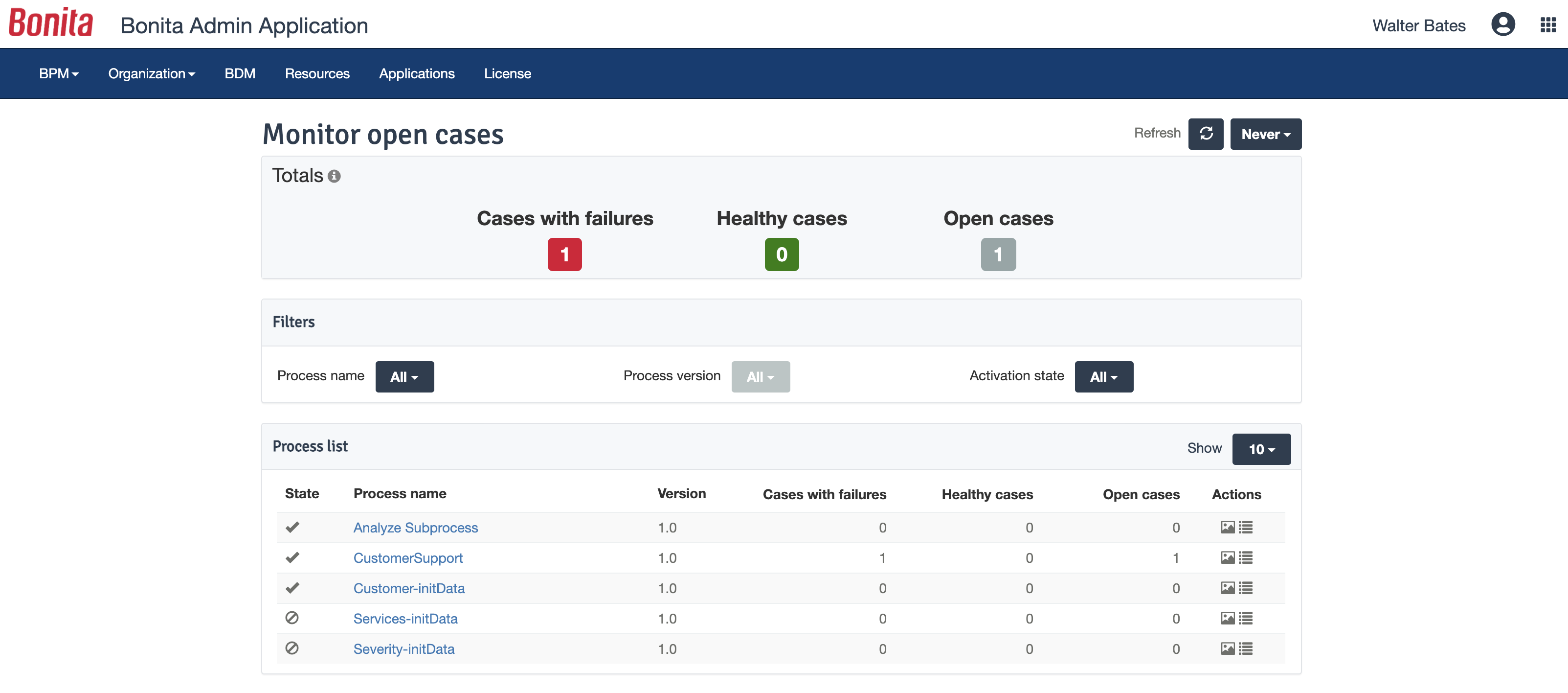  | CMW Platform Screenshots   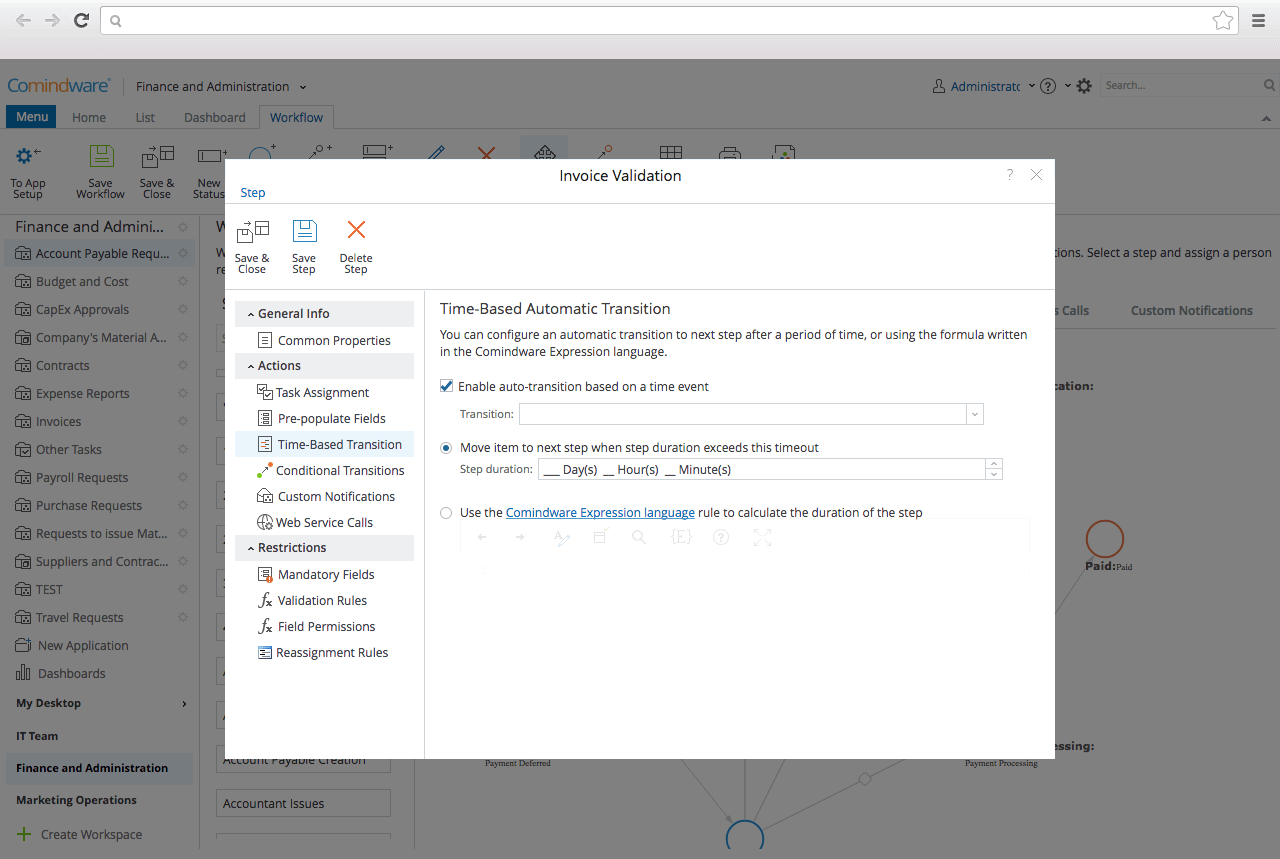   |