Boomi is a cloud-based, on-premise, or hybrid integration platform. It offers a low-code/no-code
interface with the capacity for API and EDI connections for integrating with external organizations and
systems, as well as compliance with data protection regulations.
$550
per month
Devart Excel Add-ins
Score 9.0 out of 10
N/A
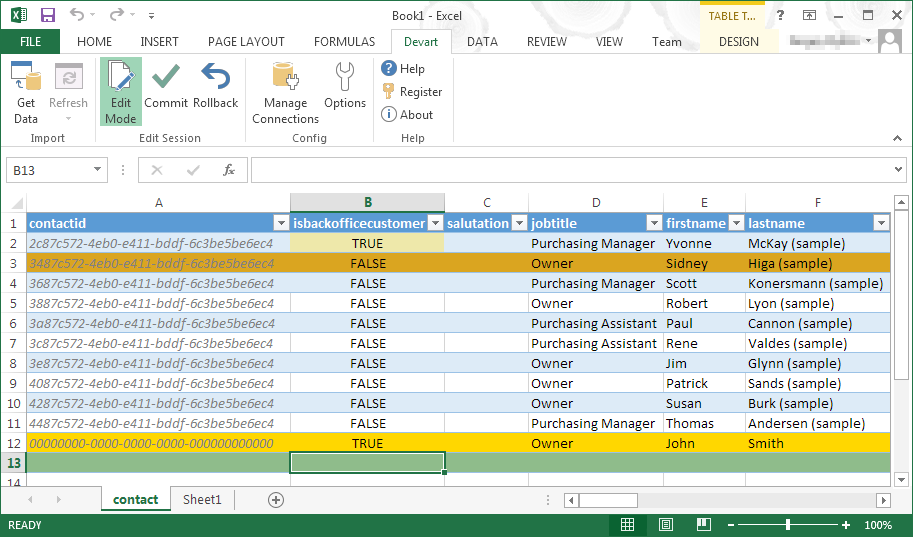
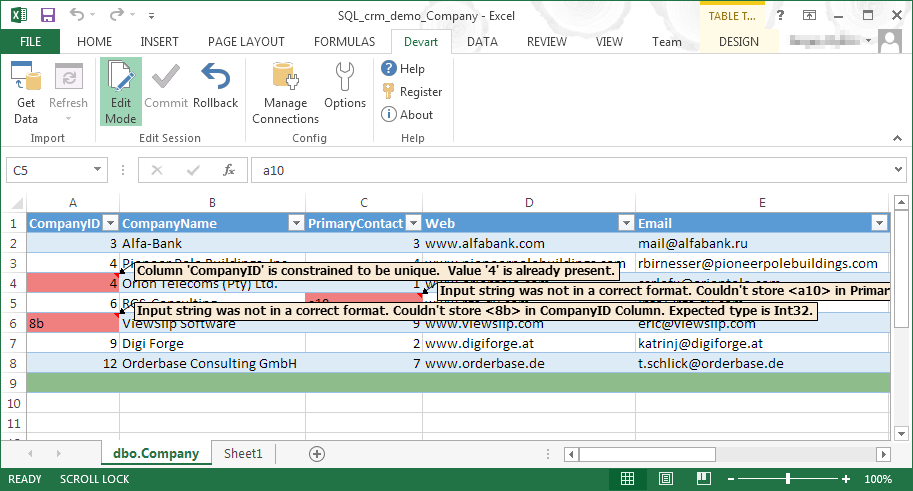
Devart Excel Add-ins allow you to use Excel capabilities to import, process, and analyze data from cloud applications and relational databases. The Excel Add-ins also allow users to make data changes and then save those changes back to the data source they were originally imported from.
$399.95
one-time fee
Pricing
Boomi
Devart Excel Add-ins
Editions & Modules
Boomi
$550
per month
Excel Add-in Database Pack
$399.95
one-time fee
Excel Add-in Cloud Pack
$499.95
one-time fee
Excel Add-in Universal Pack
$599.95
one-time fee
Offerings
Pricing Offerings
Boomi
Devart Excel Add-ins
Free Trial
No
Yes
Free/Freemium Version
No
No
Premium Consulting/Integration Services
No
No
Entry-level Setup Fee
No setup fee
No setup fee
Additional Details
—
Purchases include a perpetual license and 1 year of subscription which includes the product updates and premium support.
More Pricing Information
Community Pulse
Boomi
Devart Excel Add-ins
Features
Boomi
Devart Excel Add-ins
Cloud Data Integration
Comparison of Cloud Data Integration features of Product A and Product B
Dell Boomi is well-suited as a middleware to talk between systems. I am a personal fan of Dell's products and I enjoy this service. Dell Boomi is very easy to use, even to the less technically-inclined user. It is less appropriate to use in one system alone, but users would still find it functional in one system alone because it helps manage the system's metadata and allows that system to be integrated with other systems in the future.
One of the biggest benefits of Excel is its primary function: The ability to organize large amounts of data into orderly, logical spreadsheets and charts. With the data organized, it's a lot easier to analyze and digest, especially when used to create graphs and other visual data representations. Excel crunches numbers almost instantly, making batch calculations much easier than working things out yourself with a calculator. Depending on your understanding and skill with Excel, the formulas and equations are used to quickly compute both simple and complex equations using large amounts of data.
More from a development perspective. It is always difficult to use the properties features. It takes a while to understand how the data/variables can be used across an integration.
Dell Boomi should also invest more on API Management and not just seen as a ETL,ESB tool.
Should roll out features more often based on users reviews.
Dell Boomi has provided us with the ability to connect our campus together using our various existing platforms. There are many supported features and have yet to run into something that we cannot do. Its user interface is very intuitive which would allow users to begin developing fairly easily. There is a myriad of resources available
First of all, as a service (cloud service), we don't need to care about server maintenance any more, no worries about incorrect configurations, about down time. Second, for maintaining, we don't need a large team to do it. And of course, using Dell Boomi instead of manual transaction could help us to avoid people mistake while inputting data or doing transactions.
I would rate Dell Boomi as highly performant. We have used it for 4+ years and have not had any major issues with availability or speed. We also have not observed performance degradation when connecting it with other software solutions.
Boomi support was responsive and knowledgable, however being a closed cloud service, it doesn't have good community support. We found the learning curve to be steep and there aren't avenues like google, forums, or blogs that provide community driven insight into the product or how to go about designing solutions using the tool
MuleSoft and Boomi are built on totally different frameworks. Mulesoft is an API-led network whereas Boomi is an ETL middleware approach. In easy words, Mulesoft can connect to several apps and business units, can create and reuse multiple components. Boomi offers only on-premise and on-cloud integration solutions whereas MuleSoft is capable of providing on-premise, on-cloud as well as hybrid solutions. We can say that MuleSoft is much more flexible and offers multiple integration solutions.
Microsoft Excel is the most used tool in the software universe. As such, asking Microsoft Excel to be the tool used post data acquisition makes a ton of sense. Almost everyone we hire has some idea on how to use this tool, which decreases the time spend training new employees.
ROI was flat. Coding directly in apps we were knowledgable in would have been faster, but maintenance higher.
It brought good process to the integration team that was new, however I wouldn't say it was a huge gain monetarily. It is a valid path out of many paths for integration, but doesn't rule them all.