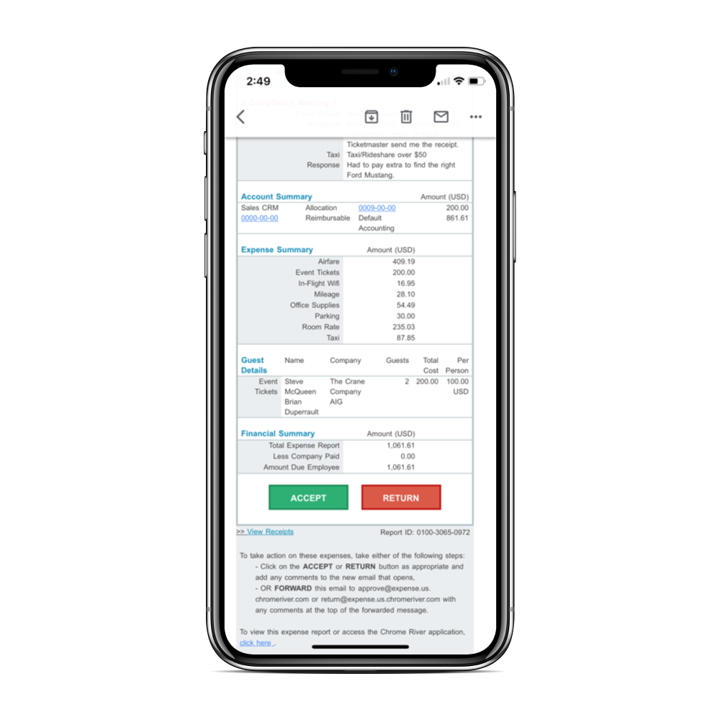
Chrome River EXPENSE is expense management software, from Chrome River Technologies in Los Angeles, California.
N/A
Zoho Invoice
Score 8.8 out of 10
N/A
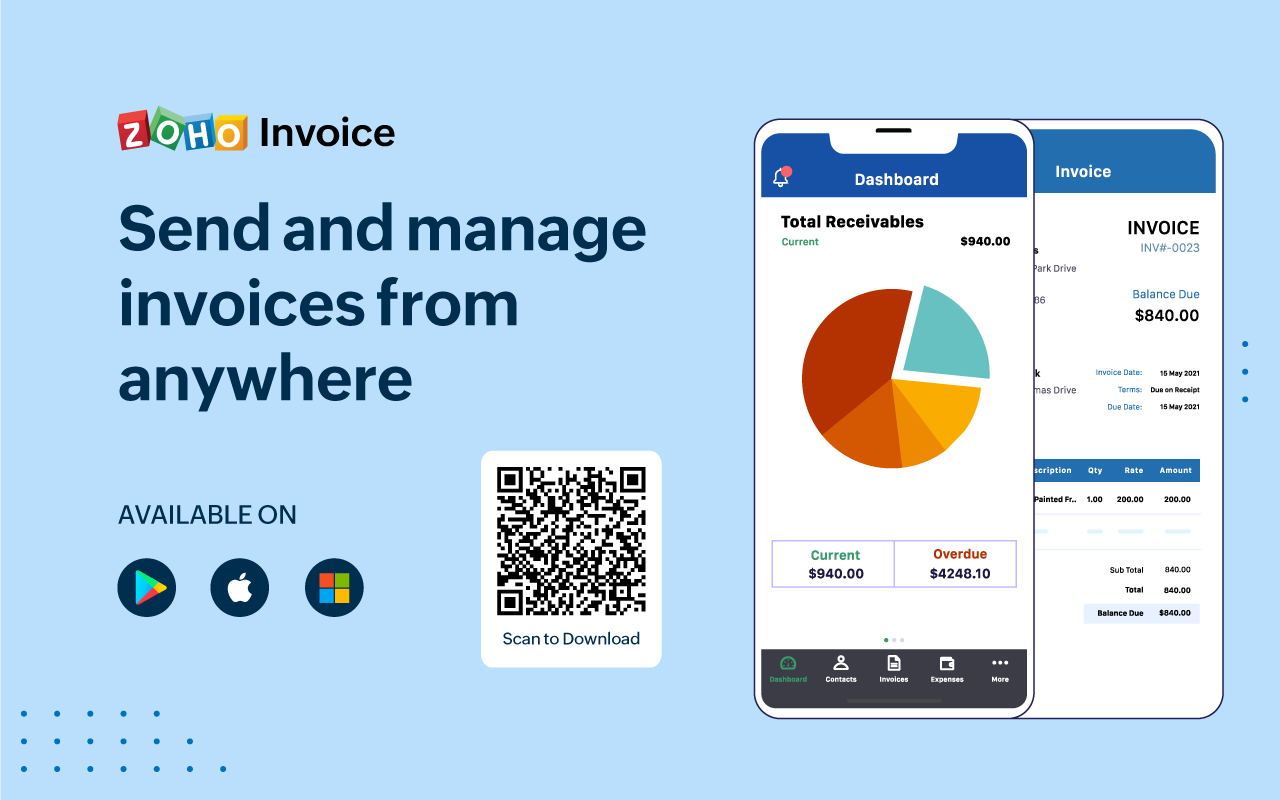
Zoho Invoice is a cloud-based invoicing solution designed to help small businesses with invoicing, tracking expenses, and accepting online payments. Key features include project billing, time tracking, reporting, customizable templates, and a client portaI. Teams using Zoho Invoice can track estimates, convert them to invoices, and send reminders to clients to complete their outstanding payments. Additionally, users can create tasks, collect advance payments for projects, and keep…
$0
Per Organisation, Per Month
Pricing
Emburse Chrome River
Zoho Invoice
Editions & Modules
No answers on this topic
Free
$0
Per Organisation, Per Month
Offerings
Pricing Offerings
Emburse Chrome River
Zoho Invoice
Free Trial
No
No
Free/Freemium Version
No
Yes
Premium Consulting/Integration Services
No
No
Entry-level Setup Fee
No setup fee
Required
Additional Details
We offer three cost-effective, subscription-based pricing models:
A transaction-based model, priced according to expense report volume
A submitter-based model, priced according to an average number of monthly submitters
An enterprise-level model that includes unlimited expense reports. Pricing for this model is based on total employee headcount
Feel free to contact us to discuss the best one for your organization.
Zoho Invoice is a completely free product. It has no contracts, no ads, and no hidden fees
The overall user interface was easy to use and it made the task of the reporting very easy. Compliance rules are guiding the users to correctly upload and enter receipts, which are already uploaded and recognized via OCR during the business trip. Uploading can easily done via …
We have not used any other products at the moment as we are still trying to get all employees on the same page with the Chrome River software. Once company wide everyone is on the same page we hope to expand the software to more products to make our work more efficient.
The user interface and features surpass the experience and similar features of other products because of the following. Good customer support to also make the program better. Also, a good interface to navigate the expense creation process.
Concur was a very detailed platform that we used at my old company, but it was not very user friendly. The compliance rules set up required heavy detail from the employee that leadership or managers would not even read. the rules set in place resulted in slow processing times …
With a smaller organization, Chrome River has proven cost-effective yet has all of the tools needed to create efficiencies throughout our expense reporting process.
This software is basically just the other end of Emburse Chrome River and works in almost the exact same way. They both work well together and I think they are easy to use for any staff, no matter their level of technological knowledge. I would recommend an organization to use …
The 3 biggest reasons we went with Chrome River were: The dynamic workflow capabilities of Chrome River compared to other systems. We have 30-45 budget owners who need to review/approve based on the budget codes they oversee. Most other systems just allowed for a …
Area Director of Marketing and Business Development
Chose Emburse Chrome River
It's the [industry-leading] software for Enterprise level organizations with [large-scale] teams and financial responsibilities. The software has the most robust set of tools and pays for itself with the amount of time it saves. Many newer alternatives have sprouted up but I …
Accounts Payable and Financial Services Coordinator
Chose Emburse Chrome River
I think Chrome River is much more intuitive and user-friendly. Also, I love the ease of pulling data and diving into analytics with Chrome River. The system is very dynamic and changes in real-time. As far as Concur goes, I had a lot of difficulty and redundant motions when …
Emburse Chrome River Expense is the first expense management system that our university has used. I do not have any other product to evaluate or compare it with. Before deciding to purchase and use Emburse Chrome River Expense, we did have a few other product demos but high …
We shopped Rydoo and another online expense reimbursement platform but ultimately chose Emburse Certify for our needs. Emburse Certify was more customizable for our organizations needs. This was our first time using an online expense platform. Previously, as recently as 2018, …
Chrome River was selected for ease of use and price per report. One of our affiliates was already using Chrome River and it came highly recommended and we were able to negotiate a price per report that was within our budget. Most of the expense systems have the same features …
I haven't actually used anything like this before outside of doing expense reports via Excel sheets and coding them by hand into Netsuite, so this is a massive difference.
We initially tried implementing Concur, but they provided no dedicated resources to our implementation and ended up initially implementing the wrong version and we finally scrapped the project.
Zoho Invoice streamlines bill creation and sending by personalizing invoices with logos, identities, and terms. It offers detailed payment reports, an integrated payment system, and payment summaries for tracking success. It automates invoicing and payment tasks, saving time …
Google Drive stored my invoices in one accessible location but required more time and maintenance. I didn't want to invest the time into building out sheet functions to carry over figures across sheets, so I researched invoicing options. I am already a fan of Zoho services, so …
Zoho Invoice is much easier and convenient then Microsoft Office 365 when we create invoices and track or manage payments. Furthermore, Zoho Invoice integrates effortlessly with Stripe Payments, enabling us to quickly create online payment links inside the digital online …
Before Zoho Invoice, I used Cashboard App. Cashboard App did what I needed, but it was limited as far as the reports and the types of payments I could accept. Offering a variety of payment options is important to me as a provider. It also wasn't as aesthetically pleasing as …
Zoho Invoice is easier to use, for pure invoicing and time tracking, then QuickBooks Online and O365. QuickBooks Online is more robust, but with that comes the admin overhead to learn, update and maintain. O365 requires manual creation of invoices, or searching out available …
Zoho Invoice stacks up well against may other products as it brings real value for little of no investment up front...Zoho Invoice is also very easy to learn, configure, and use.
The first one I used was Zoho Books. I liked it, it is very similar but has more options, it looked excellent integrated with Zoho CRM, but I really need something simpler and so, I selected Zoho Invoice. The latest update of Zoho CRM integrates well. When we grow more as a …
Method:CRM was a disaster. We spent several weeks trying to set up Method:CRM and promises about connecting to a merchant account simply did not exist. Zoho was up and running in one day. We reviewed around 15 different options and Zoho was the best/most suitable for us.
Freshbooks is very robust, with many, many layers of functionality. While they try to help businesses save by customizing certain parts of the process, they just can't edit enough to reach a reasonable justification for some small businesses as far as the cost goes. Zoho …
Chrome River in my experience is suited to the employees being more independent when completing their reports, due to the extensive questions and steps. This allows us (the reviewers) to come in and assist the employees more efficiently. I think it fits well with out needs and easy to help our employees
Zoho Invoice is well suited for any business, regardless of size, that needs to have a way to create invoices with hourly or flat rates. It's easy to create and archive projects. It also integrates into their other tools, including Zoho Projects. Zoho is great for businesses who want to accept online payments.You can use PayPal, Stripe, and a few others. Clients can also pay via ACH. It lets you know when a payment is processing AND when it clears. I believe that it would not be well suited in instances where a company creates lots of credit notes (because from the invoice screen the credit will appear to grow, but when you check active credit notes, it is the right amount) or estimates (I can't figure out how to use this feature)
[Emburse] Chrome River listens to its customer's needs and does its best to match current products to those needs, or collaborate internally to determine if an enhancement can be made available that will not only benefit that customer, but will be a good use case for all Chrome River customers.
The [Emburse] Chrome River customer service team is great. Unlike most companies, you can speak to a liver person!
[Emburse] Chrome River's training offerings are relevant and pertinent to the day to day operations of the software.
Time tracking. Zoho invoice makes it super easy to track time and hours against specific clients and specific tasks.
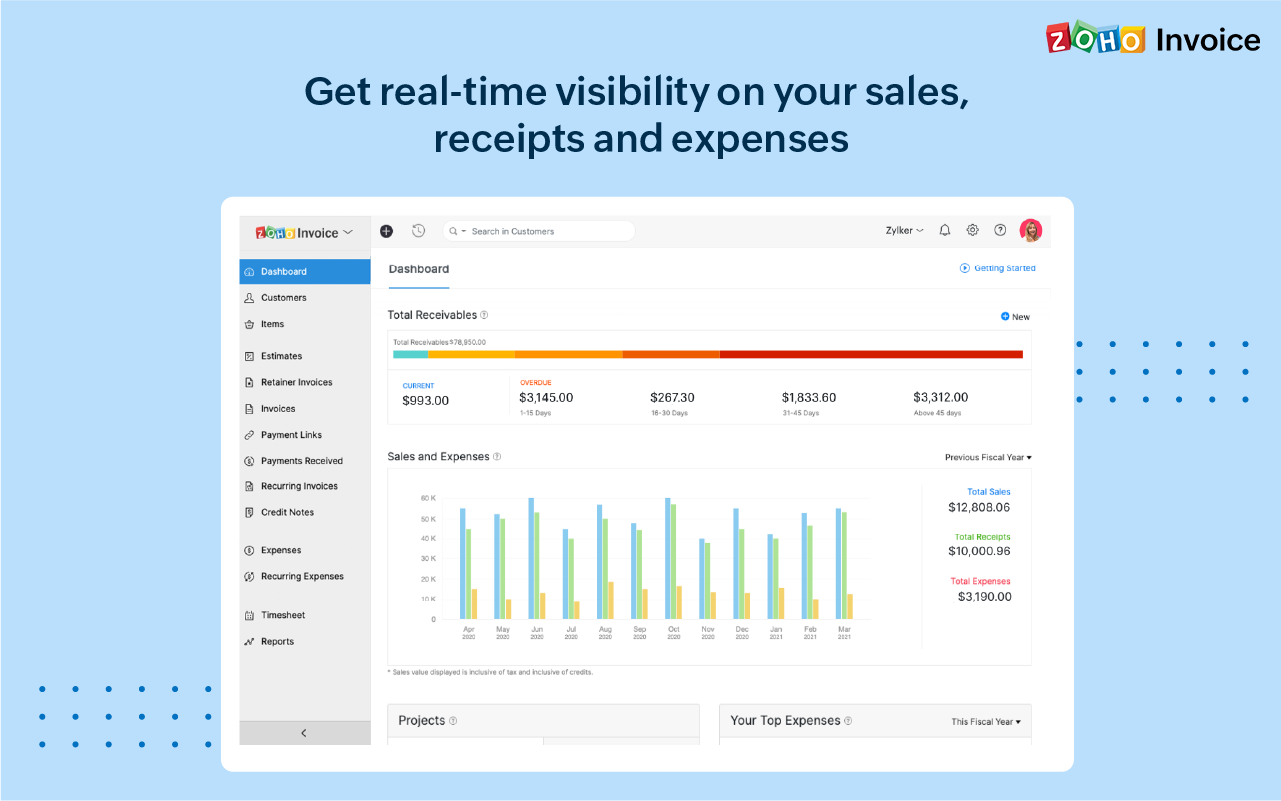
Unbilled / billed time reporting. Zoho Invoice gives a dashboard view of hours yet to be billed, which helps keep on top of invoicing so nothing is missed.
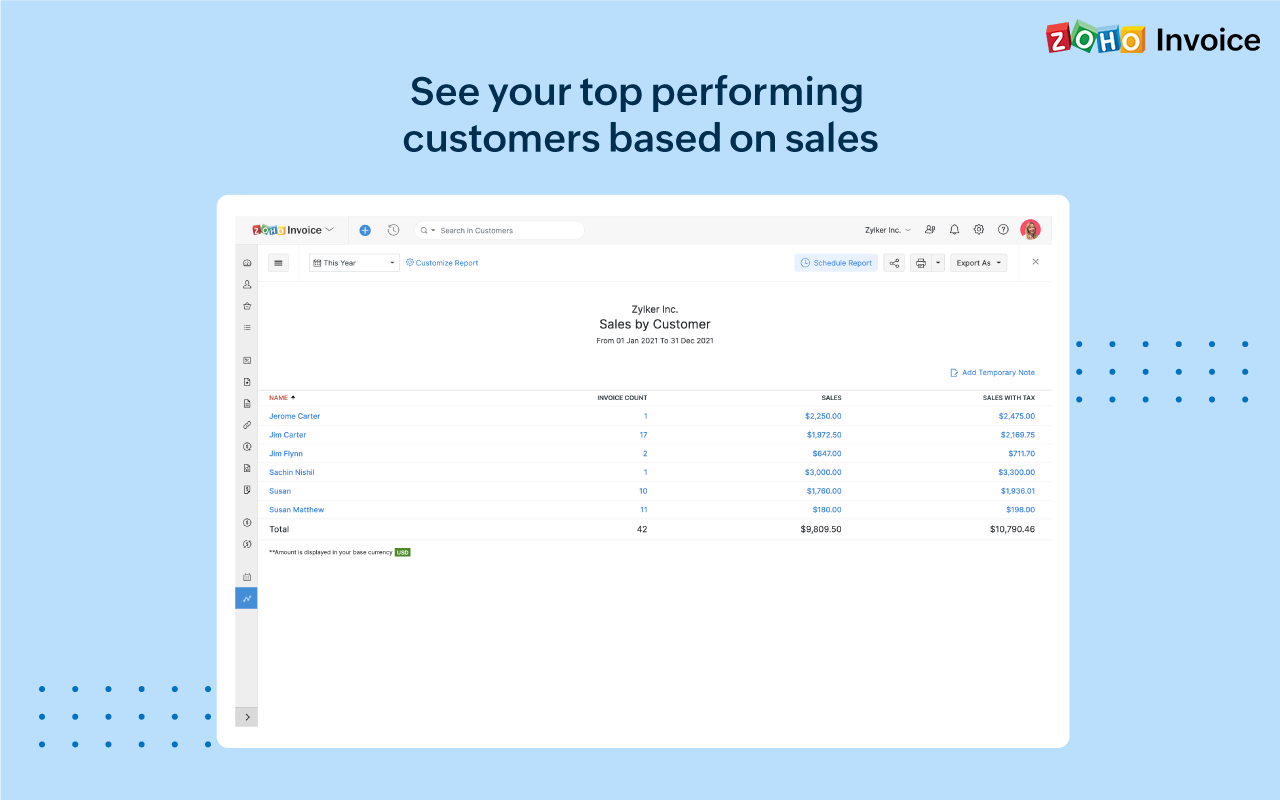
Reporting. Zoho Invoice offers a robust reporting module for the price point. Canned reports can be customized easily.
Invoice sending and tracking. Zoho Invoice makes it easy to create and send invoices. Invoices are easy to clone, which makes creating regular, repeatable invoices a snap.
Would be great to have pre-saved templates available to apply to line items at the expense report header level rather than having to go into each line.
Would be nice to have a mass upload functionality for things like cost codes, allocations, and credit card users.
Chrome River is easy to use. We needed little training for our users and instead pointed them to Chrome River's Help Guides which are clearly written and easy to understand. With tools SNAP and the ability to email receipts means we can be completely remote when submitting reports.
I would rate Chrome River Expense a 10 because, as I mentioned before, it is very simple and easy to use. This is important from an administrative point-of-view as well as for the field employee. Being a general contractor, it makes it all the better for our employees to use a program that is easy to understand and requires little time and effort. It has made tracking expenses very simple and has been well received by the entire company.
Ease of access of using the dashboard the buttons I mean like if it is taught in 10th I would have worked it. Simple and minimal hi give good entry to be more transparent and sharable to clients in seconds. The client also get shocked by saying it's fast.
I cannot tell you how relieved we were when utilizing Chrome River support in comparison to other Enterprise level software support centers. Tickets were quick and representatives were swift in [their callbacks] and resolutions to our common and most difficult problems. The team there is professional and makes each new support ticket a breeze.
Before implementation begins, make sure you have a plan on how you would like your workflow and platform setup for a system like Chrome River. It will speed the process and eliminate the need to make changes when you go live.
The overall user interface was easy to use and it made the task of the reporting very easy. Compliance rules are guiding the users to correctly upload and enter receipts, which are already uploaded and recognized via OCR during the business trip. Uploading can easily done via APP, mail or receipt gallery. There is no need for storing paper. Chrome River is supporting digital archiving
Zoho Invoice streamlines bill creation and sending by personalizing invoices with logos, identities, and terms. It offers detailed payment reports, an integrated payment system, and payment summaries for tracking success. It automates invoicing and payment tasks, saving time and money for companies. Zoho Invoice integrates with Stripe Payments, enhancing settlement processes and promoting digital payment adoption.
The biggest ROI for my business is that Zoho Invoice reduced the cost of invoicing so much, that I was able to invest that savings back into the business development allowing us to grow.
Zoho Invoice provides the option of giving your clients a client portal through which they have access to their own accounts and can see and print their own reports as needed. That helps to create a transparency that our clients love.
Zoho Invoice has been dependable. I have not had one issue with using the platform or its functions since I switched to it a few years ago.