Celsys headquartered in Shinjuku City, Tokyo supports creators to create artistic content with digital technology. They provide solutions for content creation, distribution, and browsing, including support of creative activities through our illustration, manga and animation production app “Clip Studio Paint” and web service “Clip Studio”, as well as our e-book solution, “Clip Studio Reader”.
$49.99
one-time fee
VistaCreate
Score 9.4 out of 10
N/A
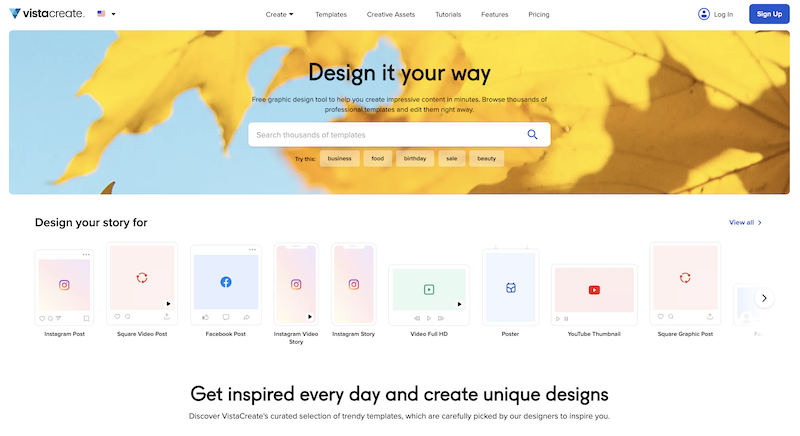
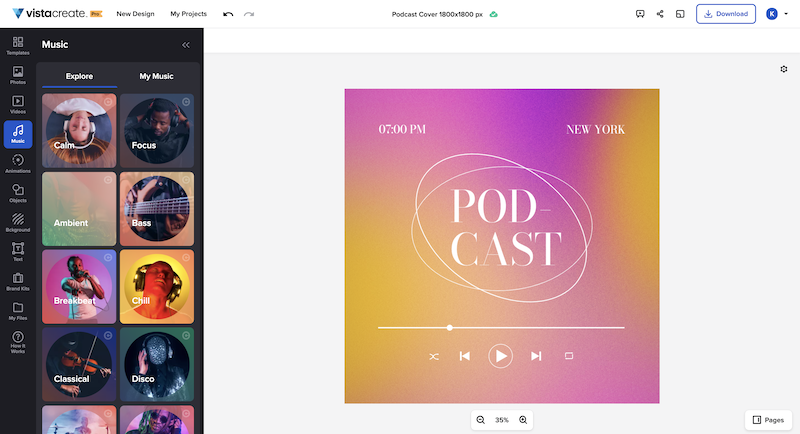
What is VistaCreate (ex-Crello)? VistaCreate is an online visual editing tool for creating videos, animations, graphic designs for social media, print, websites, or virtually any kind of static and animated design for commercial, business, or personal needs. On October 27, 2021 Crello joined the Vista group of companies and changed its brand name to VistaCreate. It includes 50,000 professionally designed templates that are already preformatted and…
I have used a handful of other free art programs, including MediBang Paint, and while they are all good, and I'm sure perfect in the hands of the right artist, I feel as though they simply do not offer the number of options necessary for my needs. They feel very limited and …
In my view, VistaCreate is easier to navigate and design content. The templates are fun and appealing. The availability of Shutterstock photos is endless. The version history is saved so that work is not lost. There is a brand feature that automatically selects color themes to …
I cannot really imagine a situation other than creating custom 3D models in which Clip Studio Paint would ever be inappropriate; it offers tools for art such as: 2D, pixel/voxel work, vectors, painting/drawing, comics, animations and more. The only place that Clip Studio Paint does not shine is in the creation of 3D models, but I think that that is fair given that it's competitor, Photoshop, also cannot do this; this was never a tool meant for 3D model design or creation, but the fact that you can import models and that there is a library of free and paid posable models native to the app is rather impressive.
It's great for social media campaigns where you need to adapt pictures for different sizes for each social channel. With VistaCreate it's easy to modify all of them in a few clicks. It also works well with creating diagrams with cool statistics.
I think that once one gets the hang of how to navigate and use Clip Studio Paint, they will find that it has so much more to offer than one might expect when looking at it for the first time. There are hidden gems all throughout this program, and they are all there to make your creative experience all the more streamlined and natural.
I have used a handful of other free art programs, including MediBang Paint, and while they are all good, and I'm sure perfect in the hands of the right artist, I feel as though they simply do not offer the number of options necessary for my needs. They feel very limited and stale; customization is limited and their UI's are outdated. Clip Studio Paint is modern and sleek, highly customizable, and offers far more tools than the other options around it.
In my view, VistaCreate is easier to navigate and design content. The templates are fun and appealing. The availability of Shutterstock photos is endless. The version history is saved so that work is not lost. There is a brand feature that automatically selects color themes to support branding. It is easy to export content to your desired file type.
I think that the initial price was incredibly steep, but I managed to get it on discount. As a starting artist, this was a hard blow to take at the start, especially before these subscription options existed.
After years of use I have more than paid off the cost I sunk into Clip Studio Paint EX.
I see myself making marked profits by continuing to use the program, even with the new subscription service rather than a perpetual lisence.