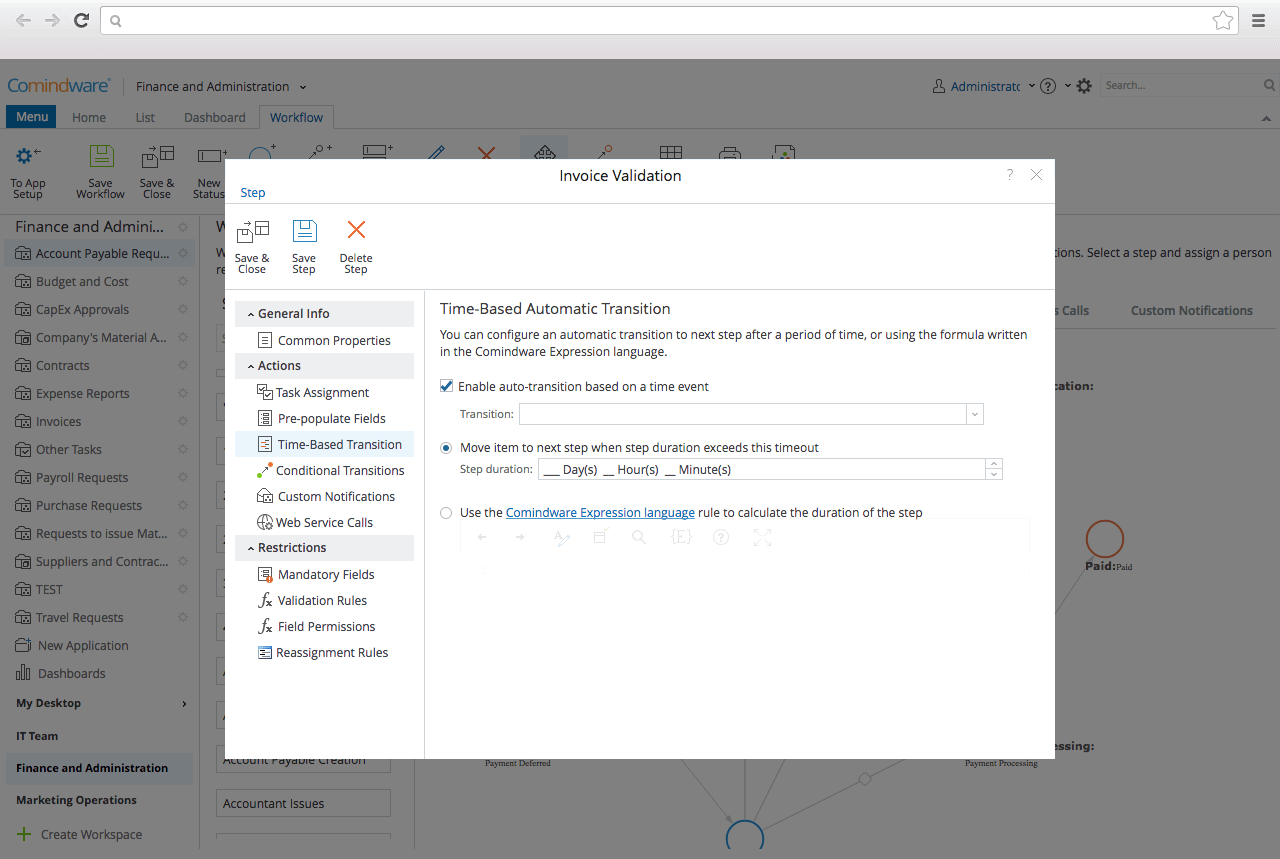
CMW Platform (formerly Comindware) is a business process management software centered on worklows to build automations. It implements a drag-and-drop interface along with Excel-style rules and forms.
N/A
Integrify
Score 8.0 out of 10
Mid-Size Companies (51-1,000 employees)
Integrify provides low-code workflow management software for automating business processes and supporting digital transformation. Integrify also offers consulting and development services to help companies implement and expand their use of workflow automation.
$35
per month per user
Pricing
CMW Platform
Integrify
Editions & Modules
No answers on this topic
Integrify On-Premise
$35
per month per user
Integrify Cloud
$35
per month per user
Integrify Enhanced Cloud
$35
per month per user
Offerings
Pricing Offerings
CMW Platform
Integrify
Free Trial
Yes
Yes
Free/Freemium Version
No
No
Premium Consulting/Integration Services
No
No
Entry-level Setup Fee
Optional
Optional
Additional Details
Comindware Tracker is available for purchase on a per-user subscription plan.
Pricing is based on the number of named or concurrent users.
More Pricing Information
Community Pulse
CMW Platform
Integrify
Considered Both Products
CMW Platform
Verified User
Anonymous
Chose CMW Platform
CMW Platform is a better fit than Asana for more complex workflows. While Asana is great for simple task management, CMW Platform offers deeper customization, advanced automation and better tools for handling multi-department projects.
CMW platform is much better designed in terms of workflows and automation when compared to others and the integration is also seamless. Besides, we chose this tool also because of its scalability and the support they provided in trial which made our belief stronger in them. …
I've been the longest user of ZOHO until I switched to CMW. Zoho has a better customer support and is an inexpensive option. Rest of the functionalities are more or less the same.
Efficient use of platform unlike process maker that gets stuck. Excellent conditions of project, document, file management and sharing. Easy to use, access, editing, updating and able to share to everyone on the organization. The best part of CMW platform is the need to a tool …
CMW platform is a comprehensive work management system for larger organizations whereas Wordpress is primarily designed for web content management and may not be as robust in terms of features.The platform can scale to accomadate growing content demands. Compared to …
We are looking for the free tariffs for few days so that maximum organizations can utilise the services and understand the need of the same before final purchase or switch to Comindware tracker
Comindware Tracker is useful and can be accessed through a web
browser on iOS and Android devices, as well as Mac and Windows desktops. It is
necessary to create, implement and modify our workflows, as well as to automate
it's way better than notion because it make various teams collaborate on various with ease of use and with hands on more features that is actually usefull for business as it has a great and fully customizable user interface with availability for mobile platforms it's not that …
We implemented Comindware Tracker since it is easy to implement and has high security features. Additionally, it has electronic form design that doesn’t require IT environment involvement.
Error management. With the latest updates, many of my processes have been negatively impacted, generating communication errors, information flow errors, shipping errors, in short, errors.
Other software required dedicated IT personnel to set-up, implement and monitor it. But I was able to set up Comindware Tracker myself, without the need of much technical expertise.
I selected Comindware Tracker because it is very user friendly, and it can also be integrated with other applications. This software is very friendly and interesting in the creation of tables and templates.
Comindware Tracker has an advantage over other software because of its ability to create projects without any coding skills. It is also connected to the cloud, hence it stores all the projects online. Due to Comindware Tracker having templets it is easy to form a project.
We were looking for a platform that would allow us to facilitate the automation of processes and tasks, it was vitally important to manage the data more safely and reliably, thus reducing costs from the hiring of intermediate personnel in distribution and production chains. …
Comindware is an extremely competitive software as it is web-based and could be used even in the home office environment. Its simplicity and ease of use works as an advantage and makes it stand out among other alternatives. It is definitely worth considering for company …
When it comes to workflow, you want something reliable. Something that covers all the bases. You don't get that with a lot of platforms because they want to be the "heart of the <insert name here> industry." Integrify is like a little blob of playdough. It is its own creature, …
I think Integrify was a good product for its cost. The only thing it really lacked was project management capabilities. It was difficult for our manager to go into the dashboard and see what work his employees were working on, who has what, and how long they have had certain …
CMW has less integration capabilities, this is something that can definitely be improved in the future. On a side note, the MS Outlook integration option is excellent. The UI is decent for its purpose and the platform is well suited for a range of business requirements - customer order management, document tracking and approval management. You name it, they have it.
It is great as a way to move from a manual paper process to something digital and more streamlined. There is a learning curve for users when it comes to developing a proper form and following/tracking the flow of information. Overall it is a great move, just be ready for some resistance.
I would like to see Comindware Tracker come in a free pricing tier.
I would like to see Comindware Tracker offer more granular roles to be assigned to workflow users.
I would like to see Comindware Tracker integrate with more ERP systems and to offer more import/export/migration capabilities from other workflow management systems.
It's complicated. No, really. When you log in, you won't know much about what you're doing and you may only get about 10% of what the program is capable of. This is not a good thing as some will just give up before delving further into the program. If it is too complicated at the outset for someone who doesn't understand forms or how these kinds of programs work, you will not gain new clients unless you are there the moment they create an account. You can have someone reach out, but - in my experience - the decision to continue with a program or write it off is in the first ten minutes.
When I first looked at it, printing larger flows was an issue. They have since addressed this, so the point of mentioning this is that (while they eventually looked back at the bigger picture) looking at large and small views would have been helpful.
The people I consulted had issues with Javascript. There were ways to get around it, but these people did not have the time to spend on that and asked me to find another solution.
As I mentioned in my whole review that it is making opration smoother it's capabilities to automate repetitive tasks, reduce manual errors,and improve productivity.Its low code approach allows us to create business apps quickly and easily without requiring extensibe programming knowledge.although it has lots of positive points but there are some issues which is barrier to become perfect that's why I give 8
It's more of drag and drop functionality. It is quite easy to set up. Creation of form is very easy. Support Team of Comindware Tracker is good and very friendly. It is efficient in terms of task management, project management, team management, vendor/client tracking.
Other than trying Comindware Tracker it is newer to me, I have used Adobe software multiple times and are familiar with their products. I won't stack Comindware Tracker against them because they both are amazing. I like using Comindware tracker because it is easy to use and is great for me, it helps optimize and maintain my workflows.
When it comes to workflow, you want something reliable. Something that covers all the bases. You don't get that with a lot of platforms because they want to be the "heart of the <insert name here> industry." Integrify is like a little blob of playdough. It is its own creature, sitting there in the middle, just malleable enough for you to stretch it to whichever department you want without it breaking. If you handle it badly, it will break and not work. But if you treat it right, and work with it, then it can become virtually anything for you.
For the people I consulted - it helped them put more into the personal aspects of the business. While certain processes ran, they could keep an eye on the data, but were otherwise free to focus on the important aspects of the business. They were a marketing group. Their copywriter was able to be a copywriter instead of just filling out forms all day!
It's adaptable. You can cross-pollinate any department with it, provided you know what you are doing. So, you are not getting a program for HR, and another for Marketing. Integrify can span the whole business. You can cut costs in focusing on one workflow product rather than a handful.
It did have one negative impact on the place I consulted. Their tech-savvy person left in early 2019, and nobody else was able to use the program. Nor did they want to try when opening it up and trying to understand it. I was able to help out, but ultimately they were discouraged. I would recommend training multiple people if you use this product, and emphasize their support team!