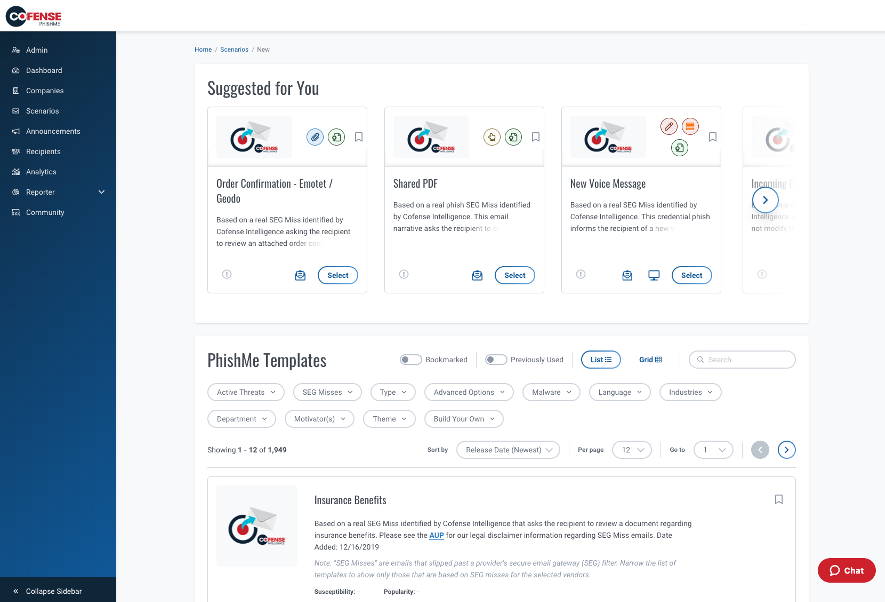
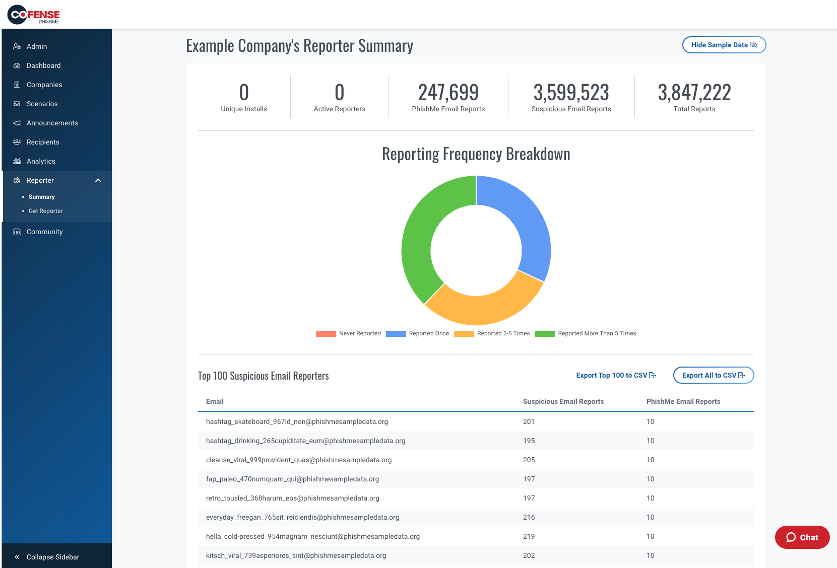
Cofense PhishMe is a cyber threat and phishing simulator meant to be of use in training employees to be wary against threats and also to gain information about general employee threat knowledge and preparedness. A free trial is available for small business.
N/A
Microsoft Defender for Endpoint
Score 8.7 out of 10
N/A
Microsoft Defender for Endpoint (formerly Microsoft Defender ATP) is a holistic, cloud delivered endpoint security solution that includes risk-based vulnerability management and assessment, attack surface reduction, behavioral based and cloud-powered next generation protection, endpoint detection and response (EDR), automatic investigation and remediation, managed hunting services, rich APIs, and unified security management.
$2.50
per user/per month
Pricing
Cofense PhishMe
Microsoft Defender for Endpoint
Editions & Modules
No answers on this topic
Academic
$2.50
per user/per month
Standalone
$5.20
per user/per month
Offerings
Pricing Offerings
Cofense PhishMe
Microsoft Defender for Endpoint
Free Trial
Yes
Yes
Free/Freemium Version
No
No
Premium Consulting/Integration Services
No
No
Entry-level Setup Fee
No setup fee
No setup fee
Additional Details
—
—
More Pricing Information
Community Pulse
Cofense PhishMe
Microsoft Defender for Endpoint
Features
Cofense PhishMe
Microsoft Defender for Endpoint
Security
Comparison of Security features of Product A and Product B
Cofense PhishMe
7.8
Ratings
9% below category average
Microsoft Defender for Endpoint
-
Ratings
Single sign-on capability
7.40 Ratings
00 Ratings
Role-based user permissions
8.20 Ratings
00 Ratings
Security Awareness Training
Comparison of Security Awareness Training features of Product A and Product B
Cofense PhishMe
7.3
Ratings
15% below category average
Microsoft Defender for Endpoint
-
Ratings
Training Content Library
7.20 Ratings
00 Ratings
Multilingual Training Content
7.10 Ratings
00 Ratings
Training Gamification
7.10 Ratings
00 Ratings
Industry-Specific Security Training
7.80 Ratings
00 Ratings
Individualized Security Training Plans
6.90 Ratings
00 Ratings
Phishing Simulations
7.20 Ratings
00 Ratings
Security Reporting
8.00 Ratings
00 Ratings
Integration with Security Tech Stack
7.30 Ratings
00 Ratings
Endpoint Security
Comparison of Endpoint Security features of Product A and Product B
It's a very apt tool for the scenario where there are multiple users and verticals in an organisation. Phishing Campaigns and recording their response actions is quite easier through this tool. Not suitable for a small organization (less than 500) that can maybe use some open tools or self-made emails for campaigns.
Because of its integration with Windows, it is very easy to deploy and manage. Any IT department should be able to leverage the software and interface. The admin portal provides weighted recommendations that comprise the Secure Store, offering admins, security teams, and business owners valuable insights into their security footprint without requiring a strong security background. The software would be ideal for small and mid-sized businesses that cannot dedicate resources to security. Larger enterprises would also benefit, but may require the enhanced license.
One, it's crazy lightweight, so compared to some of the competitors that we also have used with our security services, it's really lightweight and so I don't have a lot of overhead on the system that it's running on.
Many of the URLs come in with an unknown reputation and although it may be challenging from threat intel feeds, somehow allowing a more in-depth analysis of the URL can provide better/quicker decision making or validation.
Adjustable widgets for reporting, although the provided are already built very well.
Provide in-house templates or summaries of actionable items, such as a single brief on a major phish.
So the fact that Defender for Endpoint still works with signatures is actually, I don't know, a little difficult for us because, I mean, since Microsoft trusts those signatures, you can easily inject code. And we've done it many times. To show that you can inject code through vulnerabilities like CV 2013, 99, and 33 but still keep the signature. So because of the trust of those signatures, the malware just kind of slides into the environment without Defender knowing. That's the first part. The second part is that the behavioral analysis is not precisely its Prime. It's not Defender's best capability for endpoints. So, Defender does not identify all behaviors considered by other EDRs in the market.
Microsoft Defender is closely catching -up in market with existing competitors they have added DLP endpoint & DLP Network and Cloud DLP solution last year with OCR capabilities. I would say Microsoft Defender is not legacy Vendor in end point security, the need to learn from other vendors in market and focus on new XDR technologies, which is going to be new battle for all vendors
Its built with UX in mind and is aimed at non-tech people, to ensure that almost everyone can run the campaign. But if we go deeper - sometimes you will need an HTML editor or support in order to figure out some advanced edits you might want to add in your scenarios.
Because in terms of the usability is easy to understand, it's easy to manage, obviously you need to have specific skills to do that, but I would say that even the console and the product is walking through the flow that you are looking for on this console.
Microsoft Defender for Endpoint chugs along just fine no matter what we throw at it and what systems it's running on. It doesn't take up a lot of resources either, so that's welcomed.
I have not had to use their support for pretty much anything. The software works well, and is very intuitive. I would imagine their support would be rather basic as there is not too much that can go wrong with a report phishing button, and if it were I would probably consider a different software.
Overall support is really good for this product. Since it's a Microsoft product, you will get good support from a number of different resources, including knowledgebase articles on the web, support from Microsoft technicians, and documentation (which tends to very thorough). Also, there is a vast user support community for this product, so user support forums would also be another valuable channel to get help if needed. I don't envision too many people will have issues/problems with the product, as it tends to run good overall.
Deployment was handled by our team here and everything went pretty smoothly. We did have a few hiccups in our test group, but that only took a bit to get ironed out.
PhishMe is a market leader in terms of phishing simulation solutions. The customization appears unmatched when compared with competitors and the support we have experienced from Cofense has been excellent. Phish me offers lots of realistic templates which are updated regularly which is far ahead of other solutions. Phish me also provides lots of detailed statistics as well as high-level numbers which are really useful for some clients who want details, and others who only want high-level overviews.
Microsoft Defender for Endpoint offers strong integration with Microsoft 365 and Azure services, which provide a unified security experience. While McAfee Trellix is known for solid antivirus, Microsoft Defender excels in integration in the ecosystem.
From a normal user's perspective, it's an easy and fast, very very user-friendly phishing email reporting structure. No need to remember any email address, no need for sophisticated handling of malicious emails while sending/ reporting. Just a click and it is done.
From the admin and analyst point of view: Easy and clutter-free triaging pane, IOC reputation check facility, Rules and Recipes section for automation and focused triaging, Notification to the reporter based on the triaging done is really a helpful feedback loop.
Overall: Simple to handle, less learning curve, well managed, less administration time, fewer issues, less maintenance time.