Concrete CMS (formerly Concrete5) is a free and open source, PHP built content management system for content on the web and also for intranets. It is optimized to support the creation of online magazines and newspapers.
N/A
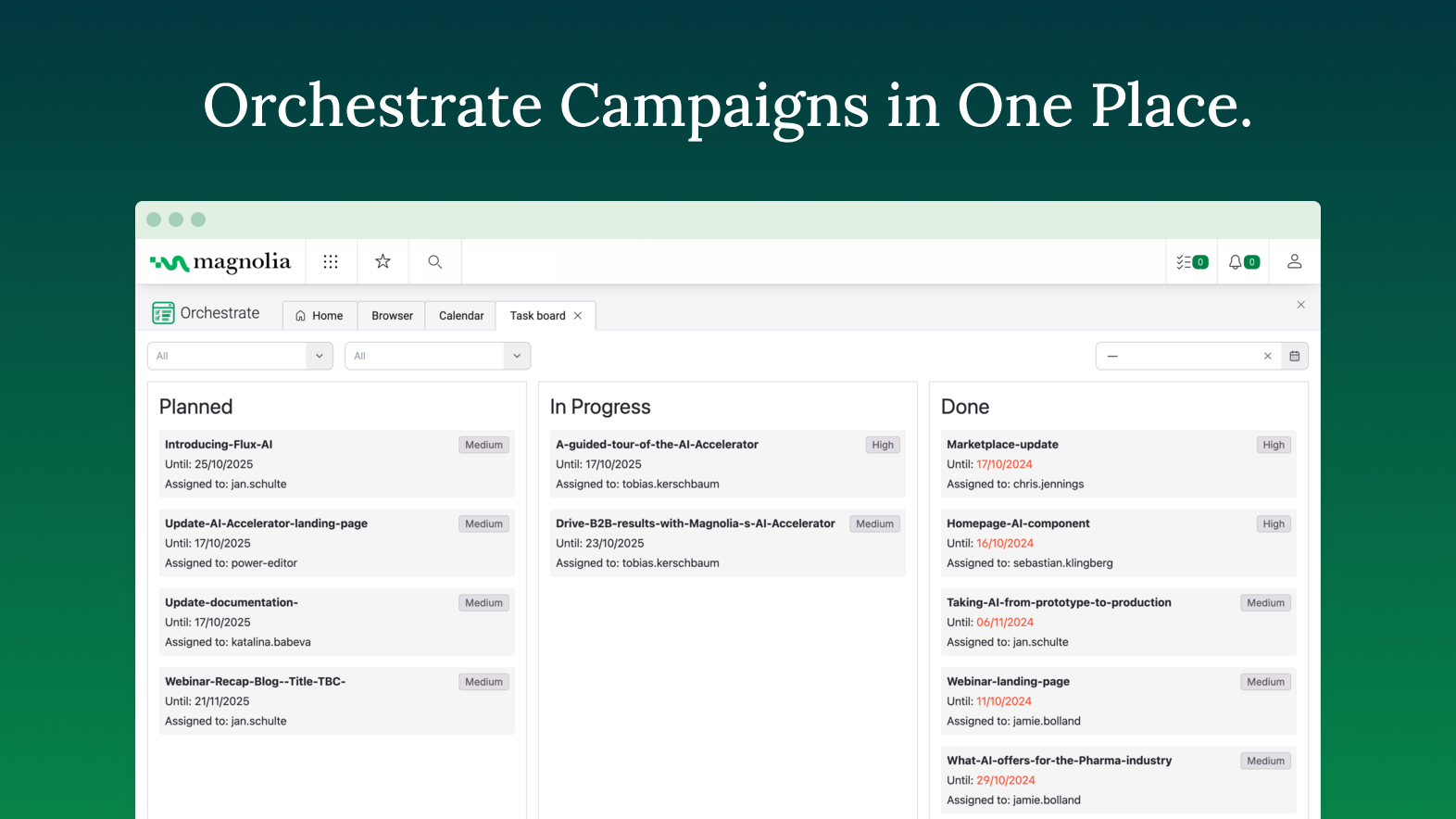
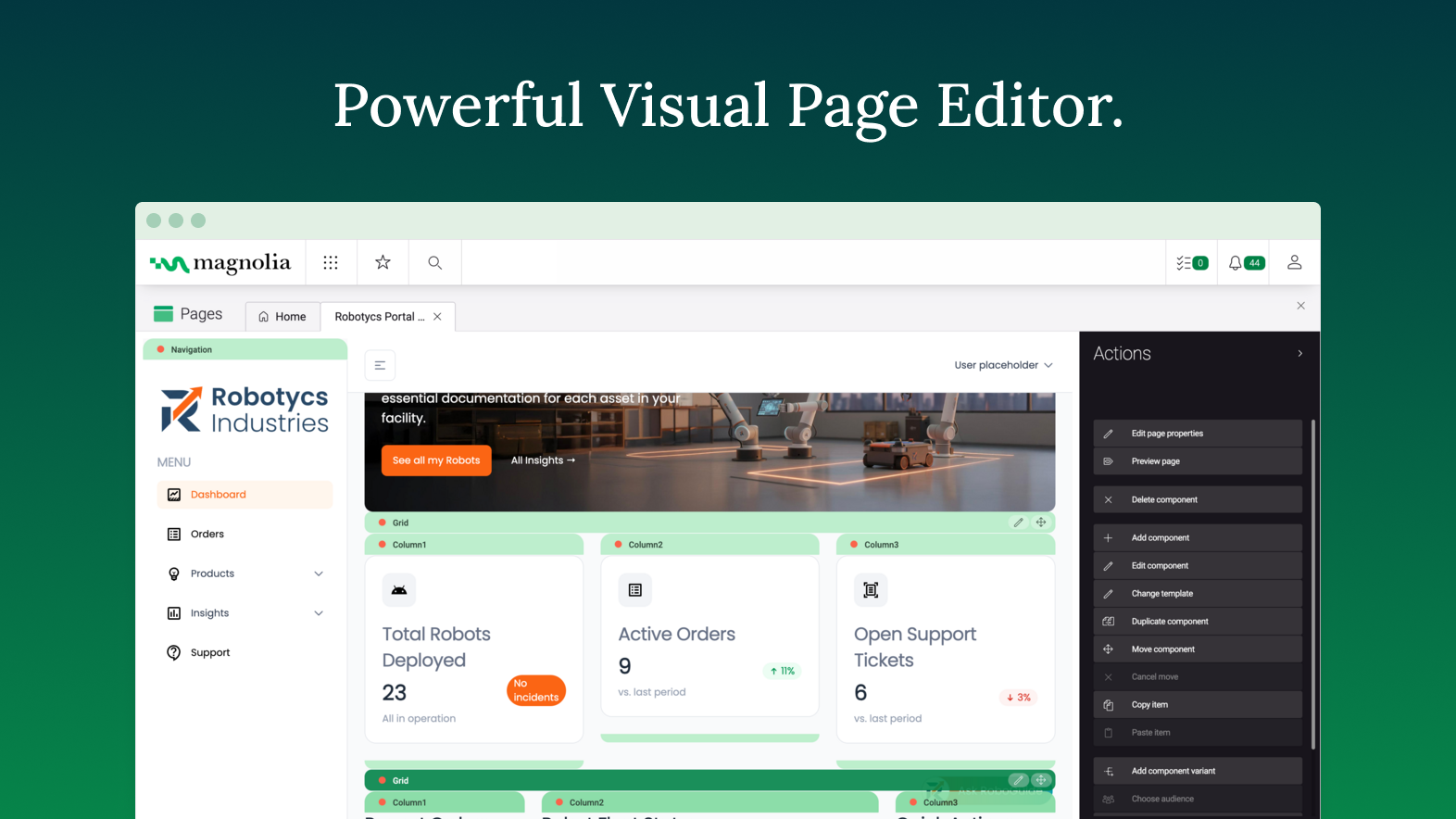
Magnolia
Score 8.1 out of 10
Mid-Size Companies (51-1,000 employees)
Founded in Switzerland in 1997, Magnolia is a CMS used to build composable digital experiences. Magnolia helps create fully integrated customer experiences and speeds up digital delivery of content. Magnolia boasts 480 enterprise customers, thousands of Community Edition deployments, and more than 200 certified Magnolia Partners around the world. They further state that their enterprise customers include Sanofi, Generali, the Atlassian, The New York Times, Harley Davidson, and Union…
My initial test was to time how long it took to create a very basic site from scratch with no prior knowledge. Concrete CMS won decisively. Over time, I've worked on projects that use other systems, and the challenges I encounter always affirm my choice to stay with Concrete …
WordPress is a basic blogging tool that has been hacked into a CMS, it is not as intuitive or comprehensive as Concrete CMS. It requires more updates and it can be harder to locate settings that the user needs. However, as a business, the WordPress team has been very …
ConcreteCMS is different from all other a used. all others have a specific purpose, like Odoo or Dolibarr for ERP/CRM, Magento Prestashop ... for e-commerce, GLPI and other CMMS for material management, and so on. Concrete CMS is usable for all, flexible, natively for CMS or …
I didn't have to spend too much time learning Concrete CMS, whereas I had to spend a long time learning other CMSs. After struggling to develop a plugin for WordPress, developing an add-on for Concrete CMS was piece of cake thanks to many available APIs. Making custom themes …
WordPress is a real nightmare, needs regular updates. Plugins almost need daily updates, you hardly can do anything in WordPress without a plugin. ConcreteCMS offers a solid, strong basis that already includes almost all functionality you need to develop and launch a site. And …
Easier to set up and manage. Easier to edit content. Not as feature-rich so it might not work for very special projects. Harder to get client buy-in when they only know Word Press. Great for quick projects, and for the right client more complex engagements. Free of complex …
Like I said before, Concrete5 is a system to build a more inclusive internet, with tools easier to manage. WordPress is a tool to make a blog and you need a lot of modifications to reach the basics of Concrete5. It's easier to work with concrete5 in many ways, both developing …
Concrete5 is much easier to use than Drupal and has more functionality set up out of the box with just enough add-ons to get the job done. I have used both WordPress and Drupal, and this sits between them. Concrete5 is not quite as easy as WordPress but much easier than Drupal …
We previously used Joomla! but found clients were struggling to find their way around the eding interface. Switching to Concrete5 changed this and we now have fewer support issues and much more positive feedback from clients.
Concrete5 was far easier to use than alternatives--which is very important when handling support issues for clients. As a developer, the architecture makes it easier to extend the core functions elegantly without overwriting core code. Although a few other CMS platforms have …
Front-end web design & development, graphic design
Chose Concrete CMS
I select Concrete5 when working with an experienced PHP-developer. The code is exceptionally well-written and to my clients, C5 is a secure, easy to edit platform for websites that do not have a too high dependence on third-party plugins.
Wordpress at the time was riddled with security breaches in the news and while Concrete5 was smaller (and therefore a smaller attack vector), after eleven years of use, Concrete5 has only had one published incident with an add-on that resolved within hours and with excellent …
If your web team is tired of dealing with CMS training issues, you need to consider Concrete5. If your technical team and host are tired of dealing with website security issues, you need to consider Concrete5. If you're pulling your hair out over frequent update patches …
Concrete is better than all this for its UX and code base. The feature set is rich and you don't need loads of third-party plugins. It never gets hacked and is updated by a core team or is accessible via email or Slack. Has a great community backing it up and with good support …
Concrete5 is by far the easiest for the end user. The user who edits the website can do so with very little training and not just with regards to the content. New pages and functions are easy to create and install. SEOand contact form functions are built in as standard.
I adopted Concrete5 after an end-user trial. With a variety of well known and lesser known CMS (including the above) in their fresh install state, I asked a group of users to register an account and then add a page with some text and an image on it. Concrete5 came out top by a …
Concrete5 is superior in most usecases to all other commonly used CMS platforms. The only thing where Joomla is outpreforming it is bulk editing. WordPress needs at least 20 plugins to do what Concrete5 does out of the box.
Programming C5 templates and custom views is a dream, …
Wordpress is much easier to use but I feel that it has less to offer. If you are looking for an easy WYSIWYG web site editor, Wordpress is probably a great option. If you are looking for something a little more robust, Concrete5 may be an option to look in to.
Concrete5's UI is a bit more dated compared to Wordpress, and the ecosystem for plugins is smaller. But out of the box, Concrete5 does more with its clean code than Wordpress does. Wordpress's UI and large plugin/community around it is its biggest strength as a product, not the …
Concrete5 is easier to use than Drupal or Joomla, and beats them in terms of features. WordPress gives Concrete5 a run for its money as far as extension and theme availability, as well as user base and support availability. But Concrete5 beats Wordpress hands down with features …
Magnolia DXP offers similar or more capability compared to the other platform, while much easier to implement. For example, Adobe Experience Manager tend to be more monolithic in nature, heavier footprint compared to Magnolia. Hence when implementing a DXP, it is much faster to …
The Broadleaf CMS was quite basic and was not a full fledged CMS and hence we had to chose Magnolia to address the business requirement for our B2B platform
Magnolia is in a league of it's own vs the other platforms I have previously used. Rather than being a turnkey solution Magnolia puts the power into the hands of your company and developers allowing you to build anything you can imagine. Being a DXP rather than a CMS Magnolia …
Magnolia is not as costly as other enterprise grade platforms and is easier to deploy, more reliable and less resource hungry. It's often also easier to use and certainly easier to use than it's Open Source counterparts. It also manages content in a much more structured manner …
I've used several CMSs like AEM and EpiServer, and comparatively, they all excel at different things. Magnolia is the best to develop for/against. Episerver has the best/most fluid UI in terms of content editing, and the overall admin experience AEM is just all around sucks.
Similar to how one might choose a specific programming language to solve a specific problem, Magnolia has its place among the rest, depending on the use case. While it does not have the most pleasant user experience compared to others, its customization options are streets …
Cost was prohibitive for SiteCore. We liked the support that Magnolia gives us in terms of being an actual Company. We love open-source, but have had problems with Umbraco in the past in terms of upgrade paths etc.
Of all the ones we looked at that met our requirements Magnolia was clearly the best value for money and had a solid background that you could trust and that could take care of you in case of problems.
For us, Magnolia is the best option for our needs. FirstSpirit by eSpirit is missing on the list. We are moving away from FirstSpirit as it feels outdated. Wix has better usability, but is not suitable for enterprise. WordPress I would only recommend for private projects. …
Putting all together: capabilities, support, community and price... Magnolia is the best combination, maybe not the best on each aspect, but for sure in the combination
I choose Magnolia in front of everyone since it is one of the content managers that best adapts to all the modifications that are required by businesses
One of the most important points that magnolia has over other products is the possibility of extending its functionalities. Being open-source, it is possible to inspect how everything is done and replicate it to change functionalities. In this way, many features that customers …
I use magnolia because my client asked for it in the beginning because he had a long history of using magnolia for years. I think magnolia is middle-hight rated in the stack of similar products. Maybe it's not very well-publicized and it needs better marketing techniques or …
Good documentation and examples Online demos to mess with and test functionalities Easier to install Better knowledge about the product Ability to centralize content of the same type in apps Better performance in some scenarios Better usability: In the newest versions, …
Especialista Digital Experiences Platforms en atSistemas
Chose Magnolia
Magnolia is a good competitor in the DXP scenario: Reduced costs License costs are contained, what brings customers the ability to develop their business with a minor impact Open source platform It helps customers to adapt the platform to some special needs DXP …
Magnolia has all flexible capabilities that offer the user the best cloud marketing experience and great functionalities for effective data analytics generation. Reporting through Magnolia tools is also another important aspect since it allows the production of effective …
Magnolia has an automatic, and speedy social media publication extension, which spread content to all social sites. Also, the insertion of extensions and plugins is more effective when on Magnolia against the opponents. Magnolia admits and adopts diversity, hence, it is a …
Concrete5 is perfect for a website that needs to be regularly updated without accessing the code, whether that be because a developer created your site for you, or because you yourself are a developer who wants to keep the time spent on updates down.
In my experience, it's less useful for modern web apps such as PWAs that would benefit more from technologies such as React and Vue.
If you need a business CMS that brings along a good amount of features and also give you the chance to develop features on your own, Magnolia would be a good choice. Even if you have not the fitting infrastructure around, Magnolia provides you different ways like SAAS oder PAAS. If you have to review your code our have any problems the team behind will helps in a short time. Without using the connectors it is not so easy to connect special functionalities like Marketing tools or optimization tools. The DAM is very slow if you have an huge amount of documents and pictures to store for your website - you have to add an external DAM.
Concrete5 has a modular editing system, so you can edit the pages without having knowledge of coding. You just pick the module you want to insert or edit and click where you want it to go.
You are able to edit modules in an HTML format if you would like to, so if you have the knowledge you can have even more control over your modules.
You can also edit entire page themes by selecting them from the page layout menu. This allows you a greater versatility of the pages on your site.
Versatility of defining actions for custom handlers.
Reloading classes when code is modified in a local dev environment is nice. While it doesn't seem to work when changes extend beyond the method body (i.e., adding methods), it remediates the pain of long startup times.
Concrete5.6 websites have no good path to migrate to 5.7, short of manual content migration. This is a big problem and affected the user community negatively.
Some features that were available as paid add-ons in 5.6, such as discussion forums and e-commerce shopping cart, are missing from newer versions 5.7/5.8.
Starting to develop add-ons and customizations for Concrete5 can be challenging as 5.7/5.8 documentation is not yet complete.
I have had nothing but good experiences with Concrete5. I have used it on several client websites and even several of my own sites. It is the leading CMS I will go to if I have a need to dynamically update content on a website by people who are typically untrained. They have solved every angst I had with the other solutions I have evaluated in the past and continue to be the simplest to implement and customize.
Magnolia is an innovative CMS, for example it is possible to use the ipad to manage the contents. Magnolia’s team works hard to improve the product; the community is small but active and the support for the enterprise version is good. Magnolia’s team asks the users what they think and what they need, and the new functionalities planned for Magnolia 5.3 are very exciting for example the content personalization.
Although there is a slight learning curve (as with any software), it is very easy to use once you get a hold of it. It is easy to upload and manage files (and other digital assets), and the drag-n-drop interface on the front-end is easy for end-users to understand
There are a ton of small things that could make this CMS great Off the top of my head... 1) Better navigation between a component and its corresponding node in the jcr ( devs often have to flip between a page and a spot in the jcr even though there could be a button to take you from a page/component in the pages app to its location in the JCR) 2) Why does a content editor need to open the page to edit the page properties? They could just as easily edit the dialog from the tree view if they have many pages to touch, and it would save them time by not having to render the page.
Since it's not tied to a central server (other than for authorizing updates and assigning licenses to specific sites), it's available pretty much 100% of the time.
The site works extremely well, the front end flies, searches and form submissions are very fast indeed. The reason its a 9 not a ten? the back end can be a little slow at times, and this is unfair, because for the backend to be so amazing, it has to do a huge amount of work!
It's a lean and performant platform. You don't need to put reverse proxy servers in front of it to speed it up (although that does make it go even quicker) as there are various layers of caching built in to the application. While it's a little cryptic, the internal caching system is actually quite configurable and can be tuned to the right sort of content.
Often what tends to surprise many an IT manager is that you can run it on relatively modest hardware. We've often been met with "are you sure ?" but the reality is that it doesn't need a whole lot of horsepower.
Concrete5 is open-source and has an incredibly strong, polite, and supportive community. You can get an answer to nearly anything you want to do with Concrete5 by googling for it, searching the Concrete5 discussion forums or stack overflow, or posting your question to the forum. Members are very courteous and do not look down on those with less knowledge. And answers are always quick, informative, and supportive.
You always get an answer based on your SLA. But you always get a solution. That's the successfactor in this case. To often i was frustrated about people in a company without even a clue what there product is about or how to solve a problem. Magnolia's Support Team does a very good job and try to help you in most of the cases
It's important that any CMS is implemented by a skilled developer. Content management is not a commodity. One of the keys I've found with Concrete5 is to create a homogenous content-entry method (e.g. focus on in-context editing OR focus on using the Composer feature). This seems to make it more likely that site editors will be able to easily come back to editing after a layoff without having to "remember" too much.
I didn't have to spend too much time learning Concrete CMS, whereas I had to spend a long time learning other CMSs. After struggling to develop a plugin for WordPress, developing an add-on for Concrete CMS was piece of cake thanks to many available APIs. Making custom themes and blocks was much easier than WordPress.
Magnolia DXP offers similar or more capability compared to the other platform, while much easier to implement. For example, Adobe Experience Manager tend to be more monolithic in nature, heavier footprint compared to Magnolia. Hence when implementing a DXP, it is much faster to build using Magnolia, at a much lower TCO. The other platform like Kontent.ai and Strapi are pure headless platform and offer lesser features. What really make Magnolia different is the APAC team, who are all out to support their client in the implementation, ensuring their client maximize their platform and the project implementation is successful. This is some thing that is not experienced when using other platform(s)
We have placed web content management in the hands of the organisation than retained it within the technology team.
We were able to quickly move to MVP and release and we are now focussed on moving the platform forward at some pace whilst not being burdened with BAU work inside the technology team as so much as self-service to trained organisational users
The use of the SAAS/PASS has inbuilt business resiliency as specialist work and aspects such as underlying security is done by Magnolia and we are able to focus internal effort on building out the platform.