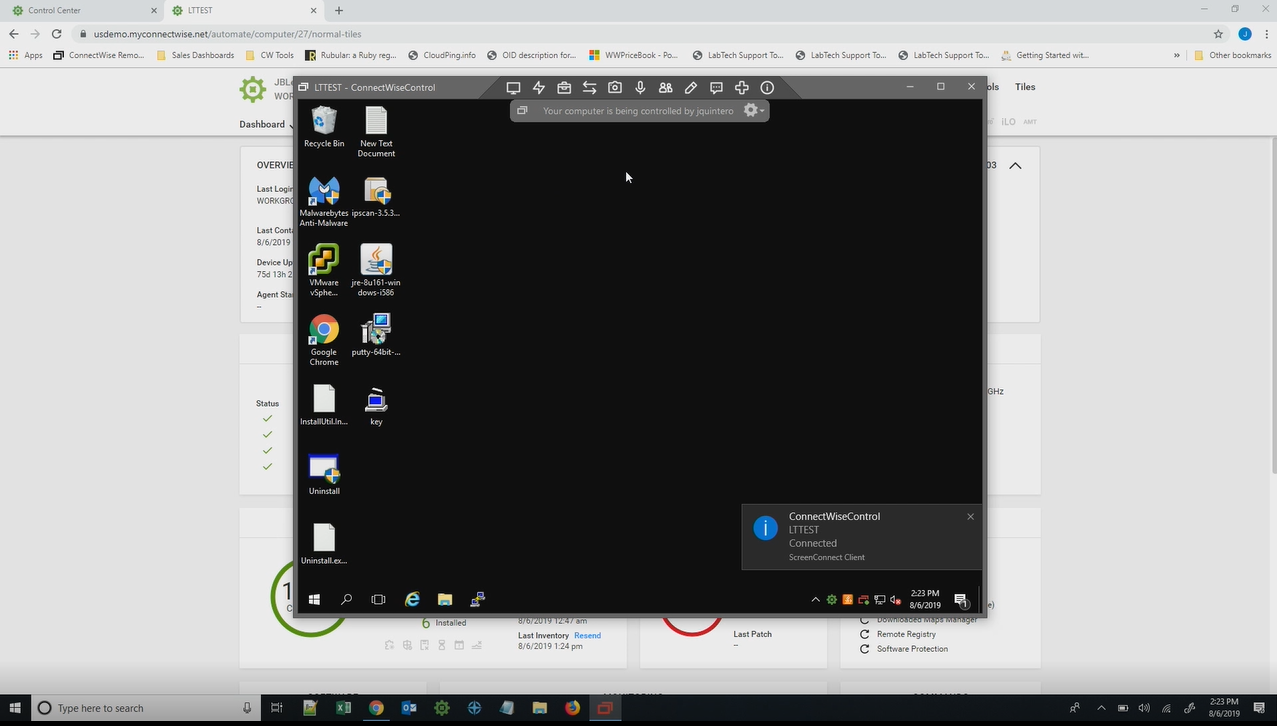
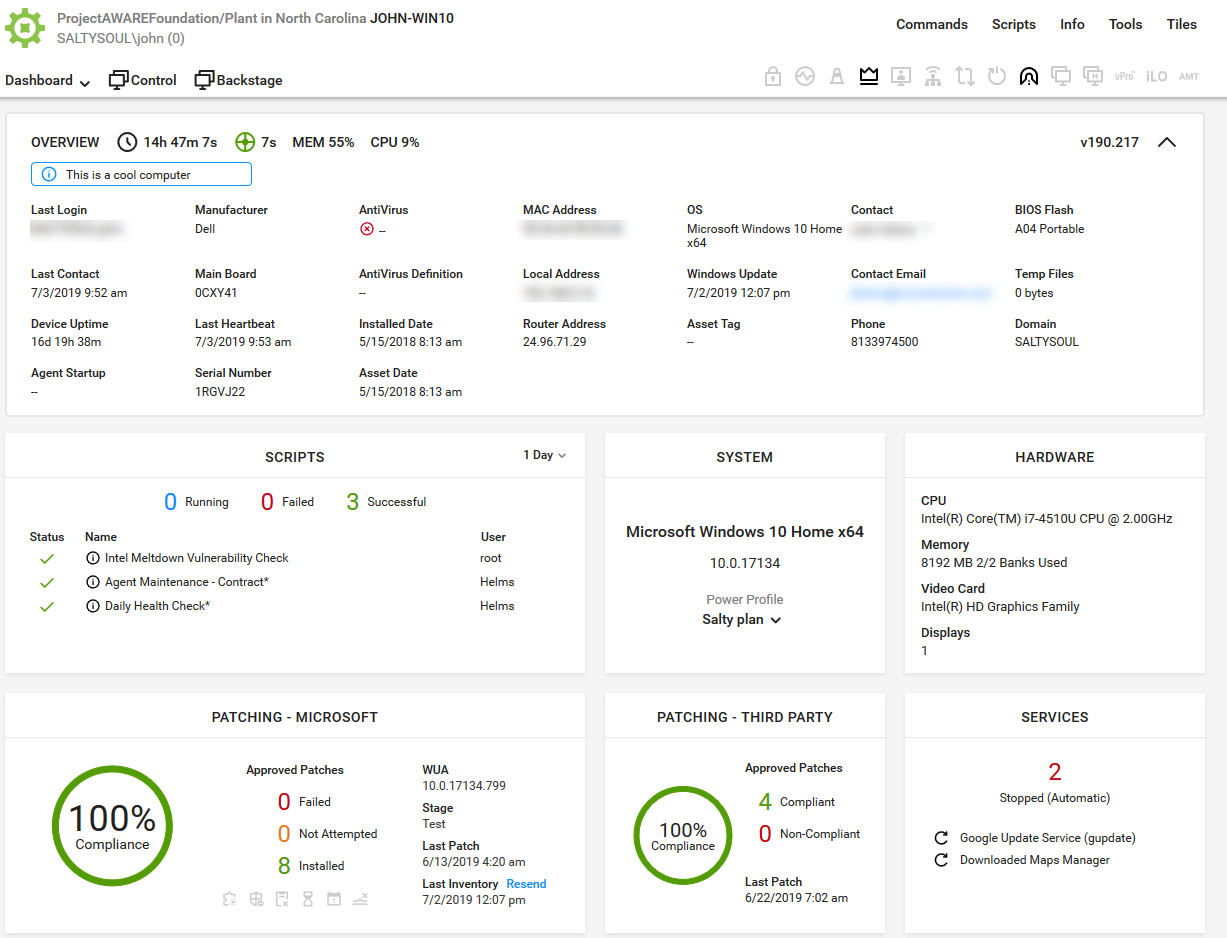
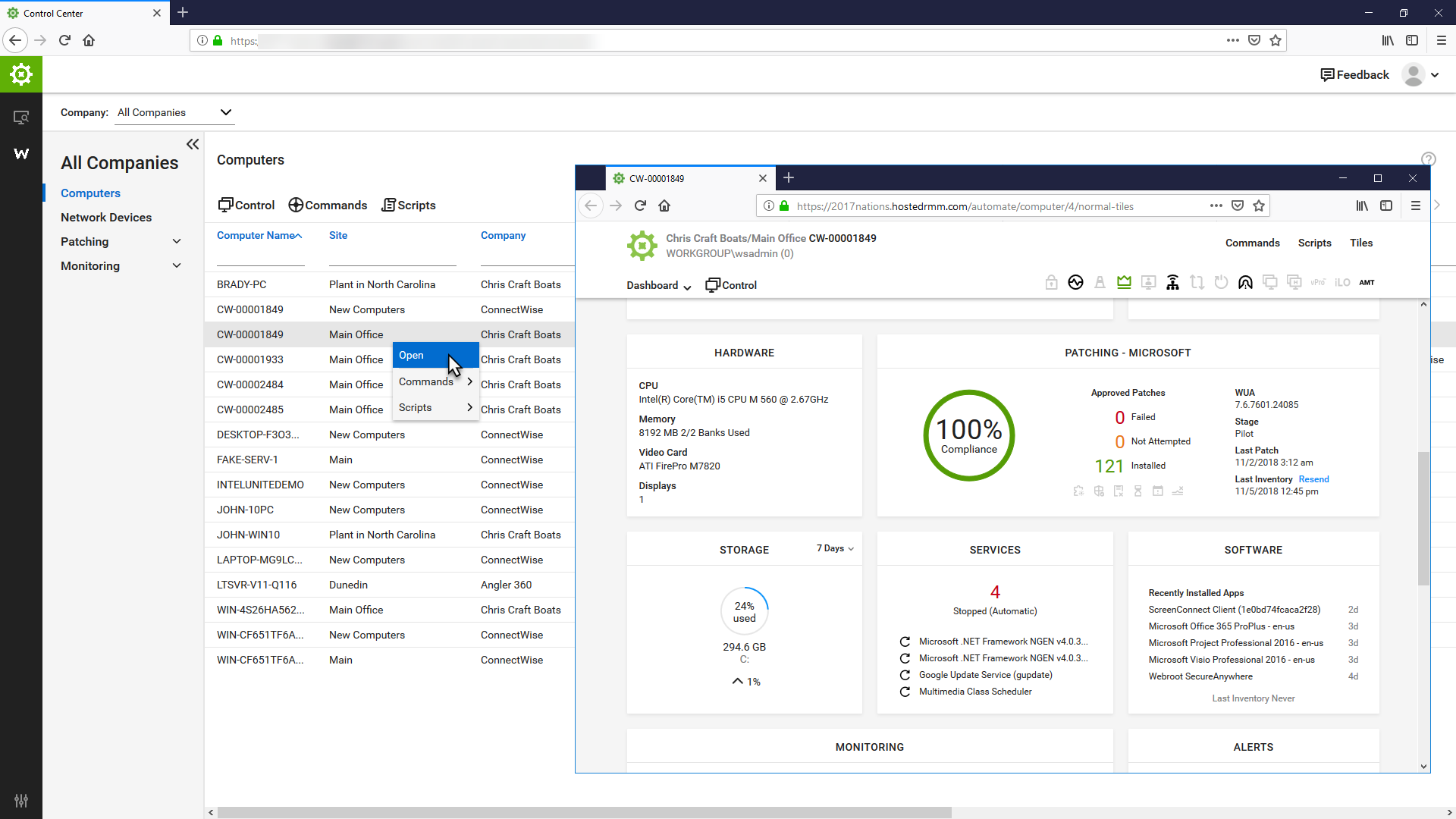
ConnectWise Automate, formerly LabTech, is a remote monitoring and management (RMM) platform. It provides powerful automation to discover and manage devices, monitor for problems, and scripts repetitive action.
$700
Nagios Core
Score 8.6 out of 10
N/A
Nagios provides monitoring of all mission-critical infrastructure components. Multiple APIs and community-build add-ons enable integration and monitoring with in-house and third-party applications for optimized scaling.
Enable has a clunky interface more suited for management reporting versus technician toolbox and Ninja is very basic and lacks any significant bells and whistles behind basic remote command interface. Very poor in features to the point if being quite disappointing during a …
If we have to do it again, we would not choose to Automate due to the number of efforts and monetary investment (3rd party consultants) to implement it as well on going managing it. But, in comparison to the other RMM products we used in the past, Automate offers more …
I regret using ConnectWise Automate since we can't effectively add and remove clients and I feel like we're locked into a multi-year contract where only ConnectWise seems to be happy.
I have evaluated NinjaRMM, but it was after I was already familiar with ConnectWise Automate. While it seems like a good product, I found that ConnectWise Automate was more flexible in allowing me to make custom configurations to meet various business needs across different …
I believe the monitoring and alerts in Continuum command is better, but [ConnectWise Automate (formerly LabTech)] does have stronger scripting, and perhaps a better interface. N-Central is inferior on all fronts to both. I did not make the purchasing decision. I would myself …
It just seems like Automate is a tool for professionals who want to be the best proactive solution for their customers. There are so many different things built into Connectwise Automate which makes it a superior tool compared to anything else on the market currently. Once …
So as you can see from this review my experience is mostly with its desktop sharing aspect; however the IT support team use this more comprehensively as a monitoring, inventory, reporting, even application deployment tool that the above-mentioned apps don't have.
Automate is by far the best of all RMM solutions we have tried. The overall ease of use and support is much better than we have experienced with other RMM vendors.
I touched on this in the previous section some. Kaseya's choice of managed antivirus was very poor (KAV, a tweaked version of Kaspersky) when it first started. It took them a long time to fix anything, and the fixes usually produced new and different issues. Kaseya kept …
We ended up choosing ConnectWise because LogMeIn which is part of Continuum is slow and requires a lot of system resources and the patching is all that great within Continuum.
Automate is one of the best when it comes to RMM-applications in terms of features and ability to execute, however, where it is weak is in the necessity for an SME to run and maintain it and while it is quick and gets the job done, it is difficult to stack it up to a full …
Automate is the most well-established platform among its peers. Because it is part of a native ecosystem, you know that everything from remote management to ticketing to quoting an invoicing will work together. I have used other platforms, and many of them share core …
We switched from Kaseya to Automate 7-8 years ago - it was no contest at the time and Kaseya wasn't cutting it in a number of areas at that time that was really hurting us. I'm sure it's improved since then.
We have only previously deployed HoundDog/GFI and Autotask but evaluated all that we found. In the long run, none of the others compare with the features of ConnectWise Automate. Many others are less expensive but simply do not do all that ConnectWise Automate can do. We …
The Continuum RMM is very simplistic in comparison to Automate. The scripting engine in Continuum doesn't compare at all with the scripting in Automate. Continuum has a single level of agent grouping (all agents for a client are in a single group). For clients that have …
Automate is the most flexible and customizable tool on the market - but it's also the most complex and requires the most care and feeding to run smoothly...
We selected ConnectWise Automate over Kaseya as it provided many of the same features but less of the headache. Often times, scripts would not work in Kaseya or updates would not push. We have not had this experience with Automate, scripts and such just run when scheduled. …
ConnectWise has a wider scale and more functionality than LogMeIn. ConnectWise is better suited to large organizations. Training using the software is fairly simple getting techs off the ground.
Unlike SL1 and IBM NOI, you do not need to buy licenses or pay for support. You can begin deployment immediately. You don't need to purchase expensive equipment or study confusing manufacturer's manuals. Zabbix can also be used freely, but it is not so common and you may need …
Nagios Core can do literally anything you need it to thanks to the amazing developer community and their ability to program custom addons. Need to monitor servers all over the world.The main advantage of Nagios Core is that it allows you to be aware of the status of each host …
Because we get all we required in Nagios [Core] and for NPM, we have to do lots of configuration as it is not as easy as Comair to Nagios [Core]. On NPM UI, there is lots of data, so we are not able to track exact data for analysis, which is why we use Nagios [Core].
As a backup NMS, it is better to invest to Nagios since it costs less than any other competitors which [provide] the same level of service. Maybe PRTG gives more features but you don't need all [those] features for your daily use so Nagios gives you what you need when it comes …
We chose Nagios Core over Zabbix and Zenoss because it was easier to get up and running and configure than the other two products. They required network scanning for assets and then required you to enter every little detail about the host. With Nagios Core, we just entered our …
Nagios is a great tool for the price. Lots of bang for your buck if you know what I mean. The tool installs easily and has a very lightweight footprint. This also allows for great batch installation and configuration. Tags can be applied and pushed throughout the org. …
Centreon has some added benefits to Nagios, mostly in how configurations are made and data is presented. Nagios is perhaps more reliable because of its simplicity. They are both based off of Nagios, so they are similar in many ways, but Centreon adds some of their own …
I have been using Nagios for 10+ years, so I am very familiar with it. The learning curve with SolarWinds was more difficult for me to pick up than Nagios and it wasn't as easy (at first) to duplicate, edit, etc. in SolarWinds. I genuinely think Nagios is a great product for …
Nagios may not have as much metrics reporting or as many visualizations as the other products, but outdoes the others in ease of configuration and the ability to deliver multi-faceted alerting across a variety of applications, with the help of plugins or with the user …
The cost is considerably better. Others are probably more complete and even overkilled if all you're looking for is simple SNMP alerting and reporting. If you're looking for integrated analytics or more complex reporting/alerting, there might be better options. Nagios also …
Nagios is opensource and free compared to any other competitors out there. The support forums are great. You can fully scale Nagios from small to large environments.
Commercial tools where expensive and not as capable for our needs. Many had other functions that where not as useful for monitoring, such as automation, scripting, software installation. Many of which we had migrated to purpose-built tools that served our needs better.
We have actually tried several. Nagios does what it was designed to do well. Some of the other products we have do more than Nagios, but they were designed to do more detailed and specific things. Many we have found do a good bit less than Nagios does. Nagios is a nice …
I have used both Zabbix and Nagios. Nagios is by far easier to use and configure. I like the layout better and love using it every day. It is my product of choice.
We have tested several other monitoring products which were able to monitor the basic matrix (Memory, DiskUsage, CPU%, UpTime, Running Service Status, Port 80 Up/Down). Although some offered far better UIs, they lacked the ability to monitor ANYTHING. Zabbix, being the only …
Nagios is a good start, but as soon as an alert is triggered, you have to go searching and digging. It's better as a trigger and integrated with more robust, intelligent monitoring tools.
Nagios is an easy to use intuative tool that gives a great return on investment. It has better monitoring features that IT needs than competitors and won't break the bank. Support for this tool is first class and the techs will help you to get the most out of the product.
Nagios is more configurable than competitors and we originally wanted something we could spin up quick for some simple checks. As our needs grew, our understanding and use of Nagios grew, and it was a natural choice. Having personally used other monitoring solutions, I prefer …
I recommend it to all IT colleagues; regardless of the size of the PCs with which you work most of the time, the application allows connection stability between computers that make it possible to continue working or taking care of the infrastructure from afar.
Nagios is simply a very configurable and rock solid monitoring engine. For these reasons I would recommend it to any IT professional in any medium to large organization where creating custom checks and programming ones custom needs into the configuration is practical. I would be more hesitant to recommend it as a first monitoring solution for a small business which is usually accompanied by a less experienced and/or more time constrained admin.
Automated patching. The patch management is very robust and doesn't let us down. We can rely on it to do its job.
Scripting. The scripting engine and layout is excellent. It's very easy to work with and adapt Powershell scripts and other script to the native format with its functions. It also gives detailed logs to help determine why something went wrong if there's issues.
You can track all your clients information and every single job you do for them. You can do quotes, send them, add providers to compare prices, manage the calendar of the employees, assign tickets to the correct person, there is nothing you can't do with this tool.
Inside all the greatness, there are some works around that you have to do for specific duties that could be automated.
Make sure you keep notes on each client profile, you can use the private note section, it is secure and it works as a reminder of everything you need to do about that specific client, only you and your employees will see those.
It's built by engineers for engineers so setting it up and configuring it is relatively complicated. It could really use a simplified configuration approach, or a GUI to set it up instead of editing config files.
I'd like to see the option to have service notification settings inherited from the host setting notifications. They have to be set up separately but they are often the same, so it would be nice to have less redundancy.
Support and the Speed of supporting the latest technology is the main reason for not giving this a 10. But the product is powerful and flexible. The best way that I can sum it up is "You can get out of it what you put in to it"
We're currently looking to combine a bunch of our network montioring solutions into a single platform. Running multiple unique solutions for monitoring, data collection, compliance reporting etc has become a lot to manage.
Basic use of the product is fairly easy. Information about the machines you manage can be found in customizable dashboards, which can be unique for each user, and, therefore, properly suited to the users' needs/job function. This is not a 10 because some of the interfaces are very clunky (Patch Management), and some features are not intuitive and not well documented (reporting). Scripting and Patch Management have a fairly steep learning curve (For structure in patch management and syntax in scripting), but once learned, they work well.
The Nagios UI is in need of a complete overhaul. Nice graphics and trendy fonts are easy on the eyes, but the menu system is dated, the lack of built in graphing support is confusing, and the learning curve for a new user is too steep.
It used to be great, but then they broke reporting, speed and responsiveness with version 11 and the new Patch Manager. It's really bad and their support people are way behind on fixing so many bugs. They have really gone downhill. If they don't get it together soon, we'll start looking around.
Far too many issues that take ages to get resolved. Even their chat support takes a long time to get in contact with someone. When you do chat with a support rep they generally can't help you and just escalate the ticket. At least everything you've chatted about is now in the ticket.
I haven't had to use support very often, but when I have, it has been effective in helping to accomplish our goals. Since Nagios has been very popular for a long time, there is also a very large user base from which to learn from and help you get your questions answered.
LabTech online training is very very thorough in training and helping individuals understand the theory and practical side of using a Remote Monitoring & Management. The training has multiple methods of explaining each section which helps to re-enforce everything about the Training Modules. I have had some Engineers lose their interest after a number of modules because they said that it was too much, that was too similar. I've found that the training is tailored towards a technical background but the Sales training does help NON technical individuals familiarize themselves with the Remote Monitoring and Management components and how it relates to Managed Services.
ConnectWise Automate was already implemented at all organizations I have used it at when I started at those MSPs. At my current MSP, we used professional services for a period after I took over management of it, and they assisted with changes that I saw needed to be made. While not specifically implemented, those services were well organized and well scheduled, and all things we discussed were tracked and recorded, allowing for good change management/tracking.
I have evaluated NinjaRMM, but it was after I was already familiar with ConnectWise Automate. While it seems like a good product, I found that ConnectWise Automate was more flexible in allowing me to make custom configurations to meet various business needs across different clients. I have also evaluated Addigy. While I think Addigy does a better job of managing apple devices, it is clunkier, and customization is harder in Addigy than in ConnectWise Automate.
We have tested several other monitoring products which were able to monitor the basic matrix (Memory, DiskUsage, CPU%, UpTime, Running Service Status, Port 80 Up/Down). Although some offered far better UIs, they lacked the ability to monitor ANYTHING. Zabbix, being the only contender worthy of competing, is a good alternative to Nagios. We also tried Zenoss Core & OpenNMS which were good enough for non-Linux engineers to get started with. OP5 was another service-oriented monitoring solution we evaluated. Apart from Nagios, Consul is heavily used to monitor & register the micro-service systems & end-point URLs. Due to the time invested (9+years) in Nagios, we were able to get more components installed/configured easily than alternatives.
As mentioned briefly previous there have been a couple of times where accessing servers at different sites due to point to point connectivity going down where this has been a big life saver
With it being a free tool, there is no cost associated with it, so it's very valuable to an organization to get something that is so great and widely used for free.
You can set up as many alerts as you want without incurring any fees.