Chose CyberArk Workforce Identity
They are IAM tools that provide single sign-on access, allowing us to easily and securely access and integrate the software to the tool of our choice.

| Product | Rating | Most Used By | Product Summary | Starting Price |
|---|---|---|---|---|
 CyberArk Workforce Identity | N/A | CyberArk Identity is a SaaS-delivered suite of solutions designed to simplify identity and access management in enterprises. CyberArk Identity unifies Workforce Access and Identity Management solutions in a single offering. Workforce Access capabilities include single sign-on, multi-factor authentication, session security, and credential management. Identity Management capabilities include lifecycle management, identity orchestration, and identity governance. With CyberArk Identity,… | N/A | |
 Passly by ID Agent | N/A | Passly from ID Agent, a Kaseya company and the service that replaces the former AuthAnvil, is an identity and access management (IAM) platform providing two-factor authentication, single sign-on (SSO) and password management. | N/A |
| CyberArk Workforce Identity | Passly by ID Agent | |||||||||||||||
|---|---|---|---|---|---|---|---|---|---|---|---|---|---|---|---|---|
| Editions & Modules | No answers on this topic | No answers on this topic | ||||||||||||||
| Offerings |
| |||||||||||||||
| Entry-level Setup Fee | No setup fee | No setup fee | ||||||||||||||
| Additional Details | — | — | ||||||||||||||
| More Pricing Information | ||||||||||||||||
| CyberArk Workforce Identity | Passly by ID Agent | |
|---|---|---|
| Considered Both Products |  CyberArk Workforce Identity  Brian Hicks IT System Administrator Chose CyberArk Workforce Identity Centrify provided both SSO support as well as Mac support; we needed both. Other products had one or the other, but not both. This made choosing Centrify a no-brainer as we didn't have to have a wide variety of integrations to do and vendors to manage.  Alex Kim Customer Success Manager Chose CyberArk Workforce Identity I think they are quite similar and don't have enough knowledge about one over another.  Patrick Breznak IT Supervisor Chose CyberArk Workforce Identity We selected Centrify for their breadth of services and their number of template applications which makes integrating an app a breeze.  Randall F Jackson Intrastructure Engineer Chose CyberArk Workforce Identity Seemed to be the best in breed and the one with deeper Mac integration on the short roadmap. As an Apple Distinguished School, this is obviously very critical to us. Very easy to set up and it has a deep pre-canned application pool for already deployed apps. Very easy for …  Melaney Reimer Director of IT and Operations Chose CyberArk Workforce Identity Centrify was a quick roll out for us. The cost was comparable to other tools we looked at and Centrify had additional security options.  Aaron Mitchell Technical Specialist III Chose CyberArk Workforce Identity We started off using ADFS from Microsoft, which took most of a day to get fully functional and nearly a week to get fully optimized. The documentation was inconsistent with ADFS and there was no real support without opening a Microsoft Premier Support ticket. At the time, if …  Jeremiah Miller Associate Director IT Infrastructure Chose CyberArk Workforce Identity We felt that Centrify had the most flexibility for the cost. They also have fairly robust mobile device management capabilities which some of the other products did not have.  Debbie Brannan CIO (Chief Information Officer) Chose CyberArk Workforce Identity Centrify provided mobile device management and identify access management from one pane of glass, and was less expensive.  Keith Ryan Sr IT Support Specialist Chose CyberArk Workforce Identity We selected Centrify over some of the other services out their because it gives us more options such as SSO and MDM all in one and for the most part it is easy to use not only for the administrator but also for the end user.  Daniel Tripo IT Operations Director Chose CyberArk Workforce Identity Okta has no Mac management  Sue Atherton, CISM Information Security Chose CyberArk Workforce Identity More robust than the competitors.  Daniel Czuchra Systems Administrator Chose CyberArk Workforce Identity OneLogin and Okta provide similar experiences, but OneLogin is less mature than Centrify. Their Mac and Windows management suites are still in a beta phase are cannot be deployed en masse to our user base. Okta is more expensive and does not have the security compliance. … |  Passly by ID Agent  Leonard Johnson Technical Support Chose Passly by ID Agent Kaseya’s products have a lot of features to them that help an MSP do their job. Accessing and getting to them is a lot easier with AuthAnvil. It’s secure and easy to use. Atera has a similar design, but overall you don’t come close to Kaseya’s products. I often found myself …  Garry Adams Client Relationship Manager Chose Passly by ID Agent We have transitioned our Multi-Factor authentication processes to use either Authy, Duo, or Microsoft Authenticator, depending on the application use-case. We still have some clients using AuthAnvil, but it is no longer our preferred application for MFA. The other offerings in … |
| CyberArk Workforce Identity | Passly by ID Agent | ||||||||||||||||||||||||
|---|---|---|---|---|---|---|---|---|---|---|---|---|---|---|---|---|---|---|---|---|---|---|---|---|---|
| Identity Management |
|
| CyberArk Workforce Identity | Passly by ID Agent | |
|---|---|---|
| Small Businesses |  WatchGuard AuthPoint Score 9.1 out of 10 | WatchGuard AuthPoint Score 9.1 out of 10 |
| Medium-sized Companies |  OneLogin by One Identity Score 9.6 out of 10 | OneLogin by One Identity Score 9.6 out of 10 |
| Enterprises | OneLogin by One Identity Score 9.6 out of 10 | OneLogin by One Identity Score 9.6 out of 10 |
| All Alternatives | View all alternatives | View all alternatives |
| CyberArk Workforce Identity | Passly by ID Agent | |
|---|---|---|
| Likelihood to Recommend | 9.0 (0 ratings) | 1.0 (0 ratings) |
| Likelihood to Renew | 10.0 (0 ratings) | - (0 ratings) |
| Usability | - (0 ratings) | 9.0 (0 ratings) |
| Support Rating | 9.0 (0 ratings) | 7.1 (0 ratings) |
| CyberArk Workforce Identity | Passly by ID Agent | |
|---|---|---|
| Likelihood to Recommend |
|
|
| Pros |
|
Garry Adams Client Relationship Manager |
| Cons |
Alex Kim Customer Success Manager |
 Ricardo Rodriguez Chief Information Technology Officer |
| Likelihood to Renew |
| No answers on this topic |
| Usability | No answers on this topic |
|
| Support Rating |
|
Leonard Johnson Technical Support |
| Alternatives Considered |
Aaron Mitchell Technical Specialist III |
Garry Adams Client Relationship Manager |
| Return on Investment |
|
|
| ScreenShots | CyberArk Workforce Identity Screenshots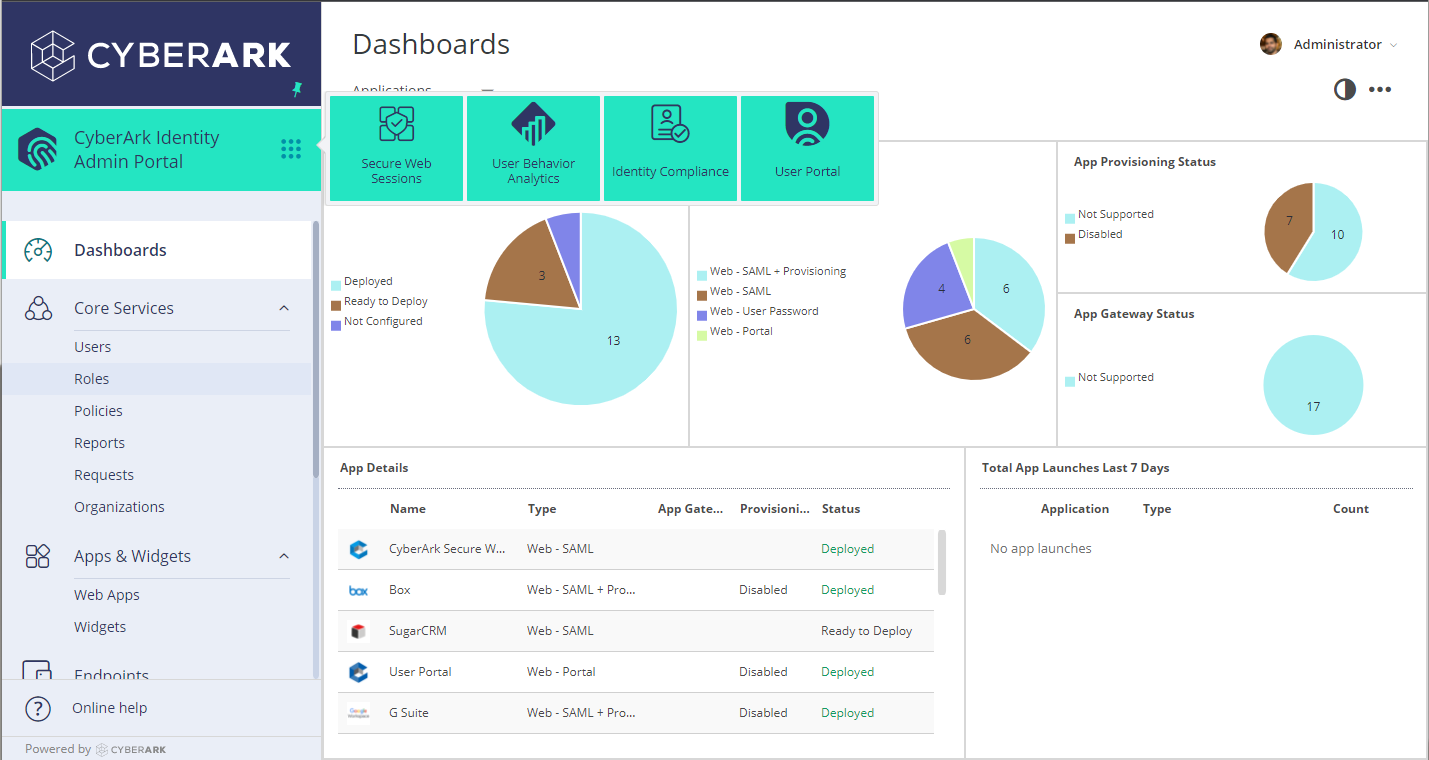  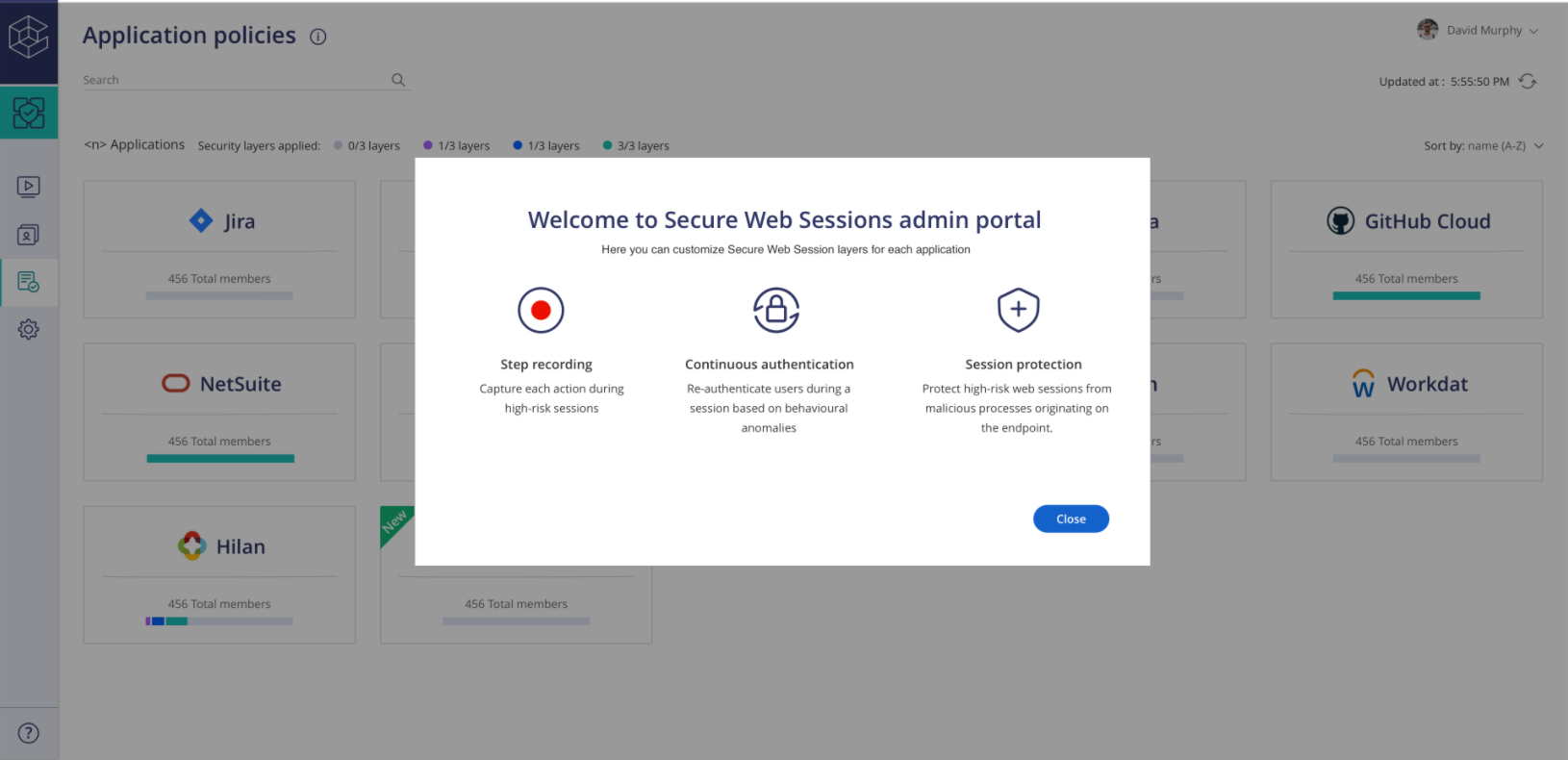 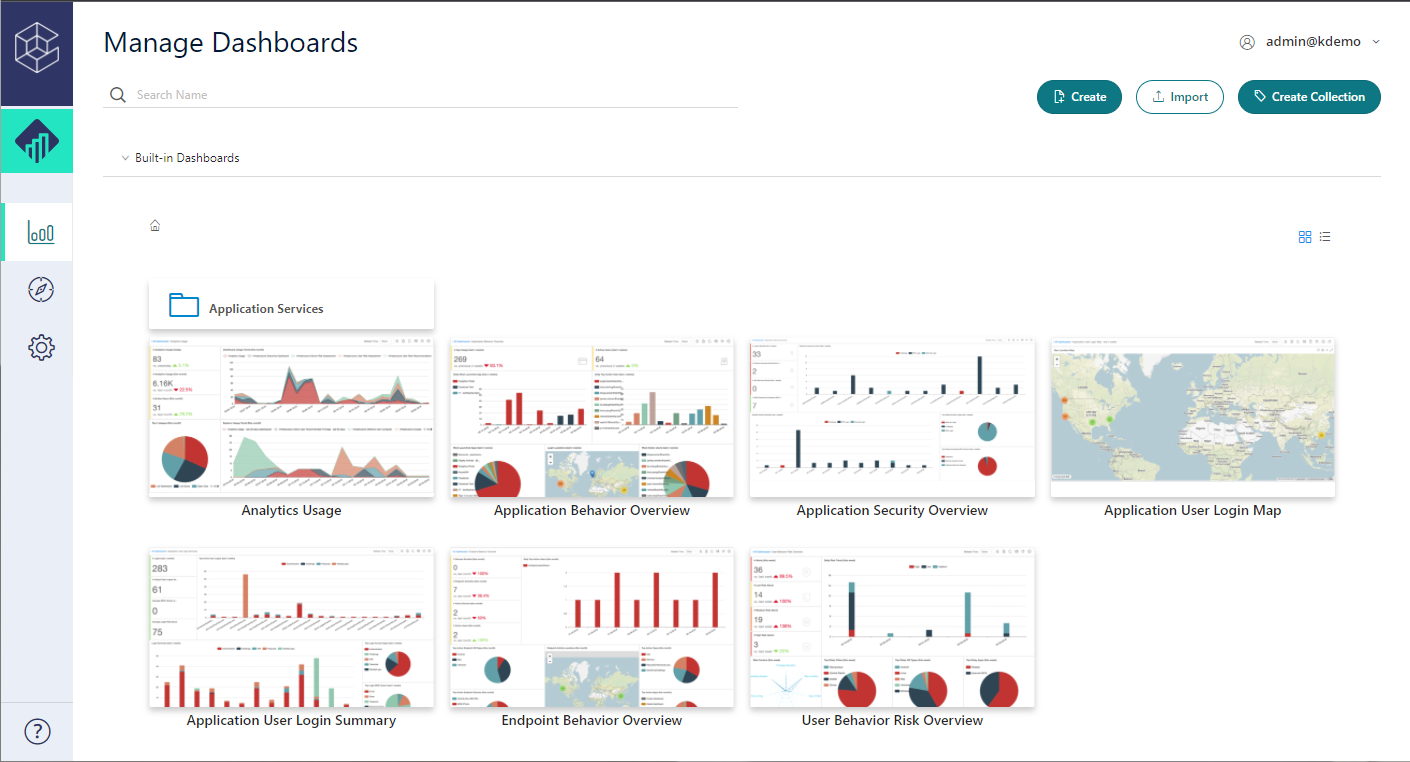  |