Darwinbox headquartered in Hyderabad offers an end-to-end HRMS software provide core HR functionality (e.g. employee data management), support for recruitment and onboarding, payroll management, time & attendance tracking, as well as comprehensive talent management and employee engagement features.
N/A
Recruit CRM
Score 8.6 out of 10
N/A
Recruit CRM is an ATS+ CRM solution tailored for recruitment and executive search businesses, boasting users among recruitment firms in over 100 countries worldwide. The platform centralizes candidate, client, email, and job posting management. Its AI-powered features include resume parsing, targeted candidate matching, and built-in GPT capabilities. Its features also include automated workflows that eliminate repetitive tasks, no-code integrations with popular third…
$100
per month per user
Pricing
Darwinbox
Recruit CRM
Editions & Modules
No answers on this topic
Pro
$100
per month per user
Business
$125
per month per user
Business
$150
per month per user
Enterprise
$165
per month (billed annually) per user
Offerings
Pricing Offerings
Darwinbox
Recruit CRM
Free Trial
No
Yes
Free/Freemium Version
No
Yes
Premium Consulting/Integration Services
No
No
Entry-level Setup Fee
No setup fee
No setup fee
Additional Details
—
Up to 20% discount for annual pricing on Pro and Business plans.
More Pricing Information
Community Pulse
Darwinbox
Recruit CRM
Features
Darwinbox
Recruit CRM
Human Resource Management
Comparison of Human Resource Management features of Product A and Product B
Darwinbox
9.4
Ratings
18% above category average
Recruit CRM
-
Ratings
Employee demographic data
9.10 Ratings
00 Ratings
Employment history
9.10 Ratings
00 Ratings
Job profiles and administration
10.00 Ratings
00 Ratings
Workflow for transfers, promotions, pay raises, etc.
9.50 Ratings
00 Ratings
Organizational charting
9.90 Ratings
00 Ratings
Organization and location management
9.00 Ratings
00 Ratings
Payroll Management
Comparison of Payroll Management features of Product A and Product B
Darwinbox
9.3
Ratings
15% above category average
Recruit CRM
-
Ratings
Pay calculation
9.90 Ratings
00 Ratings
Support for external payroll vendors
9.00 Ratings
00 Ratings
Off-cycle/On-Demand payment
9.00 Ratings
00 Ratings
Benefit plan administration
8.90 Ratings
00 Ratings
Salary revision and increment management
9.90 Ratings
00 Ratings
Reimbursement management
9.00 Ratings
00 Ratings
Leave and Attendance Management
Comparison of Leave and Attendance Management features of Product A and Product B
Darwinbox
9.3
Ratings
15% above category average
Recruit CRM
-
Ratings
Approval workflow
9.00 Ratings
00 Ratings
Balance details
9.90 Ratings
00 Ratings
Annual carry-forward and encashment
9.00 Ratings
00 Ratings
Employee Self Service
Comparison of Employee Self Service features of Product A and Product B
Darwinbox
8.8
Ratings
9% above category average
Recruit CRM
-
Ratings
View and generate pay and benefit information
9.90 Ratings
00 Ratings
Update personal information
8.50 Ratings
00 Ratings
View company policy documentation
9.10 Ratings
00 Ratings
Employee recognition
10.00 Ratings
00 Ratings
View job history
6.60 Ratings
00 Ratings
Asset Management
Comparison of Asset Management features of Product A and Product B
Darwinbox
9.9
Ratings
20% above category average
Recruit CRM
-
Ratings
Tracking of all physical assets
9.90 Ratings
00 Ratings
HR Reporting
Comparison of HR Reporting features of Product A and Product B
Darwinbox
7.9
Ratings
5% above category average
Recruit CRM
-
Ratings
Report builder
7.40 Ratings
00 Ratings
Pre-built reports
6.30 Ratings
00 Ratings
Ability to combine HR data with external data
10.00 Ratings
00 Ratings
Onboarding
Comparison of Onboarding features of Product A and Product B
Darwinbox
9.1
Ratings
14% above category average
Recruit CRM
-
Ratings
New hire portal
9.10 Ratings
00 Ratings
Manager tracking tools
9.10 Ratings
00 Ratings
Performance and Goals
Comparison of Performance and Goals features of Product A and Product B
Darwinbox
8.9
Ratings
12% above category average
Recruit CRM
-
Ratings
Corporate goal setting
10.00 Ratings
00 Ratings
Individual goal setting
10.00 Ratings
00 Ratings
Line-of sight-visibility
7.30 Ratings
00 Ratings
Performance tracking
8.10 Ratings
00 Ratings
Performance Management
Comparison of Performance Management features of Product A and Product B
Darwinbox
9.3
Ratings
17% above category average
Recruit CRM
-
Ratings
Performance plans
10.00 Ratings
00 Ratings
Performance improvement plans
10.00 Ratings
00 Ratings
Review status tracking
10.00 Ratings
00 Ratings
Review reminders
6.60 Ratings
00 Ratings
Multiple review frequency
10.00 Ratings
00 Ratings
Succession Planning
Comparison of Succession Planning features of Product A and Product B
Darwinbox
9.8
Ratings
23% above category average
Recruit CRM
-
Ratings
Create succession plans/pools
10.00 Ratings
00 Ratings
Candidate ranking
10.00 Ratings
00 Ratings
Candidate search
10.00 Ratings
00 Ratings
Candidate development
9.00 Ratings
00 Ratings
Recruiting / ATS
Comparison of Recruiting / ATS features of Product A and Product B
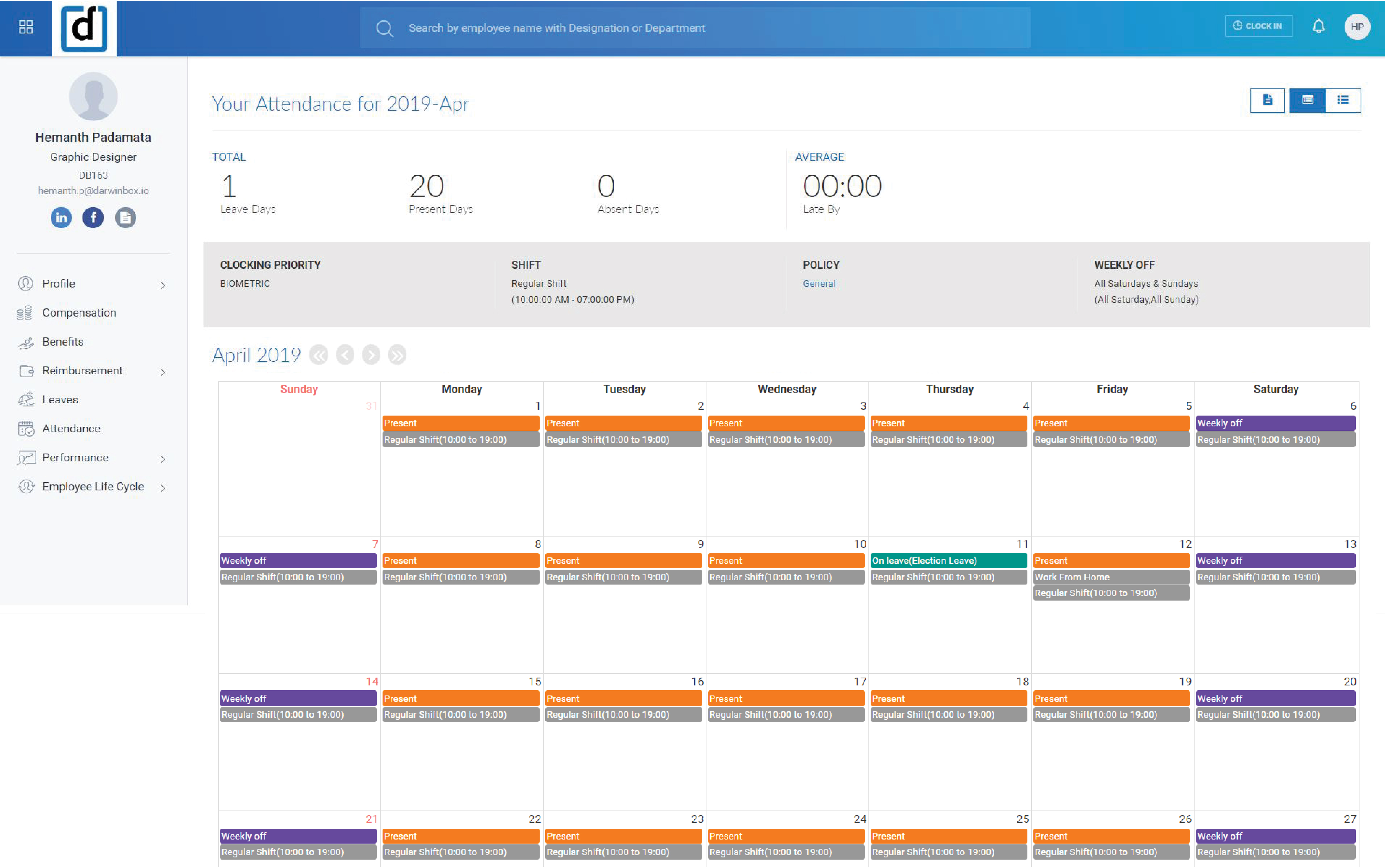
Employees that come into work are needed to clock in to get paid for the amount of time they are working per day. They will log on to Darwinbox and clock in as soon as they can. Some will use the PTO they have available to use. HR will be able to make payroll in a timely manner for employees.
Recruit CRM is would make a great choice if you are looking for a CRM/ATS partner. Their training and support make it impossible to not have the tools necessary for success from the first sign-on. They continue to improve their product by soliciting direct feedback and suggested features from users. Their customer support is live 24-7 and the response time for any questions or issues is outstanding which is critical for a company with employees in different time zones or one without on-site technical support.
There is always room for improvement and I believe RCRM is a great system that is adapting to what it's users want and need. The system suits our needs and is a huge improvement from our previous system. I can't say enough good things about the customer service. They have great follow up and always get back to me within the same day. If there is ever an unknown, there is a timeline given for follow up and a promise to get it resolved. They always come through. It's important to have a team behind your software that listens and adapts.
Again, the customer service team is awesome. They always respond in the same day and have resolved any issue I have ever had. They have made improvements to the system on a weekly basis, always improving for their users. There is a forum where you can leave your feature suggestions and vote on ones left by other users. The reps will jump on a call or screen share with you if you need to be walked through anything. They go above and beyond.
Darwinbox helps to maintain all the things at one platform and easy to use too. It provide better usability compared with Moday.com. Darwinbox provides more functionality compared with monday.com. It is also user friendly as well. All the things we are getting one platform and on one place.
It's crucial for every recruiting team to measure KPIs and performance metrics, and Recruit CRM makes reporting more detailed than ever. You can generate the following reports using the ATS + CRM: Team performance. Candidate lifecycle.A recruiting tech stack is a collection of different tools that staffing firms and recruitment agencies use to find and engage candidates and clients. Connecting these tools, or "stacking" them together is called building a recruitment tech stack.
The ability to view the organization structure and functional structure for the entire company.
One-stop solution for talent acquisition, payroll, leaves, reimbursements, attendance (time-sheet), holidays, etc. So I don't have to open a lot of different apps.