Dashlane Password Manager vs. IT Glue

Overview
ProductRatingMost Used ByProduct SummaryStarting Price
Dashlane Password Manager
Score 8.9 out of 10
N/A
Dashlane is a credential manager that secures every credential, every user, and every employee device to proactively protect against breaches. Brands worldwide can use Dashlane to stay ahead of evolving threats.
$8
per month (billed annually) per seat
IT Glue
Score 8.4 out of 10
N/A
IT Glue, a Kaseya company since the December 2018 acquisition, is an information management platform that allows for efficient storage and retrieval of all the documentation an organization needs to help their MSP run better. By integrating PSA and RMM data, the vendor says they can help increase efficiency, and reduce onboarding times.
$29
per month per user (5 user minimum)
Pricing
Dashlane Password ManagerIT Glue
Editions & Modules
Business
$8
per month (billed annually) per seat
Omnix™
Contact Sales
per year for organizations of 100+
Basic
$29.00
per month per user (5 user minimum)
Select
$34.00
per month per user (5 user minimum)
Enterprise
$39.00
per month per user
Offerings
Pricing Offerings
Dashlane Password ManagerIT Glue
Free Trial
YesNo
Free/Freemium Version
YesNo
Premium Consulting/Integration Services
NoNo
Entry-level Setup FeeNo setup fee$545 one-time fee
Additional Details
More Pricing Information
Community Pulse
Dashlane Password ManagerIT Glue
Considered Both Products
Dashlane Password Manager
Chose Dashlane Password Manager
LastPass is more secure, easier to use with colleagues, and provides better functionality for saving and sharing payment methods.
Chose Dashlane Password Manager
I have only used norton and google docs and dashlane is better than both.
Chose Dashlane Password Manager
Google Chrome and Microsoft Edge
Chose Dashlane Password Manager
Had PC app and better pricing. Did not get to extensively test wince we decided to renew Dashlane Password Manager.
Chose Dashlane Password Manager
Google and apple password manager was replaced and was not an option to select. I selected Dashlane because it seemed like a more professional paid option that had a wide range of features that fit the needs of my business and personal life.
Chose Dashlane Password Manager
Dashlane Password Manager was the best value for money and had all the features we needed
Chose Dashlane Password Manager
We selected Dashlane Password Manager over the competition based on a personal recommendation from one of our employees
Chose Dashlane Password Manager
Dashlane Password Manager is easier to onboard and use than both of the above.
Chose Dashlane Password Manager
Why I selected Dashlane Password Manager was because I am able to quickly access the passwords I need to login securely, and quickly so I have one less thing to worry about, such as the dreaded I forgot my passwords and having to reset them, it can backtrack a job very easily …
Chose Dashlane Password Manager
LastPass for Business
Chose Dashlane Password Manager
LastPass is a miserable experience, it's ugly, buggy, and slow to do anything in. Dashlane has none of these issues, and has way more features.
Chose Dashlane Password Manager
LastPass for Business
Chose Dashlane Password Manager
Among all these and few open source we tried Dashlane Password Manager were close to our needs.
Chose Dashlane Password Manager
I hated ManageEngine, Nordpass is very similar to Dashlane Password Manager.
Chose Dashlane Password Manager
We reviewed and demo'd but didn't find it had the suite of rich features we have with Dashlane
Chose Dashlane Password Manager
While LastPass and Bitwarden both work, Dashlane Password Manager has been superior for our needs. Lastpass stagnated when Acquired by LogMeIn. While it was spun out into its own in 2024. Time will tell what happens. Bitwarden is open source and has the option for …
Chose Dashlane Password Manager
I have no POC on other password managers. Dashlane seems to be one of the best available, and I am not seeking to look at alternatives.
Chose Dashlane Password Manager
We have not used other products like this (other than Chrome's built-in password management which is not a full paid product).
Chose Dashlane Password Manager
About the same, liked the interface better than both of those.
Chose Dashlane Password Manager
As a security firm, we couldn't in good conscience continue doing business with LastPass after their security failed their clients.
IT Glue
Chose IT Glue
IT Glue is better than any Wiki site we have used. Integrating the Wiki sites with our IT information is too difficult, and they will not easily show statistics from the servers we service. IT Glue will integrate easily with things like Auvik and Lion Guar,d which is why we …
Chose IT Glue
Confluence was really cool but would require a lot of work to reach the same feature-set IT Glue provides off the shelf.
Chose IT Glue
We used simply OneNote before IT Glue and still keep basic info in there. [I believe] it was not great for sharing outside the company but worked very well to share securely with staff. RoboForm can be used to share info to your clients, such as passwords and configuration …
Chose IT Glue
Currently, we are evaluating using Sharepoint instead of IT Glue as documents and items are searchable within the document instead of by title. We feel that by only searching by title and the type it hinders the speed at which information can be found easily.
Chose IT Glue
The documentation is much better than Passportal but the password management does not work quite as well. Overall, it's the clear leader currently.
Chose IT Glue
Although it doesn't show up in the search bar here, we've also used BizDox.

While all these provide many of the same services, for us, IT Glue just works much better. We can get to the information we need from anywhere, it's well organized, and we get it quickly. But above all …
Chose IT Glue
Before IT Glue, we were using office Word documents, spreadsheets, and OneNote for storing client documentation - it was a mess. Since moving to IT Glue all of our documentation is in one place, more organized and easily accessible. The initial input of information was long and …
Chose IT Glue
This seemed like a cool product. You run these PowerShell scripts that you run on the client computer that updated in IT portal. It worked good at first but then it would mysteriously double the computer in IT Portal. If I don't catch it, it will triple and grow and grow. Later …
Chose IT Glue
We tried Confluence but it had such a steep learning curve not only for the installer but for everyone involved. It didn't go very far and everyone got fed up with it quickly. I know confluence can do a ton of things but when you don't have dedicated people to implement you …
Chose IT Glue
IT Glue is much easier and cleaner to use than Confluence. It has a lot more functionality being able to sync across other pieces of software we use, such as ConnectWise Manage and ConnectWise Automate. Alerting to our Slack channel helps in some situations as well. A lot more …
Chose IT Glue
This is no joke, when demoed IT Glue at a convention, and then set a call for the rest of the team to look at it, and it was so intuitive and easy to access data, that we signed, without looking at other software.. Prior to ITGlue all data was in our RMM software.
Chose IT Glue
Spiceworks is a free tool to use if you're in MSP. The community is fantastic, but it lacked in certain features. The amount of information I can put into IT Glue is leagues ahead of Spiceworks. You also have to have supplementary software to reach the wealth of information …
Chose IT Glue
We used SharePoint for quite a while and then moved to IT Glue. Then IT Boost came out, and I wanted to like it but it was super flakey and had some security issues. Overall IT Glue has kind of a sucky sales department, but otherwise, it's a solid product that I would recommend …
Chose IT Glue
We used Bright Gauge a long time ago. At the time, we didn't have enough process and procedure in place to truly evaluate it, so we're currently going through an evaluation of Bright Gauge again now and we'll decide what works better. I don't think we're losing IT Glue …
Chose IT Glue
Couldn't choose Wikipedia but IT Glue definitely has more options for saving content. It's user friendly and is straightforward. There are several editing tools that come in handy when writing up procedural documentation and I found Wiki to be more difficult to use. You'd have …
Chose IT Glue
SharePoint requires specialized training, Confluence isn't MSP-specific, and ITBoost is new and not yet proven. IT Glue's integration with the rest of our toolset was what sold it for us.
Chose IT Glue
ITG was created specifically for IT providers and had the integrations that we need for our PSA tool.
Confluence is an amazing platform and may end up being our next move.
Chose IT Glue
We chose IT Glue particularly because it's tailored to IT documentation. As a managed IT service provider, it's perfectly in line with what we were looking for. The flexibility and tagging in particular were the kind of features we were looking for. Confluence is very good, …
Best Alternatives
Dashlane Password ManagerIT Glue
Small Businesses
RoboForm
RoboForm
Score 9.9 out of 10
Square 9 Softworks
Square 9 Softworks
Score 9.1 out of 10
Medium-sized Companies
1Password
1Password
Score 9.5 out of 10
MSB Docs
MSB Docs
Score 9.4 out of 10
Enterprises
KeePass
KeePass
Score 8.7 out of 10
M‑Files
M‑Files
Score 8.9 out of 10
All AlternativesView all alternativesView all alternatives
User Ratings
Dashlane Password ManagerIT Glue
Likelihood to Recommend
9.2
(0 ratings)
8.1
(0 ratings)
Likelihood to Renew
9.1
(0 ratings)
9.0
(0 ratings)
Usability
8.8
(0 ratings)
9.5
(0 ratings)
Performance
-
(0 ratings)
8.9
(0 ratings)
Support Rating
5.9
(0 ratings)
8.0
(0 ratings)
Ease of integration
-
(0 ratings)
7.5
(0 ratings)
User Testimonials
Dashlane Password ManagerIT Glue
Likelihood to Recommend
Dashlane Password Manager works really well for situations where we need to share access to client portals or government filing sites, since multiple people can log in without ever seeing the actual password and we can cut off access right away when it’s no longer needed. It is also great for onboarding and offboarding since new hires or interns can get the logins they need quickly and we don’t have to pass around spreadsheets. Another strong use case is meeting compliance expectations because it shows clients we are serious about security and password hygiene. Where it’s less useful is in environments that already use single sign-on since that already centralizes access and makes Dashlane Password Manager feel redundant. It can also be a little frustrating if you rely heavily on mobile since the autofill doesn’t always work smoothly across different apps.
Read full review
IT Glue is well suited to any size managed service provider that requires a secure central knowledge base. IT Glue also integrates well with N-Central to automatically populate the configurations tab with all the relevant Workstation, Printer, and Server information making client on-boarding a breeze.
Read full review
Pros
  • Ensuring secure & unique passwords created for each account.
  • Allowing the company to see a "security score" of how secure the team's password management is.
  • Sharing passwords securely between employees.
  • A "vault" for storing other secure information (notes, credit cards, etc.)
  • Free Hotspot Shield VPN included in our tier of accounts.
Read full review
  • Flexible Assets are custom questions or forms that you get to create to keep the kind of documentation that *you* want. Our team has done this, and have developed a comprehensive system in our documentation that is better than anything we've ever had.
  • Tagging. This feature is so helpful when interlinking related items in the documentation system. IT Glue makes it so easy to tag other configurations, including printers, firewalls, phones, etc.
  • Public sharing of knowledge base articles. Often our clients need to know how to do something. We can add pictures, step-by-step walkthroughs that save us and them a ton of time.
  • iFrame embedding. There's some flexibility to the web pages that have been helpful for putting other things, such as Cognito Forms in.
Read full review
Cons
  • Initial setup was a little difficult.
  • User SSO invite and sign on would not work at first but this seems to have been improved/fixed.
  • The extension on websites doesn't work sometimes and will need to be refreshed if you open a new tab but have already logged in before.
Read full review
  • So far we have enjoyed the functionality of ITG with one exception:
  • The search feature is severely lacking. We have thousands of articles in this knowledge base but the search window is about 1" wide and only shows the first few words of each article. Within our system, those first few words are often the same "SYSTEMS: How-To...". If we are searching for a system, we will have no alternative but to manually try to find this document by browsing through folders within ITG.
  • Unfortunately ITG has not responded to a flurry of enhancement requests around this feature, that go back quite a while.
  • The functionality that would make this a killer app for us would be a dedicated search page that displayed results like a Google search page.
  • Ability to export all client documentation if the client moves to another provider.
Read full review
Likelihood to Renew
It has served us very well until now and at the pricepoint it doesn't make us second guess our current relationship.
Read full review
Overall IT Glue meets every need that we need it to. IT is easy to use and convenient and we have not had very many issues with it since the inception. I would easily recommend it to anyone who needs this software.
Read full review
Usability
Dashlane Password Manager is great for the price. Some feature sets of competitors are lacking, but I'm happy with what we get for the spend. We are a small enough company that I can walk people through the steps, and it isn't something that comes up enough to complain about. Password generation, storage and use are all great.
Read full review
The interface is excellent and very easy to use. As long as the text you input into the system can be easily read, you will have no problem finding it with all the different categories offered. Sometimes, the slider on the right can blend in with dark backgrounds, making it hard to see.
Read full review
Performance
No answers on this topic
Other than a few access outages, ITGlue is always up and available to us. Their ability to export Playbook, that contain our customers data, and securely send those over to them is amazing and are produced pretty fast. We have IT Glue linked with several other services and software and we have not found that it slows anything down.
Read full review
Support Rating
We've had no issues with Dashlane. I can't speak to their customer service because I have not personally needed to contact them. I guess that speaks about their product if we've not had any issues to reach out about. Great for supporting data/information on multiple platforms that are shared among team members.
Read full review
No problems with support when needed it. Their answers on how to handle DR/BC situations when ITG is down are not stellar. They don't seem to get the business risks of their suggestions to just give the xls backup to engineers (aka give all passwords of ALL clients to engineers in an unencrypted flat-file where it is easy to copy, print, etc.)
Read full review
Alternatives Considered
I use Proton Pass in my personal life as part of the Proton suite of products, and it's a fantastic, lightweight, and robust service. I personally prefer supporting a solid, privacy, freedom focused company with my personal money, but as far as comparing goes, I'd say Dashlane wins the intuitive interface battle with ProtonPass (not that it's terrible), but ProtonPass wins for listening to customers and developing a dedicated desktop application. As for the comparison with LastPass, I think LastPass might nudge out Dashlane for the intuitive score, but they are practically both at the same level in every way. I'd be happy to use either one
Read full review
Currently, we are evaluating using Sharepoint instead of IT Glue as documents and items are searchable within the document instead of by title. We feel that by only searching by title and the type it hinders the speed at which information can be found easily.
Read full review
Return on Investment
  • We constantly preach security, Dashlane Password Manager has provided us a means to improve our security posture
  • Employees love the ease of use and the ability to keep all password in one place
  • Employees feel more secure as they are able to use Dashlane Password Manager for personal protection as well
Read full review
  • We've had a number of false starts on getting all of our clients' assets documented. The culture shift just has not happened yet and there is a general lack of trust in the data.
  • It's nice to not have to go hunting for information about client assets anymore. We can be much more productive this way.

Read full review
ScreenShots

Dashlane Password Manager Screenshots

Screenshot of Password HealthScreenshot of Admin viewScreenshot of Mobile view toolsScreenshot of Home admin dashScreenshot of Webapp home

IT Glue Screenshots

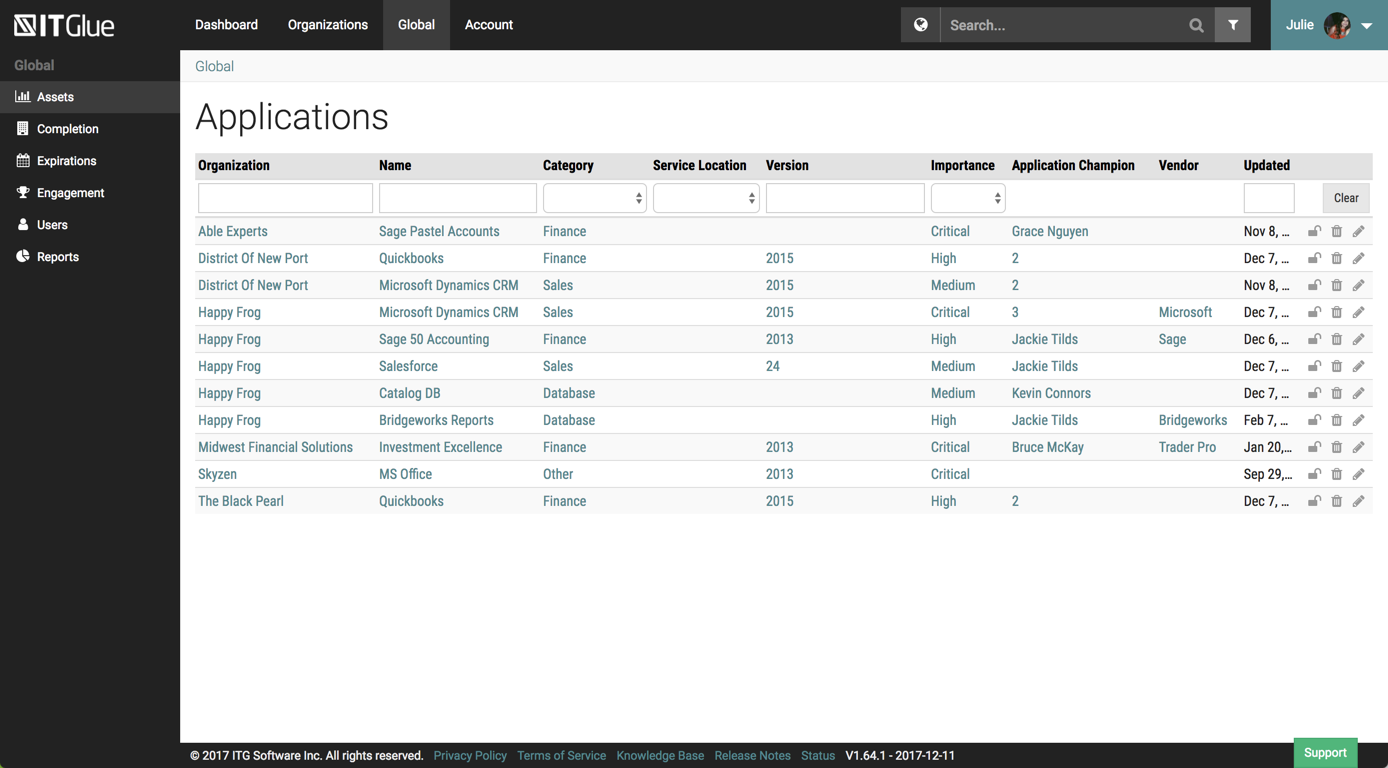
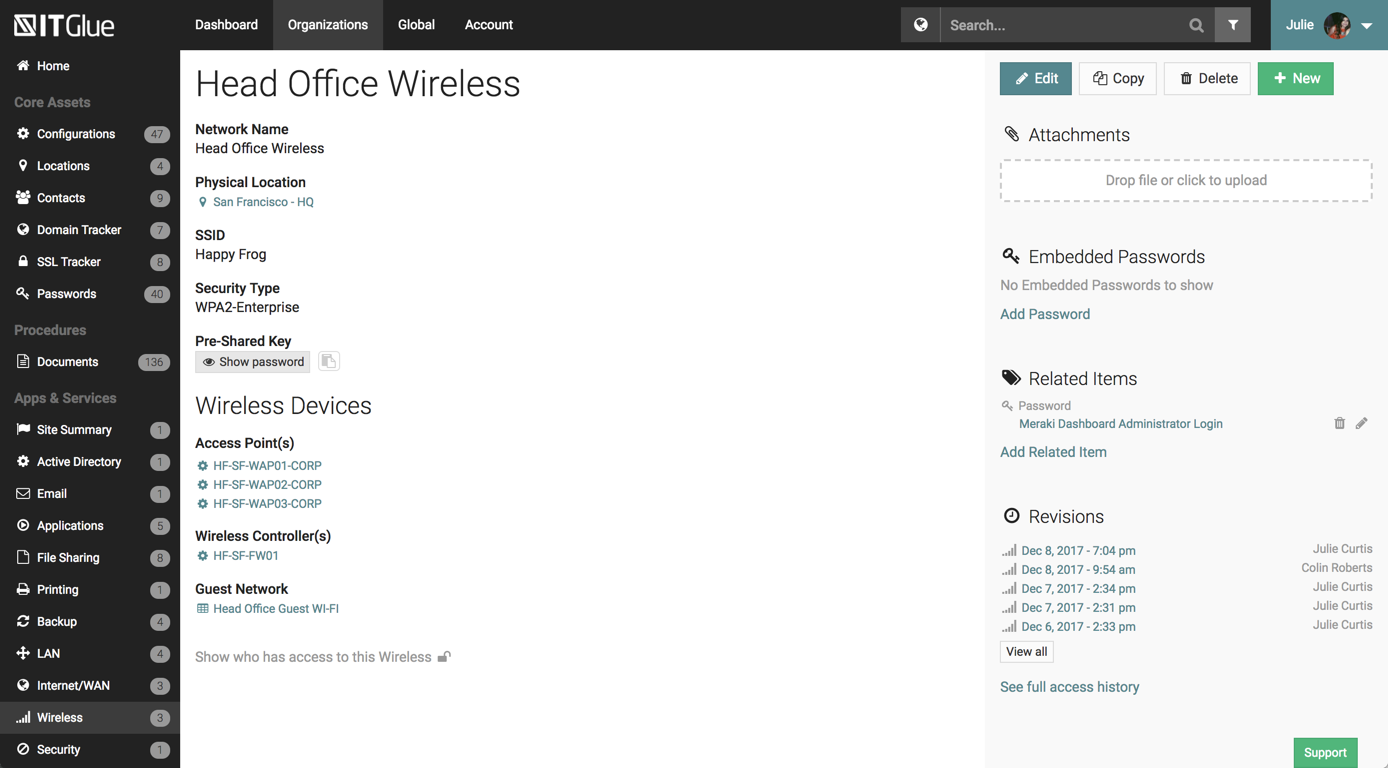
Screenshot of PasswordsScreenshot of WorkflowsScreenshot of Workflows - choose triggerScreenshot of ApplicationsScreenshot of NetworksScreenshot of Activity logs