Dataddo vs. IBM DataStage

Overview
ProductRatingMost Used ByProduct SummaryStarting Price
Dataddo
Score 0.0 out of 10
Mid-Size Companies (51-1,000 employees)
Dataddo is a fully-managed, no-code data integration platform that connects cloud-based applications and dashboarding tools, data warehouses, and data lakes. It offers 3 main products: - Data to Dashboards, which lets users send data from online sources straight to dashboarding apps like Tableau, Power BI, and Google Data Studio for insights in record time. A free version is available for this product. - Data Anywhere, which enables users to send data from any A to any…
$0
IBM DataStage
Score 7.6 out of 10
N/A
IBM® DataStage® is a data integration tool that helps users to design, develop and run jobs that move and transform data. At its core, the DataStage tool supports extract, transform and load (ETL) and extract, load and transform (ELT) patterns. A basic version of the software is available for on-premises deployment, and the cloud-based DataStage for IBM Cloud Pak® for Data offers automated integration capabilities in a hybrid or multicloud environment.N/A
Pricing
DataddoIBM DataStage
Editions & Modules
Free
$0
Data to Dashboards
$99
per month
Data Anywhere
$99
per month
Headless Data Integration
Custom
per year
No answers on this topic
Offerings
Pricing Offerings
DataddoIBM DataStage
Free Trial
YesYes
Free/Freemium Version
YesNo
Premium Consulting/Integration Services
NoNo
Entry-level Setup FeeNo setup feeNo setup fee
Additional DetailsData to Dashboards and Data Anywhere are both priced based on bundles of flows that can be billed monthly, or yearly for a discount. Data to Dashboards starts at $99 (billed yearly) for up to 10 data flows from any source to any dashboarding tool or Google Sheets. Data Anywhere starts at $99 (billed yearly) for up to 3 data flows from any A to any B—from apps to warehouses or dashboards (ETL, end to end), between warehouses (ETL), and from warehouses back into apps (reverse ETL). Headless Data Integration allows enterprises to build their own data products on top of the unified Dataddo API and get all integrations in one, with custom pricing.
More Pricing Information
Community Pulse
DataddoIBM DataStage
Features
DataddoIBM DataStage
Data Source Connection
Comparison of Data Source Connection features of Product A and Product B
Dataddo
-
Ratings
IBM DataStage
9.5
Ratings
12% above category average
Connect to traditional data sources00 Ratings10.00 Ratings
Connecto to Big Data and NoSQL00 Ratings9.00 Ratings
Data Transformations
Comparison of Data Transformations features of Product A and Product B
Dataddo
-
Ratings
IBM DataStage
8.0
Ratings
2% below category average
Simple transformations00 Ratings8.00 Ratings
Complex transformations00 Ratings8.00 Ratings
Data Modeling
Comparison of Data Modeling features of Product A and Product B
Dataddo
-
Ratings
IBM DataStage
6.3
Ratings
23% below category average
Data model creation00 Ratings5.00 Ratings
Metadata management00 Ratings5.00 Ratings
Business rules and workflow00 Ratings6.00 Ratings
Collaboration00 Ratings6.00 Ratings
Testing and debugging00 Ratings6.00 Ratings
Data Governance
Comparison of Data Governance features of Product A and Product B
Dataddo
-
Ratings
IBM DataStage
6.0
Ratings
30% below category average
Integration with data quality tools00 Ratings6.00 Ratings
Integration with MDM tools00 Ratings6.00 Ratings
User Ratings
DataddoIBM DataStage
Likelihood to Recommend
-
(0 ratings)
8.0
(0 ratings)
Usability
-
(0 ratings)
8.0
(0 ratings)
Performance
-
(0 ratings)
9.0
(0 ratings)
Support Rating
-
(0 ratings)
9.6
(0 ratings)
User Testimonials
DataddoIBM DataStage
Likelihood to Recommend
No answers on this topic
Excellent Cloud data mapping tool and easy creating multiple project data analytics in real-time and the report distribution are excellent via this IBM product. Easy tool to provide data visualization and the integration is effective and helpful to migrating huge amounts of data across other platforms and different websites insights gathering.
Read full review
Pros
No answers on this topic
  • Very reliable in handling data extraction, data transformation and loading
  • Flexibility in connecting to different type of databases, relational or non-relational
  • Great features such as parallel processing, hash handling, etc.
  • You can also take advantage of its FTP functions, and scheduling features if you need to.
Read full review
Cons
No answers on this topic
  • You must understand and know the algorithms, since the wrong use of them generates more time in processing.
  • Metadata. You need to develop with connectors, and taking all the Metadata from the menu, all the data that you complete manually, you can't track it.
Read full review
Usability
No answers on this topic
Because it is a flexible tool that can manage many flows and create a strong solution with a interesting use of variables. Easy to scale up as you can copy jobs arleady build and modify them. SQL queries allow to be fast in development and have the pushdown feature, but you loose a little of user friendly look. Metadata management is not strong as a visual feature, but can be determine by job codes.
Read full review
Performance
No answers on this topic
It could load thousands of records in seconds. But in the Parallel version, you need to understand how to particionate the data. If you use the algorithms erroneously, or the functionalities that it gives for the parsing of data, the performance can fall drastically, even with few records. It is necessary to have people with experience to be able to determine which algorithm to use and understand why.
Read full review
Support Rating
No answers on this topic
IBM offers different levels of support but in my experience being and IBM shop helps to get direct support from more knowledgeable technicians from IBM. Not sure on the cost of having this kind of support, but I know there's also general support and community blogs and websites on the Internet make it easy to troubleshoot issues whenever there's need for that.
Read full review
Alternatives Considered
No answers on this topic
No, it wasn’t my decision to use such an ETL product. I’m just the administrator at this point. I’ve heard there are other products there that are even on cloud support. That is much easier to use, more agile, and user-friendly. That doesn’t have that barrier from user to administrator to the developer standpoint.
Read full review
Return on Investment
No answers on this topic
  • Not directly related to ROI or cost figures. Only comment here is that IBM tools tend to be more costly than average ETL tools, but it depends on if the company is an IBM shop.
  • One positive aspect is the company has had not a need to switch ETL tool for years.
  • Upgrading to newer versions of the tool brings flexibility in the tool and up-to-date features in relation to other applications.
Read full review
ScreenShots

Dataddo Screenshots

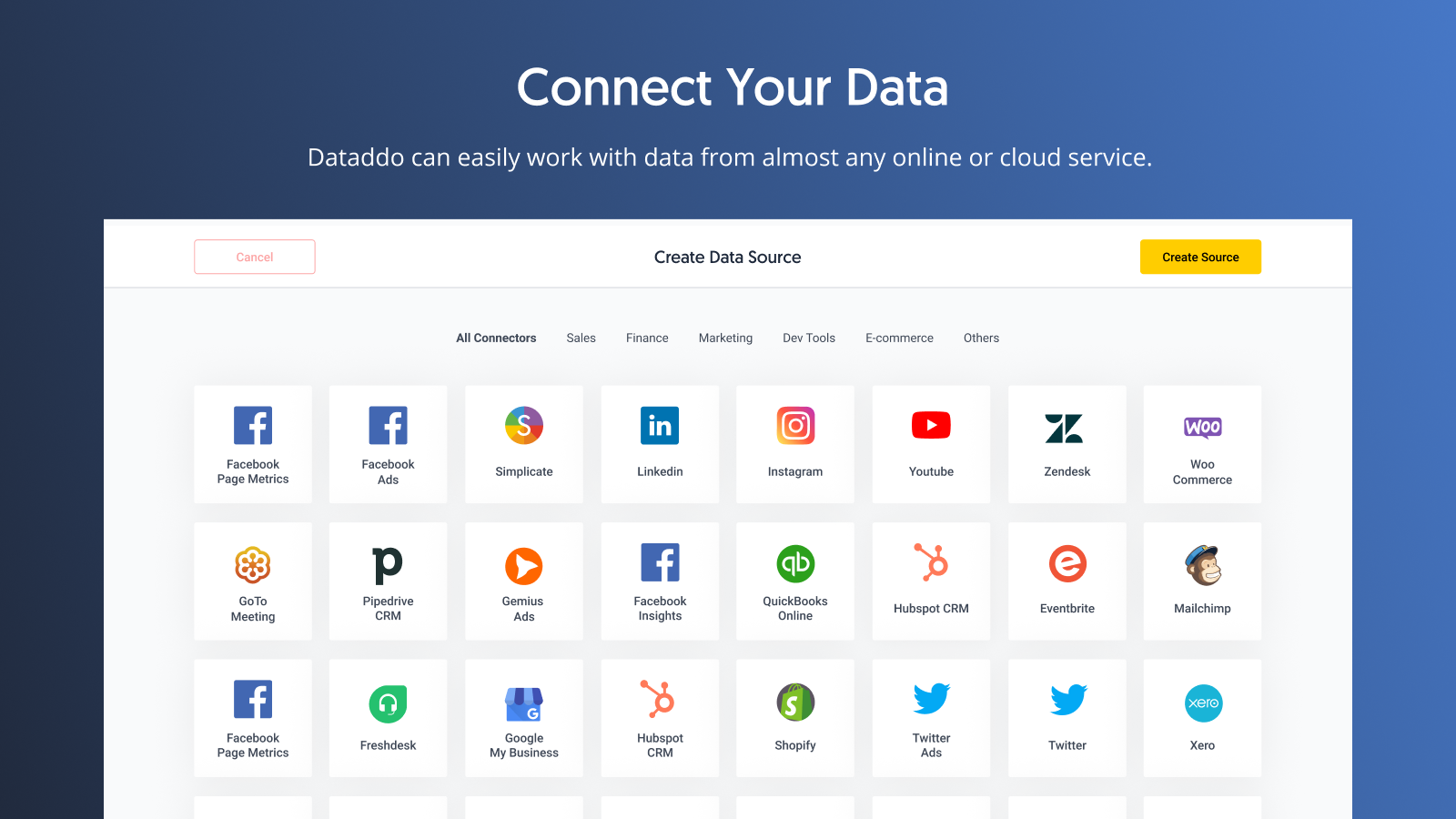
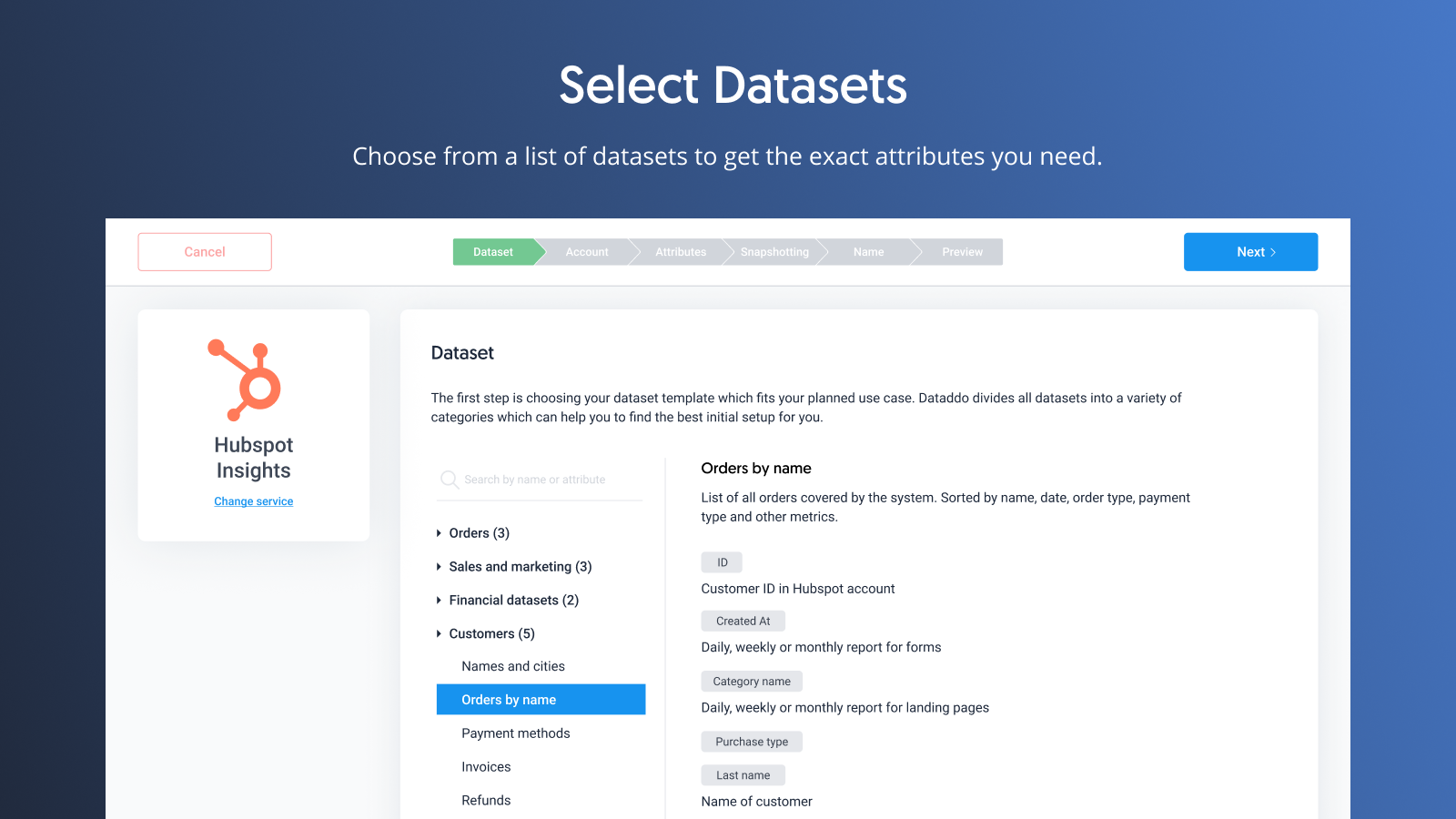
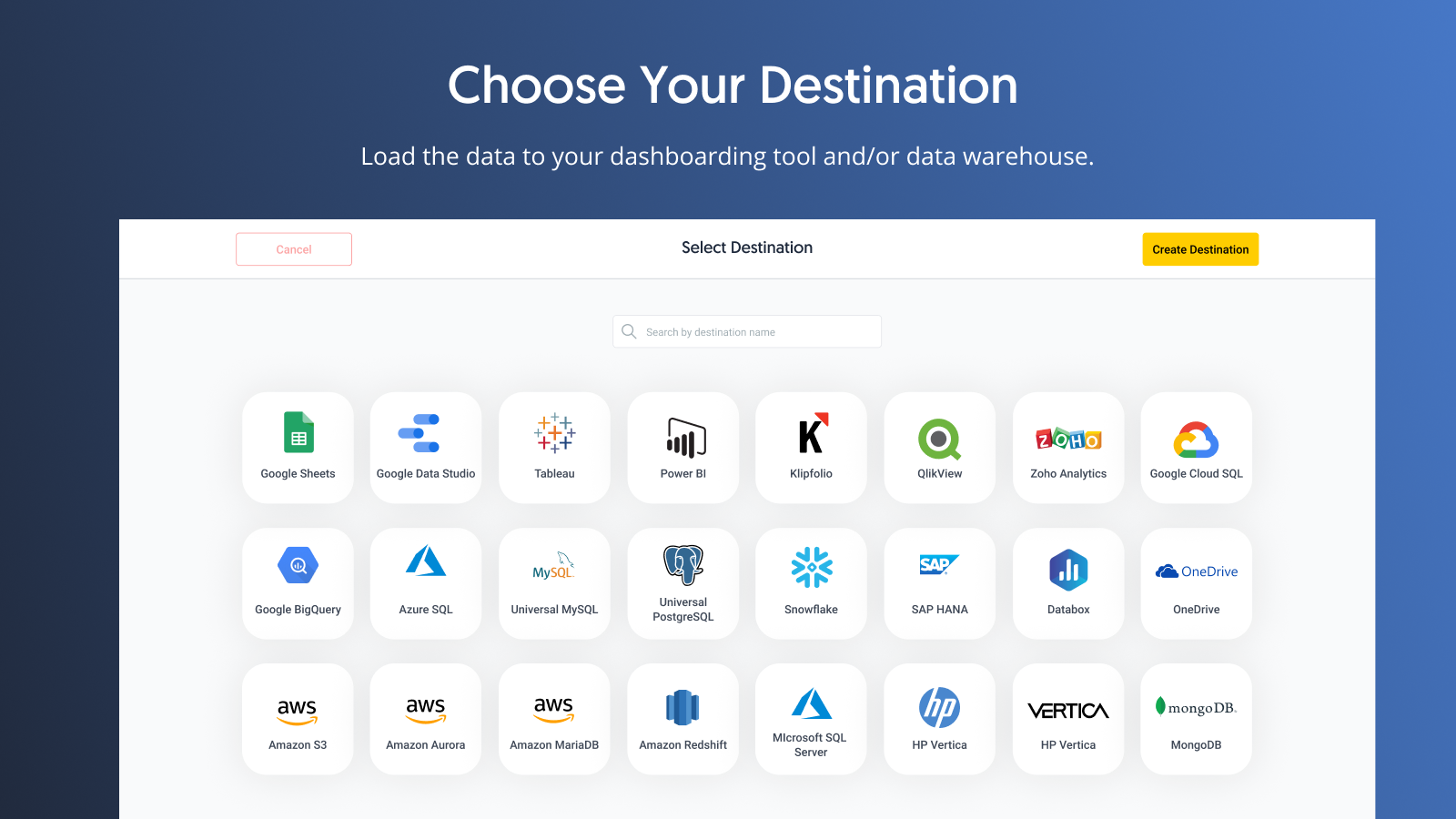
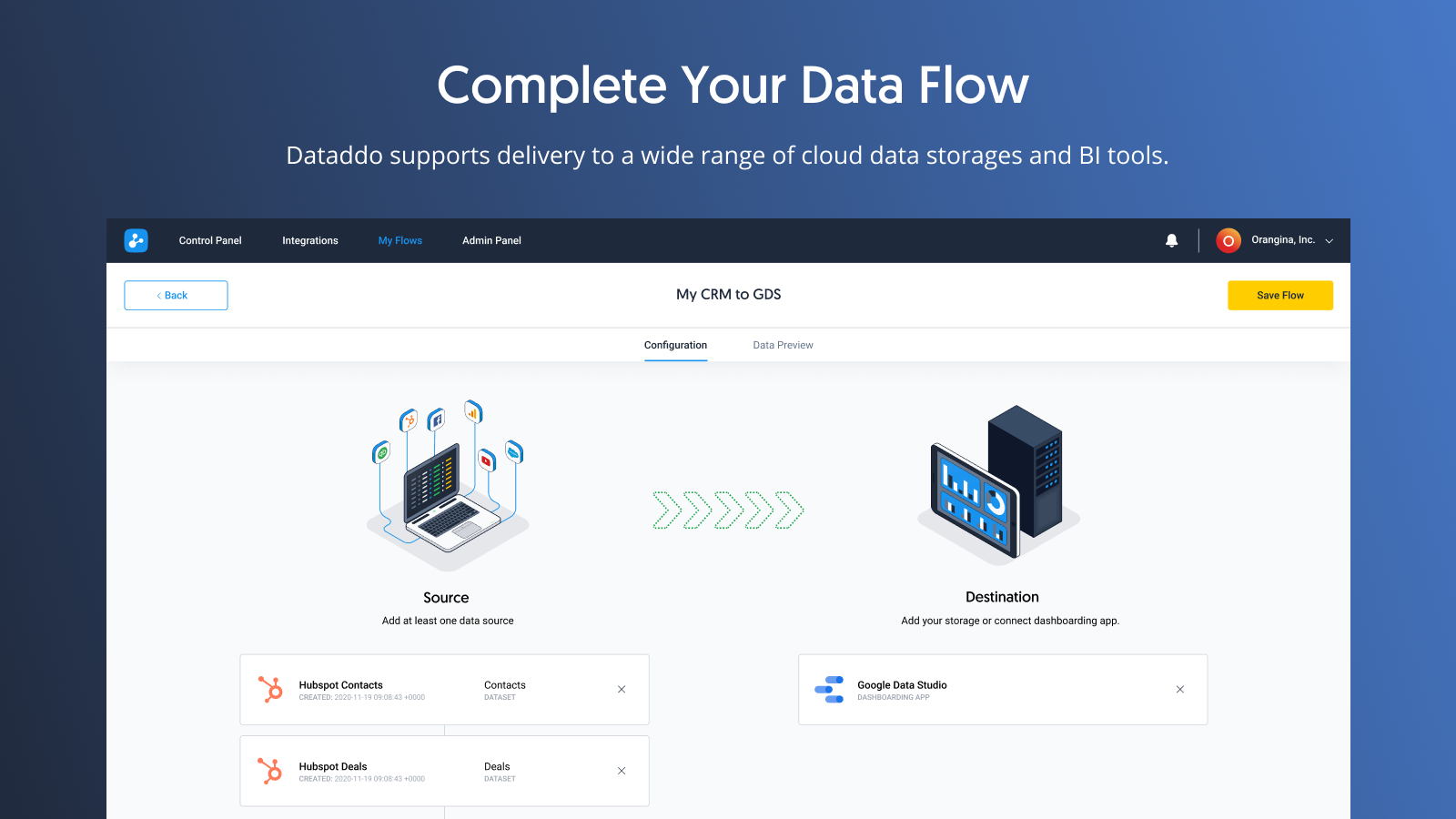
Screenshot of Connect data from any online source. Custom connectors or metrics are available upon request.Screenshot of Manage data flows on one page.Screenshot of Select services, such as HubSpot, Facebook, Google Ads, Stripe, and select a dataset to get the metrics and attributes needed.Screenshot of Choose where data should go, from data warehouses to dashboarding tools.Screenshot of Complete a data flow by connecting a source to a destination and get data flowing automatically at regular intervals.