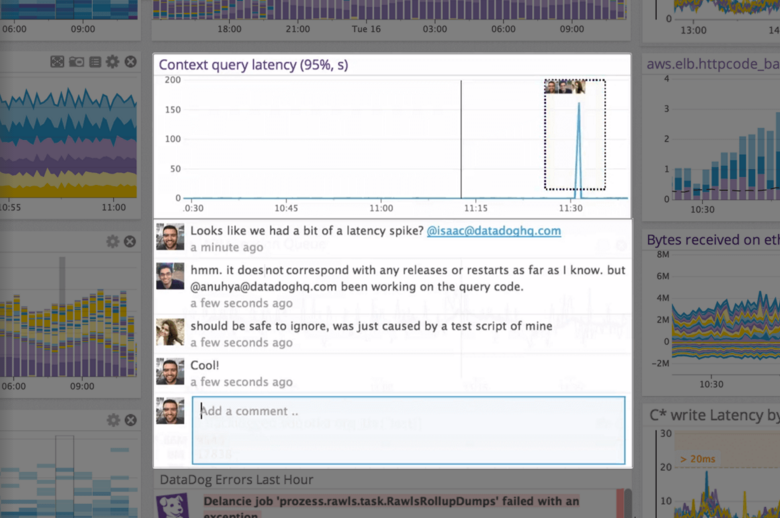
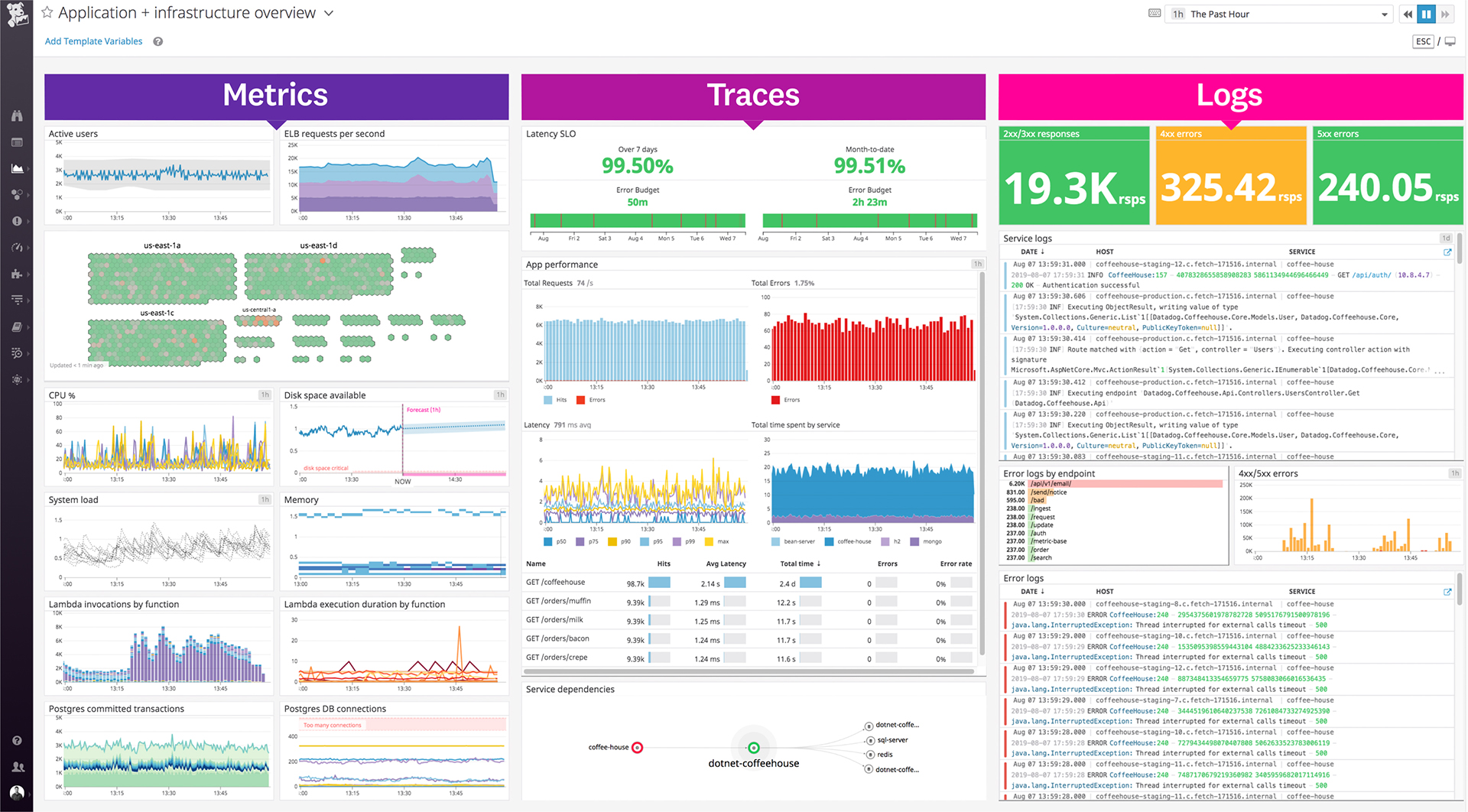
Datadog is a monitoring service for IT, Dev and Ops teams who write and run applications at scale, and want to turn the massive amounts of data produced by their apps, tools and services into actionable insight.
$1.27
per month (billed annually) per host
dbForge Studio (Edge)
Score 8.0 out of 10
N/A
dbForge Studio is provided by
Devart and is a universal front-end client for database
management, administration and development. Devart's GUI tool provides
utilities to compare, synchronize, and back up databases (e.g. MySQL, Oracle, SQL Server, PostgreSQL, etc.) with scheduling,
and includes the possibility to analyze and report MySQL tables data. For example, dbForge
Studio for MySQL works with any MariaDB database servers, and supports all
MariaDB objects types. This solution enables users…
$9.95
per month
Pricing
Datadog
dbForge Studio (Edge)
Editions & Modules
Log Management
$1.27
per month (billed annually) per host
Infrastructure
$15.00
per month (billed annually) per host
Standard
$18
per month per host
Enterprise
$27
per month per host
DevSecOps Pro
$27
per month per host
APM
$31.00
per month (billed annually) per host
DevSecOps Enterprise
$41
per month per host
Standard (subcription)
$9.95
per month
Professional (subscription)
$19.95
per month
Enterprise (subscription)
$29.95
per month
Standard (subcription)
$99.95
per year
Professional (subscription)
$179.95
per year
Standard
$199.95
Enterprise (subscription)
$229.95
per year
Professional
$349.95
Enterprise
$449.95
Offerings
Pricing Offerings
Datadog
dbForge Studio (Edge)
Free Trial
Yes
Yes
Free/Freemium Version
Yes
Yes
Premium Consulting/Integration Services
No
No
Entry-level Setup Fee
Optional
No setup fee
Additional Details
Discount available for annual pricing. Multi-Year/Volume discounts available (500+ hosts/mo).
—
More Pricing Information
Community Pulse
Datadog
dbForge Studio (Edge)
Considered Both Products
Datadog
Verified User
Anonymous
Chose Datadog
In terms of usability, I’ve found Datadog significantly more approachable and powerful compared to Elasticsearch, especially for day-to-day operational monitoring. Datadog offers a much more cohesive, user-friendly interface out of the box, with built-in support for metrics, …
Datadog is an all in one solution. It has everything in one place so you don't have to go from application to application and try to figure out what exactly happened. No more stitching database errors from one third party to backend errors in another to front end errors in …
Datadog crushed the competition on price and offering more solutions in one product cutting down on implementation time and effort while ensuring that the "integration" between one of their offerings was completely compatible with any of the others. I'm sure it's not the case …
We've completely replaced New Relic with Datadog and find it easier to use and more comprehensive. Our AWS and Sentry usage will continue for now. But Datadog gives us a much broader coverage - we can monitor our AWS services and many other services that interact with them. …
Dynatrace was cheaper but, in my opinion, its setup, features, and overall user experience do not come close to what Datadog can offer, making it more of a pain to use and not worth the cheaper cost over Datadog (especially if migrating away from Datadog to dynatrace).
The first reason for selecting Datadog was of course it's pricing which is quite better in terms of competitor like Appdynamics and splunk. Second thing is versatile services which they are offering on one platform which means entire end to end services can be monitor at one …
It's a one-stop solution for all our needs whereas in other open-source tools, we have an operational overhead to keep and manage the uptime of these tools as well and also manage their versioning, upgrade, and patching cycle. Also if there are any bugs then we have to raise an …
One of the most important reason is single agent configuration for all kinds of monitoring. It also proved an auto upgrade feature of agents that reduces the overhead. It also provides range of options when it comes to data visualization and dashboards. It also provide tagging …
Kubernetes with Prometheus and other open-source options. It is prone to more toil to set up but the stack can be largely replicated in open source technologies.
New Relic was a good tool but had really pushy salespeople. They also released a product called infrastructure recently, and it was worse than their previous product (servers). The previous product was also free! Needless to say, we will not be going back to New Relic any time …
Easier to set up and integrate with other auxiliary tools. The cost was also a benefit along with self-service capabilities. We could set up Data Dog by ourselves, versus needing to bring additional consulting efforts to setup Dynatrace. Reliability of results (less false …
Ultimately, Datadog had the most already-built bridges into our existing infrastructure -- third parties that we're using for certain services are far more likely to work with Datadog than other systems. This means that, while expensive, Datadog has done a tremendous amount of …
Datadog has been harder to setup out-of-the-box compared to its alternatives, although it's graphs and dashboards have been more useful. Other tools handle individual tasks better. For example, Splunk has been the best logging tool I've used, and New Relic is great for CPU and …
It has been easier to work with Datadog for all our business needs and get things on their roadmap if we found it lacking. Currently we use a mix of various tools as they were existing prior to Datadog came. We are evaluating new offering like Datadog's latest log management to …
I am listing how Datadog is better than below chosen NotSensu - Datadog has more integrations and easy to use UI. Prometheus - Datadog Integration are more in number than, simple installation process
We are still trying other products, but people still like Datadog. After setting up a dashboard, it's great for monitoring instances on Datadog. Also, the DevOps team had a good time setting up Datadog. It means Datadog was way easier to set up compared to those others.
Geckoboard has nice dashboard options, however their third party system support isn't as strong as Datadog. Geckoboard did not support all the various server and development systems we use, whereas Datadog did. Also, Datadog has better alerting and monitoring options than …
Datadog empowers us to create dashboards and visualize the state of our infrastructure in real time. It gives us control over what we want to view and how. The graphs provide deep insight into trends and anamoly detectives. These features are lacking in some of the other …
Before choosing dbForge Studio I evaluated at least a dozen tools, especially on the Visual Query Builder function. For now, I have identified only one product that has a better Visual Query Builder than dbForge Studio. This other product also manages UNIONs, while dbStudio …
[dbForge Studio for MySQL is] easy to understand and use because it has a sample UI. We can visibly see database tables and their relationships. We can automate queries according to our use and give access according to their use. Not everyone can delete the table or modify it. …
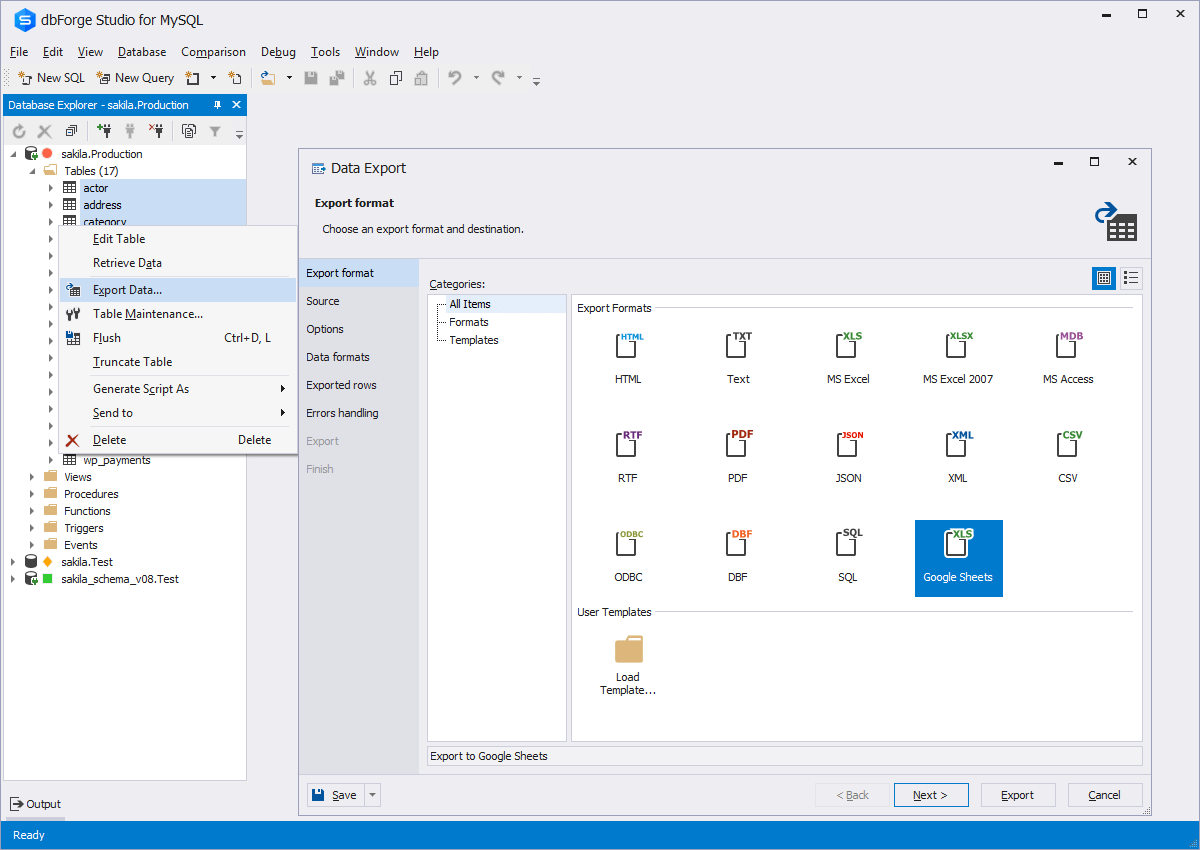
I would say that dbForge equals or beats most of the abilities of the other tools I evaluated at the time. dbForge had better support (Devart), and regular feature updates. dbForge has better tools for data comparison and import/export. The price tag is slightly higher, but …
Prior to dbForge Studio for SQL Server, I have only ever used SQL Server Management Studio to manage SQL Server databases. dbForge software, in my experience, is much easier to use, more intuitive, and hence more productive, speeding up most database-related tasks such as …
Although we had to pay licensing fees to use dbForge, one of the main reasons we chose dbForge is compliance-related: we did not want to use freeware to analyze our database, since we are a utility company that has personally identifiable information in our databases.
We haven't tried any other tools that do comparisons like Data Compare does. Our method prior to buying this tool was to manually run queries on each database and compare the output using text compare or by eye.
While DBeaver ended up being the goto for our development team, everyone else is going to be using dbForge Studio. The UI was hands down much easier to get used to, and the sorting/filtering options make it super easy for anyone to view the data the way they needed it. You …
We found dbForge Studio for Oracle to be more stable and easy to use than both Toad for Oracle and RStudio, among others. There is still room for improvement, such as the MySQL debugger. In the past, we used MySQL Workbench, but the flexibility and robust tool set of dbForge …
I did not make the decision to choose dbForge Studio for SQL Server. I personally like dbForge Studio because of my familiarity with the SQL server and the UI.
We used MySQL Workbench tool before dbForge Studio for MySQL and it did not work well. dbForge Studio for MySQL was a much more complete and flexible solution to resolve our development and administration problems. dbForge Studio for MySQL not only resolved our problems it …
I chose dbForge Studio for MySQL instead of MS SQL Server because: 1) For the most part I don't like Microsoft products. Their UIs are notoriously bad, and you never know when a product tweak will create incompatibilities that will require an expensive upgrade. 2) Since our …
A one-stop solution for everything you need. Multiple functionalities are tailored to meet specific business needs. Logs are essential for any business, and Datadog manages logs effectively. Rum sessions are something new to me and have given us a new perspective on how to reverse engineer issues that we see for our customers.
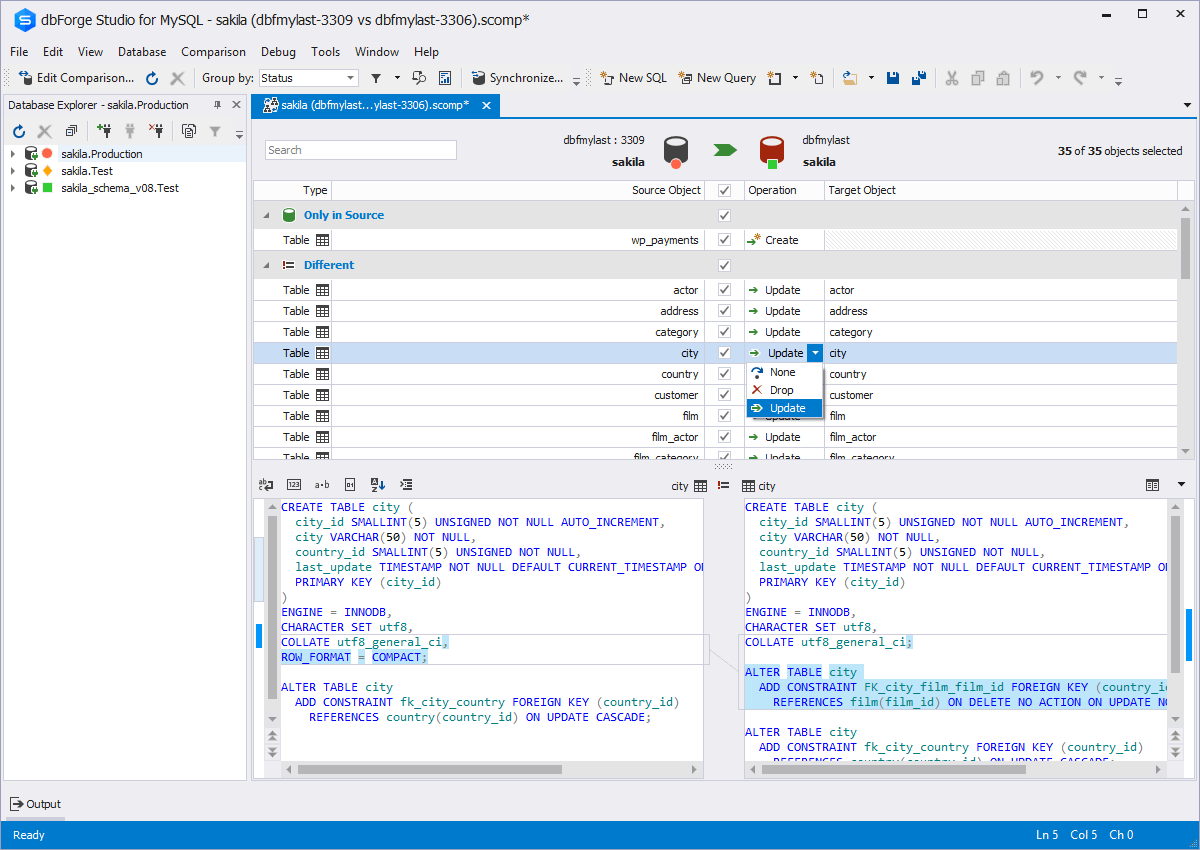
Whenever a user or DBA wants to compare schematics between two environments, dbForge is extremely helpful. This is useful during version or framework upgrades, a database upgrade, patch implementations, service package implementations, or any time to environments would be different. The time it would take to write and execute queries, and then compare is exponentially longer than it takes with dbForge, where this is done and you have an application that allows you to quickly identify incongruities.
Alert windows cause lag in notifications (e.g. if the alert window is X errors in 1 hour, we won't get alerted until the end of the 1 hour range)
I would appreciate more supportive examples for how to filter and view metrics in the explorer
I would like a more clear interface for metrics that are missing in a time frame, rather than only showing tags/etc. for metrics that were collected within the currently viewed time frame
[The] installation error I've already reported (ABARTN).xml [could use some improvement]. This has to do with Windows Defender (the default Windows anti-virus) not allowing the installation on the default installation directory of dbForge Studio [for SQL Server], thus the error. [With] the workaround, [I] was to disable the anti-virus for the duration of the installation, then turn it back on when the installation [was] been completed.
[I would like to see] better defined licensing models for larger teams (seated vs. name licenses).
Datadog's user interface is quite friendly and easy to navigate. With menus clearly categorized, and ability to bookmark important dashboards, one can easily find what they're looking for. For dashboards, ability to move and resize visualizations and group them, is really helpful to organize dashboards. Automatic suggestions from Datadog for important visualizations based on the metrics and logs would provide another level of ease of use.
The support team usually gets it right. We did have a rather complicate issue setting up monitoring on a domain controller. However, they are usually responsive and helpful over chat. The downside would be I don’t think they have any phone support. If that is important to you this might not be a good fit.
Although experience here is limited, as only one question has been asked and answered promptly, the registration and licensing process was very smooth and professional. There are forums online that discuss dbForge issues, as well as a Facts and Questions section on dbForge's website, so product support does seem to exist if needed.
I selected Datadog because of its features and the wide range of integration support. As I already told it supports more that 600+ integrations which helps and organization to keep everything in a single place and also its AI feature which is reducing the time for root cause analysis. Its custom dashboards features which helps us to visualize the data in a more attractive way.
I would say that dbForge equals or beats most of the abilities of the other tools I evaluated at the time. dbForge had better support (Devart), and regular feature updates. dbForge has better tools for data comparison and import/export. The price tag is slightly higher, but renewals rates are pretty good. It's a quality tool that still is well worth the cost.
We perform better and faster syncing analysis between databases.
We update running mysql databases faster and more efficiently.
Especially with MySQL Workbench we had immense irritations due to all the crashes during the day. With dbForge Studio we finally had a power tool which is stable and does not crash constantly.