Dataloader.io delivers a cloud based solution to import and export information from Salesforce.
$99
per month
Devart Excel Add-ins
Score 9.0 out of 10
N/A
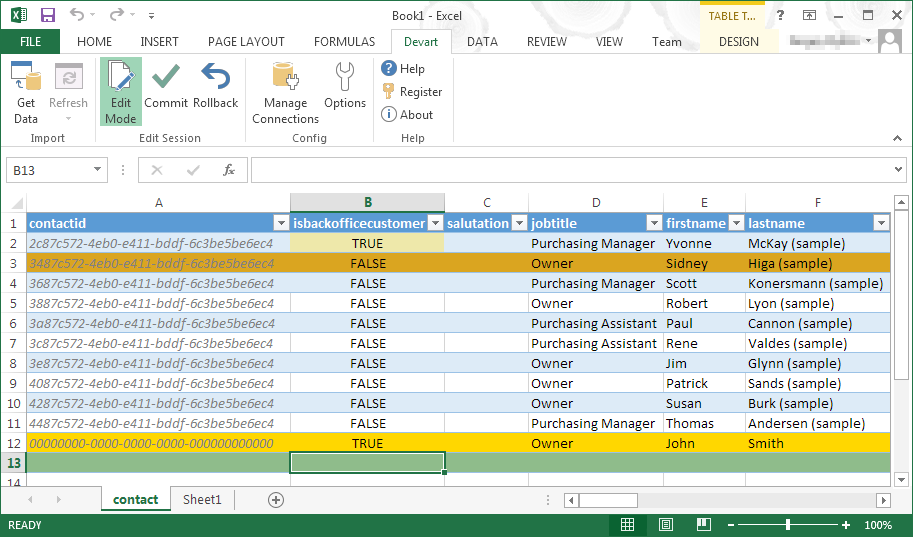
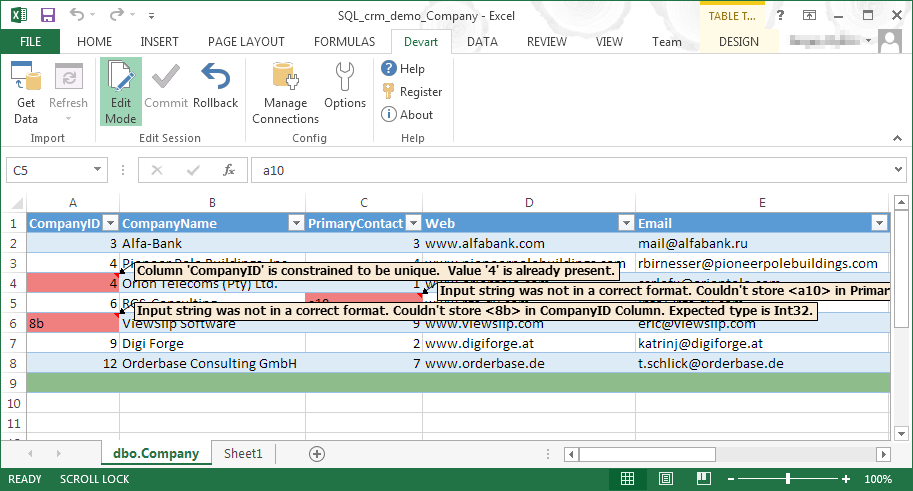
Devart Excel Add-ins allow you to use Excel capabilities to import, process, and analyze data from cloud applications and relational databases. The Excel Add-ins also allow users to make data changes and then save those changes back to the data source they were originally imported from.
$399.95
one-time fee
Pricing
Dataloader.io
Devart Excel Add-ins
Editions & Modules
Professional
$99.00
per month
Enterprise
$299.00
per month
Excel Add-in Database Pack
$399.95
one-time fee
Excel Add-in Cloud Pack
$499.95
one-time fee
Excel Add-in Universal Pack
$599.95
one-time fee
Offerings
Pricing Offerings
Dataloader.io
Devart Excel Add-ins
Free Trial
No
Yes
Free/Freemium Version
No
No
Premium Consulting/Integration Services
No
No
Entry-level Setup Fee
No setup fee
No setup fee
Additional Details
—
Purchases include a perpetual license and 1 year of subscription which includes the product updates and premium support.
Dataloader is an incredible asset for a large organization or an organization that has a robust Salesforce environment. Specifically, Dataloader has allowed our sales team to focus on driving sales while our operations team can load the data they need in a manner that allows for robust reporting and tracking on our sales process. Organizations with less robust Salesforce environments or Salesforce environments in which many people are expected to maintain their own information likely do not need Dataloader.
One of the biggest benefits of Excel is its primary function: The ability to organize large amounts of data into orderly, logical spreadsheets and charts. With the data organized, it's a lot easier to analyze and digest, especially when used to create graphs and other visual data representations. Excel crunches numbers almost instantly, making batch calculations much easier than working things out yourself with a calculator. Depending on your understanding and skill with Excel, the formulas and equations are used to quickly compute both simple and complex equations using large amounts of data.
The selection of objects is much better and more extensive than the Salesforce built in data loader.
Cross referencing of fields for record IDs is easy to use. I can work through this so much more quickly than using the built in Salesforce data loader.
Success and error files are easy to identify what needs to be fixed (errors) and identification of records created (successes), so you can quickly do spot checks in your Salesforce org after doing a data load.
The number of rows per month for a basic package, 100,000, is great for our business.
At the moment, I can't find a way to rename jobs. This would be useful to organize what was previously created hastily by techs in a rush.
A preview of the job, especially upserts, would take a great deal of stress away from some of us (especially those who are not so confident in their ETL practice).
A native vlookup equivalent may be a welcome addition.
It is easy to use and doesn't require a security token, so I enjoy using it. It also doesn't require any download or installation, which is sometimes a blocker to gettingthings done if the company has limits. also, the dataloader.io is easy for other people to pick up, so others can have visibility into the data jobs that have occurred
It is an intuitive application to use. Within a few clicks, you can be signed in to your org and ready to perform tasks. Data imports/exports/updates are streamlined so you can quickly start and configure your jobs. These can run in the background while you set up new tasks. Job history and tasks currently running on are on your home screen.
Customer support might be where Dataloader.io saves money. Most of the competitors offer 24/7 live support but Dataloader.io only offers support via email and the community. Those types of support work fine until you need an answer right away. Some questions can't wait until the next business day or business hours for a reply.
The UI of Dataloader.IO is far more advanced, user-friendly, and current, than any of the options above. The ability to several tasks (Imports/Exports) at one time. Cloud-based with very easy access to current Imports or Exports, as well previous versions that had previously been run. You can see Imports or Exports across all time, even if you change filter criteria.
Microsoft Excel is the most used tool in the software universe. As such, asking Microsoft Excel to be the tool used post data acquisition makes a ton of sense. Almost everyone we hire has some idea on how to use this tool, which decreases the time spend training new employees.
HUGE time saving. When we need to clean or review data, we used to have to do it line by line. This can do the work within excel and make cleanup/management an afternoons work as opposed to a week.
Rollback what you did/change/deleted is relatively simple if you remember to back up the data you are manipulating.