DocuSign CLM, formerly SpringCM, is a cloud-based platform that can be used to manage documents, contracts and related collateral. The solution includes workflows that can be tailored to an organization's business processes. It is also designed to accelerate team collaboration. SpringCM was acquired by DocuSign in the summer of 2018.
$15
per month
airSlate SignNow
Score 9.1 out of 10
N/A
signNow is an eSignature solution with mobile apps for iOS and Android. signNow can be integrated into popular platforms and offers SaaS, public cloud, and private cloud deployment options with the same underlying API. This enables customers to leverage the power and usability of the signNow eSignature platform, while meeting their particular security and compliance requirements.
$1.50
one-time fee per signature invite
Pricing
DocuSign CLM
airSlate SignNow
Editions & Modules
Personal
$15
per month
Real Estate Starter
$15
per month
DocuSign for Realtors
$35
per user/per month
Standard
$40
per user/per month
Business Pro
$60
per user/per month
Starter
$75
per month
Intermediate
$450
per month
Advanced Solutions
Contact sales team
Real Estate Plus, Broker Edition
Contact sales team
Sandbox Account
Free
Enterprise Offerings
Contact sales team
Site License
$1.50
one-time fee per signature invite
Business
$20
per month
Business Premium
$30
per month
Enterprise
$50
per month
Offerings
Pricing Offerings
DocuSign CLM
airSlate SignNow
Free Trial
No
Yes
Free/Freemium Version
No
No
Premium Consulting/Integration Services
No
No
Entry-level Setup Fee
No setup fee
-$8 per user/month
Additional Details
—
All subscriptions include unlimited number of users. Up to a 60% discount available for annual pricing.
More Pricing Information
Community Pulse
DocuSign CLM
airSlate SignNow
Features
DocuSign CLM
airSlate SignNow
Contract Authoring
Comparison of Contract Authoring features of Product A and Product B
DocuSign CLM
7.5
Ratings
6% below category average
airSlate SignNow
-
Ratings
Contract creation
8.00 Ratings
00 Ratings
Contract templates
8.00 Ratings
00 Ratings
Clause library/saved fields
8.00 Ratings
00 Ratings
Guided logic
6.00 Ratings
00 Ratings
Contract Collaboration
Comparison of Contract Collaboration features of Product A and Product B
DocuSign CLM
7.6
Ratings
9% below category average
airSlate SignNow
-
Ratings
Contract sharing
8.00 Ratings
00 Ratings
Contract editing
8.00 Ratings
00 Ratings
Collaborating on contracts
7.00 Ratings
00 Ratings
Approval process
8.00 Ratings
00 Ratings
Interdepartmental workflows
7.00 Ratings
00 Ratings
Contract Monitoring
Comparison of Contract Monitoring features of Product A and Product B
DocuSign CLM
8.3
Ratings
0% above category average
airSlate SignNow
-
Ratings
Contract database
8.00 Ratings
00 Ratings
Contract search
7.00 Ratings
00 Ratings
Contract milestone reminders & alerts
8.00 Ratings
00 Ratings
Custom contract reports
8.00 Ratings
00 Ratings
Tracking contract status
9.00 Ratings
00 Ratings
Compliance check
10.00 Ratings
00 Ratings
Contract Management
Comparison of Contract Management features of Product A and Product B
DocuSign is useful for collecting electronic signatures on isolated documents and packets that are administered separately or integrated into another system. DocuSign is integrated into our onboarding system, Paylocity, which is where the employee completes all onboarding tasks required for employment. Integrating DocuSign with Paylocity allows us to send documents that require more than one signature along with other onboarding tasks, which makes for a less confusing onboarding experience for the worker. DocuSign also allows us to automatically run E-Verify from the integrated Form I-9 Document, which saves us lots of time onboarding each employee.
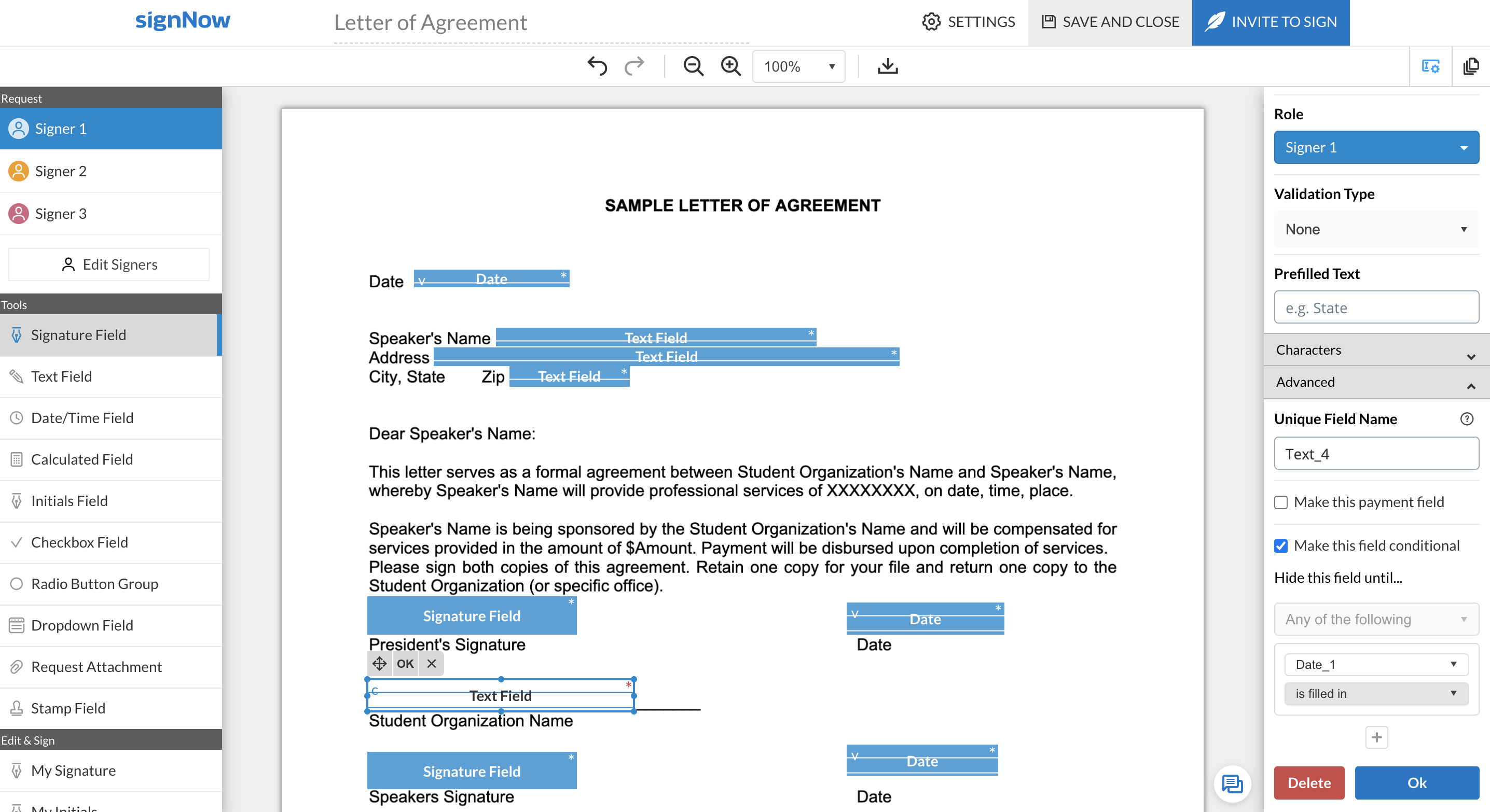
SignNow is particularly useful for simple documents, forms and contracts where there the fields are pretty standards- names, signature block, title. It would be helpful to have features that allow substitution of certain fill in the blanks such that allow you to use the same template but first have a dialog to integrate language for a person, corporation, partnership or LLP. I'm a lawyer and having the ability to assemble variation of this nature into one template would be helpful. Also (and it may do this) the ability to change the actual form/document within the a template would be useful.
When correcting a document, no new email is sent for notification of an update. The clients have to go back to the old document, and it feels uncomfortable for them.
When using shared templates, the option to rename the document is at the bottom of the signatures page. I would like that to be visible sooner as some of my team misses it and sends documents to clients with the templated name instead of the correct name because they forgot to scroll down far enough to see it.
CC'ed contacts used to show suggestions as you typed the email if you've sent that person a document before, but that functionality no longer shows on our account. I'd like to see that brought back.
It would be nice if we could add folders to our documents page so that we could sort sent and signed documents into individual client folders. The search feature works fine, but folders would help clean up the view for my team.
We love SignNow. SignNow has allowed our business to function more efficiently and effectively. It has also allowed us to streamline our onboarding process and allow us to have everything electronic and use less paper. We are also able to reach and hire people all over the world. Employees and candidates are able to access and sign important and time sensitive documents quickly. The system is user friendly and straightforward.
I gave it a 9 because the system is very easy to use, even for those who are not very familiar with digital signatures. It is all very intuitive, you can send, sign and track documents without any complications. I only didn't give it a 10 because sometimes it gets stuck when the file is large (very rare but it happens) or there are a lot of people to sign, and then you have to keep resending it and also, as I mentioned, the dedicated support would be interesting in case of emergency. Dei 9 porque o sistema é bem fácil de usar, mesmo pra quem não é muito familiarizado com essas coisas de assinatura digital. É tudo bem intuitivo, dá pra enviar, assinar e acompanhar os docs sem complicação. Só não dei 10 porque às vezes ele dá umas travadas quando o arquivo é pesado (muito dificil mais acontece) ou tem muita gente pra assinar, e aí precisa ficar reenviando e também como comentei do suporte dedicado que seria interessante em caso de urgência
SignNow is always available when I need it. It seems that most updates occur outside of business hours so I have full functionality when I need it most between the hours of 8am-6pm EST. There has only been I time when I experience application errors when I need to use the system but it did not last long and the issue was resolved within a few hours.
I only used SignNow support when setting up. I uploaded a bunch of documents in the wrong place and needed assistance in moving them. Unfortunately they were not able to move the documents and I needed to upload into a different place. This is where I feel the system itself could benefit from some flexibility for their customers.
It was nice to be shown the basics of the system and be able to see or understand the specific functions our company would need to use, such as the template creation, document grouping and document group templates. Being taught on how to use these functions, made learning them much easier.
Make sure you know exactly what you need before implementation and be sure to ask how to use the most important functions of the system that you will be using.
DocuSign CLM has a much improved user experience compared to similar products we have used. The streamlining of templates and traceability through the signing process are huge benefits, and better than competitors. The ability to set up designated templates for different use-case scenarios, and roll out efficient documents for signing, is invaluable, as well as other functions like Bulk Send and PowerForms.
SignNow doesn't offer 3 x free documents to be signed monthly, and requires a subscription vs a pay-per-use, which is where Secured Signing shines. Secured Signing also has video verification and additional security measures that SignNow doesn't have. However, I find SignNow to be easier to use than Secured Signing.