Chose Equips
Equips is more affordable in comparison and we still get to use Ricoh through them.

| Product | Rating | Most Used By | Product Summary | Starting Price |
|---|---|---|---|---|
 Equips | N/A | Equips aims to change how people manage, maintain and protect critical equipment. Their cloud-based equipment management solution gives people one place and one process for all issues. Equips offers visibility to all equipment, across all locations and dispatch service providers, boasting that it takes as little as 15 seconds. Equips is presented as an ideal solution for businesses that utilize external service providers and technicians. Features… | N/A | |
 TOPdesk | Mid-Size Companies (51-1,000 employees) | TOPdesk is the flagship highly-modular cloud-based or installed ITSM service desk and asset management solution from the Dutch company of the same name, for enterprise companies. | $76 per month Per agent |
| Equips | TOPdesk | |||||||||||||||
|---|---|---|---|---|---|---|---|---|---|---|---|---|---|---|---|---|
| Editions & Modules | No answers on this topic |
| ||||||||||||||
| Offerings |
| |||||||||||||||
| Entry-level Setup Fee | No setup fee | Optional | ||||||||||||||
| Additional Details | — | The TOPdesk license model: - Modular: Organizations purchase only the modules needed - Saas or On premise - Supports unlimited number of assets. - Service agents based. - Discount available for annual pricing. | ||||||||||||||
| More Pricing Information | ||||||||||||||||
| Equips | TOPdesk | |
|---|---|---|
| Considered Both Products |  Equips |  TOPdesk  Marc Van Aken Application Manager Chose TOPdesk ServiceNow Customer Service Management  Marcel Vrolijk Product Owner Chose TOPdesk TOPdesk is standardized where it should and customizable where it has to be. it is better tailored to the need than other packages  Wendy Schuiling-Quaaden Teacher Chose TOPdesk TOPdesk is a clear and pleasant program that invites you to look for the right solution. If you can't find out, you have a help button. There are also various options to complete the report. |
| Equips | TOPdesk | ||||||||||||||||||||||||
|---|---|---|---|---|---|---|---|---|---|---|---|---|---|---|---|---|---|---|---|---|---|---|---|---|---|
| Incident and problem management |
| ||||||||||||||||||||||||
| ITSM asset management |
| ||||||||||||||||||||||||
| Change management |
|
| Equips | TOPdesk | |
|---|---|---|
| Small Businesses | No answers on this topic |  Agiloft Service Desk (discontinued) Score 9.0 out of 10 |
| Medium-sized Companies | TOPdesk Score 8.8 out of 10 | Agiloft Service Desk (discontinued) Score 9.0 out of 10 |
| Enterprises | TOPdesk Score 8.8 out of 10 |  ManageEngine ServiceDesk Plus Score 9.2 out of 10 |
| All Alternatives | View all alternatives | View all alternatives |
| Equips | TOPdesk | |
|---|---|---|
| Likelihood to Recommend | 8.2 (0 ratings) | 8.8 (0 ratings) |
| Likelihood to Renew | - (0 ratings) | 9.1 (0 ratings) |
| Usability | - (0 ratings) | 9.0 (0 ratings) |
| Availability | - (0 ratings) | 9.1 (0 ratings) |
| Performance | - (0 ratings) | 8.1 (0 ratings) |
| Support Rating | - (0 ratings) | 9.1 (0 ratings) |
| In-Person Training | - (0 ratings) | 7.3 (0 ratings) |
| Online Training | - (0 ratings) | 8.0 (0 ratings) |
| Implementation Rating | - (0 ratings) | 9.9 (0 ratings) |
| Configurability | - (0 ratings) | 9.0 (0 ratings) |
| Ease of integration | - (0 ratings) | 6.5 (0 ratings) |
| Product Scalability | - (0 ratings) | 9.1 (0 ratings) |
| Vendor post-sale | - (0 ratings) | 9.0 (0 ratings) |
| Vendor pre-sale | - (0 ratings) | 9.1 (0 ratings) |
| Equips | TOPdesk | |
|---|---|---|
| Likelihood to Recommend |
|
|
| Pros |
|
 Dustin Fawver Sr. Help Desk Technician |
| Cons |
|
|
| Likelihood to Renew | No answers on this topic |
|
| Usability | No answers on this topic |
 Rianne Willems Applicatie beheerder |
| Reliability and Availability | No answers on this topic |
|
| Performance | No answers on this topic |
|
| Support Rating | No answers on this topic |
|
| In-Person Training | No answers on this topic |
 Jason Flannery Systems Engineer |
| Online Training | No answers on this topic |
Jason Flannery Systems Engineer |
| Implementation Rating | No answers on this topic |
Jason Flannery Systems Engineer |
| Alternatives Considered |
|
 John Glenn Network Operations Manager |
| Scalability | No answers on this topic |
 Wil Kuijpers Informationmanagement in public health |
| Return on Investment |
|
 Nabin Poudel CEO |
| ScreenShots | Equips Screenshots    | TOPdesk Screenshots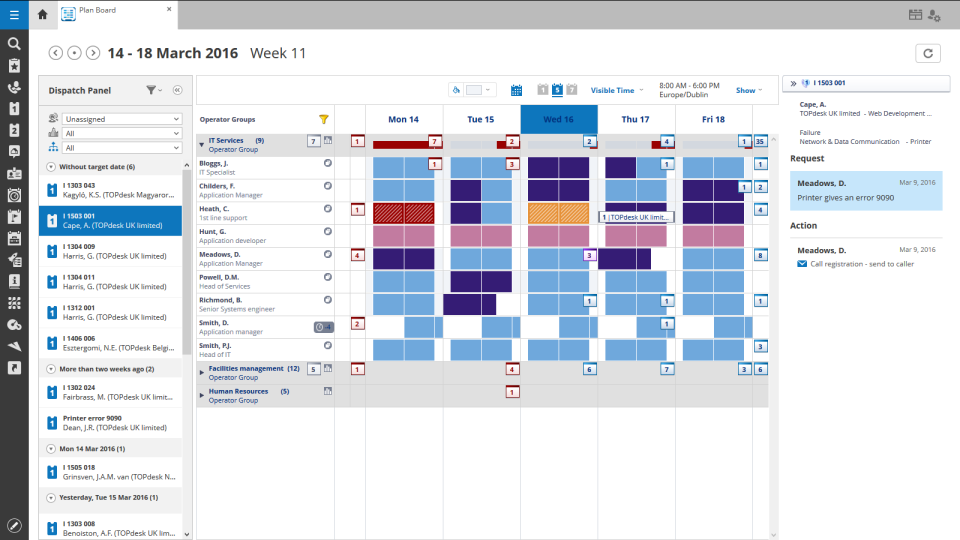 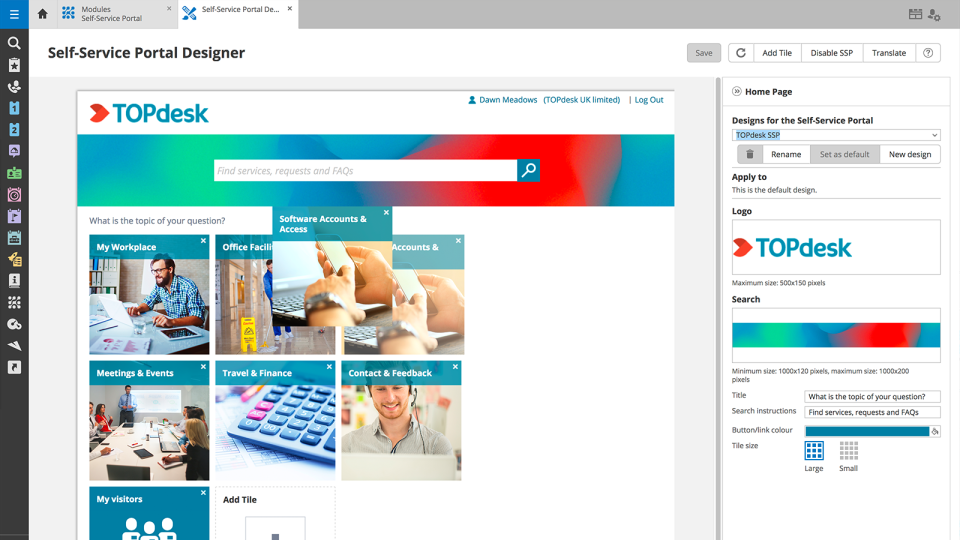     |