eResource Scheduler vs. Resource Guru

Overview
ProductRatingMost Used ByProduct SummaryStarting Price
eResource Scheduler
Score 8.0 out of 10
N/A
eResource Scheduler is a project management software built around employee management, scheduling management, and forecasting.
$2
per month per user
Resource Guru
Score 8.0 out of 10
N/A
Resource Guru is presented as a fast, flexible way to schedule teams and projects. It enables users to: Manage people, equipment, and meeting rooms in one place Assign work, book time off, and edit schedules in seconds Track availability in real-time and avoid unrealistic workloads Keep a team up-to-date with personal dashboards and daily schedule emails Analyze utilization rates, clients, and projects for more accurate project forecasts and…
$4.16
per user, per month
Pricing
eResource SchedulerResource Guru
Editions & Modules
Authentication Plus
$2
per month per user
Scheduling Plus
$3
per month per user
Financial Module
$4
per month per user
Timesheet Module
$5
per month per user
Scheduling Module
$6.25
per month per user
Grasshopper Plan
$4.16
per user, per month
Blackbelt Plan
$6.65
per user, per month
Master Plan
$10
per user, per month
Offerings
Pricing Offerings
eResource SchedulerResource Guru
Free Trial
YesYes
Free/Freemium Version
NoNo
Premium Consulting/Integration Services
NoNo
Entry-level Setup FeeNo setup feeNo setup fee
Additional DetailsDiscount available for annual billing.
More Pricing Information
Community Pulse
eResource SchedulerResource Guru
Features
eResource SchedulerResource Guru
Project Management
Comparison of Project Management features of Product A and Product B
eResource Scheduler
-
Ratings
Resource Guru
8.8
Ratings
14% above category average
Resource Management00 Ratings8.90 Ratings
Scheduling00 Ratings8.60 Ratings
Team Collaboration00 Ratings9.00 Ratings
Professional Services Automation
Comparison of Professional Services Automation features of Product A and Product B
eResource Scheduler
-
Ratings
Resource Guru
8.0
Ratings
6% above category average
Project & financial reporting00 Ratings8.00 Ratings
User Ratings
eResource SchedulerResource Guru
Likelihood to Recommend
-
(0 ratings)
8.0
(0 ratings)
User Testimonials
eResource SchedulerResource Guru
Likelihood to Recommend
No answers on this topic
We can efficiently use available resources by scheduling them on resource Guru for the successful completion of a project. We can check resource, project, and client-wise reports to see statistics. Sometimes it feels like we are micromanaging the things that can have a negative impact on the overall team, they can do integration with advanced communication tools like teams and zoom to make things easy.
Read full review
Pros
No answers on this topic
  • Task tracking: allows user to input tasks which may be marked off as finished by other members of the team.
  • Time tracking: allows users to log the amount of time spent on particular tasks.
  • Cross team management: allows users from different locations and time zones to view the same page and relevant tasks.
Read full review
Cons
No answers on this topic
  • They can have integration with MS teams, zoom, etc
  • Can provide facility to send email to the group
  • Can provide facility to arrange events according to priority
Read full review
Alternatives Considered
No answers on this topic
Resource Guru is the only product of it's kind that I have used regularly. Slack is comparable in allowing communication between teams, but doesn't have nearly the functionality of Resource Guru. Resource Guru is the only product that I am aware of that manages tasks and deadlines between various team members, and can be accessed by all members.
Read full review
Return on Investment
No answers on this topic
  • Seamless scheduling of people and meetings.
  • Missing deadlines at work is a thing of the past.
  • Easier management of workloads and projects.
Read full review
ScreenShots

eResource Scheduler Screenshots

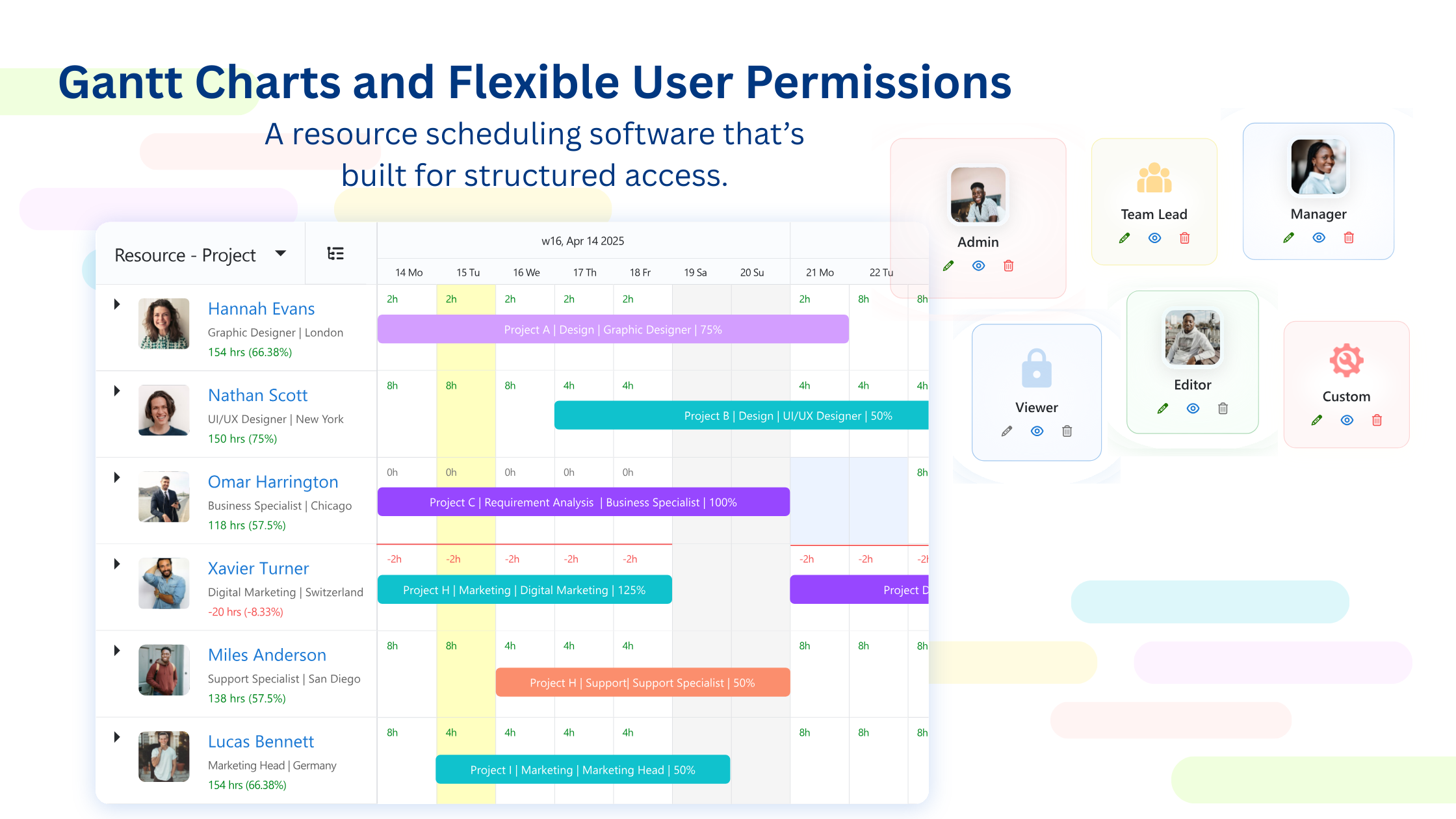
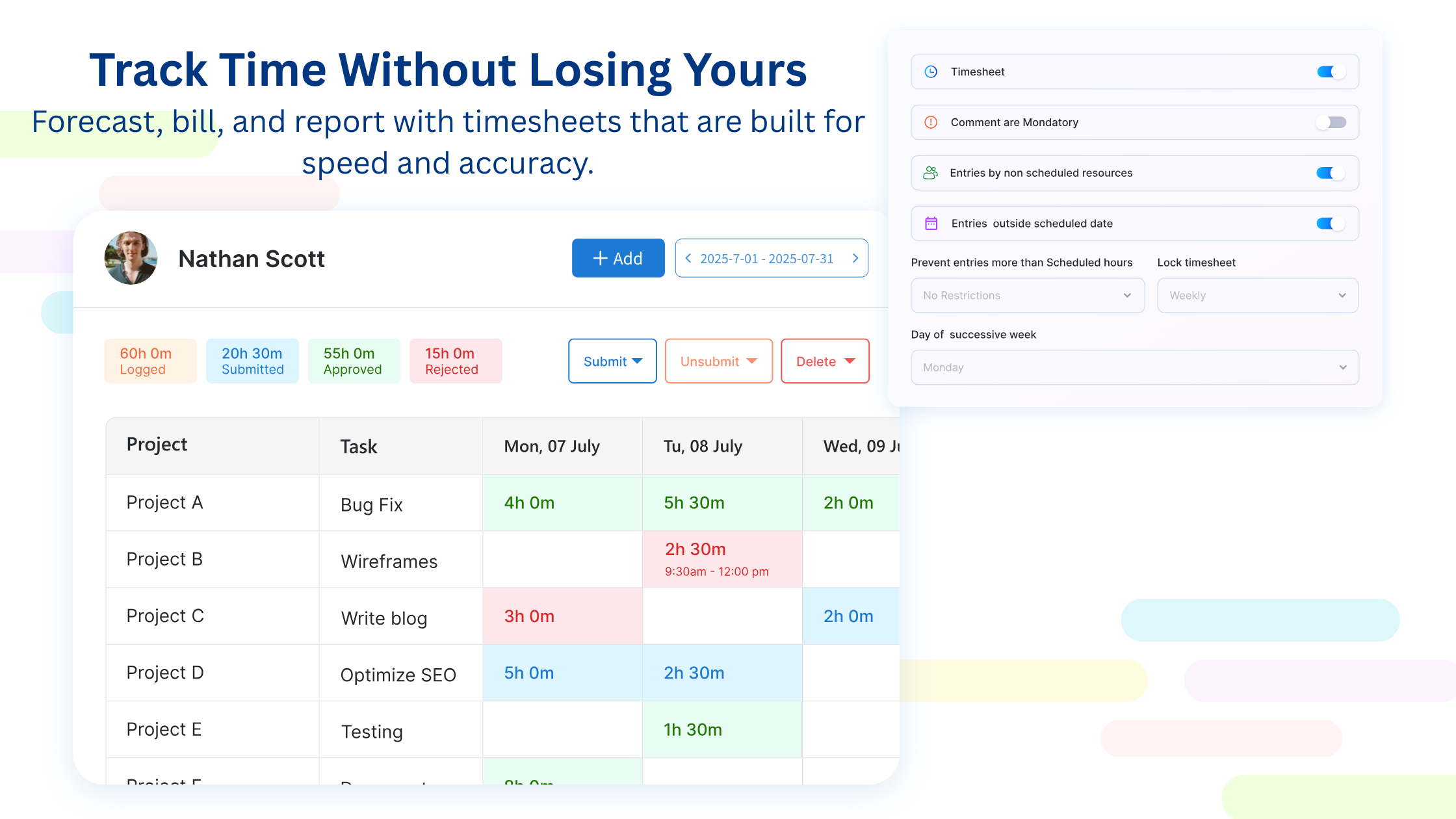
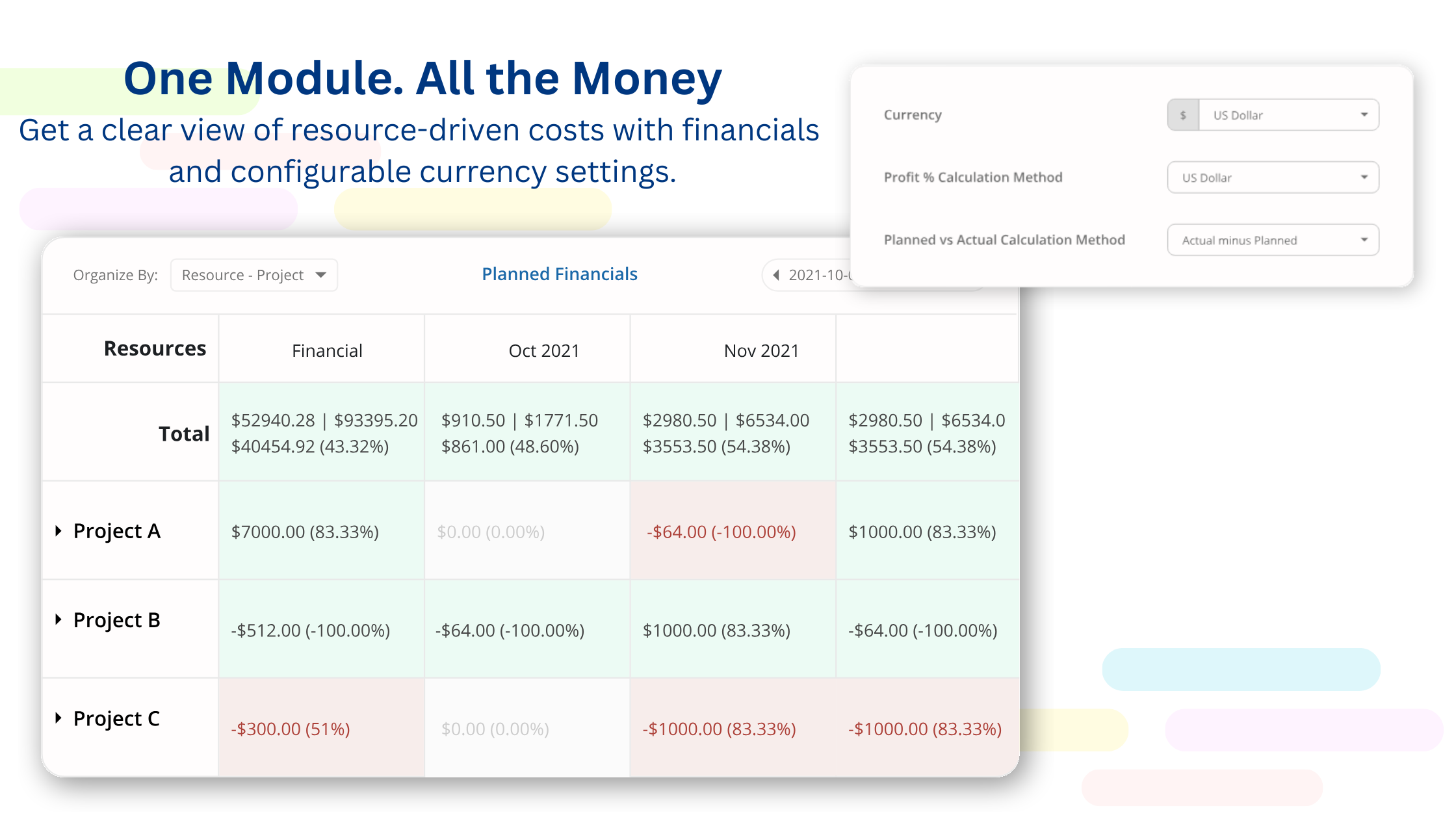
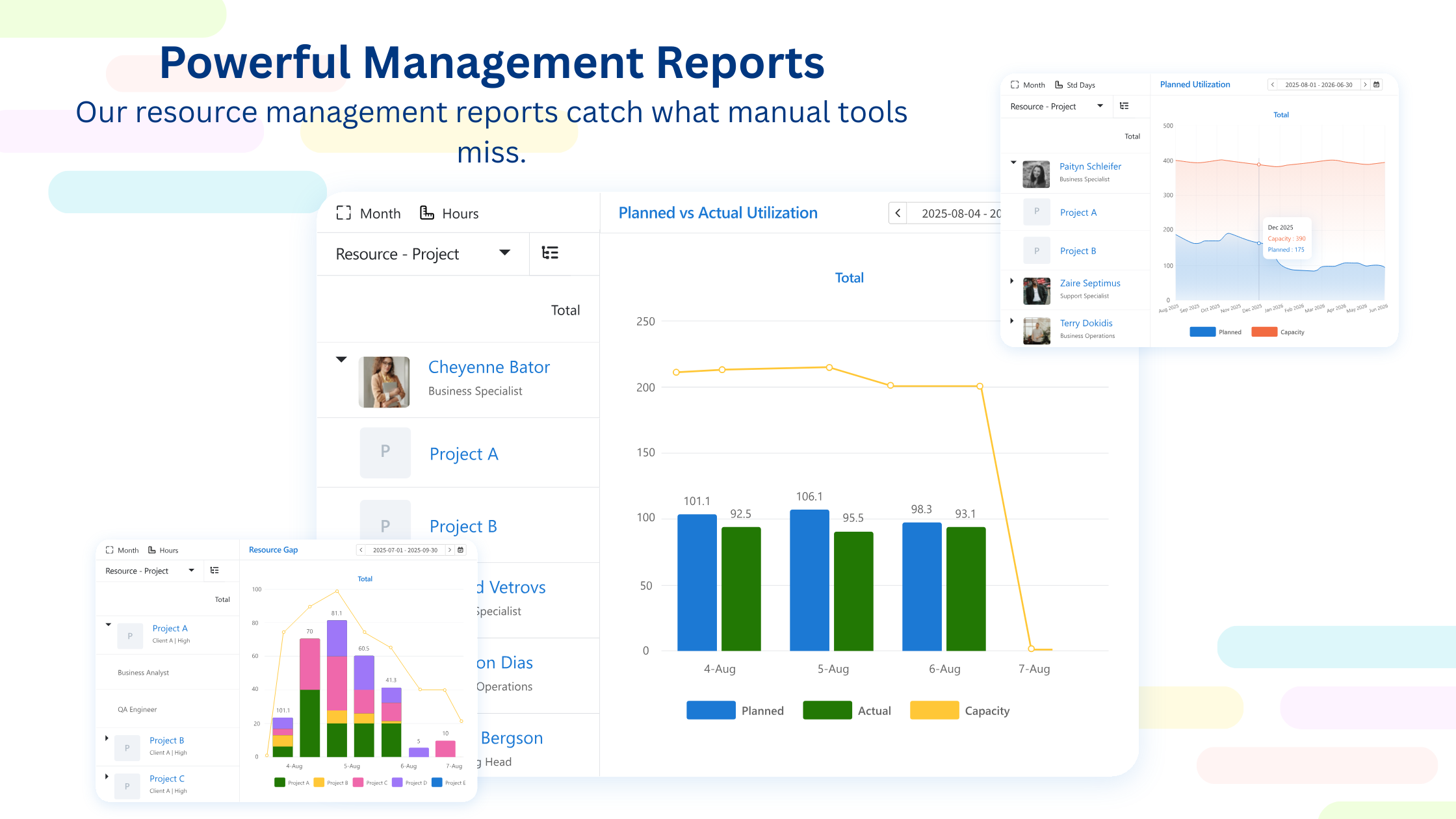
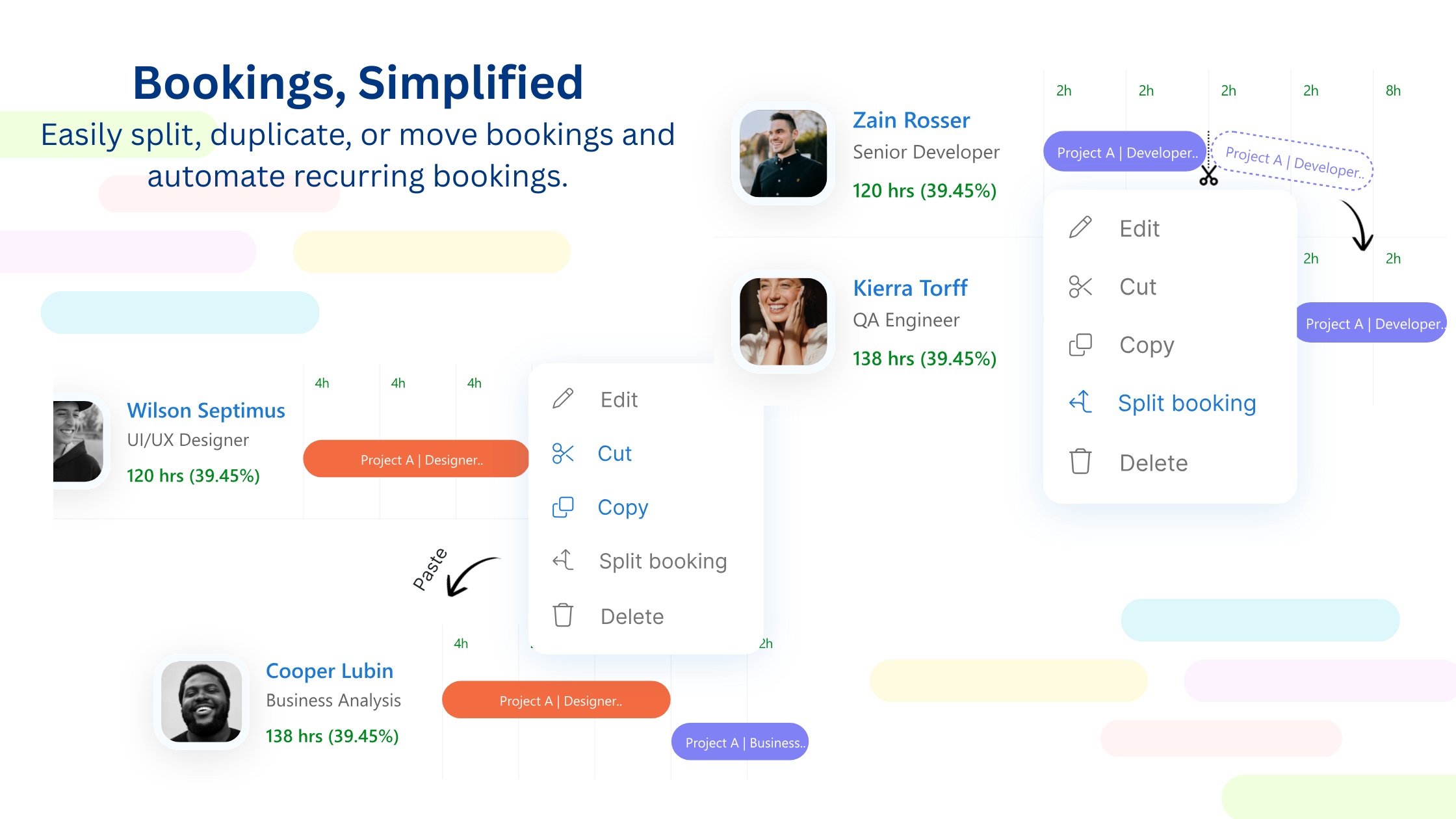
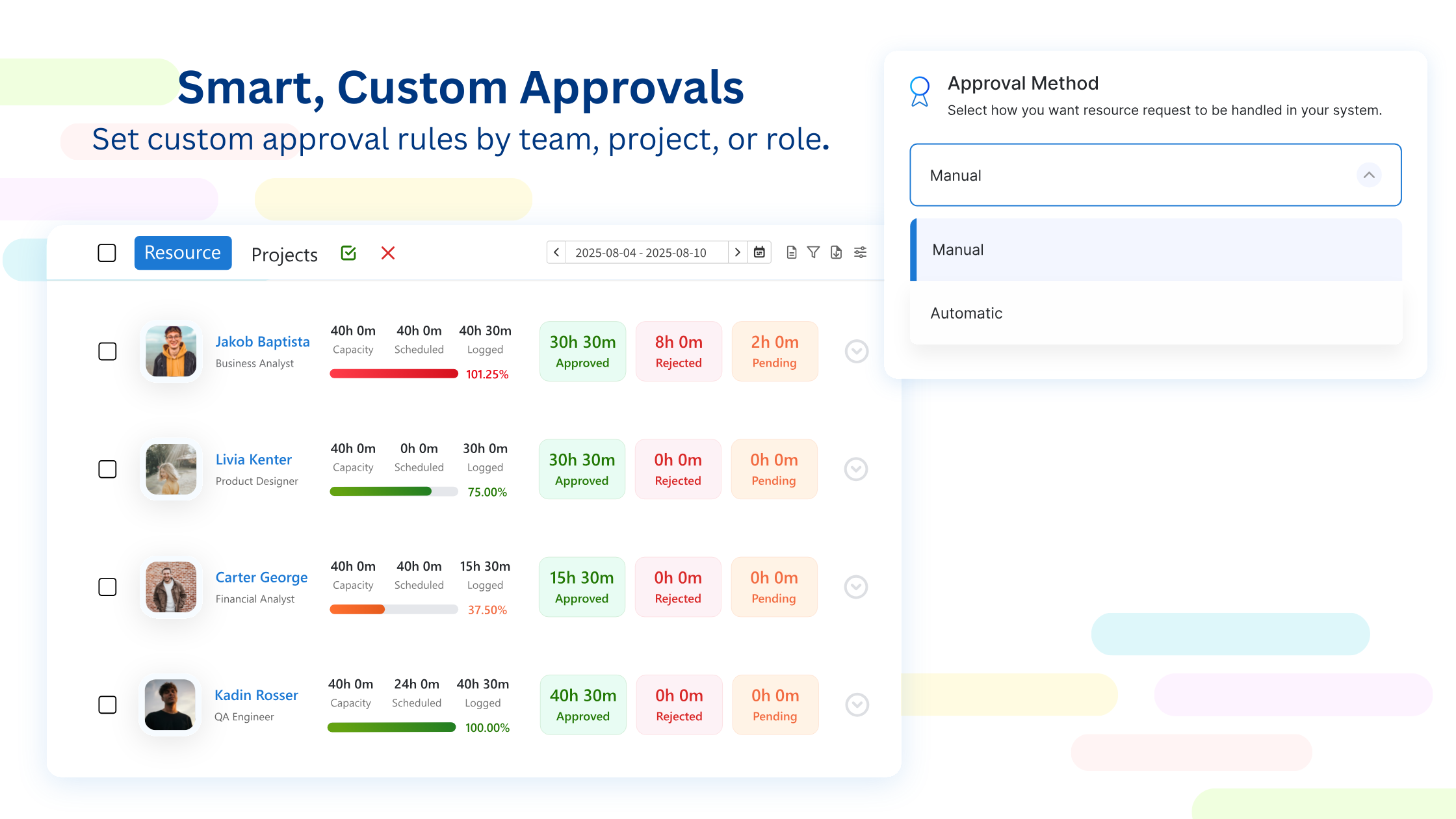
Screenshot of Gantt charts and flexible user permissions, built for structured access.Screenshot of the time tracking interface.Screenshot of a view of resource-driven costs with financials and configurable currency settings.Screenshot of a management report.Screenshot of where to split, duplicate, or move bookings and automate recurring bookings.Screenshot of where to set custom approval rules by team, project, or role.

Resource Guru Screenshots

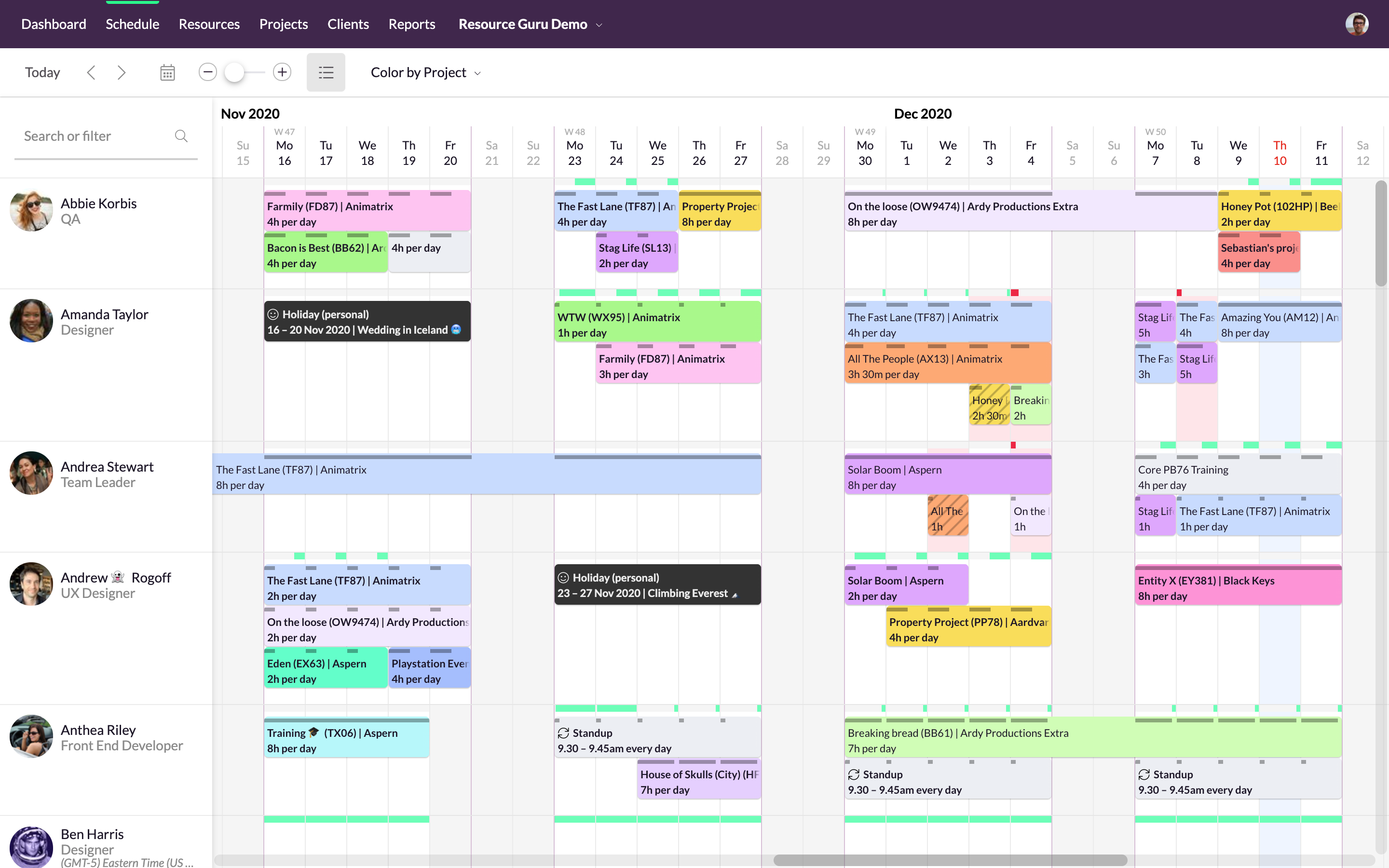
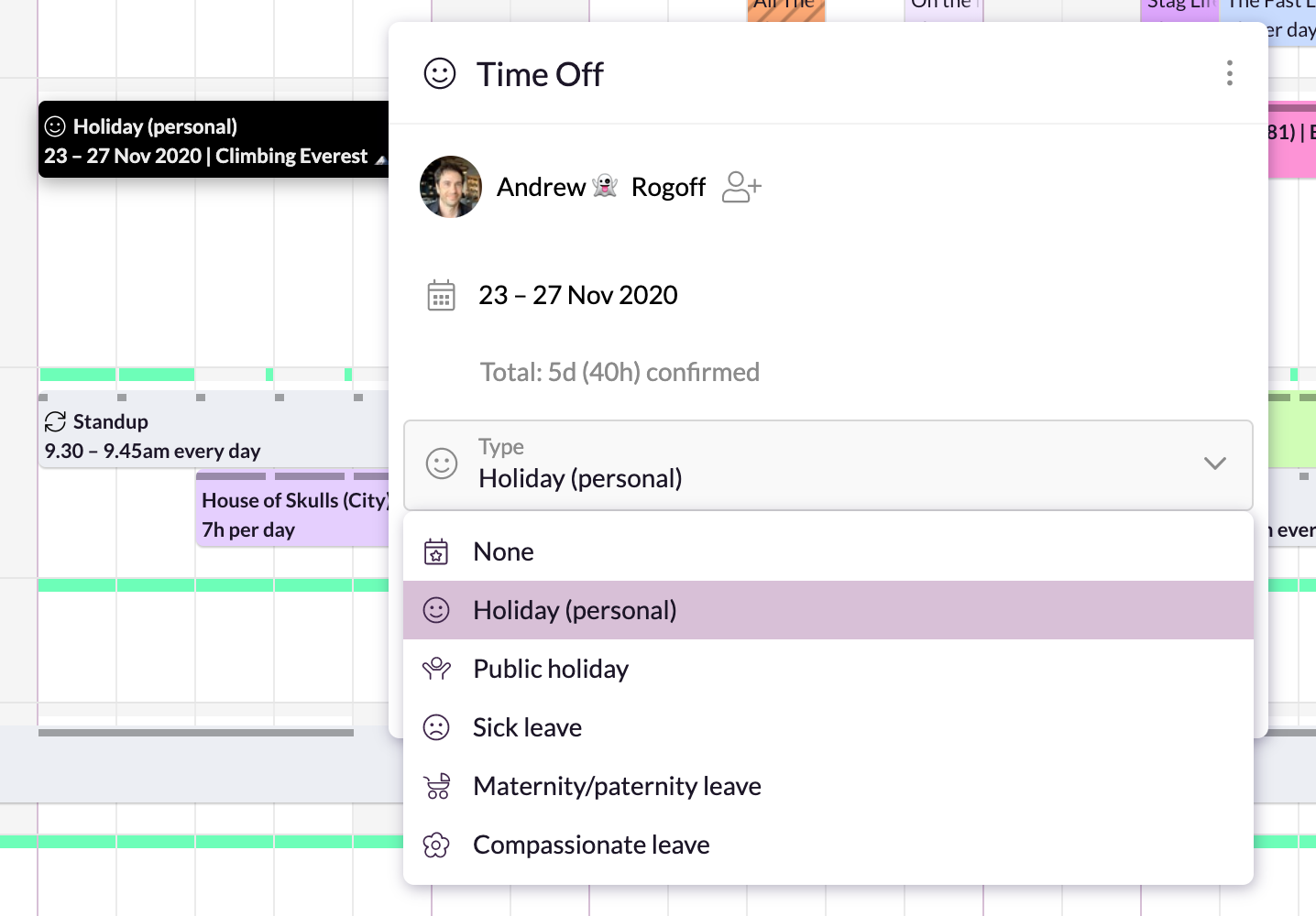
Screenshot of Simple, drag-and-drop schedulingScreenshot of Focus in on specific groups of resourcesScreenshot of Helps with utilization and capacity managementScreenshot of Manages sick days, holidays, and any other types of time off.Screenshot of A single resource poolScreenshot of Repeats weekly, fortnightly, monthly and yearly