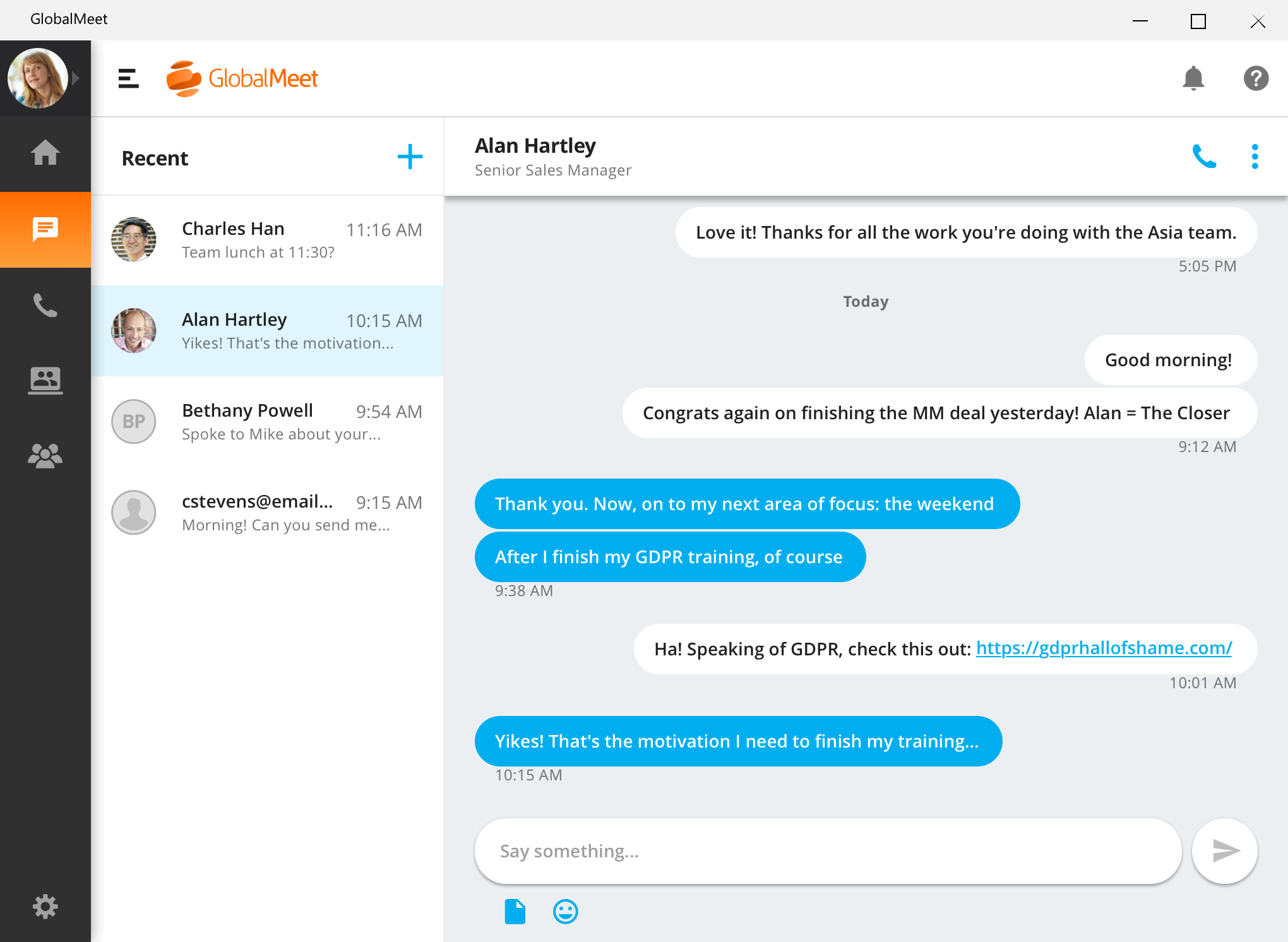
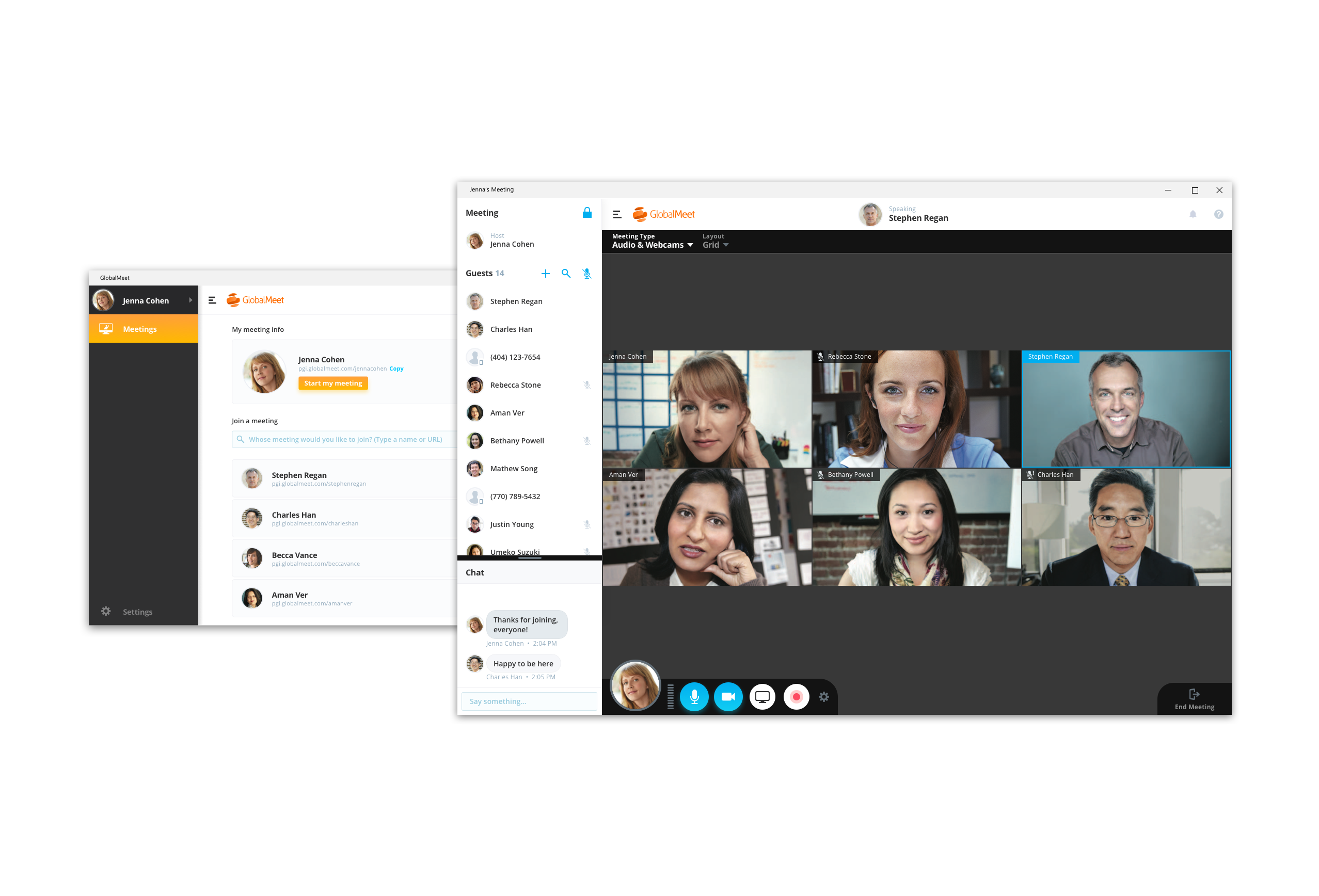
GlobalMeet Collaborationiwas an audio, web and video conferencing solution that is designed to make global communication easy from anywhere using any device. As of 2023 the product has reached EOL and will no longer be sold.
N/A
Whereby
Score 9.9 out of 10
N/A
Norwegian company appear.in offers their flagship video conferencing platform to small teams, both in a free edition hosting up to 4 guests simultaneously in a session or a paid edition that supports up to 12 simultaneous meeting guests, among other features.
$0
per user
Pricing
GlobalMeet Collaboration (discontinued)
Whereby
Editions & Modules
No answers on this topic
Free
$0
per user
Pro
$9.99
per user
Business
$59.99 and up
per user/room
Offerings
Pricing Offerings
GlobalMeet Collaboration (discontinued)
Whereby
Free Trial
No
Yes
Free/Freemium Version
Yes
Yes
Premium Consulting/Integration Services
No
No
Entry-level Setup Fee
Optional
No setup fee
Additional Details
—
—
More Pricing Information
Community Pulse
GlobalMeet Collaboration (discontinued)
Whereby
Considered Both Products
GlobalMeet Collaboration (discontinued)
Verified User
Anonymous
Chose GlobalMeet Collaboration (discontinued)
To be honest, GlobalMeet is what my company offers which is why I use it. I follow the company's lead and this seems to be the service that most organizations are going with. I have not had a desire to try other services because this service meets my needs and the needs of my …
I was not involved in the purchasing decision, but choose GlobalMeet over Skype in some situations since not all organizations permit their colleagues to join other Skype environments. WebEx is not widely deployed in the organization. I have just started using Teams, and I am …
GlobalMeet is great as a conference call service, but the audio quality of phones is inherently lacking. It can be difficult to understand speakers and there are often dropouts and distortion on the call. The lack of integration with calendars is a huge issue for me. Teams …
I think Teams is easier to use, however, I have a call-in number for GlobalMeet, so it is easy for me to set up meetings through GlobalMeet and then call in from anywhere. Generally, I think other companies have done more to progress their product than GlobalMeet, but again, …
Similar platform between the two. I'm familiar with GlobalMeet so it maybe easier for me to use. I do like the ability to keep chat, documents, etc. in Microsoft Teams so that all can go back and review or edit. This feature might be available on GlobalMeet but I'm not aware of …
GlobalMeet Collaboration is a Tier 1 app that can support large organizations like TIAA, which has over 15K associates. It has all the major functionality that is required to handle most meeting scenarios. Cannot speak to the cost as that is managed by our vendor management …
GlobalMeet seems to drop fewer calls than some of the other services I have used. Skype drops calls often. Zoom would be my next choice if GlobalMeet were not an option.
GlobalMeet far exceeds Webex given the ease of use and it does not seem to require the higher speed internet that Webex does which is important for my team given remote locations. I only utilize Skype or hangouts for interoffice meetings or for meetings where there are less …
We haven't transitioned fully to GlobalMeet for webinars yet, so we are continuing to use GoToMeeting for webinars. However, we use GlobalMeet on a limited basis for our larger conference calls.
GlobalMeet Collaboration was here before I was, however, it is a total piece of junk. It was selected as our tool because it was cheap and their parent organization is a board company. Their upgrades remove features instead of adding them. They keep saying things are going to …
I have used Citrix in the past for meetings and have found that users have fewer issues connecting and seeing the shared screen. I also found it easier to promote other attendees to have them share their screen, and have never experienced Citrix dropping people from the …
ZOOM offers advantages such as making it easy to track registration for large scale events, offering their own registration link and page, making it easy (just a checkbox while setting up) to have synced audio/video recording. It also saves questions and right after the call is …
I have used Skype for web calls in the past and have had no issues with it. It is the best conference tool I have used. I would not recommend GlobalMeet. It is too buggy and there are better solutions out there. Teleconferencing is becoming more of the norm and we need a …
I find Zoom more complicated to use and harder to use because a lot of people do not like having to download things to their computers or devices and Whereby is so easy to get connected with . I like that Zoom offers larger rooms, but at this point the cost is not worth the …
For me it was Zoom, Google Meet vs. Whereby. For me, the main idea was to make it easier for the clients (non-technical people) to join and starting to have a talk. For Zoom, it was too much, even for myself, and Google Meet always needs a calendar integration, but with Whereby …
I did not evaluate other applications against Whereby, because we had a very specific need, which was the partner that we would use the solution, only accepted to use Whereby, so, we accepted to use the solution. As it was for a specific period, there was no problem. And in the …
Nicer layout than any other competitor by far, reactions for emojis pop up on your video (have not seen this anywhere else), easier to access (no downloads). Also, useful internally to always use the same URL, so if you have an ad hoc meeting everyone knows where to go. This …
We looked at BlueJeans, Zoom, and Google Hangouts. We selected Whereby because you can see multiple people (up to 12) in one screen. We also liked the interface.
Zoom I find clunky and not user-friendly as it's always asking you to do updates, attend their seminar trainings, and different codes. It's also expensive. GoToMeeting is much the same as Zoom.
When compared to the other VC platforms, we found Whereby the easiest to use for users and invitees. The only install from a recipient's point-of-view is a Chrome extension. Zoom requires a download and an account to sign into. Microsoft Teams is only for other members on the …
You're able to create unique links for people to join and use words and phrases in the link for the invite. I think that helps you with branding yourself as a company. On Google Hangouts we're not able to do something like this, which is why I appreciate Whereby and being able …
Whereby allows you to see everyone instead of just the last few people to talk. It also has no software to download and install. It works on any device that can access a website.
I don't know that it is an apples-to-apples comparison because in most other cases I used these platforms alongside Whereby. The best direct comparison would be Google Hangouts. With Whereby, I think the video and audio are superior, the UX is superior, and it's just a better …
Whereby is a great tool for individual meetings or among small groups. It's super simple to use and very convenient. But if you need to have meetings with more than 10 people, a tool like Zoom is probably necessary. You'll have more options to control who can share and who can …
It is a very simple tool. It can be accessed by all very fast. Sometimes we do more than one videoconference simultaneously and Whereby helps a lot as a second option, especially with few participants.
I would recommend the service to anyone who is in need of consistent, clear, and professional audio conferencing. I think PGi and GlobalMeet are clearly one of the leaders in the space. The only knock against the services are that they can be expensive long-term contracts where you're more likely to pay for more than you use. I believe smaller organizations or those with less of a need for audio conferencing may benefit by a pay-as-you-go plan which in my experience PGi has not offered.
Whereby is well suited for making connections with clients and people who are not technologically savvy. It is very easy to use for the most part. It does not work very well when I am trying to screenshare and show demonstrations of excel spreadsheets, but not a lot of products do
As I mentioned before, it is not as convenient to use when sharing data as Teams so we tend to use Teams for sharing presentations.
On occasion, there is an echo which makes it hard to hear others.
I have noticed that when I use my computer as the device rather than my phone, it tends to drop more often than my phone (may be my internet connection).
The paid version may have dial-in. But I have always used the free version. Dial-in is typically required for an "official" multi-purpose teleconference platform.
I did have some trouble with larger groups (5+) when it was Appear.in but almost always use it for small 1-on-1 or 3 person meetings.
GlobalMeet is not a very good tool. There are better web meeting platforms available in the marketplace. The system is clunky, not intuitive, and experiences often technical issues. They have made updates recently but it is too little too late. It may be a good platform for smaller organizations with tighter budgets.
We are using a larger tool suite that already includes video conferencing instead of our older approach of using different apps from different vendors. appear.in has a simple but great set of features but its pricing scheme is not as scalable as we really need in a 500+ employee company.
Interface is fairly intuitive. Ease of use is a big plus. Both presenters and users find it easy to learn, easy to understand and easy to remember. We've had very few issues with the system since beginning to utilize it.
For the most part GlobalMeet loaded everything quickly. The only problem that we had was when the whole company was on a training at one time, we had a hard time with screen sharing and the pages loading in a timely manner. Everything seemed to slow down when lots of people were on the system at once
As previously mentioned, I was in charge of facilitating a weekly meeting with 60 attendees. I had major issues with the screenshare crashing repeatedly during the meeting. I got in contact with a GlobalMeet Technician immediately. He was extremely responsive and worked with my technician to resolve all of the issues quickly. After his intervention, I never had the same issue again.
Never had to contact support, so we cannot give a rating for their overall support. When we noticed the audio was not always great quality, we simply educated our users to mute the mic and use the in-room conference phone which is connected via a dedicated VOIP link and had much better voice quality. The video performance varied by locations network speed and found it got much worse when the room size increased to over 4 connections.
Our small non-profit organization appreciates the ease of use of the platform for conference call needs. Other platforms can be much more complicated for users unfamiliar with conference call technology. We use it several times a month for committee meetings, regional rep check ins, and meetings with our board of directors.
I did not evaluate other applications against Whereby, because we had a very specific need, which was the partner that we would use the solution, only accepted to use Whereby, so, we accepted to use the solution. As it was for a specific period, there was no problem. And in the end, it proved to be a very stable, very fast solution, with no need for crazy plugins or anything. Basically, it was access[ed] and use.
The price for webinar for GlobalMeet is quite pricey compared to other similar vendors.
GlobalMeet can be used for unlimited free calls and video conferencing, hence in our company with extensive global calls this platform is very cost-effective.
Unlike most conferencing software. Other users don't have to download GlobalMeet App and therefore it is easy to send meeting invite to clients.
Attentively support system that responds fast to queries and this saves time for us.