Chose Google Keep
Notion and Todoist

| Product | Rating | Most Used By | Product Summary | Starting Price |
|---|---|---|---|---|
 Google Keep | N/A | Google Keep is a note-taking app launched by Google in 2013 and available free, providing a tool to capture text, images, video, etc. | N/A | |
 Workflowy | N/A | Workflowy is a note-taking and organizational tool designed to help users manage their tasks, notes, and projects. Its simplicity and features make it a choice for individuals and teams looking to streamline their workflow. Infinite Nesting Structure: Workflowy allows users to create lists within lists to an infinite degree, enabling a detailed and structured way to organize information Global Search: Its search function is used to search through all their… | $0 per user |
| Google Keep | Workflowy | |||||||||||||||
|---|---|---|---|---|---|---|---|---|---|---|---|---|---|---|---|---|
| Editions & Modules | No answers on this topic |
| ||||||||||||||
| Offerings |
| |||||||||||||||
| Entry-level Setup Fee | No setup fee | No setup fee | ||||||||||||||
| Additional Details | — | — | ||||||||||||||
| More Pricing Information | ||||||||||||||||
| Google Keep | Workflowy | |
|---|---|---|
| Considered Both Products |  Google Keep  Vinicius Andrade Designer Chose Google Keep The main differential of Google Keep is its simplicity and efficiency for quick notes. I can draw on the card, put a photo, record audio if I can't write at the moment, in short, for everyday tasks, simple things, it is superior.  Sasha Jacobsen Model Chose Google Keep I prefer Google Keep over every other simple note-taking app. I prefer the interface and ease of use. Live tiles make for a much neater and easier to use interface than anything else. Easier to see precisely what's there when I open the app, lists are easy to make and keep …  Vinny Hebert Owner Chose Google Keep As I've mentioned earlier, Google Keep is less feature-rich then the above two alternatives. OneNote is a paid app and Evernote, my biggest reason for leaving that program is the syncing between devices didn't work well at times and somehow I created two logins and didn't know … |  Workflowy  Hudson Blair Owner Chose Workflowy Workflowy seems to have less constraints than those other products. It is easier to use and more versatile. |
| Google Keep | Workflowy | |||||||||||||||||||||||||||
|---|---|---|---|---|---|---|---|---|---|---|---|---|---|---|---|---|---|---|---|---|---|---|---|---|---|---|---|---|
| Project Management |
| |||||||||||||||||||||||||||
| Communication |
| |||||||||||||||||||||||||||
| File Sharing & Management |
|
| Google Keep | Workflowy | |
|---|---|---|
| Small Businesses |  Stackby Score 9.0 out of 10 | Stackby Score 9.0 out of 10 |
| Medium-sized Companies |  Troop Messenger Score 9.8 out of 10 | Troop Messenger Score 9.8 out of 10 |
| Enterprises |  HCL Connections Score 9.0 out of 10 | HCL Connections Score 9.0 out of 10 |
| All Alternatives | View all alternatives | View all alternatives |
| Google Keep | Workflowy | |
|---|---|---|
| Likelihood to Recommend | 10.0 (0 ratings) | 9.1 (0 ratings) |
| Likelihood to Renew | 10.0 (0 ratings) | - (0 ratings) |
| Usability | 9.0 (0 ratings) | 8.2 (0 ratings) |
| Support Rating | 7.9 (0 ratings) | - (0 ratings) |
| Google Keep | Workflowy | |
|---|---|---|
| Likelihood to Recommend |
|
 Jack Edward Heald Managing Partner |
| Pros |
 Rachel Blankenship CX Trainer |
 Jarius Elliott Independent Contractor |
| Cons |
|
Hudson Blair Owner |
| Likelihood to Renew |
| No answers on this topic |
| Usability |
|
Jack Edward Heald Managing Partner |
| Support Rating |
| No answers on this topic |
| Alternatives Considered |
|
Jarius Elliott Independent Contractor |
| Return on Investment |
|
Hudson Blair Owner |
| ScreenShots | Workflowy Screenshots    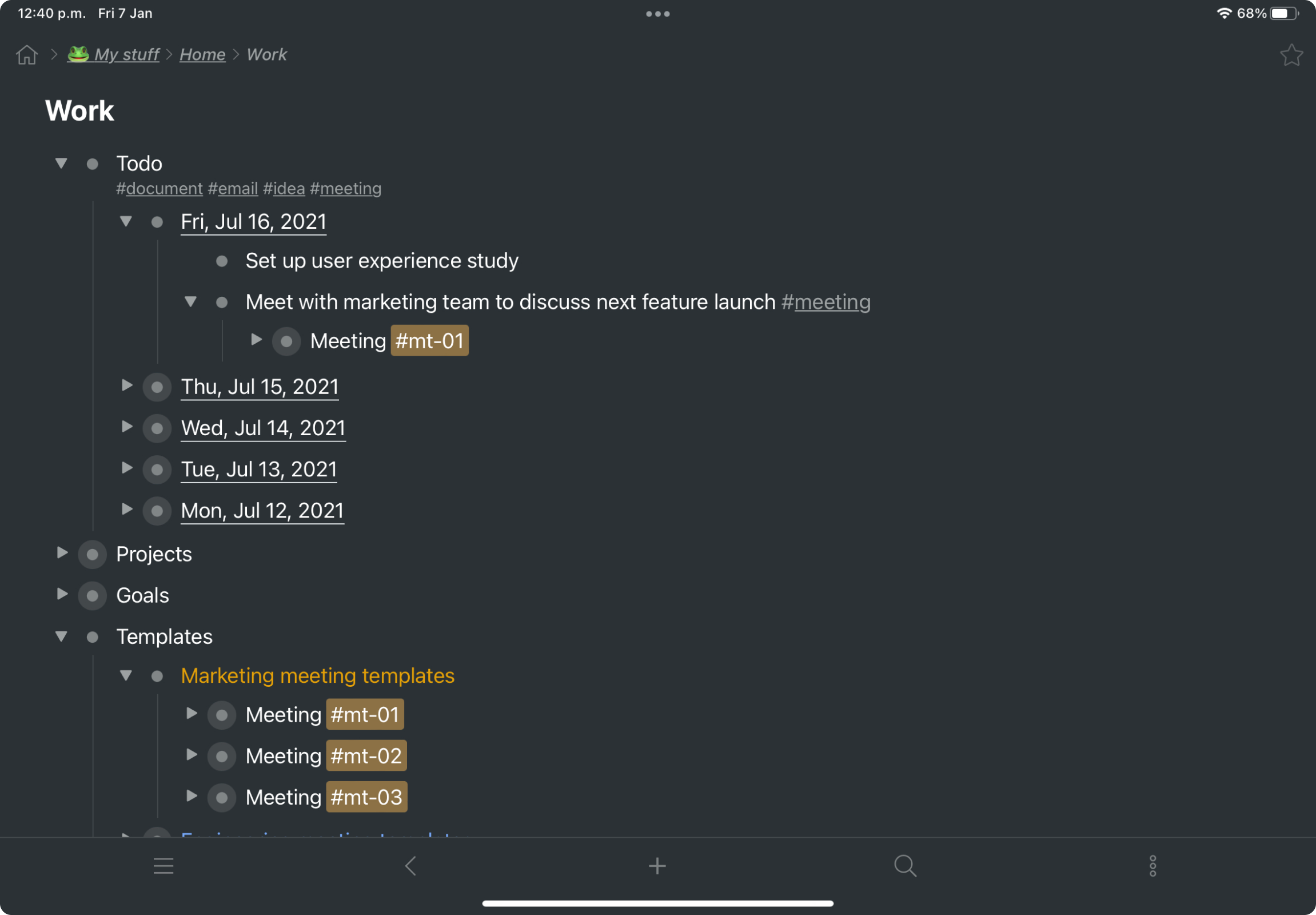 |