Google PageSpeed Insights is a search engine optimization software solution offered by Google.
N/A
Netpeak Spider
Score 7.0 out of 10
Mid-Size Companies (51-1,000 employees)
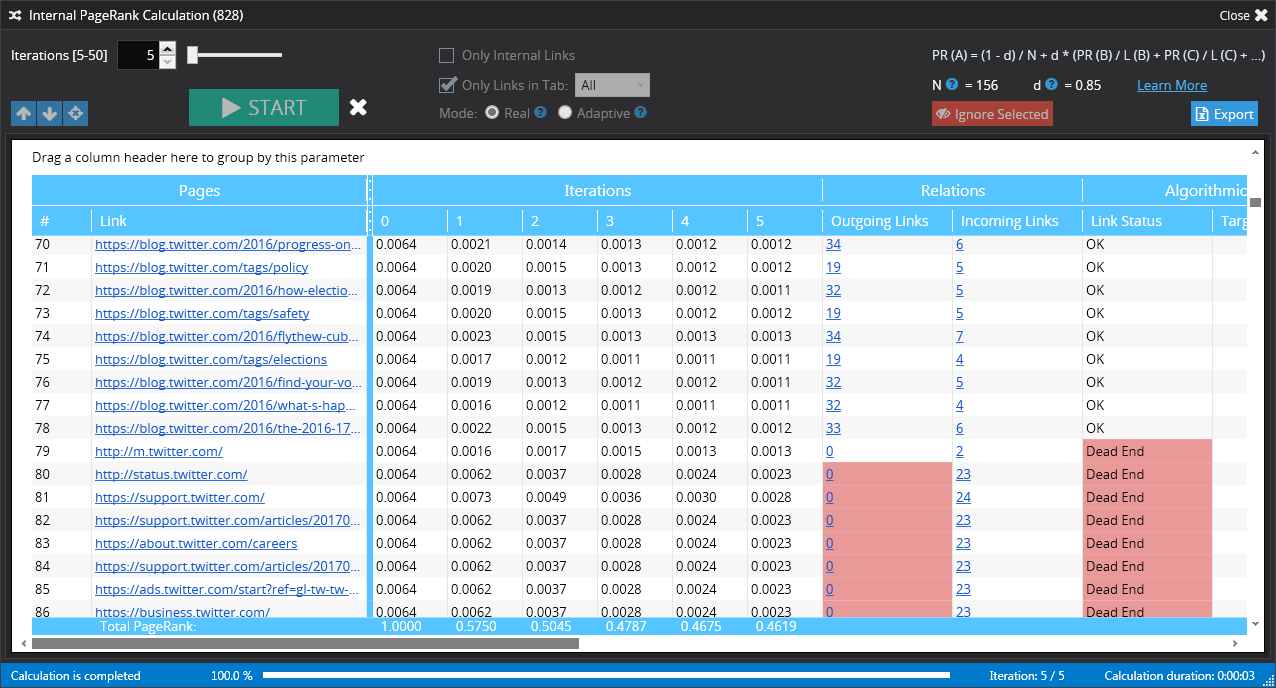
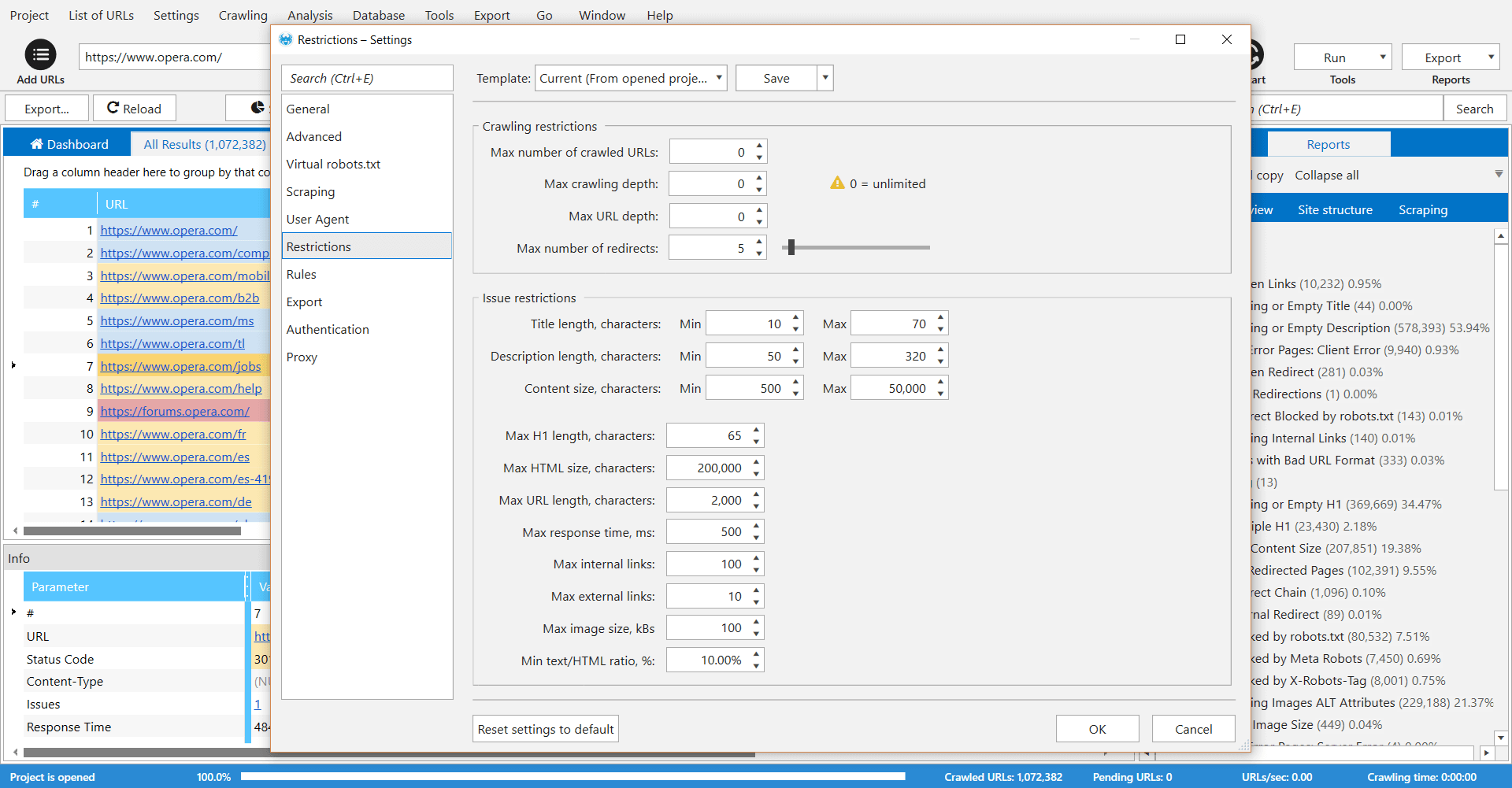
Netpeak Spider is a desktop tool which crawls a website like a search engine robot and detects key SEO issues that influence the website’s visibility in SERP. According to the vendor, this tool allows users to: Spot 80+ issues of your website optimization. Check 70+ key on-page SEO parameters. Calculate internal PageRank to improve website linking structure. Analyze all incoming and outgoing internal links. View page…
$19
per user
Pricing
Google PageSpeed Insights
Netpeak Spider
Editions & Modules
No answers on this topic
Standard (1-month subscription)
$19.00
per user
Pro (1-month subscription)
$39.00
per user
Standard (12 months subscription)
$182.40
per user
Pro (12 months subscription)
$374.40
per user
Offerings
Pricing Offerings
Google PageSpeed Insights
Netpeak Spider
Free Trial
No
Yes
Free/Freemium Version
No
No
Premium Consulting/Integration Services
No
No
Entry-level Setup Fee
No setup fee
$15.90 per user
Additional Details
—
Standard Plan includes all basic features except access to white-label reports.
Pro Plan gives you all basic features and access to white-label reports.
The results are in the eyes of Google and as we know they are the most popular search engine. Great information from Google. Pingdom and Gtmetrix allow for shareable results. Google Pagespeed does not have the option to see past tests run.
I've never used any software beyond PageSpeed Insights and Google Lighthouse (the source of the PAgeSpeed Insights software.) I've used similar programs like Hummingbird for WordPress that pulls the same data using the same engine, but its really the only game in town as far as …
Google's approach is a little different from competing services like WebPageTest and Pingdom by providing Google-specific benchmarks. Their interface is a bit simpler and well-suited to more novice and intermediate site owners. Advanced users will prefer the granular data and …
I think GTmetrix has some feedback that PageSpeed doesn't provide, but Google's tool is easier overall and has a better user experience; also offers compressed images, CSS, and javascript files if that's the case. Also, Google has extensive documentation to help you better …
We choose Netpeak Spider because: 1. Can buy a monthly subscription and have unlimited number of websites to check. 2. Price. It's affordable, especially when you have not only one project.
It should be an essential tool for all website owners - everyone should care about page loading time from the CEO down to the junior web developer. Page speed is a factor that hugely affects visitor satisfaction, and Google takes it seriously by offering PageSpeed Insights. If you work in a larger organisation and focus on one particular part of website development and maintenance, such as a content writer, then this tool won't be as useful. It's intended for users with development or marketing-related responsibility
Checking and monitoring big websites or e-commerce projects for technical errors on regular basis
Creating custom formulas for calculation of internal page ranks and building a tree view with this information
Get reports that include metrics for every page (performance, inbound and outbound links, indexing status)
Create reports that include all metrics from external SEO services like Serpstat or Similarweb for every single page of your website
It's very useful software for SEO or marketing agencies that have a lot of projects to work with, but might be overkill for small projects and companies.
I've never used any software beyond PageSpeed Insights and Google Lighthouse (the source of the PAgeSpeed Insights software.) I've used similar programs like Hummingbird for WordPress that pulls the same data using the same engine, but its really the only game in town as far as I'm concerned.
We choose Netpeak Spider because: 1. Can buy a monthly subscription and have unlimited number of websites to check. 2. Price. It's affordable, especially when you have not only one project. 3. Frequent updates. With every update functionality is expanding (latest update for example brought a lot of new integrations). 4. Quality of reports. They are very detailed and have everything we needed for our work.