Google Trends vs. SEO PowerSuite

Overview
ProductRatingMost Used ByProduct SummaryStarting Price
Google Trends
Score 7.3 out of 10
N/A
Google Trends is a search engine optimization software solution offered by .N/A
SEO PowerSuite
Score 10.0 out of 10
N/A
SEO PowerSuite is a SEO software tookit that includes 4 applications - Rank Tracker, WebSite Auditor, SEO SpyGlass, and LinkAssistant. Each application helps website owners and SEOs focus on a specific aspect of search engine optimization. With Rank Tracker, the user can set up rank monitoring, analyze competitors, look for new keyword ideas and organize them in relevant keyword groups. WebSite Auditor helps to run sitewide audits for technical issues, as well as get actionable recommendation…
$0
forever license
Pricing
Google TrendsSEO PowerSuite
Editions & Modules
No answers on this topic
Free
$0
forever license
Professional
$299
per year license
Enterprise
$499
per year license
Offerings
Pricing Offerings
Google TrendsSEO PowerSuite
Free Trial
NoYes
Free/Freemium Version
NoYes
Premium Consulting/Integration Services
NoNo
Entry-level Setup FeeNo setup feeNo setup fee
Additional Details
More Pricing Information
Community Pulse
Google TrendsSEO PowerSuite
Considered Both Products
Google Trends
Chose Google Trends
Overall I think that Ahrefs is a better product when it comes to really drilling down and getting all the data that you need in order to understand a given behavior or problem. Ahrefs is much more powerful in its feature set but does not have the same level of overall …
Chose Google Trends
They are both great tools. I prefer Google Trends because of the location capabilities and being able to go hyper-local. It does not however provide the details on cost and competition like SEM Rush does.
Chose Google Trends
Google Trends is probably the easier of the many other Google platforms to identify keywords. I haven't used other keyword platforms because I don't trust them—I rather use a tool directly from Google to evaluate popular keywords. That being said, Google Trends is very limited …
Chose Google Trends
I like using Google Trends because it gives you a clear visual of seasonal trends and compares multiple queries at once. However, I do prefer using other systems like SEMRush and Ahrefs because they are more detailed in the information they give you regarding your website and …
Chose Google Trends
It's not really an either/or thing — I use the complete "Google Marketing Stack" including Analytics, Trends, Keyword Planner, Search Console, etc. It's also essential to integrate some of their data, like making sure Google Search Console and Google Analytics are connected — …
Chose Google Trends
Google Trends provides insights that are only available through Google, however, it does not include other important trends such as those on social media or via their competitors.
Chose Google Trends
Google Trends is great used alongside a tool like MozPro. It complements the quantitive data found in the Moz Keyword Research Tool.
Chose Google Trends
I've used SEMrush, while more of a SEO Manager than keyword trend analyzer, it does have that option as it does relate to SEO management, but between the two, its nice to have the option in SEMrush, but Google Trends is better at doing the trend analyzing than SEMrush is.
Chose Google Trends
One of the most obvious reasons why I chose Google trends over other keyword research platforms is because it's free. At the same time, it also has the most relevant and easy-to-use features out of the bunch. Google Trends does not have as many features as SEMRush or BuzzSumo, …
Chose Google Trends
We used multiple platforms. Google Trends is just one of them! It's important to have multiple tools to check and reference back and forth. Google Trends is totally free for everybody so why not give it a try.
Chose Google Trends
I haven’t used any tools quite like Google Trends.
Chose Google Trends
Other Google products I have used would be Adwords. I would use this along with that program since they do entirely different things.
Chose Google Trends
Google Trends tends to be slightly more accurate than the other products, because Google has access to more user data for the algorithm to take into consideration when providing trends and information. We like this tool because it also aligns better with the Google tools we use …
Chose Google Trends
We use Google Search Console and Moz mostly for our website improvement, and Google Trends we use mostly to look for trends: what people are searching for now. Google Trends is free and has very clean, simple and understandable user interface, it gives lots of usable data for …
Chose Google Trends
We haven't tried anything apart from Google Trends.
Chose Google Trends
Google AdSense is much more detailed, but requires the user to be logged in and have an active Google Adsense account, sometimes it's quicker to just use Google trends.
Chose Google Trends
Google Trends has the biggest source of data and is the most accurate. It cannot be used without any other tool because of its own limits (keyword suggestion, semantical analysis, etc.).
Chose Google Trends
Google Trends is sometimes a helpful supplement to other analytics and advertising tools, but it is not very useful as a standalone analysis tool. We have seen much more benefit from the intelligence and audience information built in to our other core tools. Better predictive …
Chose Google Trends
Google Trends and Open Web Analytics are both similar and different. While both products allow a user to track the popularity of a given webpage or search term, Google Trends is more effective in providing content and suggesting trends. Furthermore, I liked the ability to use …
Chose Google Trends
Google Trends is a great place to start in the content curation, content research, blog post writing, and resource page creation process. It is not, however, a place to do serious SEO optimization. Tools like Moz, or Analytics SEO would be a better place to go after you do …
Chose Google Trends
They're different tools and thus have overlap, but still do quite different jobs. So there really is no exact comparison, in free to use tools, to Google Trends out there. If it could generate periodic reports it would be even better.

Other tools can be quite complimentary to …
SEO PowerSuite
Chose SEO PowerSuite
In many ways, SEO PowersSuite is so powerful that I keep coming back to it everytime. All other software is a. Online and b. Often limited in ways (even in the paid versions) that breaks the productivity. Not a super bad thing per-se, but if you have to work on various websites …
Chose SEO PowerSuite
It's outdated but runs locally.
The unlimited tracking of keywords is a big plus.
At the end it is still to expensive for us too make sense for any much longer.
Chose SEO PowerSuite
Ahrefs, Semrush, Frase, SurferSEO and Google PageSpeed Insights
Chose SEO PowerSuite
I chose SEO PowerSuite because it is offline and allows me more control over the data. It is also cheaper.
Chose SEO PowerSuite
Sometimes I am using the PageSpeed tool, Panguin tool, AHrefs, MOZ and other when need a fast starts on other websites, but in my everyday work, for a deep Web Audits, I always prefer the SEO Power Suite
Chose SEO PowerSuite
It works in combination with all of them, the closest would be a combination of Ahrefs, Majestic, and Screaming Frog. However, where this tool steps up its game, is when you integrate it with Google Search Console and then tie them both into Google Data Studio. When you get …
Chose SEO PowerSuite
Semrush is full of useful tools it is very good because it is "cloud" or web based but very expensive. SEO PowerSuite does most of the job much cheaper.
Chose SEO PowerSuite
SEO PowerSuite should be used WITH a tool like Semrush. The reason is the data and the ability to remain private. SEO PowerSuite makes it super easy to look at keyword sets and organize them by silos. Semrush doesn't have this capability.
Chose SEO PowerSuite
Based on price and functionality SEO PowerSuite is a strong competitor to the other tools mentioned. All of these tools serve the same basic need. Each has its own advantages and disadvantages. Every one of them will get the job done. However, for site owners, freelancers …
Chose SEO PowerSuite
SEO PowerSuite is a unique SEO software because it runs on your computer. Unlike Ahrefs or Moz, which run as SaS, this tool depends on your computer resources to crawl and gather data from the websites which can be a good thing, because your business lives on your computer. …
Chose SEO PowerSuite
SEO PowerSuite is the most powerful and comprehensive of all the above. Each one has its merits but if I was only able to use one tool it would be SEO PowerSuite.
Chose SEO PowerSuite
We initially chose SEO PowerSuite based on the information we had at the time. I conducted a lot of research and read several reviews on the product before I pitched it to my CMO. It made the most sense at the time. It measured how we performed in the web space compared to our …
Features
Google TrendsSEO PowerSuite
SEO
Comparison of SEO features of Product A and Product B
Google Trends
8.4
Ratings
8% above category average
SEO PowerSuite
8.4
Ratings
8% above category average
Keyword analysis10.00 Ratings9.00 Ratings
Backlink management4.60 Ratings8.00 Ratings
SERP ranking tracking10.00 Ratings8.00 Ratings
Page grader10.00 Ratings9.00 Ratings
Competitive analysis9.00 Ratings9.00 Ratings
Site audit / diagnostics7.00 Ratings9.00 Ratings
Site recommendations10.00 Ratings8.00 Ratings
Task management6.20 Ratings7.30 Ratings
SEO Channels
Comparison of SEO Channels features of Product A and Product B
Google Trends
10.0
Ratings
27% above category average
SEO PowerSuite
8.3
Ratings
9% above category average
Local SEO10.00 Ratings8.00 Ratings
Social SEO10.00 Ratings8.00 Ratings
Mobile SEO10.00 Ratings8.00 Ratings
Global SEO10.00 Ratings9.00 Ratings
SEO Platform & Account Management
Comparison of SEO Platform & Account Management features of Product A and Product B
Google Trends
3.7
Ratings
78% below category average
SEO PowerSuite
8.3
Ratings
2% below category average
Multi-domain support5.80 Ratings8.50 Ratings
Integration with web analytics tools1.60 Ratings8.00 Ratings
Best Alternatives
Google TrendsSEO PowerSuite
Small Businesses
Nozzle
Nozzle
Score 10.0 out of 10
Nozzle
Nozzle
Score 10.0 out of 10
Medium-sized Companies
Advanced Web Ranking
Score 8.2 out of 10
Advanced Web Ranking
Score 8.2 out of 10
Enterprises
Dupli Checker (DupliChecker.com)
Score 8.5 out of 10
Dupli Checker (DupliChecker.com)
Score 8.5 out of 10
All AlternativesView all alternativesView all alternatives
User Ratings
Google TrendsSEO PowerSuite
Likelihood to Recommend
10.0
(0 ratings)
9.0
(0 ratings)
Likelihood to Renew
-
(0 ratings)
9.0
(0 ratings)
Usability
8.0
(0 ratings)
-
(0 ratings)
Support Rating
6.4
(0 ratings)
10.0
(0 ratings)
Online Training
-
(0 ratings)
9.0
(0 ratings)
User Testimonials
Google TrendsSEO PowerSuite
Likelihood to Recommend
Google Trends is appropriate in so many scenarios, but I definitely suggest it for content ideas and inspiration. Many people utilize it after already writing their content to add in popular phrases or words, but that is not enough. The platform should be used prior and during the content creation process so that you can use the data to see what your audience/customers are interested in at the moment and create the content based on their interests. It can help, but I find it much less appropriate to use it after your article, eBook, etc. is already written. Maximize on this useful tool by ensuring the topic you're writing about is relevant in the first place before simply adding in popular keywords. An article that's written based on what's trending will be far more successful than an article that solely has popular phrases added to it.
Read full review
SEO PowerSuite is well suited for projects that are kicking off as well as projects that need audits and updates for current strategies. Anyone with an SEO project is suited and should be using SEO PowerSuite. For rank tracking, backlink tracking, content scoring and much more. This is the best tool to manage your project off the web. Just like with Screaming Frog and technical audits, there is no better full Suite of SEO tools than SEO PowerSuite.
Read full review
Pros
  • Allows you to search keywords and phrases in certain locations to see search volumes, this is huge and helps us be successful with our Google Ad campaigns.
  • Shows us insights into trending topics which allows us to stay in the know and apply any relevant trends to current clients.
  • Year in Search and Trending Topics provides us great inspiration for our ads
  • Being able to search in certain locations gives us a ton of help when setting up campaigns and doing our keyword research for clients.
  • Being able to compare multiple keywords or search terms side by side is extremely helpful.
Read full review
  • I love their report customization possibilities. The new reports are really great and fully customizable. I am able to provide my clients with different sorts of data arranged in the way I like it, makes my reports unique.
  • What really impresses me is the number of different features you can find in SEO Powersuite tools. This software kind of combines all necessary features under one roof so I mostly do not need to use other SEO tools at all.
  • Possibility to check rankings from different locations. This is really great, since my customers come from different regions, so I can provide country-specific results for every client.
Read full review
Cons
  • Top charts: would be nice to include top charts for the current month.
  • Explainers: would be good to have some information buttons next to graphics and charts to show in depth what criteria go into making those charts.
  • More images: would be interesting to see trending image searches.
Read full review
  • Whole domain graphical history (SEOzoom and other tools offers that)
  • Scheduled rank tracking doesn't work properly on Mac (at least on mine)
  • For every project I need to connect analytics and search console it should offer an option to grant access to it for several projects
Read full review
Likelihood to Renew
No answers on this topic
I gave SEO PowerSuite a two because our company did not renew our subscription. The pricing was too complicated and having multiple platforms made it more difficult to use. We dropped our subscription to SEO PowerSuite and implemented Moz. Moz gave us a full view of all of the metrics we were looking for on one web-based platform. Plus, the pricing model was simple so it was easier to get senior management to cosign on.
Read full review
Usability
Google Trends is very easy to use. you just search for a certain keyword or phrase, and it tells you how often that keyword or phrase is searched, where in the world it is searched, and over the last decade, how often it is per year.
Read full review
No answers on this topic
Support Rating
I haven't needed to use any support for Google Trends. However, I've used Google's support in general and it's a hit or miss. Usually, there's a long wait or they don't understand my problem. They are the only ones that can help, so sometimes I feel stuck. They prioritize paying customers for sure.
Read full review
I have had several interactions with support at SEO PowerSuite. Each time I have been quite pleased with the response. I have interacted with billing and tools support and have found them to both be on top of things. they follow up well and they get the issue resolved in a timely manner. I have no complaints here.
Read full review
Online Training
No answers on this topic
SEO Powersuite has a lot of training videos online, combined with some live streaming tutorials. Also, they have a guide that comes with their software to outline the basics of your SEO workflow. This will get you on the right track right from the start. Their guides and tutorials are easy to follow and detail every possible option you have when doing work with SEO Powersuite. Even if you want to switch to different software, the courses are easy to implement in all other tools too! Very recommended if you want to get started in the SEO world, or want to expand your knowledge.
Read full review
Alternatives Considered
I've used SEMRush, while more of a SEO Manager than keyword trend analyzer, it does have that option as it does relate to SEO management, but between the two, its nice to have the option in SEMRush, but Google Trends is better at doing the trend analyzing than SEMRush is.
Read full review
It works in combination with all of them, the closest would be a combination of Ahrefs, Majestic, and Screaming Frog. However, where this tool steps up its game, is when you integrate it with Google Search Console and then tie them both into Google Data Studio. When you get this right, you can show your client how much money they would need to spend on PPC to get the same 'value' of traffic. This changes the way they look at optimization, now the cost of a term in PPC is also used as a reason to optimize the customer journey.
Read full review
Return on Investment
  • I can't really give a measurement of how Google Trends has directly contributed.
  • Since Google Trends is free I would have to say that it is all positive ROI.
  • I can say that Google Trends definitely makes it easier to accomplish my business objectives of delivering the most relevant and insightful advice to my clients regarding their SEO, Social Media Publishing, and Online Advertising.
Read full review
  • The area where we see the best ROI is with the ability to track unlimited websites and keywords. For us to track the number of keywords that we do without SEO PowerSuite it would cost more than SEO PowerSuite itself.
  • Since content is so important as well as how you use your keywords in that content, the Keyword mapping feature that was just released is a great addition. We have already put it to use on a rebuild, this is allowing us to see the pages that Google has ranked a page for each keyword we track. This is really helpful in cleaning up keyword cannibalization.

Read full review
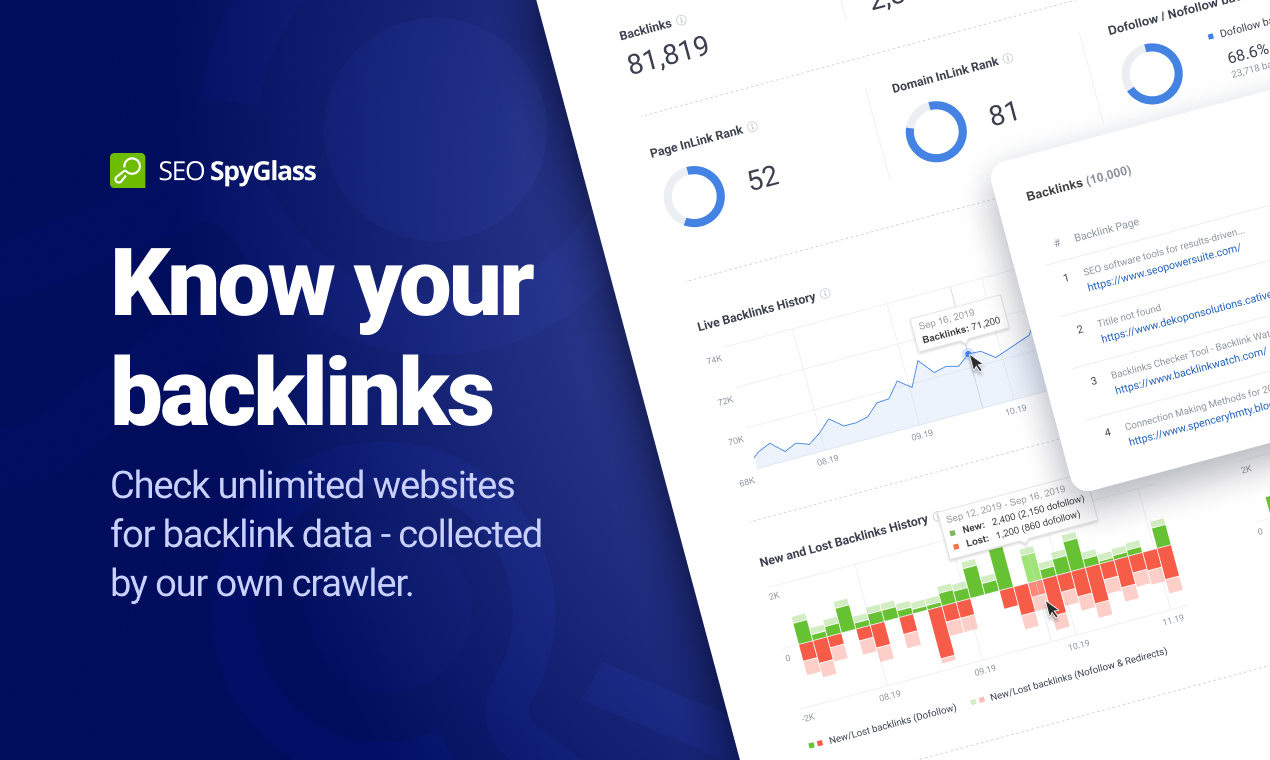
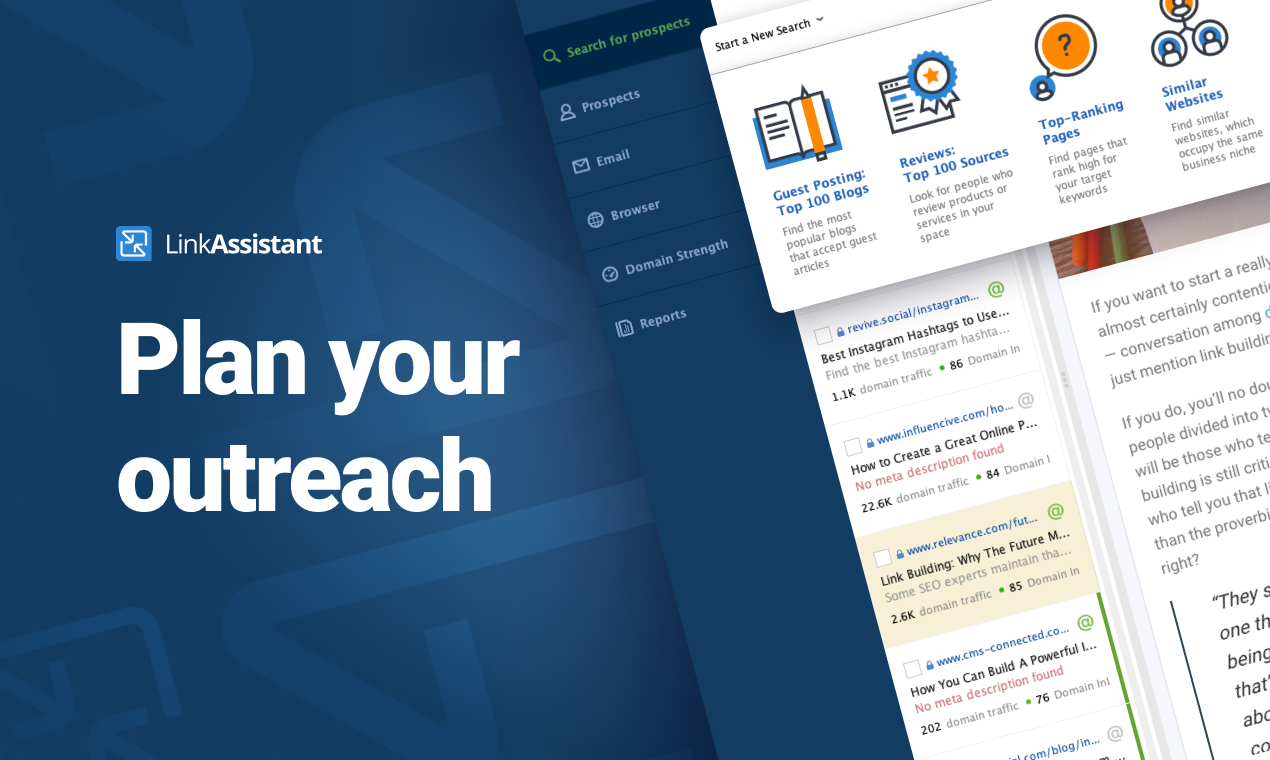
ScreenShots

SEO PowerSuite Screenshots

Screenshot of Rank Tracker is the most customizable rank checker tool you'll come across. Whether you need to check positions globally or in local search, in Google SERPs or any of the tool's 400+ search engines — Rank Tracker's got you covered. Whether you need to scan the top 50 or 1,000 search results, track keyword rankings once a week or daily, monitor Universal and Map listings, and track competitor keyword ranks — you can do that even with the software's free trial. Monitor your site average position and visibility score. Observe how your ranking position changes, notice when your keyword enters the top position or gets a featured snippet on Google SERPs. The best part is, everything is unlimited in this keyword position checker — including websites, search engines, and keywords to track.Screenshot of WebSite Auditor does more than analyzing your content. It lets you optimize pages in-app with step-by-step SEO advice as you type. In a separate tab, you can create and edit your pages' title and meta description tags, and preview your Google snippet right below. Done optimizing? A single click will save the SEO-perfect HTML to your hard drive, ready for upload.Screenshot of All your favorite keyword research tools are integrated right into the Rank Tracker keyword rank tool: Google Ads Keyword Planner; Competition research; Domain Research; Related Searches; Autocomplete tools; Related Questions; Google Analytics and Search Console for terms you already rank for. Used together, these sources will give you thousands of keywords you wouldn't have found elsewhere on the web. As you find keyword ideas, the tool will automatically group them by topic, so you can analyze and target entire keyword groups instead of going through bulks of terms one by one.Screenshot of WebSite Auditor will run an SEO audit and quickly reveal every issue on your site that can affect search engine indexation, rankings, and user experience. The audit tool looks for tech SEO issues such as broken links and images, duplicate content, crawling errors, poor mobile usability, site speed, redirect chains, internal linking problems, heavy pages and scripts, W3C validation errors, thin content, and more.Screenshot of Check the exact backlinks your site has — or spy on your competitor's backlinks with SEO SpyGlass. In a matter of minutes, this smart tool will calculate the total number of backlinks the site has and show the exact URL of each and every backlink. Since today's search engines place a huge value on links, this is the number one factor for ranking well.Screenshot of Acquiring that new backlink is often a numbers game — you need link building tools that will provide tons of link suggestions that will serve as a foundation for your link building campaigns. And LinkAssistant is simply the best tool for sheer volume. With 7.1 billion pages crawled on a daily basis, the software will give you backlink opportunities in hundreds and even thousands.