GoSkills is an online learning platform dedicated to delivering interactive and personalized learning experiences. By combining the structure of a Learning Management System (LMS) with the flexibility of a Learning Experience Platform (LXP), GoSkills helps organizations build, manage, and scale engaging training programs. AI-powered tools — including a personalized course recommender, intelligent tutor, and Genie, the built-in AI course…
$80.95
per month 5 licenses
Trakstar Learn
Score 9.0 out of 10
Enterprise companies (1,001+ employees)
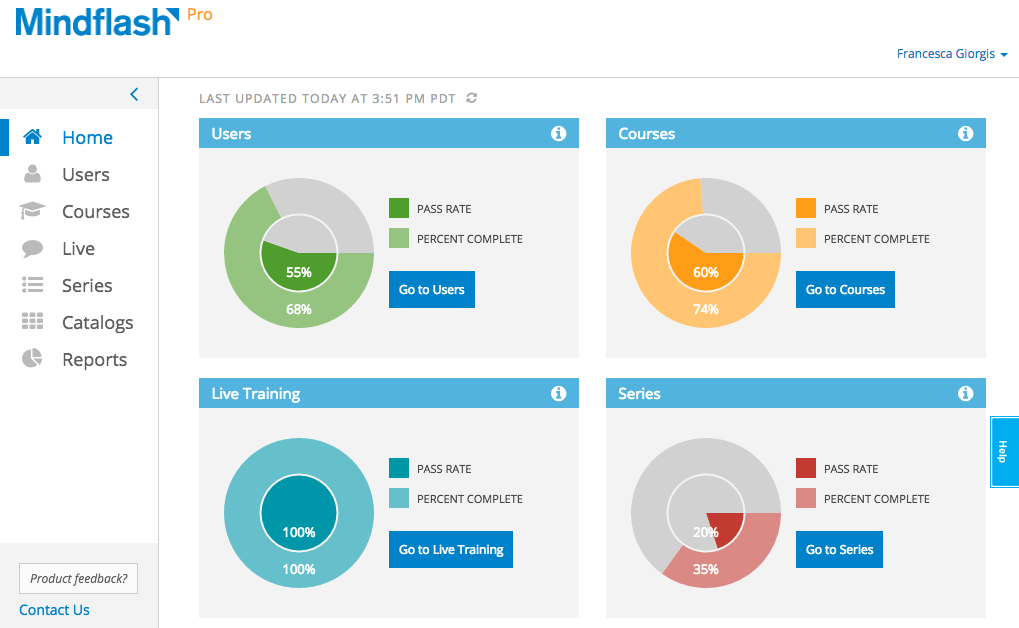
Trakstar Learn (formerly Mindflash) is an online training platform. Users can create courses, add quizzes and track results. Users can upload external content and access the platform via mobile devices. It also provides user management and reporting for internal and external training and scaling purposes.
$249
Pricing
GoSkills
Trakstar Learn
Editions & Modules
LMS Pro
$80.95
per month 5 licenses
GoSkills Courses for Teams
starting at $115.95
per month 5 licenses
GoSkills Platinum
starting at $127.30
per month 5 licenses
Basic
249/mo
Advanced
599/mo
500 trainees
Pro
1,199/mo
1000 trainees
Enterprise
Call for details
Unlimited
Offerings
Pricing Offerings
GoSkills
Trakstar Learn
Free Trial
Yes
Yes
Free/Freemium Version
Yes
No
Premium Consulting/Integration Services
No
No
Entry-level Setup Fee
No setup fee
No setup fee
Additional Details
A discount is available for annual billing, and for additional licenses.
I needed to take a project management course and didn't know where to start. I did a bunch of Googling and decided on GoSkills because it was a quick class. I was really happy I started with the GoSkills Project Management class because it was a great introduction to to the …
The only other training platform similar to Mindflash that I have used is RedVector. However, we use that platform entirely differently than Mindflash. RedVector has a very large available library for our users to stay current on their PDU/education credits for their PE and …
The ease of use for both learners and administrators in Mindflash is unbeatable in my opinion. The system may not have all the fancy bells and whistles that Cornerstone or Litmos has but we didn’t need all that and honestly, it was all getting in the way.
This is an alternate software that we have looked into, right now we don't have the need for the increased flexibility that lesson.ly provides with learning from your mobile or tablet. We haven't seen a lot of those things as particularly useful for our current training …
Our organization found Mindflash's pre-sales experience to be a lot smoother than its competitors. Ultimately, we felt their software was easier to use and had more business functions than other options. They provided one on one information calls, webinars and quotes for our …
Our priorities are ease of use, economy and flexibility. Skillsoft was too content-heavy. It would have been good had we only been interested in ready-made content. Their content just didn't meet our needs. Cornerstone was too expensive, too complicated and would have required …
I feel like I've looked at them all. For my unique needs at Responsys, MindFlash was the right solution. Some of the key attributes that I was looking for were: Usability, Ramp time of my team to learn how to use the product, Dependability of the product, Cost, Ability to build …
Verified User
Anonymous
Chose Trakstar Learn
I have not used other LMS's
Features
GoSkills
Trakstar Learn
Learning Management
Comparison of Learning Management features of Product A and Product B
I found GoSkill's project management course to be beneficial, well-paced and relatively inexpensive. After taking a course myself, I realized my team would benefit too, so we tried out the GoSkills LMS. It’s simple to use and I can easily see how well someone is doing in a course, and slot new employees into training as needed.You need not look anywhere else - everything you need is provided in full detail.
I believe Mindflash is perfect for corporate training in any industry. It's quick, efficient and provides an unprecedented platform to provide training information digitally. Especially when you do not have enough resources to provide in-person training that requires detailed attention covering a massive territory.
Admin: They only allow one admin account, which can be a headache. Instead of logging into my personal Mindflash I log into a shared user, that makes and assigns all the videos.
Agent UI: It isn't the prettiest UI and can be hard to navigate for beginners.
Certificates: The certificates for passing a course are just dumb. I have them all turned off and I could never see that being useful.
I am extremely likely to continue using Mindflash for a few reasons. One, Mindflash has increased its capabilities dramatically during the year that I have been using it. Like any good business or service provider, Mindflash seems to have the desire to constantly improve its users experience. I know in another year, Mindflash will be better than it is today. For example, I know that Mindflash is at least exploring the possibility of adding language support to its capabilities. As someone who works in many non-English speaking countries, this would be a huge benefit to me. Additionally, I have been very impressed by Mindflash's customer service. They have always been very helpful and gracious.
The interface is just so simple to understand. It's clean and efficient. We showed Mindflash off to the Safety group, who are not computer gurus and they were beyong excited to use it.
Any problems or questions we have had with Mindflash have been handled promptly and effectively. I normally use the online chat option but have had to correspond with them through email and phone as well. We have never had an issue languish for weeks or months with Mindflash. They either fix the problem or let you know that the software isn't capable to handle the need at that point.
If you're going to develop a short course to demo the product internally, don't bother avoiding your own topics. Mindflash rolls whatever content you create during the trial into your production environment when you decide to buy. The time taken to go from not having a system to being live with Mindflash is virtually instant. What you'll be wanting for is time to develop content and people to test it out.
I needed to take a project management course and didn't know where to start. I did a bunch of Googling and decided on GoSkills because it was a quick class. I was really happy I started with the GoSkills Project Management class because it was a great introduction to to the industry. Based on the knowledge I got from GoSkills I was able to decide to pursue more Project Management education. I started on trying to decide which online education platform to go with. It was between Google/Coursera, Udemy, GoSkills and maybe a bootcamp. I went with GoSkills because it was short and I could get an idea of what I was going to learn in a longer course. I'm really happy with the path I took and would recommend it to anyone looking to learn about project management
The only other training platform similar to Mindflash that I have used is RedVector. However, we use that platform entirely differently than Mindflash. RedVector has a very large available library for our users to stay current on their PDU/education credits for their PE and PMP licenses. It does have the option to build training within it as well, but we have not used that feature because it is more focused on providing external training for others.
Mindflash has had a positive impact on our business because it allows us to train more new users with less effort, and ensure that trainees have access to the course materials for a period of time after they have started using our software to do their daily jobs. Review of the course materials allows them to get answers to common questions without having to submit requests to our support team, thereby reducing the administrative burden on our resources.