
James Roy
Office Manager
Chose Harvest
Harvest is a bit more robust and offers additional related options such as invoicing (which Clockify does not have) though most people invoice through another system anyway.

| Product | Rating | Most Used By | Product Summary | Starting Price |
|---|---|---|---|---|
 Harvest | N/A | Harvest is used to track time, gain insights from past projects, and get paid for work. Dedicated apps and integrations with popular tools like Asana and Slack allow Harvest to fit into a team’s workflow. A selection of visual reports are offered to keep projects running smoothly and an organization's team supported. Harvest also helps to turn a team’s tracked time and expenses into professional nvoices and collect payment quickly with integrated online payments. | $13.75 per month per seat | |
 Zoho Invoice | N/A | Zoho Invoice is a cloud-based invoicing solution designed to help small businesses with invoicing, tracking expenses, and accepting online payments. Key features include project billing, time tracking, reporting, customizable templates, and a client portaI. Teams using Zoho Invoice can track estimates, convert them to invoices, and send reminders to clients to complete their outstanding payments. Additionally, users can create tasks, collect advance payments for projects, and keep… | $0 Per Organisation, Per Month |
| Harvest | Zoho Invoice | |||||||||||||||
|---|---|---|---|---|---|---|---|---|---|---|---|---|---|---|---|---|
| Editions & Modules |
|
| ||||||||||||||
| Offerings |
| |||||||||||||||
| Entry-level Setup Fee | No setup fee | Required | ||||||||||||||
| Additional Details | 20% discount for annual billing on Pro and Premium plans. | Zoho Invoice is a completely free product. It has no contracts, no ads, and no hidden fees | ||||||||||||||
| More Pricing Information | ||||||||||||||||
| Harvest | Zoho Invoice | |
|---|---|---|
| Considered Both Products |  Harvest James Roy Office Manager Chose Harvest Harvest is a bit more robust and offers additional related options such as invoicing (which Clockify does not have) though most people invoice through another system anyway.  Brian Manning President & Co-Founder Chose Harvest Harvest had automated expense tracking features which neither had and more robust time tracking capability around client and project structuring.  Alan Bloxham Project Manager Chose Harvest Upwork works great at tracking time for projects, however it doesn't allow you to track your own time. ADP is the opposite to Upwork, you can track personal time, but there's nothing to track for projects or other clients. Overall, Harvest is better in every way.  Marc Duke Marketing Consultant Chose Harvest Harvest Chrome extension is not as refined as Toggl but it integrates expenses which is a lot better. The reporting element of it is better than Toggl as well. With Toggl you don't have to confirm submission on a week by week basis which can be a little irritating. Toggle does …  Sarah Porter Digital Marketing Manager Chose Harvest Other products that we've used did not show the projects that were being worked on during the employee's workday.  Erin Harris Director of Sales & Marketing Chose Harvest I've only used in-house time tracking/payroll systems or managed my own invoicing system. I have no opinion on how Harvest compares to other programs.  Lynzee Jablonka Senior Account Manager Chose Harvest Like Asana, Harvest is great for project management, though it definitely skews more toward the time tracking rather than the step by step process. Some of our team members write out their to-do list as project tasks in Havest and start the tracker when they're ready to get to …  McKay Salisbury Founder/CEO Chose Harvest Harvest tends to be a little bit more expensive than other options such as Clockify (depending on how many users you have) but it's more robust and includes additional features that, depending on your business, may be necessary. It's very reliable, user-friendly, and easy to …  Lark Ismail Website Support, Managing Director Chose Harvest Freshbooks is a great program and I used to use it before my needs changed and I needed different features. When I switched, Harvest had made the most progress versus other platforms of making time tracking easy. This is important for accuracy versus having team members forget …  Joy Reschke Brand Strategist Chose Harvest We have not evaluated any other services.  Dave Seeman Co-Owner / Mechanical Design Engineer Chose Harvest Harvest has everything you need in one software, excellent support, and a simple and clean interface.  Chris Hecox Business Owner Chose Harvest Harvest is pretty darn good vs. these other options. I recommend trying it out on trial.  Tegan Jenner Senior Data Analyst Chose Harvest Harvest is significantly better than Jira. I think Jira's is not originally intended to be used as a time logging/management system, but we had been previously using it as that. It was much clunkier, and many employees had a difficult time using it as a user interface goes. Harve… Chose Harvest The Harvest UI was much simpler. The others felt like they had too much going on and setting up and maintaining was confusing. Harvest's interface is very straightforward and easy enough for a non-techie to set up for their business. Toggl was the closest competitor and looked …  Brian Alonzo Owner - Web Designer & Developer Chose Harvest We tried Quickbooks Online for project invoices and Harvest far exceeds its ability. QuickBooks did not allow us to easily track time or create easy to use line-item estimates. We have not been able to find a service that can offer everything Harvest can help with. Harvest … |  Zoho Invoice  Affri Hasan Salina Asst. Backend Developer Chose Zoho Invoice Zoho Invoice streamlines bill creation and sending by personalizing invoices with logos, identities, and terms. It offers detailed payment reports, an integrated payment system, and payment summaries for tracking success. It automates invoicing and payment tasks, saving time …  Leigh Anne Pearson Social Media Manager Chose Zoho Invoice Google Drive stored my invoices in one accessible location but required more time and maintenance. I didn't want to invest the time into building out sheet functions to carry over figures across sheets, so I researched invoicing options. I am already a fan of Zoho services, so …  .Kim Murphy Owner Chose Zoho Invoice Zoho Invoice is much easier and convenient then Microsoft Office 365 when we create invoices and track or manage payments. Furthermore, Zoho Invoice integrates effortlessly with Stripe Payments, enabling us to quickly create online payment links inside the digital online …  Paul Ellul Vice President Chose Zoho Invoice We use both. The products complement each other for our use.  Robin Bull Dark Countess of Communication / CEO Chose Zoho Invoice Before Zoho Invoice, I used Cashboard App. Cashboard App did what I needed, but it was limited as far as the reports and the types of payments I could accept. Offering a variety of payment options is important to me as a provider. It also wasn't as aesthetically pleasing as …  Tom Wondra Consultant / Account Executive Chose Zoho Invoice Zoho Invoice is easier to use, for pure invoicing and time tracking, then QuickBooks Online and O365. QuickBooks Online is more robust, but with that comes the admin overhead to learn, update and maintain. O365 requires manual creation of invoices, or searching out available …  //Roland Matte SR Partner Chose Zoho Invoice Zoho Invoice stacks up well against may other products as it brings real value for little of no investment up front...Zoho Invoice is also very easy to learn, configure, and use.  Alexis Correa Customer Service Chose Zoho Invoice The first one I used was Zoho Books. I liked it, it is very similar but has more options, it looked excellent integrated with Zoho CRM, but I really need something simpler and so, I selected Zoho Invoice. The latest update of Zoho CRM integrates well. When we grow more as a … |
| Harvest | Zoho Invoice | |
|---|---|---|
| Small Businesses |  Traqq Score 9.1 out of 10 |  vCita Score 8.5 out of 10 |
| Medium-sized Companies |  TimeClock Plus Score 9.5 out of 10 |  TimeCamp Score 8.3 out of 10 |
| Enterprises |  Zoho People Score 8.4 out of 10 | TimeCamp Score 8.3 out of 10 |
| All Alternatives | View all alternatives | View all alternatives |
| Harvest | Zoho Invoice | |
|---|---|---|
| Likelihood to Recommend | 9.4 (0 ratings) | 8.0 (0 ratings) |
| Usability | 9.3 (0 ratings) | 9.0 (0 ratings) |
| Support Rating | 8.4 (0 ratings) | - (0 ratings) |
| Harvest | Zoho Invoice | |
|---|---|---|
| Likelihood to Recommend |
 Alex Greenwood Principal and Owner |
Robin Bull Dark Countess of Communication / CEO |
| Pros |
 Laura Cain Director, Business Operations |
Tom Wondra Consultant / Account Executive |
| Cons |
Brian Alonzo Owner - Web Designer & Developer |
.Kim Murphy Owner |
| Usability |
James Roy Office Manager |
|
| Support Rating |
Marc Duke Marketing Consultant | No answers on this topic |
| Alternatives Considered |
|
Affri Hasan Salina Asst. Backend Developer |
| Return on Investment |
Sarah Porter Digital Marketing Manager |
|
| ScreenShots | Harvest Screenshots     | Zoho Invoice Screenshots   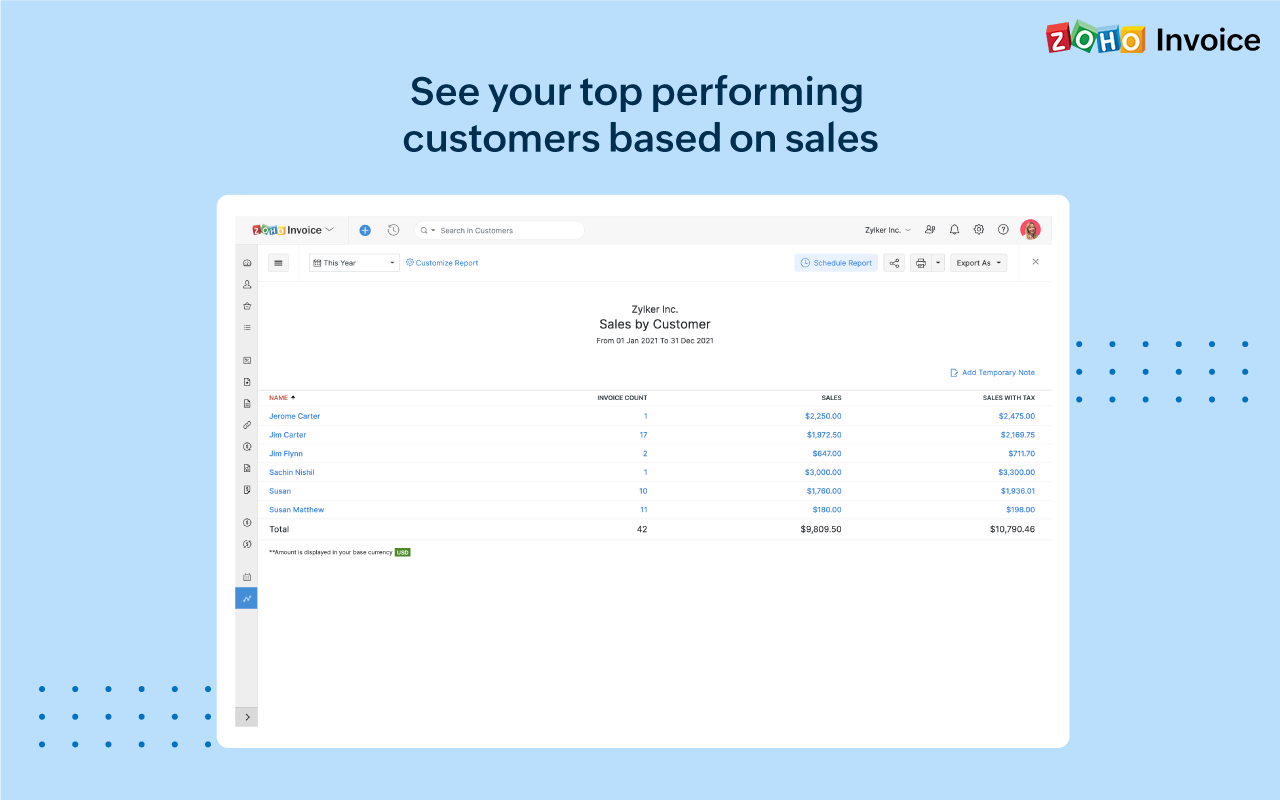 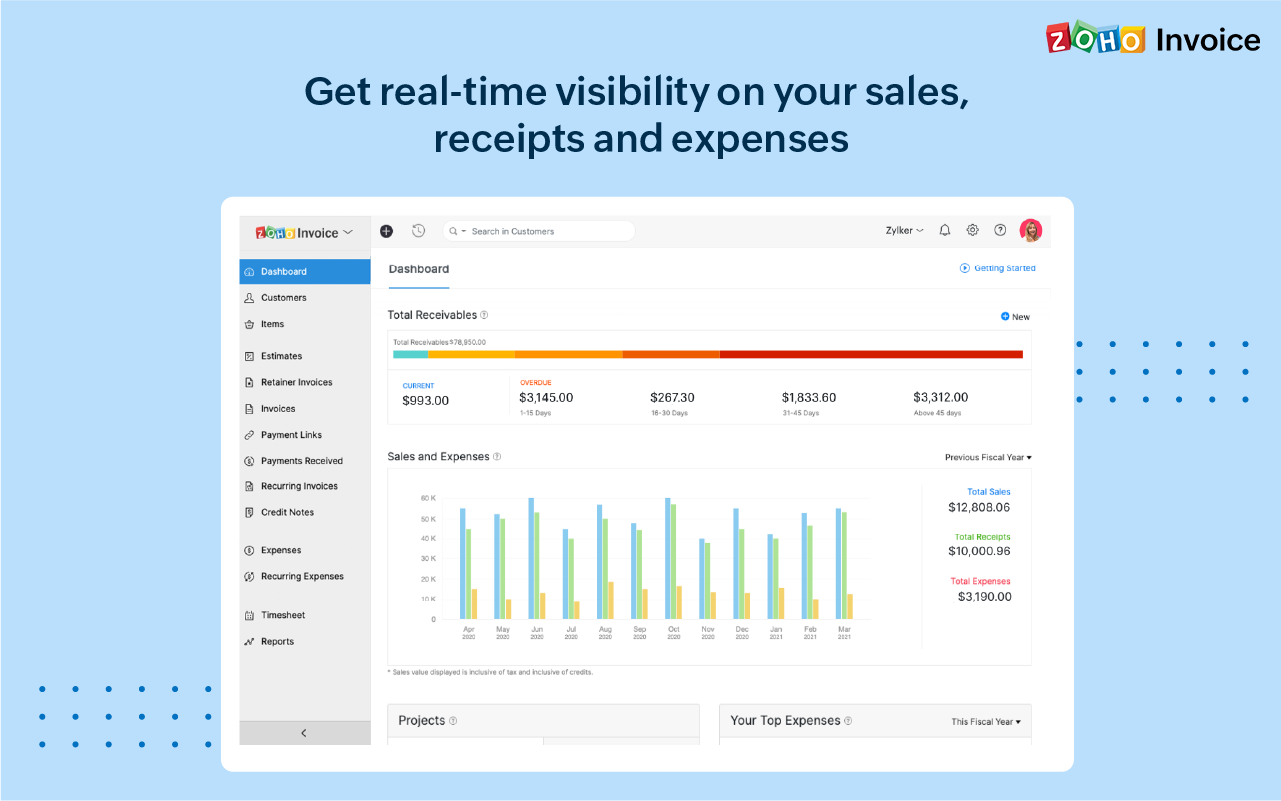 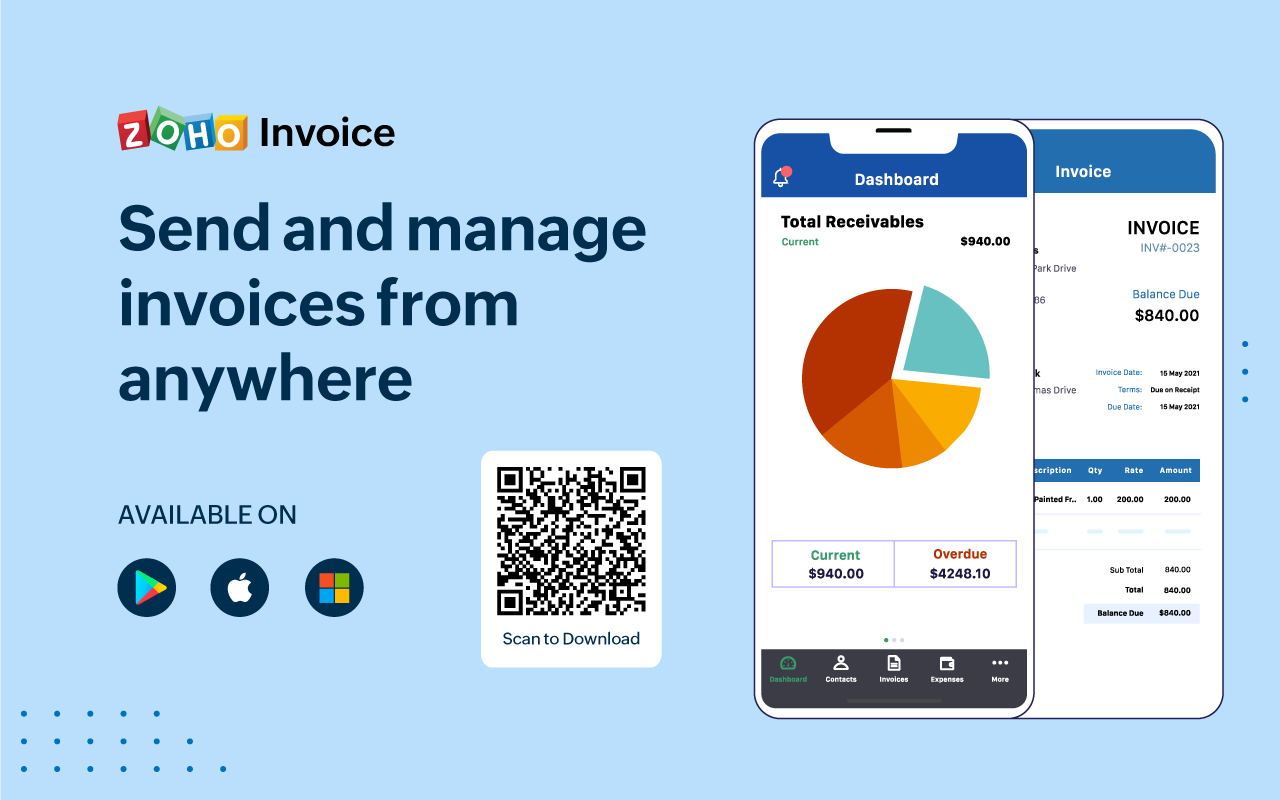 |
