Axure RP is a software prototyping tool used by UX designers, from Axure Software Solutions in San Diego.
N/A
HotGloo
Score 8.0 out of 10
Small Businesses (1-50 employees)
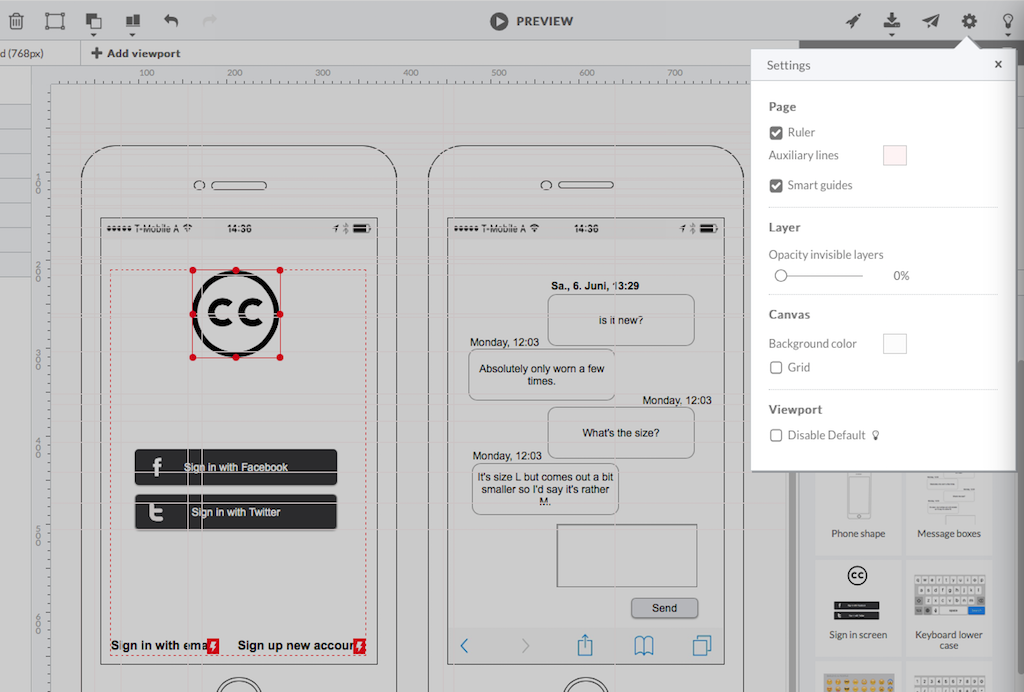
HotGloo is an online wireframing and prototyping tool. This solution has been designed for all those engaged in the concept, design and development of web or app projects: project managers, information architects, usability experts, freelancers, concept people, digital agencies, web companies, publishers, web designers, web developers and many more. The vendor’s value proposition is that this solution makes it easy to wireframe web and mobile sites and to collaborate with others due to the…
$13
up to 4 users, 2 active projects, unlimited reviewers
Pricing
Axure RP
HotGloo
Editions & Modules
No answers on this topic
Group
$13
up to 4 users, 2 active projects, unlimited reviewers
Team
$27
up to 10 users / 6 active projects / unlimited reviewers
Agency
$54
up to 20 users / 15 active projects / unlimited reviewers
Enterprise
150 +
More users and projects, priority support. Get in touch for an individual quote.
Offerings
Pricing Offerings
Axure RP
HotGloo
Free Trial
No
Yes
Free/Freemium Version
No
No
Premium Consulting/Integration Services
No
No
Entry-level Setup Fee
No setup fee
No setup fee
Additional Details
—
The billing period starts on the day you upgrade from the free trial to a paying plan. If you pay by credit card the service is billed in advance on a monthly basis and is non-refundable. There will be no refunds or credits for partial months of service, upgrade/downgrade refunds, or refunds for months unused with an open account. If you do choose to cancel your account in the future, you will never be charged again, but you are responsible for charges already incurred up until your cancellation. For monthly recurring payments we accept Visa, MasterCard and American Express through our online payment system. You can also prepay any account for 12 months with credit card. In certain cases we also take money transfers – please contact us beforehand if you want to use this option.
Axure RP is a great user experience design toolkit that gives UX designers the ability to create user flows, Low-Fidelity, and High-Fidelity mockups all within the same tool. Overall, it works well with teams of designers looking to collaborate on the same project(s). Axure RP allows you to set up masters and components, giving you and your team the ability to share and re-use styled objects. This not only cuts down on the time allotted for wireframing, but it also means design styles are upheld and the overall software becomes more consistent. I would not recommend Axure for High-Fidelity visual design mockups (use Sketch App instead), as Axure is limited in it's the ability to style components.
HotGloo is well suited to a dispersed team of users who are looking to collaboratively wireframe and prototype their latest web solutions. It's extremely intuitive and comes with a large widget library meaning the newest user can be up and running very quickly. In browser access means it's extremely accessible whether you're working in a room together or across the country at home.
High fidelity prototypes: Axure is excellent for creating prototypes that are visually indistinguishable from the real product. You do not need advanced Photoshop or other image editing software skills to create mockups that look real with Axure. If you do have Photoshop skills though it definitely can help as you can easily bring in edited images into Axure from it.
Realistic interactions: On top of creating prototypes that look real, you can also easily make them interact like a real site would. This is useful for not only showing developers and stakeholders but for user testing as well.
Sharing prototypes: Sharing Axure prototypes with others is easy, even if they don't have the Axure software. You can either upload your file to Axshare, Azure's free hosting service or host it on your own servers and share the link with viewers. The link allows users to interact with the site as though it were real as well as easily switch between pages with a collapsible site map.
Axure feels like a tool that started with a simple interface that wasn't redesigned over time. Simple tasks sometimes require clicking through multiple layers. Crucial pieces of functionality are hidden under text links, or just flatly aren't discoverable. Much of the quirks of the interface only come from having screwed up numerous times, and knowing that certain things are just difficult to accomplish.
I've never used the support for Axure but they do have an online community that can be helpful when you're unsure how to accomplish a specific bit of interactivity. Overall the community for Axure is a great benefit for the software. There are also a lot of shared library assets which can help reduce the time you spend on projects.
I think that the online training videos cover all product features and are a great resource to point people to. The newsletter is also frequent and passes on a range of tips and techniques for users that are eager to learn more, or just want to keep themselves up to date
Axure stacks up pretty nicely against other tools, in terms of available functionality and support for users. It’s probably the best tool I have used to create the most realistic and complex prototypes for sales purposes. However, its interface is outdated compared to other tools, and it’s a less efficient tool than other tools, such as Sketch, that enable users to create and iterate upon designs more quickly. We will continue to use Axure for complex designs, particularly for prototypes that need to be external-facing, but we’ll opt to stick with Adobe XD or another tool for internal use, to save time and energy by using a more straightforward tool.
HotGloo is tailored to this use case and therefore considers the right user needs. I think one strength is that it focuses on the main aspect. There are other tools, that have more extensive features. However, those are then more complex and not so well made for the specific work I use it for. Thus, I like HotGloo also because of the element and symbols library. Which has the right depth and detail - no more, no less then needed.
When understanding the minimal needs to describe multiple dimensions of UX using this tool, a designer can very quickly create a prototype using this tool and can help reduce the time needed to assess very usability requirements and business validity for an application.
The generated files source code absolutely cannot be used in the application code. Measures should be taken to ensure the code is not used in the application code or else you risk rework in development/implementation.