HotSchedules vs. NCR Back Office

Overview
ProductRatingMost Used ByProduct SummaryStarting Price
HotSchedules
Score 8.0 out of 10
N/A
HotSchedules is a cloud-based scheduling, labor and communication management software solution serving the restaurant and hospitality industry. According to the vendor, key benefits include: Build & Communicate Schedules The scheduling and labor management software reduces the time it takes managers to create and communicate schedules. All scheduling and employee information is stored in one central location, so managers have access to time-off requests,…
$2
per month per employee
NCR Back Office
Score 10.0 out of 10
N/A
NCR Back Office includes both inventory and labor management capabilities that can help restaurants reduce waste and streamline their operations.N/A
Pricing
HotSchedulesNCR Back Office
Editions & Modules
Essentials
$2
per month per employee
Plus
$4
per month per employee
Quote-Based
Quote-based pricing
No answers on this topic
Offerings
Pricing Offerings
HotSchedulesNCR Back Office
Free Trial
YesNo
Free/Freemium Version
NoNo
Premium Consulting/Integration Services
NoNo
Entry-level Setup FeeNo setup feeNo setup fee
Additional Details
More Pricing Information
Community Pulse
HotSchedulesNCR Back Office
Considered Both Products
HotSchedules
Chose HotSchedules
[Schoox] takes a long time to build out and is not the easiest interface. Feels old.
Chose HotSchedules
We looked at a few different types before choosing HotSchedules. It had the most requirements for our industry. It was very well suited for varied and ever changing schedules. It was also in our price range. Some of them were very much out of an independent's price range. …
Chose HotSchedules
Jolt has features I wish HotSchedules had, specifically labor management. Currently with HotSchedules, leaders have to use a separate spreadsheet to track labor for the week so that they can plan around that. However, other than this, HotSchedules seems easier for the employees …
Chose HotSchedules
HotSchedules from a feature, user adoption, and functionality standpoint is head and shoulders above all viable alternatives.
Chose HotSchedules
HotSchedules was the first to tie into a POS to control clocking in and out for employees compared to a canned product from major POS providers. HotSchedules is more widely used by hourly employees in the industry, so there is less of a training curve.
Chose HotSchedules
We used a scheduling system that was integrated into our budget planning programs, but we had no implementation to our staff so it was the managers job to deliver the schedule and keep track of availabilities/ time off requests. It was a lot more work and wasted about 5-6 hours …
Chose HotSchedules
We have not used any other software that really compares to HotSchedules. Before Hotschedules we were using Excel to schedule all of our employees. It was confusing and a jumbled mess for each employee. Allowing the employee to see only their schedule has helped with confusion …
Chose HotSchedules
My company chose this system I have previously used Aloha systems, and Hot Schedules is better.
Chose HotSchedules
I’ve used systems at other companies that are not as efficient and effective.
Chose HotSchedules
I have never used any other products like HotSchedules. I remember something called Deputy through ADP, but I don't recall if they performed the same functions or not.
Chose HotSchedules
A little more in-depth with metrics on labor forecasting, and you can edit punches throughout the day, but it's relatively the same program.
Chose HotSchedules
I was not privy to the selection process. We hired a manager who used your platform in their previous jobs. We jumped right in, feet first.
Chose HotSchedules
Time and Attendance helps me see who is showing up to work and who is punctual. This helps me know who I need staffed.
Chose HotSchedules
I have not used any other Scheduling software for employees. As a campground manager in the summer season, we are using campground master for reservations. it is very similar in process to employee scheduling. the ability to the user of that program to set up their own …
Chose HotSchedules
HotSchedules is the only system of it's kind that I have used. Seems to work perfectly well for all of our companies needs.
Chose HotSchedules
Simple functions the only difference I have seen is miss matched punches are not highlighted.
Chose HotSchedules
Right now it’s better than anything out there. But the competition is closing the gap.
Chose HotSchedules
It is easy and convenient to use. It is well organized and a more effective tool to use when it comes to employee scheduling compared to alternatives.
NCR Back Office

No answer on this topic

Best Alternatives
HotSchedulesNCR Back Office
Small Businesses
7shifts
7shifts
Score 9.9 out of 10
7shifts
7shifts
Score 9.9 out of 10
Medium-sized Companies
Jolt
Jolt
Score 9.7 out of 10
Jolt
Jolt
Score 9.7 out of 10
Enterprises

No answers on this topic

No answers on this topic

All AlternativesView all alternativesView all alternatives
User Ratings
HotSchedulesNCR Back Office
Likelihood to Recommend
1.0
(0 ratings)
-
(0 ratings)
Likelihood to Renew
9.1
(0 ratings)
-
(0 ratings)
Usability
8.9
(0 ratings)
-
(0 ratings)
Support Rating
8.9
(0 ratings)
-
(0 ratings)
User Testimonials
HotSchedulesNCR Back Office
Likelihood to Recommend
HotSchedules can be implemented in any organization that has to staff a store with varying hours. I have recommended this to my colleague who has 8 employees, yet he has seen great results with the shift swaps and availability tracking/time off requests. I do wish we could see some more attention to general staffing and training VS. the heavy emphasis on restaurant businesses. It feels HotSchedules has grown into many more areas and should work away from marketing so directly to restaurant businesses. Some training programs for other business would be a welcome sight.
Read full review
No answers on this topic
Pros
  • All the information needed for your employees can all be found in one place. From the availability of an employee to their pay rate to their phone number. It's all just a click away. Before HotSchedules all of this information was kept in different places and the managers would need to open several documents and contact lists to find what they were looking for about a single employee.
  • Control over how indepth you use the product. The possibilities of this service are seemingly endless. However if you are solely looking for a specific feature HotSchedules offers you have the ability to soley use that feature. HotSchedules can simply schedule, or it can automatically schedule, or you can assign a specific job to a specific person on a specific day. For us, we have employees who are doing a specific job/task one week and then they are needed for a different job/task the next week. HotSchedules allowed us to narrow down our options starting with department, moving to location, moving down to the job they would be preforming for that scheduled day.
  • The ease of changing/releasing shifts. If an employee wants more hours they can go in and select shifts that are up for grabs or request to work on a specific day at a specific time. The opposite is also true. If an employee is worried they will have too many hours that week, they can release their shift and put it up for grabs by a different employee. And of course, all of this is fairly customizable to what you want your employees to have the ability to do, with or without your intervention and approval. In our case, if a shift lead releases a shift we only want other shift leads to be able to pick up the shift. HotSchedules allows us to do just that.
Read full review
No answers on this topic
Cons
  • I find that the system of assigning jobs and rates is a little tedious, but understand the need for it.
  • I'm not familiar enough with the copy and setting the next week's schedule, but it's not necessarily hard to use.
  • The whole assigning welcome letter and with log in and password is difficult with the Spanish speakers even though you have a Spanish version.
  • Many of our employees do not have email or smart phones, so I find that HotSchedules is not as useful to them or us.
Read full review
No answers on this topic
Likelihood to Renew
Ease of use, efficiently creating and posting staff schedules.
Read full review
No answers on this topic
Usability
6 Years of Experience provides me the insight on the upgrades and changes that HotSchedules has done to improve the experience of its users. There are so many features that we still have not started or used to the fullest, but we believe that we are currently getting a strong value out of the money that is paid for this product.
Read full review
No answers on this topic
Support Rating
Always cheerful, informative, and educated staff. Each person seems to want to find a way to help us with any issues or questions we have. I love that all the staff is friendly and in a good mood when you call, I have never had a rep be unhelpful or short tempered, or ever less than accommodating to our needs!
Read full review
No answers on this topic
Alternatives Considered
HotSchedules was the first to tie into a POS to control clocking in and out for employees compared to a canned product from major POS providers. HotSchedules is more widely used by hourly employees in the industry, so there is less of a training curve.
Read full review
No answers on this topic
Return on Investment
  • Saving time on scheduling means our managers can focus more on guest experience, managing the floor and other areas that contribute to the success of our business.
Read full review
No answers on this topic
ScreenShots

HotSchedules Screenshots

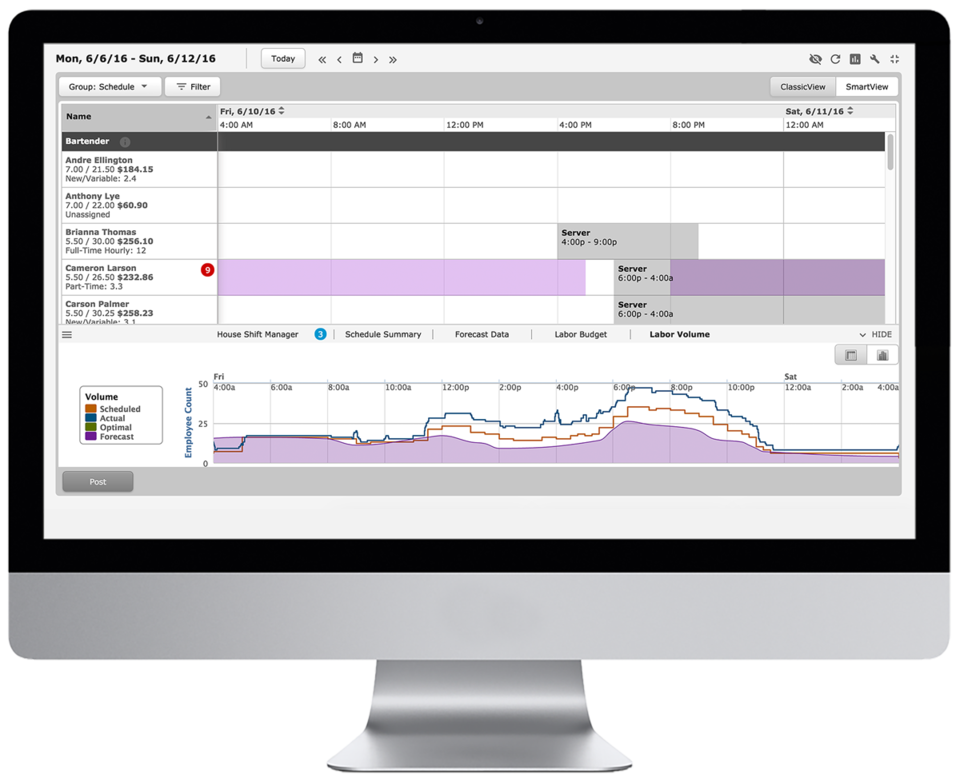
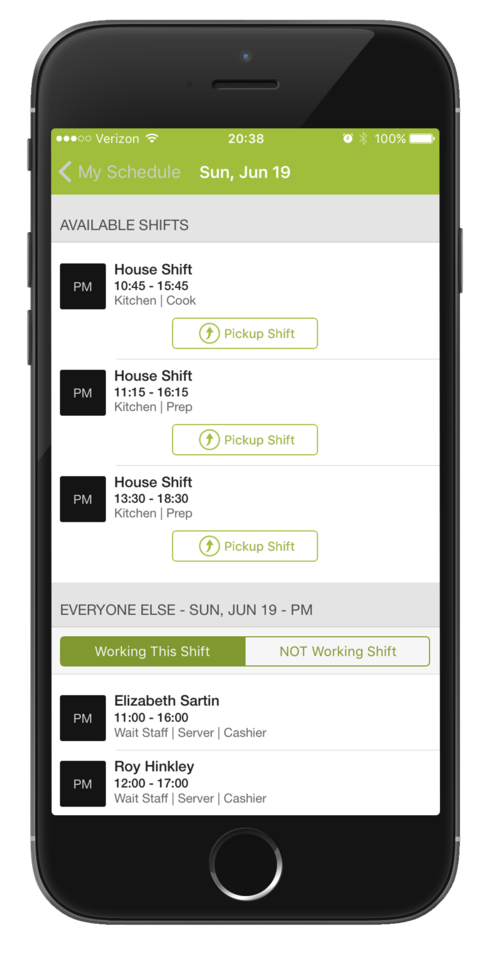
Screenshot of Time-Off, Availability, Employee Hours, Sales Volume are all available in the scheduler.Screenshot of Employees are able to swap and pick-up shifts from the HotSchedules Mobile App. All shift changes or requests require a manager's approval.Screenshot of Managers and employees can communicate with each other from the mobile and web apps - from anywhere and at anytime.Screenshot of Employees can submit a time-off, request - paid, or unpaid - and can request to work or request off right from the mobile app.Screenshot of Managers can view sales and labor data from their phone.