ibi WebFOCUS vs. Infor Birst

Overview
ProductRatingMost Used ByProduct SummaryStarting Price
ibi WebFOCUS
Score 7.0 out of 10
N/A
The ibi™ WebFOCUS® product is an enterprise business intelligence and analytics solution equipped with data management, visual discovery, predictive analytics, and visualizations. Combining these capabilities and data science in one unified containerized platform, the WebFOCUS® solution can be used to make data-driven decisions across the enterprise and provide reports, dashboards, and customer-facing applications at scale.N/A
Infor Birst
Score 5.3 out of 10
N/A
Infor Birst offers multi-tenant cloud BI for deployment in a public or private cloud, or on-premises. It provides an in-memory columnar data store and a BI layer comprising a reporting engine, predictive analytics tools, mobile native apps, dashboards, discovery tools, and an open client interface.N/A
Pricing
ibi WebFOCUSInfor Birst
Editions & Modules
No answers on this topic
Offerings
Pricing Offerings
ibi WebFOCUSInfor Birst
Free Trial
NoNo
Free/Freemium Version
NoNo
Premium Consulting/Integration Services
NoNo
Entry-level Setup FeeNo setup feeNo setup fee
Additional Details
More Pricing Information
Community Pulse
ibi WebFOCUSInfor Birst
Considered Both Products
ibi WebFOCUS
Chose ibi WebFOCUS
Above average. Feature wise [Information Builders WebFOCUS] stands out. User friendliness is OK. It can handle the most complex tasks and its extensions with for example R make it extremely versatile. Support is lagging in western Europe, although i am more than happy with …
Chose ibi WebFOCUS
We've looked at Tableau as an alternative and the visuals are good in Tableau. One way that WebFOCUS beats Tableau is it doesn't have any issues with a set number of columns in a report. When you need to have an Excel output, which happens, WebFOCUS is far superior. The …
Chose ibi WebFOCUS
Webfocus handles the side of our business that is involved with our catalogs. Our catalogs is a huge revenue driver for us and this tool has been extremely useful with planning feature catalogs. Tableau is used more for marketing and merchandising purchases since we can filter …
Chose ibi WebFOCUS
No comparison. Both have their strengths, but WebFocus comes out on top as the clear winner because it is so easy to use and understand for power users. Crystal Reports, like most BI tools, requires more extensive training and is not as easy or user friendly. It is more …
Chose ibi WebFOCUS
WebFOCUS has a mature and tested product that speaks well to internal personnel who rely on legacy data systems for day-to-day operations and business processes. It is apparent some newer products provide flexibility in user access with limited previous knowledge or experience …
Chose ibi WebFOCUS
I've used a few other development frameworks, but the desition of the company to use WF was not mine. I came and WF is the tool that the company uses.
I think that WF is a very important framework to achieve the goals of the company and I would like this technology to become the …
Chose ibi WebFOCUS
WebFOCUS is more visual and easier to build for a non-programming user, where with little knowledge on data management and dedication to learn it, you can easily start creating very well presented reporting that is automated. With the Report Caster system it allows you to fully …
Chose ibi WebFOCUS
Years ago I developed in Business Objects and when it came down to a decision to go with WebFOCUS it was a pretty easy choice. There is really nothing you can't do with the platform given all of the available options to develop the solutions with - HTML pages, parameterized …
Chose ibi WebFOCUS
I like the ease of development best on webfocus. As compared to Qlikview, it is better at handling large amounts of data and the data access process is much easier in WebFOCUS ( very manual in Qlik). Qlik is better for ad hoc drill through and it is nice how a selector easily …
Chose ibi WebFOCUS
Business Objects -WebFOCUS is more centered towards the user accessing data without an administrator setting up reporting objects or setting rules on data access. Access is more free form and allows the user more freedom (for better or worse) to design and create the report …
Chose ibi WebFOCUS
I found WebFOCUS a great tool for reporting purposes as I have used it for a long time. They should compare themselves with new reporting tools like Tableau and Splunk. Tableau's interface is mind blowing. IBI should learn from Tableau and how they have penetrated the big data …
Chose ibi WebFOCUS
The reason we chose WebFOCUS is because it seemed the easiest to use to create great reporting products. Also, we really liked that the code is transparent and readily available. We were confident in Information Builder's longevity and believed that ultimately, our staff would …
Chose ibi WebFOCUS
Haven't used any and not even think of using any. We are very much satisfied with WebFocus.
Chose ibi WebFOCUS
WebFOCUS was selected because of the rich data interface/adapter
Infor Birst
Chose Infor Birst
We were using Birst OEM and now moved to Looker, because it was too old-fashioned and tool capability was limited. It is a different tool - Birst OEM has some more in depth capability and customizations options while Looker is more modern and easy to use, in my opinion.
Chose Infor Birst
Infor Birst OEM and embedded analytics have low-code no-code features which are easy to deploy and with easy instances creation with a dev-quality-production environment. Good capability on data mapping features from source to intermediate to target with impressive metadata …
Chose Infor Birst
No comparison. The speed if info is next-level.
Chose Infor Birst
Birst is the best all in one tool that we found, especially at a good price point and already using Infor
Chose Infor Birst
There are a few items I evaluate when looking at different tools.
  1. Price per user
  2. License price
Chose Infor Birst
  • Ease of use
  • Ability to easily connect to multiple and varying data sources
Chose Infor Birst
Birst was better than Domo for our needs because we could get in and tinker with it. Our impression of Domo was that it had a lot of connectors and ready to go reports, but it made too many assumptions about applications we use. We customize too much to use a "ready to go" …
Chose Infor Birst
During the vetting process, we looked at 14 different products (one of them internal) to see if they would fit our needs and whittled it down to this one over a three month period. We did not contact sales for all of them (sales sites were enough to rule out some), but did have …
Chose Infor Birst

Easy to import data and build relationship.

Easy to create ad hoc analysis.

Chose Infor Birst
The primary differentiator with Birst is its scalability. Every other system we have developed or reviewed is either very strong in a single focus or requires a large team to manage to deploy over multiple, diverse customers. We have been able to accomplish more successfully …
Chose Infor Birst
We compared Birst vs Tableau and Lumirra and there's no question that Birst is the best option from a cost perspective. Additionally, the ease of use complemented with our support team has allowed us to innovate on the platform quickly
Chose Infor Birst
Key evaluation criteria:
- Is how quickly the query runs
- The code and metadata for the database
Chose Infor Birst
Birst was the only tool that did the following:
  • robust enough ETL for our data warehouse team
  • data would remain within our data warehouse and not within the tool's proprietary store, in case the company went out of business.
Chose Infor Birst
Cognos - this tool is also more difficult to set up, takes more time to develop dashboards, harder for the business user to navigate
MicroStrategy - this tool is also more difficult to set up, takes more time to develop dashboards, harder for the business user to navigate
MS …
Chose Infor Birst
Birst was the right size for our company. The other vendors were to large and scope was to much.
Chose Infor Birst
We evaluated and compared Birst, OBIEE 12c, and Tableau based on several criteria such as "Data Analysis & Discovery", "Data Integration", "Security model", "Data Visualization", "User Experience" or "Infrastructure & Architecture".
The only point where Birst was rated higher …
Chose Infor Birst
The standard in our company is SAP Business objects. For the international part of the company we are using Birst because of its accesibility, ease of maintenance and ease of use. Compared to SAP BO dashboarding and easy to medium complex reports are easier to create and …
Chose Infor Birst
We originally selected Birst because they are a Partner of our ERP system provider. We re-evaluated and reconfirmed that decision after our new investment through a one week prototyping exercise that proved how quickly something that delivers real content and value can be built …
Chose Infor Birst
We selected Birst over all other options due to the one-stop-shop nature of their offering - it allows us to rapidly develop and deploy a complete product quickly within a single tool.
Chose Infor Birst
So much easier to be able to pull data using a query at times, which should be supported alongside drag and drop options. I can actually left join two tables when needed to provide data frequently requested by customers.
Chose Infor Birst
Birst provide a much better web UI and end user experience and distribution mechanism than both Tableau and SSRS. Power BI simply did not have the full complement of features that we needed at the time of our selection to be competitive and Pentaho was too custom and would have …
Chose Infor Birst
We chose Birst as birst Appliance and cloud versions has same set of features available. Power BI hosted on Azure cloud has competitive pricing, but Power BI report server has very limited features available and is also very expensive. Due to PHI data regulations in different …
Chose Infor Birst
Birst's ETL is better suited to our purposes than Alooma's stream-based processing.
Birst's designer is more mature and meets or needs better than Periscope's reporting functionality, at the time I investigated it.
Features
ibi WebFOCUSInfor Birst
BI Standard Reporting
Comparison of BI Standard Reporting features of Product A and Product B
ibi WebFOCUS
7.7
Ratings
6% below category average
Infor Birst
7.4
Ratings
10% below category average
Pixel Perfect reports7.00 Ratings7.00 Ratings
Customizable dashboards9.00 Ratings8.00 Ratings
Report Formatting Templates7.00 Ratings7.10 Ratings
Ad-hoc Reporting
Comparison of Ad-hoc Reporting features of Product A and Product B
ibi WebFOCUS
9.3
Ratings
14% above category average
Infor Birst
7.0
Ratings
14% below category average
Drill-down analysis8.00 Ratings8.00 Ratings
Formatting capabilities10.00 Ratings7.00 Ratings
Integration with R or other statistical packages9.00 Ratings6.10 Ratings
Report sharing and collaboration10.00 Ratings7.00 Ratings
Report Output and Scheduling
Comparison of Report Output and Scheduling features of Product A and Product B
ibi WebFOCUS
8.2
Ratings
1% below category average
Infor Birst
8.0
Ratings
4% below category average
Publish to Web10.00 Ratings8.00 Ratings
Publish to PDF8.00 Ratings8.00 Ratings
Report Versioning6.00 Ratings7.20 Ratings
Report Delivery Scheduling10.00 Ratings9.00 Ratings
Delivery to Remote Servers7.00 Ratings00 Ratings
Data Discovery and Visualization
Comparison of Data Discovery and Visualization features of Product A and Product B
ibi WebFOCUS
6.3
Ratings
23% below category average
Infor Birst
6.9
Ratings
14% below category average
Pre-built visualization formats (heatmaps, scatter plots etc.)6.00 Ratings8.00 Ratings
Location Analytics / Geographic Visualization7.00 Ratings7.00 Ratings
Predictive Analytics6.00 Ratings5.80 Ratings
Access Control and Security
Comparison of Access Control and Security features of Product A and Product B
ibi WebFOCUS
9.0
Ratings
6% above category average
Infor Birst
8.3
Ratings
2% below category average
Multi-User Support (named login)8.00 Ratings9.00 Ratings
Role-Based Security Model10.00 Ratings8.00 Ratings
Multiple Access Permission Levels (Create, Read, Delete)10.00 Ratings8.00 Ratings
Single Sign-On (SSO)8.00 Ratings00 Ratings
Mobile Capabilities
Comparison of Mobile Capabilities features of Product A and Product B
ibi WebFOCUS
5.9
Ratings
29% below category average
Infor Birst
5.0
Ratings
45% below category average
Responsive Design for Web Access9.00 Ratings7.00 Ratings
Mobile Application3.30 Ratings3.00 Ratings
Dashboard / Report / Visualization Interactivity on Mobile8.00 Ratings3.00 Ratings
Application Program Interfaces (APIs) / Embedding
Comparison of Application Program Interfaces (APIs) / Embedding features of Product A and Product B
ibi WebFOCUS
8.6
Ratings
10% above category average
Infor Birst
-
Ratings
REST API10.00 Ratings00 Ratings
Javascript API8.00 Ratings00 Ratings
iFrames8.00 Ratings00 Ratings
Themeable User Interface (UI)8.00 Ratings00 Ratings
Customizable Platform (Open Source)9.00 Ratings00 Ratings
Best Alternatives
ibi WebFOCUSInfor Birst
Small Businesses
BrightGauge
BrightGauge
Score 9.0 out of 10
BrightGauge
BrightGauge
Score 9.0 out of 10
Medium-sized Companies
Reveal
Reveal
Score 10.0 out of 10
Reveal
Reveal
Score 10.0 out of 10
Enterprises
Kyvos Semantic Intelligence Layer
Score 9.9 out of 10
Kyvos Semantic Intelligence Layer
Score 9.9 out of 10
All AlternativesView all alternativesView all alternatives
User Ratings
ibi WebFOCUSInfor Birst
Likelihood to Recommend
7.0
(0 ratings)
8.0
(0 ratings)
Likelihood to Renew
8.6
(0 ratings)
9.0
(0 ratings)
Usability
8.0
(0 ratings)
9.0
(0 ratings)
Availability
9.0
(0 ratings)
4.1
(0 ratings)
Performance
-
(0 ratings)
7.5
(0 ratings)
Support Rating
7.0
(0 ratings)
6.0
(0 ratings)
In-Person Training
-
(0 ratings)
9.1
(0 ratings)
Online Training
6.0
(0 ratings)
8.0
(0 ratings)
Implementation Rating
8.0
(0 ratings)
5.3
(0 ratings)
Configurability
-
(0 ratings)
7.0
(0 ratings)
Ease of integration
-
(0 ratings)
5.0
(0 ratings)
Product Scalability
-
(0 ratings)
6.0
(0 ratings)
Vendor post-sale
-
(0 ratings)
5.0
(0 ratings)
Vendor pre-sale
-
(0 ratings)
7.0
(0 ratings)
User Testimonials
ibi WebFOCUSInfor Birst
Likelihood to Recommend
WebFOCUS is a good comprehensive tool for BI for companies. I feel that scenarios where you want the user to interact and be able to ingest data in different formats would be a good use of the tool. Performing data discovery is easier with InfoAssist, especially the most recent versions, and allows users to customize their views and provide comments.
Read full review
Birst is well suited for an organization looking for a cloud-hosted analytics solution that is contained within one package. It is able to connect to a very wide variety of different data sources, and has options for either light or involved ETL procedures, depending on the users experience with preparing data. As with any BI project, it would not be suitable for an organization where there is no dedicated team to maintain and manage the project.
Read full review
Pros
  • Webfocus reports all have the option to export to Excel. The excel spreadsheet is always very organized and clean, and the information is very easy to read.
  • Webfocus is able to maintain data from years prior. We can look up what we featured in catalogs and all the sales history attached with it.
  • Webfocus is able to provide support to a variety of departments. For example, our buying team uses it for planning in advance and our marketing team uses the tool to see how categories and products as the selling
Read full review
  • Birst is an platform that provides connectors to some of the applications we use, but also allows us to bring in data from disparate systems to perform ETL and integrate all of the data for analyses. It makes no assumptions about your data, which is good for us, as we have a lot of customizations to many of our systems.
  • Birst is making inroads towards a more modern UI.
Read full review
Cons
  • The Developer Studio has some bugs. I've faced errors where swapping between our DEV and PROD servers causes that the software stops responding.
  • Easy to find documentation and examples. WebFOCUS has some help with this but it'd be better to provide more real life examples.
  • Sometimes it's harder to code the graphical interface of the report because of the HTML styling.
Read full review
  • Birst prices are fairly expensive. License plus cost of users can add up pretty quickly
  • Depending on the size of data, rendering of reports can take a little bit. Need faster processing of data
  • Takes a little time to understand how to build reports, not the most intuitive UI
Read full review
Likelihood to Renew
This software is deeply engrained with my organization and has become a tool that would not easily be replaced without spending more money and resources to get the same results. License cost is comparable to other report writing tools and the capabilities are greater than the competition without having to buy multiple apps to do the same thing.
Read full review
We have been able to overcome any of the drawbacks we've found with Birst easily and it has fulfilled almost all of our analytic needs to date. Having seen their roadmap it would be highly unlikely we would move away from this platform any time soon. You simply can't beat the functionality that Birst provides for the price and the things I see coming out of the company solidify that our decision to choose Birst was the best possible choice. We have never regretted the decision.
Read full review
Usability
Best BI tool/product I have used. The others don't compare overall. Some can look fancier, but when you actually use them with large data and data from numerous systems/sources that is where most of the competition falls away. I also don't like downtime. I have basically none for a large user base with WebFocus. Even SAP Crystal Reports went down for 4 days once - 4 days because the admin password got locked out due to a glitch and we had zero reports for 4 days. WebFocus has never had more than a few minutes of downtime. It's like a tank that just keeps rolling. There is no other choice for reliable BI.
Read full review
Birst is a reliable BI platform that has developed through uploads via the cloud, easy tabular views, quick manual uploads and links to SQL databases. It however does not compete with other BI tools with the data manipulation and connections when your data is uploaded in the platform and the visualisation and customisations available. The automation aspect is very useful and is one of the top features, alongside the user hierarchy and permissions. Birst is an easy and useful tool for finicial reporting, however is not currently the best option on the market for providing easy to understand, edit and present visualisations.
Read full review
Reliability and Availability
Tracking availability formally for almost two years and we are at 99.8%
Read full review
We frequently experience -103 errors due to us using the Live Connect functionality, which does not seem to handle even minor interruptions in connectivity, and treats all future connection attempts or data requests as errors, even if the issue does not exist any longer
Read full review
Performance
No answers on this topic
In a reporting and analytics package there are two distinct performance times to look at. First is the performance of calculating the report data and metrics. I would rate a 9 for this. However, the interface rendering is slow, rating a 7. Dashboards can take 3-5 seconds to load. This is probably not a problem for normal users, as the dashboard render is performed once. My application integrated the dashboard into a commercial product though, with hundreds of customers - so my demands are higher with a large number of end users.
Read full review
Support Rating
They have extremely knowledgeable techs that I have worked with over the years. Some have actually become really good friends of mine. I see them often at local user groups and when we show them how we are using their tools to save millions of dollars throughout the company
Read full review
  • Poor turnaround time
  • Low response rate when the problem at hand are large
  • Lack of infrastructural knowledge when it comes to scaling solutions
  • Lack of inter team work noticed
  • Most of the tickets are open for a long period of time
Read full review
In-Person Training
No answers on this topic
I went to their annual user conference (Birst Forward) and their standard training class (Birst Boot Camp) this year, and both were excellent. Very educational, and I got all of the personal attention I needed to get my questions about my specific answered. I've also reached out to the trainers after those events to ask more questions, and they've been great about getting back to me with answers
Read full review
Online Training
It's hit and miss, the last class was overcrowded and people were having trouble connecting which took up much of the time. Instructors vary
Read full review
Although I found the online resources helpful, a lack of appropriate examples for certain tasks key to report creation and advanced modeling make the online training/documentation less than perfect. For an inexperienced BI professional, the online training would not enable a streamlined launch of the product.
Read full review
Implementation Rating
Plan ahead on what data will be accessible and the type of security required on the database and if you will want to use security that is built into the software. It is worth consulting with the vendor on what your plan is and how they recommend you proceed in order to get results you are happy with.
Read full review
Have clean data! Birst flexibility allows - Start small, then introduce functionality and complexity along the way. If you try to present all the functionality [bells and whistles] and wow them, but bad data is uncovered, the end user blames the new application and turns away.
Read full review
Alternatives Considered
Above average. Feature wise [Information Builders WebFOCUS] stands out. User friendliness is OK. It can handle the most complex tasks and its extensions with for example R make it extremely versatile. Support is lagging in western Europe, although i am more than happy with current level. With takeover by tipco it remains to be seen how European strategy will evolve
Read full review
Infor Birst OEM and embedded analytics have low-code no-code features which are easy to deploy and with easy instances creation with a dev-quality-production environment. Good capability on data mapping features from source to intermediate to target with impressive metadata management.
Read full review
Scalability
No answers on this topic
we can see that loading a lot of data can cause a noticable slow down in performance. Birst support indicated that they don't really consider anything less than 30 seconds to be an issue, but that is not the case for our customers, so we have had to change some of implementation to address this
Read full review
Return on Investment
  • We are not yet a success story. Though we've been implementing WebFOCUS for over a year, we have very few products in our Production portal. Of course, this is not all the responsibility of Information Builders, but we were ill-advised by our 'training coordinator' in our training of staff and coming up to speed with the tools has been very slow.
  • Once skilled analysts and professional IT staff achieve a grasp of the products, they are able to very quickly create polished and well-received products.
  • The DW/BI project has helped us to establish standards and protocols of communication that will allow us to more quickly meet knowledge transfer requirements
Read full review
  • Being a manufacturing company we tend to lag behind technologically. But having all the data for different ERP systems in one place has been an eye opener for the executives. It has lessened the need to convert some legacy ERP systems.
  • Having such a simple reporting tool is a great asset to some of our sites that have traditionally had trouble gathering data from AS400 systems.

Read full review
ScreenShots

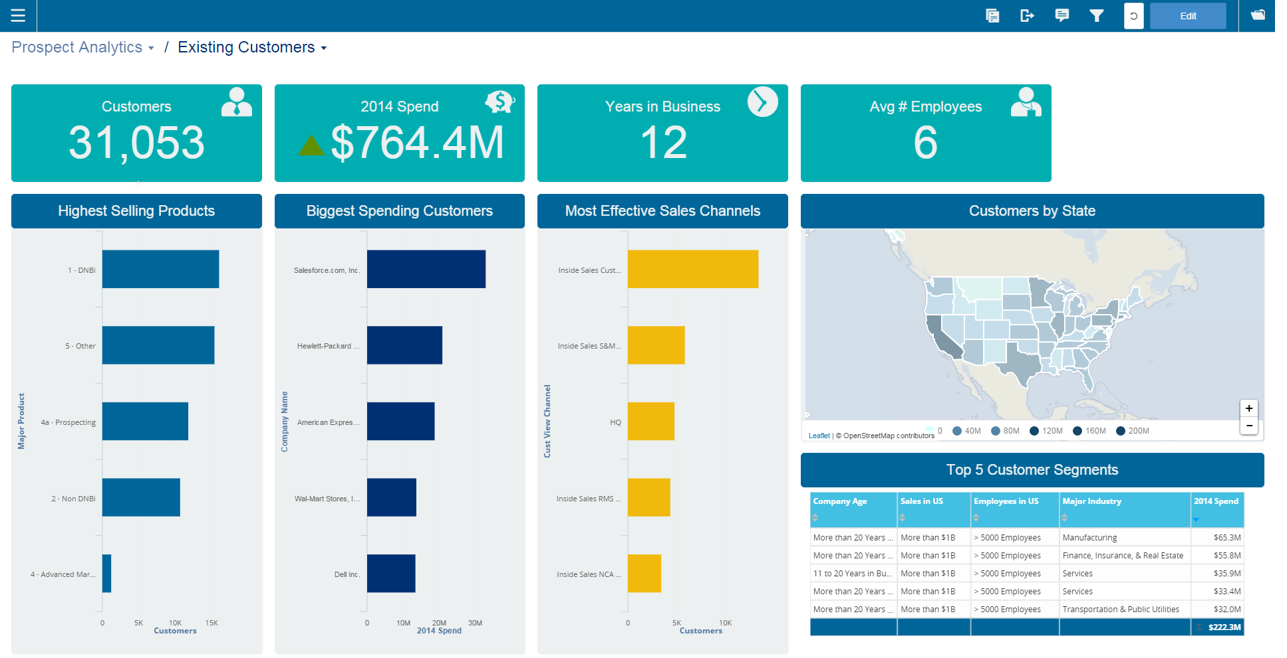
Infor Birst Screenshots

Screenshot of Screenshot of Screenshot of Screenshot of Screenshot of