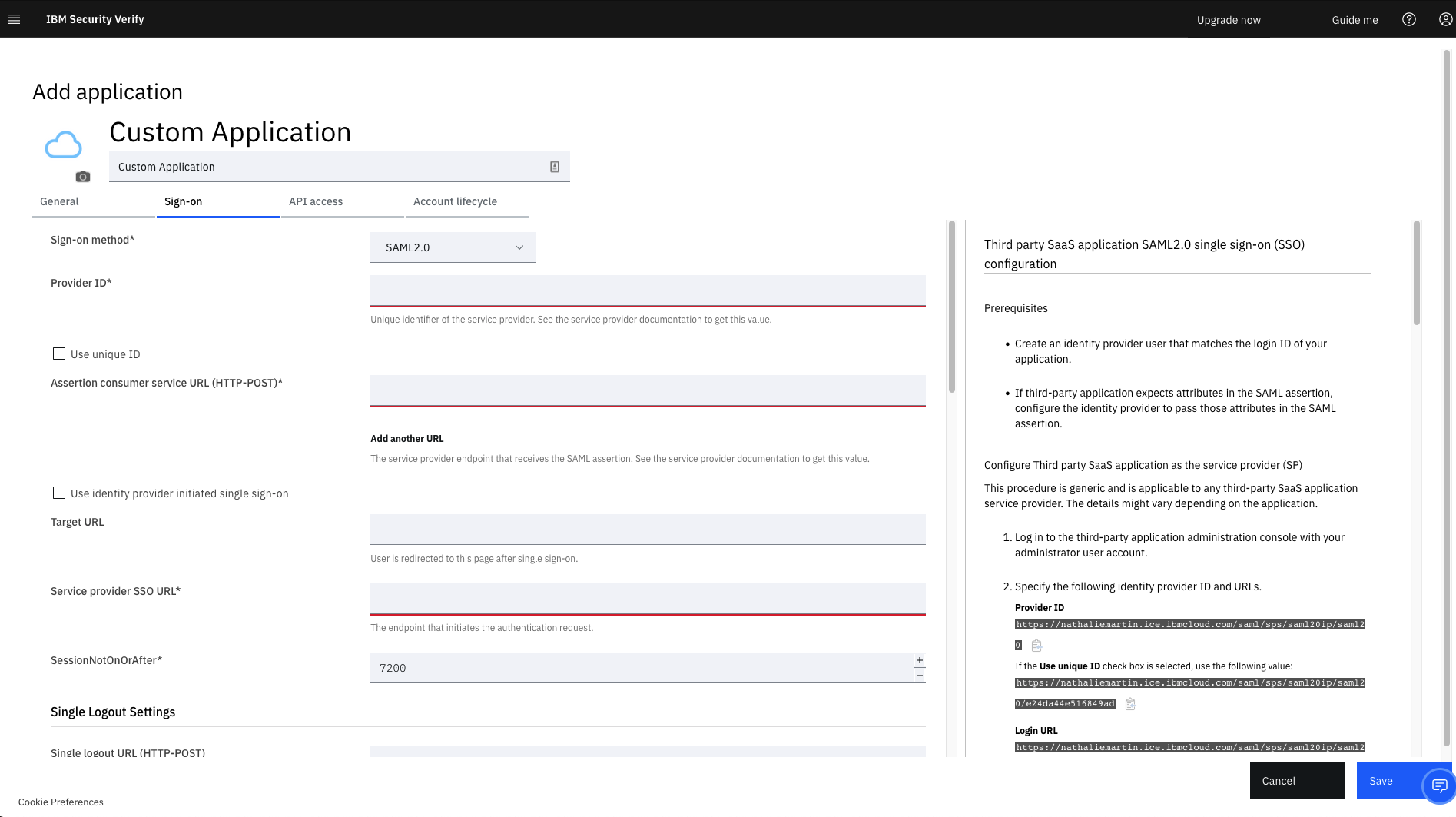
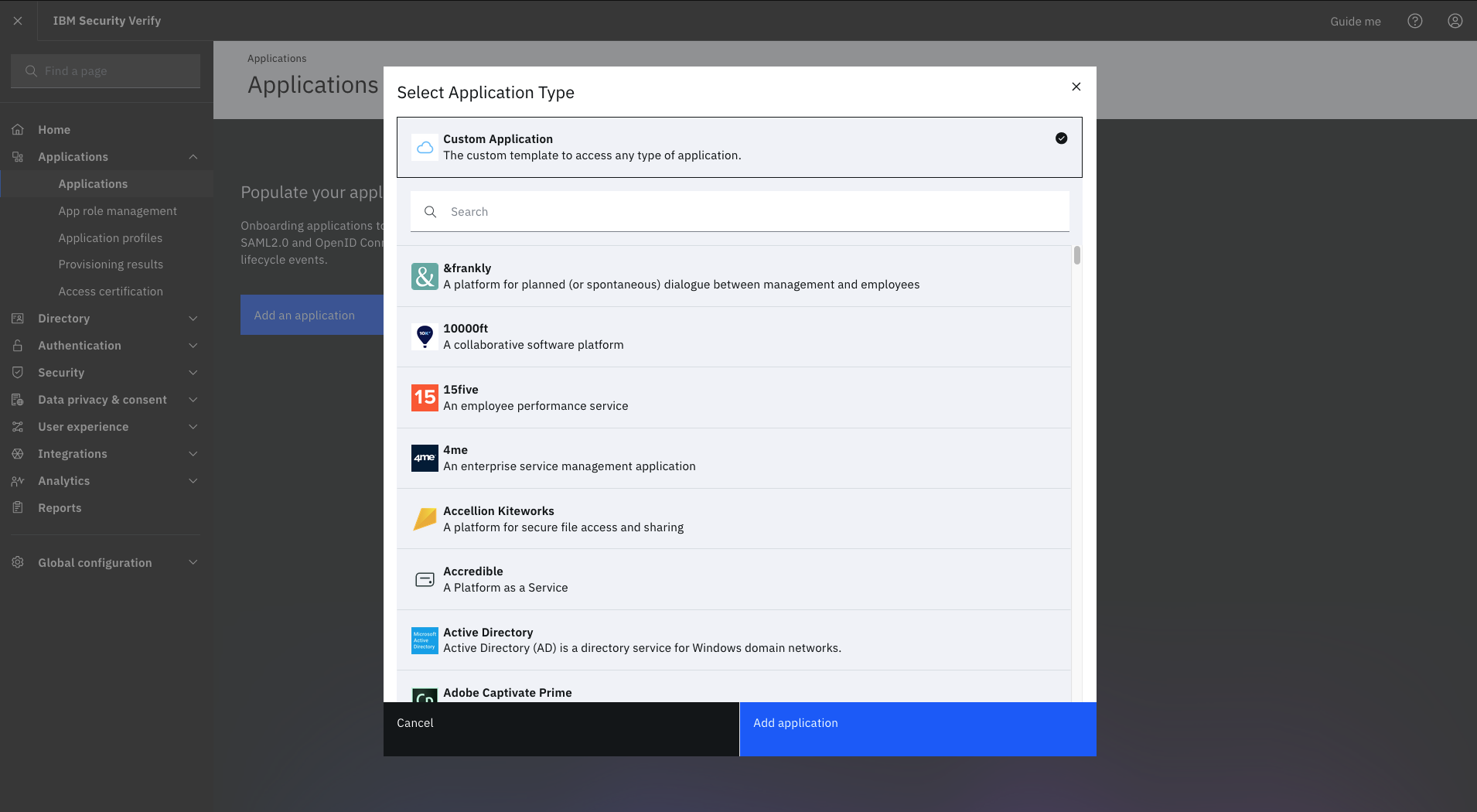
IBM Verify, formerly known as IBM Cloud Identity, is an identity-as-a-service (IDaaS) offering that aggregates dynamic user, device and environmental context to automate risk protection and continuously authenticate any user to any resource.
N/A
Microsoft Entra ID
Score 8.7 out of 10
N/A
Microsoft Entra ID (formerly Microsoft Azure Active Directory or Azure AD) is a cloud-based identity and access management (IAM) solution supporting restricted access to applications with Azure Multi-Factor Authentication (MFA) built-in, single sign-on (SSO), B2B collaboration controls, self-service password, and integration with Microsoft productivity and cloud storage (Office 365, OneDrive, etc) as well as 3rd party services.
$6
per user/per month
Pricing
IBM Verify
Microsoft Entra ID
Editions & Modules
No answers on this topic
Premium P1
$6.00
per user/per month
Premium P2
$9.00
per user/per month
Offerings
Pricing Offerings
IBM Verify
Microsoft Entra ID
Free Trial
Yes
Yes
Free/Freemium Version
No
Yes
Premium Consulting/Integration Services
No
No
Entry-level Setup Fee
Optional
No setup fee
Additional Details
Sample Pricing Breakdown (NOTE: for competitive pricing per contract, please consult with your IBM Security Account Rep)
Users: 5,000
SSO* -- USD 1.71 per user per month
MFA* -- USD 1.71 per user per month
Adaptive Access* -- USD 1.71 per user per month
Lifecycle and provisioning** -- USD 2.01 per user per month
Identity analytics** -- USD 2.13 per user per month
* Single sign-on (SSO), multifactor authentication (MFA) and adaptive access pricing based on total active monthly users per use case. Costs decrease if users are active less than once per month.
** Lifecycle and provisioning and identity analytics pricing based on total users per use case.
We conducted a comparison study between IBM Verify and Okta as well as Duo Security before making our selection. IBM Verify emerged as the perfect fit because its superior capability to integrate with our current system environment surpassed competitor security solutions. IBM …
Owing to the general findings formulated in this paper, comparing Okta and Microsoft Entra ID to IBM Verify, the latter appears to be the only tool that delivers a number of features for integrating with legacy systems. However, since IBM Verify has the upper hand in terms of …
During our proof of concept and demonstrations, we were clearly able to see how much better the identity, access and authorisation features were compared to the competition. We were compelled to make a decision, not only on this, but also on the ease and simplicity of …
IBM Security Verify is a robust product which has all the features. Its advanced AI capabilities helps it make a superior product when compared to competition. The most important factor with IBM Security Verify is that it comes under the IBM umbrella which makes it more …
IBM Security Verify stacks up with Microsoft Entra ID better than SecurID due to categories in common such as, Self Service password resets, Multi-Factor Authentication, User Provision and Governance Tools, SSO, and IAM. SecurID not so much because it doesn't have that full …
IBM Security Verify was more effective and useful for our business as compared to 360 Total Security and Norton Small Business both. All or team that used the product had good success, my only complaint is that cost for IBM Security Verify was more expensive for a small …
For the feature set, Verify was by far the more attractive product. We use some other Fortinet systems, so naturally, we wanted to see what else was available outside of this ecosystem. Verify wasn't the cheapest solution, but it does provide a level of confidence that you are …
There are very few competitors in this space, and you don't have to look too much into this. If it gets your work done, you can add users and start using the software; it's not a project management software where you would have to evaluate for months on the go and then make a …
I believe that the decision for selecting IBM Security Verify was based on our IT technical analysis but also due to our trust that this provider would deploy a solution according to our needs and expectations. The free trial made it possible to test it and understand, at an …
I don't care for the IBM Security Verify. I find it old and clunky compared to newer programs that offer the same service. IBM was selected because we are a large organization, and we need the reassurances that only large (think Microsoft, alphabet, IBM, Dell, etc) can offer. …
We actually use the F5 load balancer instead of the ISAM for those functions. We did evaluate some similar Microsoft Azure offerings but did not select.
We evaluated Oracle Identity Manager and were ready to move ahead with the purchase plan, but then found that IBM addressed the needs of our company in a more robust fashion. The price was significantly higher, yet in the grand scheme of things, the safety of both our data and …
Compared to Okta, IBM Verify is easier to implement and more user-friendly for our employees. It provides strong security using multi-factor authentication and maintains easy settings. We chose IBM Verify because it met our needs without any significant development work.
Okta has good user experience for end users and setup process however IBM verify has a stronger capability for integration, auditing. Microsoft Entra integrates well within the Microsoft tech stack, easier for users to adopt due to familiar environment. Store scalability and …
These tools provided similar functionality in multi-factor authentication and identity security, but IBM Verify offered stronger enterprise integration, compliance alignment, and reliability for our needs.
Google Workspace is really pretty much the only other primary competitor. And again, Microsoft has just been the standard for so many years and it was in place at the organization when I was first brought on at the beginning of my tenure. And so it didn't seem logical to switch …
Yeah, so basically that product to be honest, was more of a getting comfortable with cloud identification management. So that was a product I used. It has all the policies for desktops and doing updates and all that central directory identity provisioning stuff for users. Users …
We use DUO as another IDP solution and we also evaluated Okta as a solution. We didn't have a choice to be honest, because Microsoft products, you can't get away with it, but it's built in and a bunch of other providers have it as authentication, so it's great.
We've used other Microsoft products and we've also used some standalone products, like each application you can have its own identity, so we've looked at some of those too, but we try to use the Entra ID as much as possible because it offers a wider range of reliability.
We actually did just the Microsoft Active directory, so we picked the actual. We did just pure active directory. I mean the open LDAP stuff, but it didn't quite work that well.
I think the closest one would be because we recently went through an implementation, but Salesforce has their own version of a signal sign-on product. It's not the same. I'd say that it works, but it doesn't give you as much functionality.
For us, it was a natural evolution of our use of active directory. As we went from on-premises to the cloud, this was an easy extension of our authentication infrastructure. We looked at other products from Oracle, so Oracle ID, Oracle Identity Management. We looked at pink …
We used Google before, but we tried to use it but it didn't. We didn't like it. I'll this is better. It integrates better with our environment that we have right now.
We're Microsoft dedicated. We do however, displace other products that do similar things, so a lot of third party products, so even like Okta. In my opinion, it's just equally as powerful or more powerful of a product and it has a way better price point for customers. I think …
I'd love to tell you about Amazon IM and Google's IM because they suck and they tell you to use Entra ID, factually. They're like, oh cool, set it up with Entra ID. They just know you're going to do it. I don't think you guys have a competitor, to be honest. You just don't.
We're a Microsoft Native shop, so we're looking at Okta's identity tool, SailPoint and a few other competitors of Venture id. And we decided to go with this one because we're already using Active Directory, so just using the native Microsoft Suites kind of just they integrate …
Well, it's natively integrated with all Microsoft Stack, so it comes very handy when you need to, for example, use it for Intune Association, et cetera, so it's very handy.
Previously we had worked with Okta, which was kind of using our replacement for active directory server, and I know that has integrations, but we ended up just going with Entra ID just for the ease of access and without having to stack on an additional third party application …
In our application use case, it's kind of unique and there isn't any like for if there's anything on the identity space, probably Okta. Yeah. But we do both use them and we have integration with Okta and Entra ID, so it works for us very well.
Microsoft Login ID was chosen for its ease of use and availability of access via any device. Unlike the old Active Directory, it has a low learning curve and is very intuitive for analysts who are using it for the first time.
It is brilliant for use as an identity and access management tool and ensures the safeguarding of our systems and upholds data integrity as a consequence. It was very easy to set up and apart from a straightforward installation, we have found customisation and configuration easy. It was easy to deploy in the cloud after using it previously on premises.
For one, a significant factor for us is that it is integrated with HelloID, which gives us, as the IT department, a lot of time back because we don’t need to create user accounts manually. It is great for the roles we have defined, as they can be used repeatedly. A great feature is that guest accounts can be created for external users; we only need to be in a closed area of your domain.
MFA authentication - you can verify the users using the mobile app.
Password repository - We don't have to remember passwords for each app; we only need one for IBM security, which then authenticates us and lets us access the app.
Sharing access to new users, we just create a new user in IBM and it authenticates and takes care of the user.
It addresses the issue of identity management very well with respect to putting in that multi authentication.
It can also support with respect to we can push these policies into another product that is not Microsoft, but it needs that SSO so we can have one account going into multi different accounts. I think that's the biggest pros and the easy use of Microsoft 365 also is one of those pros also in terms of administration.
Well, I'm an active ad admin, so there's a lot of features in active directory that Entra ID seems to be just adding now. We're kind of figuring out that the policies are different than Entra ID that they were in active directory and we're finding other products to do that, like Azure policy. Some things I'm used to seeing in identity products or like active directory aren't in Entra iID, but are doing good job of managing stuff that it does so far.
It works flawlessly, i have never faced any major issues with this. It has all the features such as Iam and security management. I think its a good investment and the benefits we reap from this software are worth the price.
Entra ID is a vital part of our Identity management/administration. With the integrations it has to other Microsoft products, setup and configuration is a breeze. Additionally, Microsoft has been around a long time and have the resources to ensure this product is stable and secure for many years to come. We know it will evolve with time to provide us what we need as technology changes.
While setup and implementation takes work and time, the flexibility and possibilities make up for that in the long run. This is not a product you can just install and run, but if you design and implement your ruleset well, it will save you a lot of work afterwards. Just make sure that the systems you want to use it for have an existing and proven connector.
Very easily usable. It could be easier to use. Implementation was kind of tricky. We do run a hybrid environment, so we're syncing a local active directory instance with Entra ID, so that could be a little tricky. But outside of that, if you're not running a hybrid deployment or a version of Entra ID usually, it's pretty straightforward.
Throughout the system testing we conducted, we never encountered an issue that wasn't easily solvable. We did find some of the documentation confusing at times, but we overcame this quickly with some speedy support assistance. Implementation into production was a lot smoother following the testing we conducted.
The support team has always been the primary consultation base when we are faced by performance problems. From the deployment stage the team has managed to monitor the operation lifecycle and give best insights based on their observation. It works 24/7 to enhance productive service delivery to clients. The IBM Security Verify Support team has been the main player in the successful performance of this software.
Microsoft has offered Azure Active Directory as a solution for a couple of decades now, so they have seen and anticipated almost any issue that an organization may face and can therefore help. The cloud offering of Azure Active Directory offers some additional "self healing" or monitoring services that can minimize the need for a service call. However, as with most large companies supporting a fast growing market, there may be some gaps in service knowledge (and particularly processing) from the front line / tier one staff as they follow a corporate script at first contact.
Make sure you use a good partner. Our implementation was a bit longer and more problematic than we expected. Our partner got it done, but, in my opinion, some of their inexperience and staffing issues were evident.
We conducted a comparison study between IBM Verify and Okta as well as Duo Security before making our selection. IBM Verify emerged as the perfect fit because its superior capability to integrate with our current system environment surpassed competitor security solutions. IBM Verify demonstrated superior reliability through its enterprise-class scalability and fully transparent auditing mechanisms.
Microsoft Entra ID is not as stand-alone product as competitors like Okta. It may lack some of the features that competing products have but on the other hand it integrates both technically and license wise with other Microsoft cloud services and is easy to deploy. It is also the easiest way to extend identity management to the cloud if you already have Microsoft Active Directory in use.
Providing an additional layer of authentication security, IBM Security Verify helps protect customer data, reduce the risk of fraud, and improve the customer experience.
Lead to increased customer loyalty, improved customer retention, and better overall customer satisfaction.
Reduce the cost of fraud prevention, thereby improving the bottom line.
I don't know if I can really quantify that. It's one of those products that just exists and so there's not a whole lot of changes that we need to make with the product. And so I guess in terms of value, what we get is we don't have to worry about the identity management piece. We know that that's taken care of.