Chose InVision
we use different 'similar' applications for different usecases.

| Product | Rating | Most Used By | Product Summary | Starting Price |
|---|---|---|---|---|
 InVision | N/A | InVision is a collaborative design and prototyping platform with features such as freehand drafting mode and interactive mockups, collaboration, idea management, user testing, and integration with Slack and other collaboration tools. According to the vendor, 1 million designers are using the free version. | $0 | |
 Whiteboard Fox | N/A | Whiteboard Fox, from Springbok Solutions in the UK, is presented as a simple online whiteboard that allows users to share a virtual whiteboard in real-time using any modern web browser. | N/A |
| InVision | Whiteboard Fox | |||||||||||||||
|---|---|---|---|---|---|---|---|---|---|---|---|---|---|---|---|---|
| Editions & Modules |
| No answers on this topic | ||||||||||||||
| Offerings |
| |||||||||||||||
| Entry-level Setup Fee | No setup fee | No setup fee | ||||||||||||||
| Additional Details | — | — | ||||||||||||||
| More Pricing Information | ||||||||||||||||
| InVision | Whiteboard Fox | |
|---|---|---|
| Considered Both Products |  InVision  Andrea Hester Director Of Operations Chose InVision InVision can be a powerful tool when paired with Sketch and other platforms like Freehand. However, Figma is currently the industry leader in terms of functionality and usability for collaborative UI design and prototyping. Invision's sharing and prototyping features are its …  Charles Fashana, MBA COO (Chief Operating Officer) Chose InVision We only tested out using Adobe XD for similar uses and found it to be more challenging to fit within our processes. It didn't have as robust a set of capabilities as InVision and wasn't as easy to use enterprise wide. I recall also having issues with working with Sketch.  Dmitry Pashkevich Senior Fullstack Engineer Chose InVision Zeplin seems to support everything that InVision does (including Inspect mode) plus reusable styles. That alone significantly speeds up development.  Prashant Mahajan Senior Product Manager Chose InVision Zeplin also allows to share design spec and collect feedback, but the ability to have prototype changes the game.
Also, other products like Craft plugin is cherry on the cake.  Wojciech Szafalowicz Project Manager Chose InVision Balsamiq is a better tool for interactive prototyping and dynamic transition. InVision is definitely better for handling various designs, separated by projects and shared with different access levels across multiple organizations.  Mitchell Clements UX Designer Chose InVision Other design tools have been creating their own prototyping functionality, which has made InVision less valuable over time. It is much more convenient to use the same tool for both design and prototyping, because it removes the unnecessary steps of exporting, importing, and …  Albert Ellenich Sr. Experience Designer Chose InVision InVision works seamlessly and easily when sharing and requesting comments from others. Other products I've used like Balsamiq and Dropbox (earlier versions) provided online displays of work, but no easy way to collect feedback or quickly update. InVision provides enterprise … |  Whiteboard Fox No answer on this topic |
| InVision | Whiteboard Fox | |
|---|---|---|
| Small Businesses |  OmniGraffle Score 9.1 out of 10 |  Canva Score 9.1 out of 10 |
| Medium-sized Companies | OmniGraffle Score 9.1 out of 10 | Canva Score 9.1 out of 10 |
| Enterprises | OmniGraffle Score 9.1 out of 10 |  Whimsical Score 8.5 out of 10 |
| All Alternatives | View all alternatives | View all alternatives |
| InVision | Whiteboard Fox | |
|---|---|---|
| Likelihood to Recommend | 8.0 (0 ratings) | - (0 ratings) |
| Likelihood to Renew | 8.0 (0 ratings) | - (0 ratings) |
| Usability | 9.0 (0 ratings) | - (0 ratings) |
| Support Rating | 8.8 (0 ratings) | - (0 ratings) |
| InVision | Whiteboard Fox | |
|---|---|---|
| Likelihood to Recommend |
| No answers on this topic |
| Pros |
| No answers on this topic |
| Cons |
| No answers on this topic |
| Likelihood to Renew |
| No answers on this topic |
| Usability |
 Wilbert Kramer Digital Media Manager | No answers on this topic |
| Support Rating |
Wilbert Kramer Digital Media Manager | No answers on this topic |
| Alternatives Considered |
| No answers on this topic |
| Return on Investment |
Charles Fashana, MBA COO (Chief Operating Officer) | No answers on this topic |
| ScreenShots | InVision Screenshots   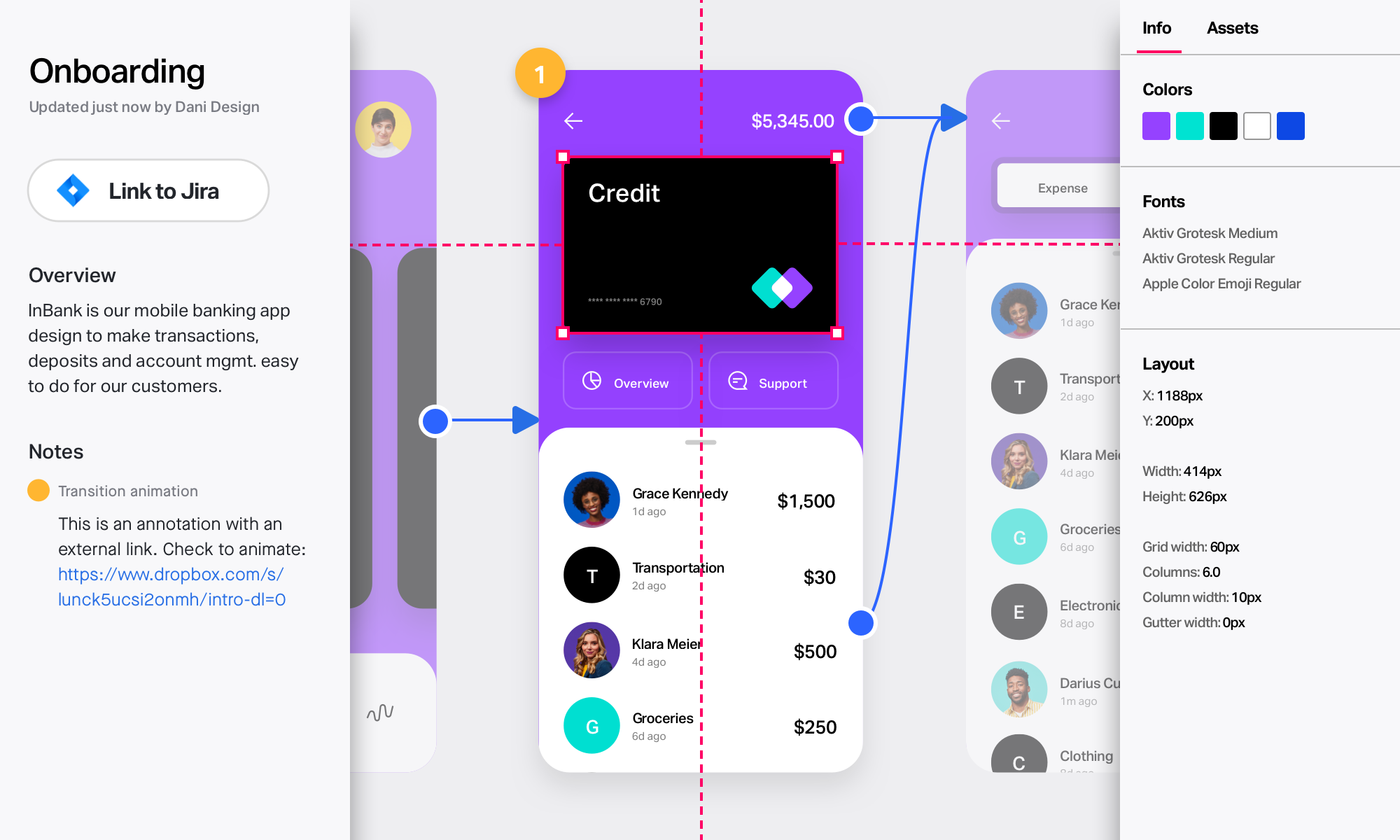 |