
Anil Pratap Singh
Director
Chose SolarWinds ipMonitor
Datadog, Dynatrace and Microsoft System Center

| Product | Rating | Most Used By | Product Summary | Starting Price |
|---|---|---|---|---|
 SolarWinds ipMonitor | N/A | SolarWinds ipMonitor is a lightweight performance monitoring tool. It enables monitoring from a single console and out-of-the-box visibility, with some automation available. | $1,570 installation | |
 NinjaOne | N/A | NinjaOne automates the hardest parts of IT, delivering visibility, security, and control over endpoints. The NinjaOne endpoint management platform increases productivity for IT teams and managed service providers, and comes with unlimited onboarding, training, and support. | N/A |
| SolarWinds ipMonitor | NinjaOne | |||||||||||||||
|---|---|---|---|---|---|---|---|---|---|---|---|---|---|---|---|---|
| Editions & Modules |
| No answers on this topic | ||||||||||||||
| Offerings |
| |||||||||||||||
| Entry-level Setup Fee | No setup fee | No setup fee | ||||||||||||||
| Additional Details | — | NinjaOne is a subscription service with a charge rate per month. For more detailed pricing information, contact NinjaOne directly to request a demo or to start 14-days free trial. | ||||||||||||||
| More Pricing Information | ||||||||||||||||
| SolarWinds ipMonitor | NinjaOne | |
|---|---|---|
| Considered Both Products |  SolarWinds ipMonitor Anil Pratap Singh Director Chose SolarWinds ipMonitor Datadog, Dynatrace and Microsoft System Center  Umair Mehboob Senior Devops Engineer Chose SolarWinds ipMonitor We were trying to evaluate different providers and ipMonitor suited us because we had on-prem and cloud instances and management decided to check the paid tool. The ipMonitor is a very responsive tool and it served the purpose well but as IT is evolving and needs are changing, …  Emma Jones Smith Senior Software Engineering Chose SolarWinds ipMonitor LogicMonitor is software with a fast-loading interface, with integrated alerts, so establishing them is simple due to its pre-configurations. However, SolarWinds ipMonitor [has] more complete characteristics because its interface is modern and easy to use. It offers fast and …  Rekha Yadav Development Team Lead Chose SolarWinds ipMonitor The way SolarWinds has clubbed the features and capabilities in SolarWinds ipMonitor is not available in other 3rd party or native tools. Even if they are available then they are very costly. I think SolarWinds is positioning ipMonitor so as to test their footprint on SaaS …  Dylan Eikelenboom Security Officer Chose SolarWinds ipMonitor Both alternatives were great offerings, but were too extensive for our business needs. We needed something that had very low set-up costs, was easily usable, and did all the basics we need; performance metrics analysis, rogue IP detection, network mapping. In the end, along …  Arnab Mukherjee ITSM and Project Management Consultant Chose SolarWinds ipMonitor SolarWinds NPM provides more functionalities than ipMonitor. It is for medium - large enterprise and provides lots of monitoring options.  Nikhil Kumar Sharma Associate Consultant Chose SolarWinds ipMonitor Although there are very less SaaS based tools available in the market, SolarWinds is somewhere in middle as compared to other tools such as LogicMonitor and ScienceLogic. Reason being the timing of the product launch and features enhancement. However current capabilities in …  Mike Mozola Senior Systems Engineer Chose SolarWinds ipMonitor I had some limited exposure to Zabbix that was provided by the client for monitoring the existing network. I found it not as informative as I previously experienced using ipMonitor and we were preparing for a network migration. I ended up setting up remote monitoring using …  Rob Bates Public & Private Cloud 4th Line Senior Engineer Chose SolarWinds ipMonitor There are some great free or low-cost tools out there. It all depends on your budget and size. We have used a wide variety of products over the years but we recently switched our entire monitoring backbone to SolarWinds products only. They cover just about everything and …  Jason Martin Managed Services Network Engineer Chose SolarWinds ipMonitor I've used simple scripted monitoring tools before, used IP monitor until we upgraded the enterprise to one scalable tool that can replace and upgrade per SLA SOX compliance standards. I moved to a larger company (much larger) and we don't use SolarWinds here. We use WUG which …  Mike Maner Network Systems Engineer Chose SolarWinds ipMonitor We have used Pasessler PRTG and ManageEngine OpsManager. Both are good products, but aren't really monitoring products, they are more management products with monitoring built in. The smaller footprint of ipMonitor, as well as the historical data storage options, were a better …  Christian Gaarn System Administrator Chose SolarWinds ipMonitor We are currently switching from IpMonitor to Orion. |  NinjaOne  Justin Mott CTO Chose NinjaOne We have used many RMM providers and the UI, cost and experience has all been better with NinjaOne. Datto wasn’t able to improve anything in the three years that we use them, in fact they were sold to and immediately started trying to sell us the other services they had.  Derek Gneiting Systems Administrator Chose NinjaOne NinjaOne is very simple to use and navigate. There are fewer layers of pages to navigate to get to what you want. This is a time saver and it makes it easier to find what you are looking for.  Scott Brewster Chief Technology Officer Chose NinjaOne We liked the per device pricing and the UI of the platform most when we decided to leave Datto RMM. We believe that NinjaOne's constant development to improve the product has been really helpful. The quality of the community posts with scripts we can use to automate things …  Michael Kerzner Service Delivery manager Chose NinjaOne NinjaOne feels like it is way beyond its competitors. Their UI is fantastic, with the exception of no Dark Mode. It is very responsive and easy to navigate. Also, NinjaOne bills monthly with no contract commitment. This makes it much more accessible to smaller and medium-sized …  Kurt Sholly, MISM Director of Technology Chose NinjaOne NinjaOne has what it takes and is very cost effective for what it provides an IT team. We would not be able to do what we do without it. Cost comparison wise, NinjaOne is the best option we found that has such a wide breadth of capabilities like it does.  Stephanie Sava Sr Help Desk Analyst/Phone System Administrator Chose NinjaOne Ninja does a few things better than Goverlan Reach, like the integrated ticketing. But honestly, Goverlan was much more user-friendly for everything else. N-able has a lot of features, but they're not easy to use, if you can even find them.  Rudy Shaw IT Director Chose NinjaOne NinjaOne has more overall features than these competitors bundled in their package. Both of these other products have separate add-ons that will accomplish the additional features that NinjaOne bundles in. While it seems that both may be slightly more powerful when it comes to …  Nesta Hayward Director of Technology Chose NinjaOne NinjaOne isn't as versatile as N-able. NinjaOne doesn't have as many features or settings as N-able. N-able is far more complex, which isn't always a good thing. For vary large-scale MSPs, it might be a better choice. However, for a small to medium-sized team, NinjaOne is an …  Trevor Jones, CRSM IT Director Chose NinjaOne NinjaOne blows Connectwise out of the water. You can take a college kid right out of school and put them in front of NinjaOne and they will have no issues at all. IT is that easy to use! Connectwise on the other hand uses an academy to get you trained and ready. Yeah if you … |
| SolarWinds ipMonitor | NinjaOne | ||||||||||||||||||
|---|---|---|---|---|---|---|---|---|---|---|---|---|---|---|---|---|---|---|---|
| Network Performance Monitoring |
| ||||||||||||||||||
| Monitoring Tasks |
| ||||||||||||||||||
| Management Tasks |
|
| SolarWinds ipMonitor | NinjaOne | |
|---|---|---|
| Small Businesses | No answers on this topic |  Action1 Score 9.5 out of 10 |
| Medium-sized Companies | No answers on this topic | Action1 Score 9.5 out of 10 |
| Enterprises | No answers on this topic |  TeamViewer Score 8.5 out of 10 |
| All Alternatives | View all alternatives | View all alternatives |
| SolarWinds ipMonitor | NinjaOne | |
|---|---|---|
| Likelihood to Recommend | 9.0 (0 ratings) | 9.4 (0 ratings) |
| Likelihood to Renew | 8.2 (0 ratings) | 9.9 (0 ratings) |
| Usability | 8.2 (0 ratings) | 8.0 (0 ratings) |
| Support Rating | 8.8 (0 ratings) | 9.1 (0 ratings) |
| SolarWinds ipMonitor | NinjaOne | |
|---|---|---|
| Likelihood to Recommend |
Dylan Eikelenboom Security Officer |
|
| Pros |
Anil Singh Director |
|
| Cons |
Emma Jones Smith Senior Software Engineering |
 Brett Carson Director of IT |
| Likelihood to Renew |
Mike Maner Network Systems Engineer |
|
| Usability |
Nikhil Kumar Sharma Associate Consultant |
 Steve Ricketts Director Of Technical Services |
| Reliability and Availability | No answers on this topic |
 Kevin Brant Service Desk Engineer |
| Performance | No answers on this topic |
Kevin Brant Service Desk Engineer |
| Support Rating |
Rekha Yadav Development Team Lead |
|
| In-Person Training | No answers on this topic |
Kevin Brant Service Desk Engineer |
| Online Training | No answers on this topic |
Kevin Brant Service Desk Engineer |
| Implementation Rating | No answers on this topic |
|
| Alternatives Considered |
Rekha Yadav Development Team Lead |
|
| Scalability | No answers on this topic |
Kevin Brant Service Desk Engineer |
| Return on Investment |
Umair Mehboob Senior Devops Engineer |
Michael Kerzner Service Delivery manager |
| ScreenShots | SolarWinds ipMonitor Screenshots     | NinjaOne Screenshots 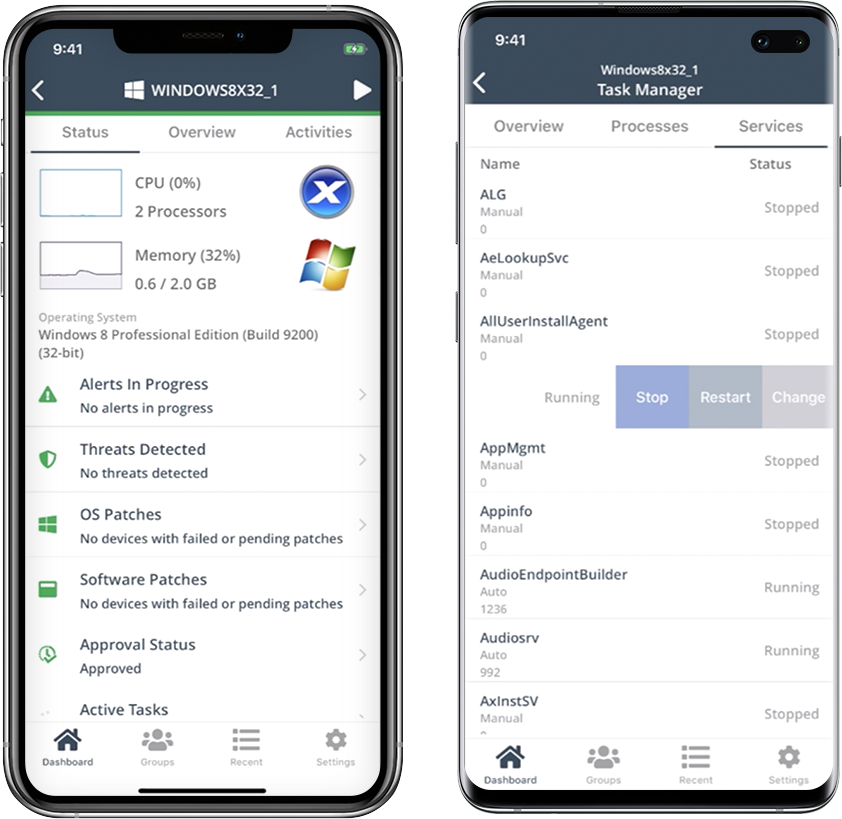    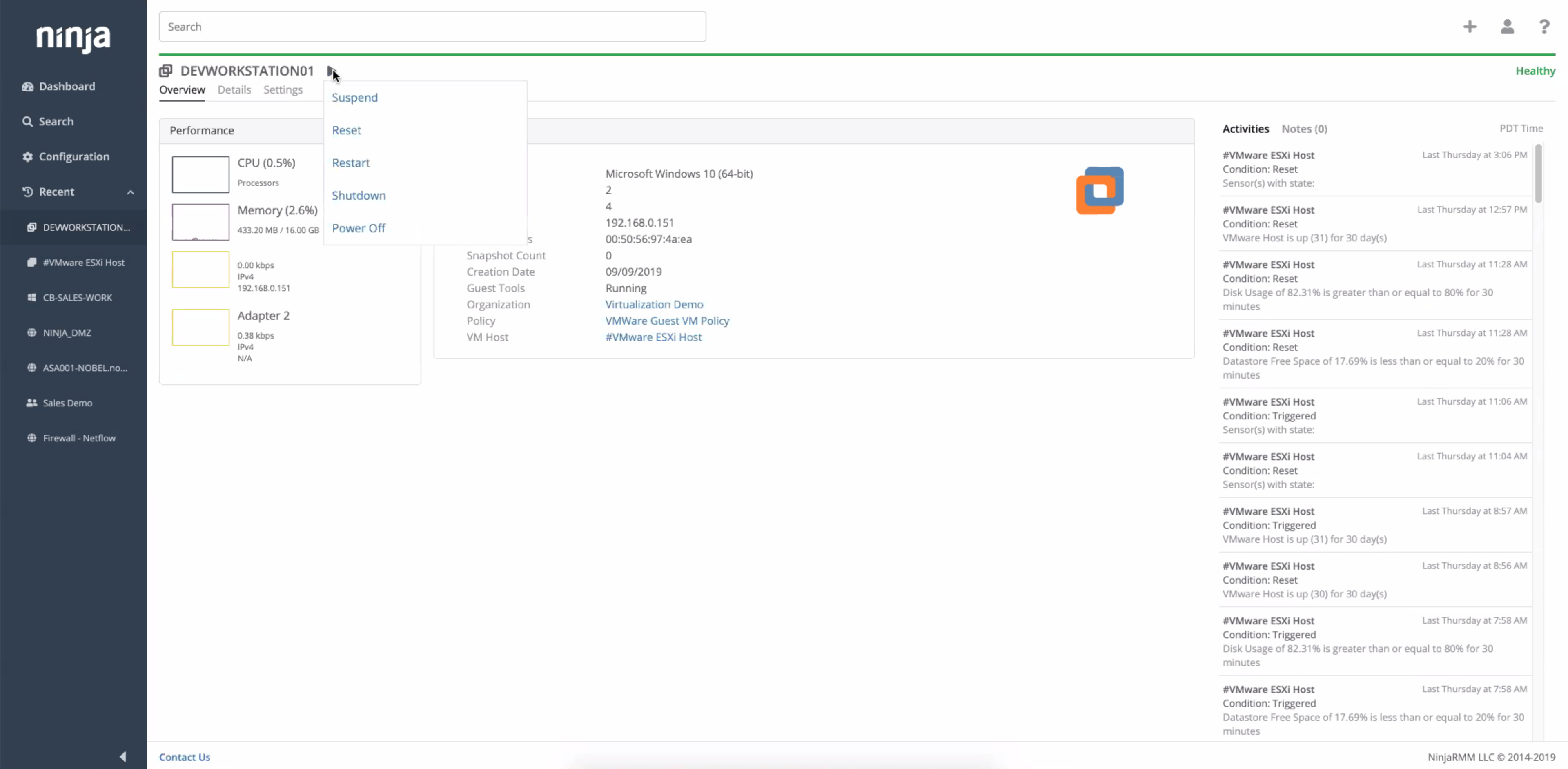 |