Evernote is a suite of software and services designed for notetaking and archiving. A "note" can be a piece of formatted text, a full webpage or webpage excerpt, a photograph, a voice memo, or a handwritten "ink" note. Notes can also have file attachments. Notes can be sorted into folders, then tagged, annotated, edited, given comments, searched and exported as part of a notebook. Evernote supports a number of operating system platforms (including OS X, iOS, Chrome OS, Android, Microsoft…
$7.99
per month
IT Glue
Score 8.4 out of 10
N/A
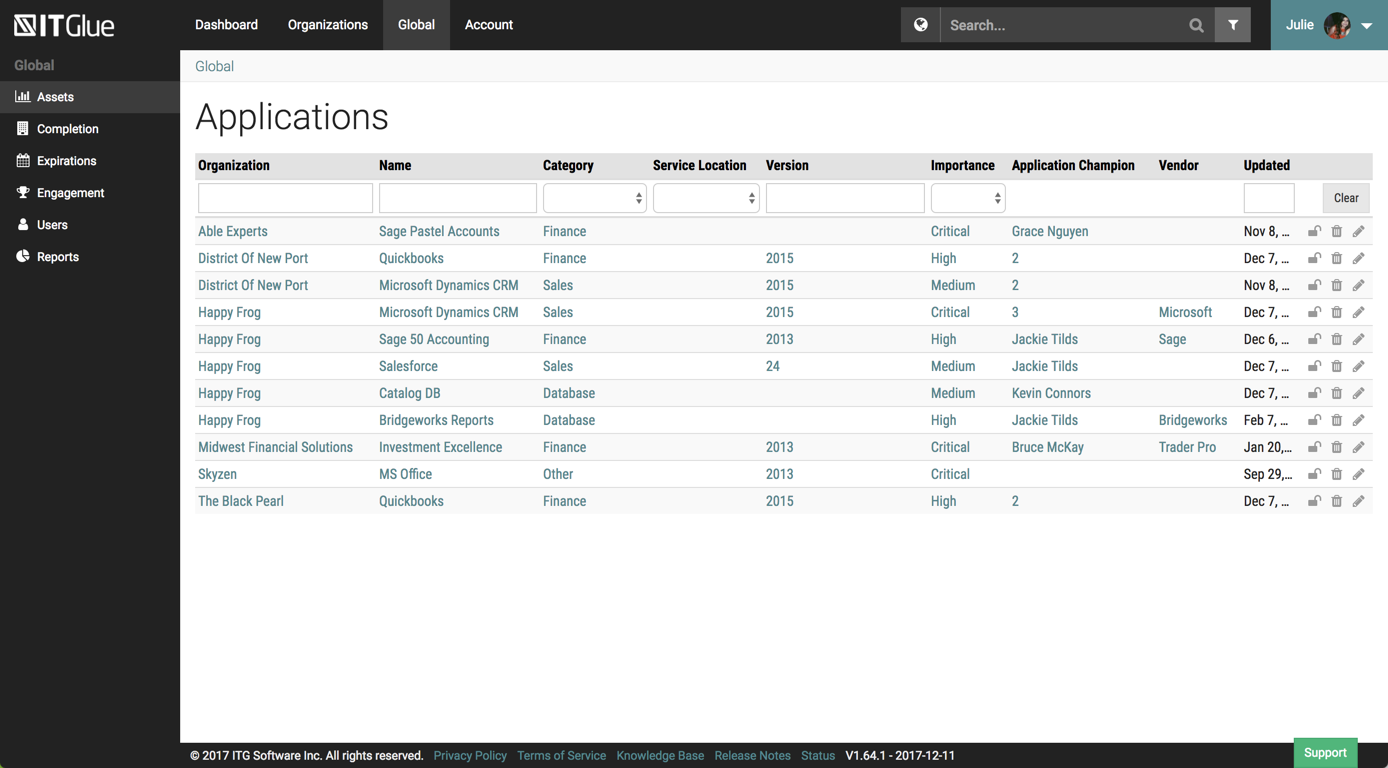
IT Glue, a Kaseya company since the December 2018 acquisition, is an information management platform that allows for efficient storage and retrieval of all the documentation an organization needs to help their MSP run better. By integrating PSA and RMM data, the vendor says they can help increase efficiency, and reduce onboarding times.
Honestly, Trello is my favorite now that I've been using it, but Evernote is a strong close contender. It is an easy to use program and has premium features for a price. I think that there are now really good competitors in the market and they should ensure that they are able …
Evernote is presently the most beneficial solution available when it comes to note-taking software that may be utilized for group assignments. Evernote can be used for both individual and group projects. Evernote is a tool for capturing notes that users may use via a web-based …
Google and Microsoft (told by a friend) are better options than Evernote. Even free account of Google Keep and Microsoft one drive offers more options than the Evernote free account.
Google Keep does not require 15GB of storage and stores notes in small files. OneNote works well with Microsoft Office apps like Outlook and PowerPoint. In addition to supporting handwritten, the web clipper functionality of Evernote distinguishes it from other note-taking …
I would say that Evernote stacks up really well against its competitors because it gives you a lot of features and functionality that would always keep the bar very high for the other products to reach. especially I love the feature where it can be available across multiple …
Slack is excellent for team collaboration but is not as good for keeping track of and searching notes. The notion has more advanced features and a more pleasing UX but can be harder to learn.
Previously, I worked on OneNote a few times since it has released but have never really liked the software. Microsoft's OneNote interface is far too big and cumbersome for my low-resolution on tablets. OneNote's UI takes up about half the screen with wasted space between …
Evernote is a better product than OneNote because it is not attached to an organization with other apps. Evernote allows the user freedom to create notes without looking cluttered. Although it does not have features to clip notes from websites that I have seen, the sleek design …
Evernote's simplicity far exceeds OneNote's. OneNote is clunky when entering information into a note. It is hard to position your cursor and format your notes. Also, the search is not as intuitive as Evernotes, the results are very messy and hard to sort through. It has …
Microsoft OneNote is very similar to Evernote, and I think that the free version of OneNote is even better, but the users in our company preferred to use Evernote. You might check if Microsoft OneNote free version is good enough for your needs, it might save you some money.
Evernote is more user friendly and flows better during collaboration events as long as everyone in your team is using it. Organization of files, reports, photos and even video files has been helpful with Evernote and the program makes it easy to send those files to coworkers. …
The most similar program I have used is OneNote by Microsoft, and other note taking programs exist like Notepad and Microsoft Word but those programs do not offer syncing like Evernote does. There are newer programs in the space like Dropbox Paper and Google Docs which would be …
Zoho projects and notebook are a simple tool compared to Evernote, allowing for collaboration, note making, and organizing notes. I used to use it earlier as it also has more advanced features for time management and responsibility division. However, I eventually stuck with …
I have also used Google Keep; they are both similar products although Google Keep is more web-based and lends itself to being more portable than Evernote. However, when it comes to the richness of features, Evernote certainly wins out and can do a lot more than Google Keep. …
I stuck with Evernote as I started using and liked it. I think OneNote is also great but I don't like the fact that it is tied to your corporate account which sometimes has a risk of losing data when you change firms. Also, exporting notes is easier in OneNote.
At its core, it's simply a space to take and store notes, but it can be integrated with every major note tablet maker and even works with cheaper Amazon tablets
I have tried using Apple notes and Samsung notes, and they are also pretty good products, but both of those products don't work if you ever switch from an Apple device to a Samsung or vice versa, so Evernote is the best because it works on both platforms really well.
Evernote has a nicer UI that makes taking notes really easy and pleasant. We do use OneNote for cases where we need MS Teams integration, but for personal note-taking, many individuals across the organization will use Evernote to organize their meeting notes as well as …
I've only used Notepad for taking notes and Asana for to-do lists. Notepad was ineffective because I had to go to the folder which I kept each of the different customers' files, and I couldn't be able to attach images in them. Asana is good for to-do lists for my purposes, but …
IT Glue is better than any Wiki site we have used. Integrating the Wiki sites with our IT information is too difficult, and they will not easily show statistics from the servers we service. IT Glue will integrate easily with things like Auvik and Lion Guar,d which is why we …
We used simply OneNote before IT Glue and still keep basic info in there. [I believe] it was not great for sharing outside the company but worked very well to share securely with staff. RoboForm can be used to share info to your clients, such as passwords and configuration …
Currently, we are evaluating using Sharepoint instead of IT Glue as documents and items are searchable within the document instead of by title. We feel that by only searching by title and the type it hinders the speed at which information can be found easily.
Although it doesn't show up in the search bar here, we've also used BizDox.
While all these provide many of the same services, for us, IT Glue just works much better. We can get to the information we need from anywhere, it's well organized, and we get it quickly. But above all …
Before IT Glue, we were using office Word documents, spreadsheets, and OneNote for storing client documentation - it was a mess. Since moving to IT Glue all of our documentation is in one place, more organized and easily accessible. The initial input of information was long and …
This seemed like a cool product. You run these PowerShell scripts that you run on the client computer that updated in IT portal. It worked good at first but then it would mysteriously double the computer in IT Portal. If I don't catch it, it will triple and grow and grow. Later …
We tried Confluence but it had such a steep learning curve not only for the installer but for everyone involved. It didn't go very far and everyone got fed up with it quickly. I know confluence can do a ton of things but when you don't have dedicated people to implement you …
IT Glue is much easier and cleaner to use than Confluence. It has a lot more functionality being able to sync across other pieces of software we use, such as ConnectWise Manage and ConnectWise Automate. Alerting to our Slack channel helps in some situations as well. A lot more …
This is no joke, when demoed IT Glue at a convention, and then set a call for the rest of the team to look at it, and it was so intuitive and easy to access data, that we signed, without looking at other software.. Prior to ITGlue all data was in our RMM software.
Spiceworks is a free tool to use if you're in MSP. The community is fantastic, but it lacked in certain features. The amount of information I can put into IT Glue is leagues ahead of Spiceworks. You also have to have supplementary software to reach the wealth of information …
We used SharePoint for quite a while and then moved to IT Glue. Then IT Boost came out, and I wanted to like it but it was super flakey and had some security issues. Overall IT Glue has kind of a sucky sales department, but otherwise, it's a solid product that I would recommend …
We used Bright Gauge a long time ago. At the time, we didn't have enough process and procedure in place to truly evaluate it, so we're currently going through an evaluation of Bright Gauge again now and we'll decide what works better. I don't think we're losing IT Glue …
Couldn't choose Wikipedia but IT Glue definitely has more options for saving content. It's user friendly and is straightforward. There are several editing tools that come in handy when writing up procedural documentation and I found Wiki to be more difficult to use. You'd have …
SharePoint requires specialized training, Confluence isn't MSP-specific, and ITBoost is new and not yet proven. IT Glue's integration with the rest of our toolset was what sold it for us.
ITG was created specifically for IT providers and had the integrations that we need for our PSA tool. Confluence is an amazing platform and may end up being our next move.
We chose IT Glue particularly because it's tailored to IT documentation. As a managed IT service provider, it's perfectly in line with what we were looking for. The flexibility and tagging in particular were the kind of features we were looking for. Confluence is very good, …
Evernote is a good solution for note-taking and more, it supports different types of notes and sharing and discussing those notes as well. Evernote is easy to use almost for everyone, so it can be implemented pretty easily to different types of users. Before choosing Evernote as your note-taking app, check your needs and the cost (do you need the Premium or not?).
IT Glue is well suited to any size managed service provider that requires a secure central knowledge base. IT Glue also integrates well with N-Central to automatically populate the configurations tab with all the relevant Workstation, Printer, and Server information making client on-boarding a breeze.
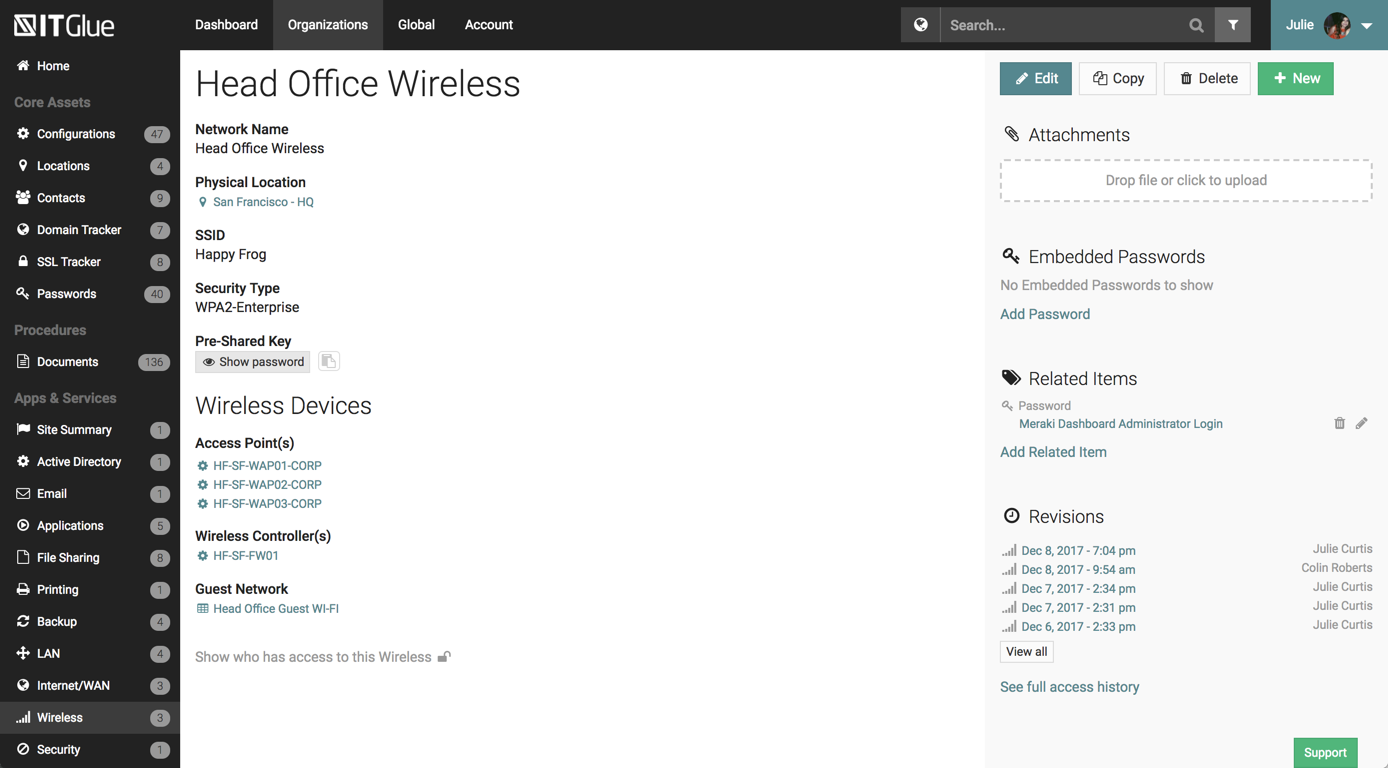
Flexible Assets are custom questions or forms that you get to create to keep the kind of documentation that *you* want. Our team has done this, and have developed a comprehensive system in our documentation that is better than anything we've ever had.
Tagging. This feature is so helpful when interlinking related items in the documentation system. IT Glue makes it so easy to tag other configurations, including printers, firewalls, phones, etc.
Public sharing of knowledge base articles. Often our clients need to know how to do something. We can add pictures, step-by-step walkthroughs that save us and them a ton of time.
iFrame embedding. There's some flexibility to the web pages that have been helpful for putting other things, such as Cognito Forms in.
The new version 10 desktop client for Windows lacks some features that were available in earlier versions such as auto start at login or the ability to open the app directly from the taskbar icon.
Sometimes the Android app is buggy when unlocking your screen and Evernote is currently open and viewing a note.
So far we have enjoyed the functionality of ITG with one exception:
The search feature is severely lacking. We have thousands of articles in this knowledge base but the search window is about 1" wide and only shows the first few words of each article. Within our system, those first few words are often the same "SYSTEMS: How-To...". If we are searching for a system, we will have no alternative but to manually try to find this document by browsing through folders within ITG.
Unfortunately ITG has not responded to a flurry of enhancement requests around this feature, that go back quite a while.
The functionality that would make this a killer app for us would be a dedicated search page that displayed results like a Google search page.
Ability to export all client documentation if the client moves to another provider.
I can't really imagine how much they'd have to charge me to make me quit Evernote. I can't really think of any technology that has changed my life as much without going back to email in the 90s, or the introduction of the iPhone. I know I sound ridiculous, but it would be really tough for me to live without it. If I were forced to choose between my smart phone (and keep in mind that I get lost in my driveway) and my Evernote, I'd probably choose my Evernote.
Overall IT Glue meets every need that we need it to. IT is easy to use and convenient and we have not had very many issues with it since the inception. I would easily recommend it to anyone who needs this software.
Basic visual organization - ability to create a notebook and store user notes inside of it.
Basic easy navigation - You can quickly move in and out of files and notes.
User intuitive addition - whatever you need to add to your document, it's relatively easy to understand and use.
We find overall that we still want some functionality in creating better task lists, boards, and other things that we find in Notion - which is the tool that we use as a team notebook/storage space.
The interface is excellent and very easy to use. As long as the text you input into the system can be easily read, you will have no problem finding it with all the different categories offered. Sometimes, the slider on the right can blend in with dark backgrounds, making it hard to see.
Generally issues are by connectivity and not Evernote availability but I have had issues in the past with cross-client consistency of data which Evernote Support has ID'd as bugs that are still unresolved as far as I know
Other than a few access outages, ITGlue is always up and available to us. Their ability to export Playbook, that contain our customers data, and securely send those over to them is amazing and are produced pretty fast. We have IT Glue linked with several other services and software and we have not found that it slows anything down.
I bet you won’t even need to call their support. Their product has never failed me. Simply put. But if you were to email them to gather some details or help, I bet they won’t disappoint you. Don’t worry about the support, it’s the last thing you should worry about this product.
No problems with support when needed it. Their answers on how to handle DR/BC situations when ITG is down are not stellar. They don't seem to get the business risks of their suggestions to just give the xls backup to engineers (aka give all passwords of ALL clients to engineers in an unencrypted flat-file where it is easy to copy, print, etc.)
Make sure you think about your tags. If you end up with multiple similar tags then things aren't grouped together as you might prefer. For instance if you have a tag called Disney and Walt Disney, this will split up your articles. Evernote makes it simple to correct, but I suggest you make sure your users look closely at the existing tags before creating new ones.
Google Keep does not require 15GB of storage and stores notes in small files. OneNote works well with Microsoft Office apps like Outlook and PowerPoint. In addition to supporting handwritten, the web clipper functionality of Evernote distinguishes it from other note-taking applications. Better than any other app because it allows you to tag notes and groups them.
Currently, we are evaluating using Sharepoint instead of IT Glue as documents and items are searchable within the document instead of by title. We feel that by only searching by title and the type it hinders the speed at which information can be found easily.
Evernote has allowed our school's over 3000 students and staff members to work more efficiently instead of spending time on making physical notes, clicking pictures, and uploading them to the cloud in order to share them
The investment in Evernote Premium has also allowed for heavier files to be attached in each note such as student work that allows teachers to be certain that students have followed deadlines and finished assigned tasks
Evernote has allowed our school to smoothly transition in and out of online learning as the local COVID-19 protocols change and student work requires one platform to be based on throughout
We've had a number of false starts on getting all of our clients' assets documented. The culture shift just has not happened yet and there is a general lack of trust in the data.
It's nice to not have to go hunting for information about client assets anymore. We can be much more productive this way.