Chose Ivanti Security Controls
Isec covers a much larger vendor base than SCCM did for us. It's also much more automated and flexible than SCCM ever was.

| Product | Rating | Most Used By | Product Summary | Starting Price |
|---|---|---|---|---|
 Ivanti Security Controls | N/A | Ivanti Security Controls is a vulnerability management solution, which replaces the former Heat Unified Endpoint Management & Security product, which in turn was formerly a Lumension supported product. | N/A | |
 Microsoft Defender for Cloud | N/A | Microsoft Defender for Cloud is a Cloud Security Posture Management (CSPM) and Cloud Workload Protection Platform (CWPP) for Azure, on-premises, and multicloud (Amazon AWS and Google GCP) resources. | N/A |
| Ivanti Security Controls | Microsoft Defender for Cloud | |||||||||||||||
|---|---|---|---|---|---|---|---|---|---|---|---|---|---|---|---|---|
| Editions & Modules | No answers on this topic | No answers on this topic | ||||||||||||||
| Offerings |
| |||||||||||||||
| Entry-level Setup Fee | No setup fee | No setup fee | ||||||||||||||
| Additional Details | — | — | ||||||||||||||
| More Pricing Information | ||||||||||||||||
| Ivanti Security Controls | Microsoft Defender for Cloud | |
|---|---|---|
| Considered Both Products | Ivanti Security Controls  Thomas Schoepf Geschäftsführer Chose Ivanti Security Controls Since we have been using Application Control for about 15 years, it is, of course, the best solution for us. We also looked at other products (RES One Workspace), but they didn't convince us. Some features of RES were good and are now part of the User Workspace Manager. The … |  Microsoft Defender for Cloud  Dipak Ugale System Integration Consultant Chose Microsoft Defender for Cloud There is the several ways to protect the applications and lot more tools available in the market. Most commonly we used Crowd strike Falcon for endpoint detection and response capabilities. McAfee endpoint protection also provide broad range of security features. Best …  Apoorv Tiwari Cloud Engineer Chose Microsoft Defender for Cloud It is very good in comparison to other products that we have used. Its price is very effective and attractive, and it also provides good security policies. threat intelligence is also good and user protection is also very much better, and it also serves new updates as and when … |
| Ivanti Security Controls | Microsoft Defender for Cloud | |
|---|---|---|
| Small Businesses |  Action1 Score 9.5 out of 10 | No answers on this topic |
| Medium-sized Companies | Action1 Score 9.5 out of 10 |  CrowdStrike Falcon Score 9.0 out of 10 |
| Enterprises | CrowdStrike Falcon Score 9.0 out of 10 | CrowdStrike Falcon Score 9.0 out of 10 |
| All Alternatives | View all alternatives | View all alternatives |
| Ivanti Security Controls | Microsoft Defender for Cloud | |
|---|---|---|
| Likelihood to Recommend | 7.0 (0 ratings) | 8.1 (0 ratings) |
| Likelihood to Renew | - (0 ratings) | 8.9 (0 ratings) |
| Support Rating | 7.0 (0 ratings) | - (0 ratings) |
| Ivanti Security Controls | Microsoft Defender for Cloud | |
|---|---|---|
| Likelihood to Recommend |
Thomas Schoepf Geschäftsführer |
|
| Pros |
|
|
| Cons |
Thomas Schoepf Geschäftsführer |
|
| Likelihood to Renew | No answers on this topic |
|
| Usability | No answers on this topic |
|
| Support Rating |
| No answers on this topic |
| Alternatives Considered |
|
|
| Return on Investment |
|
|
| ScreenShots | Microsoft Defender for Cloud Screenshots   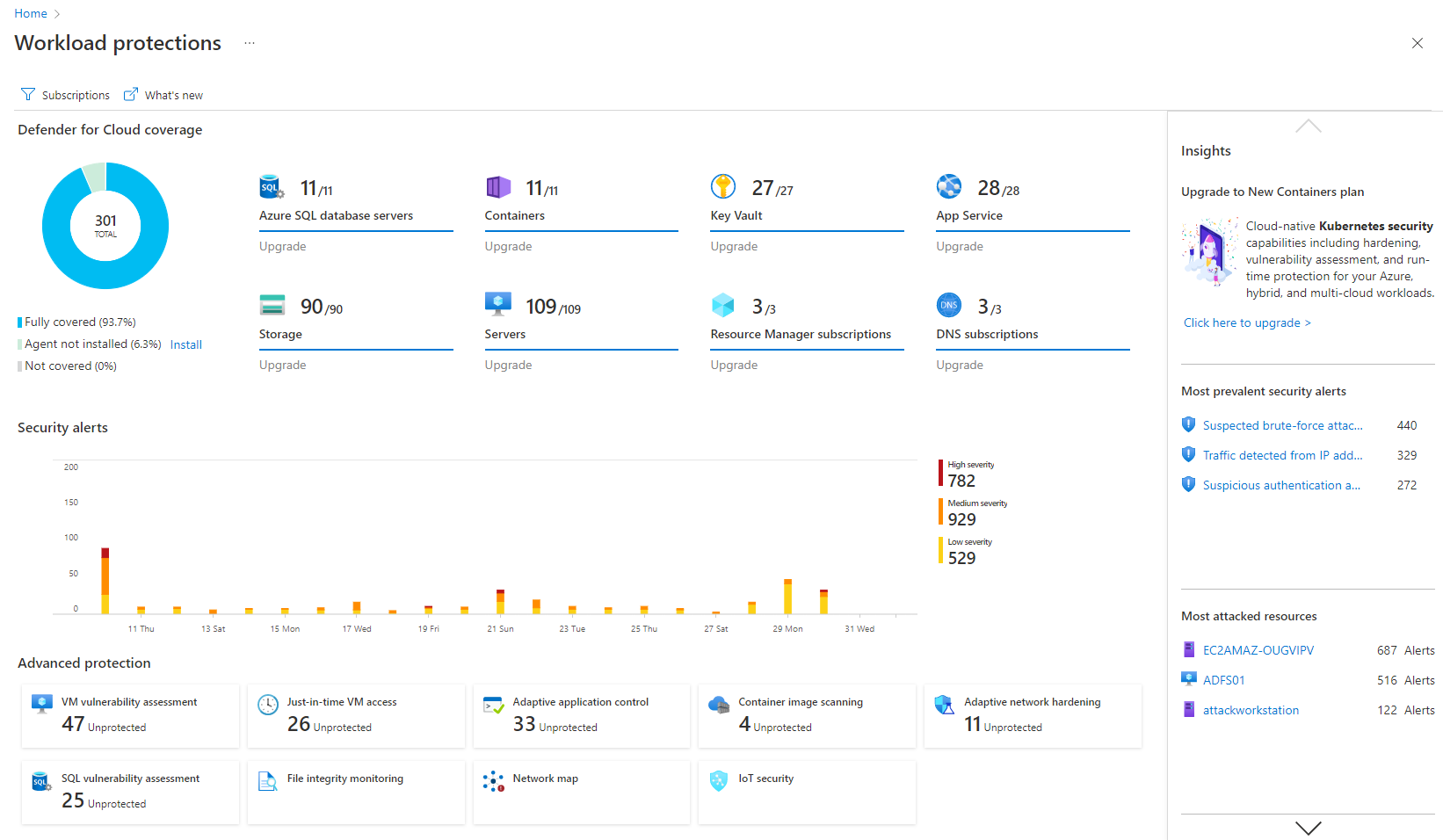   |