Jaspersoft Community Edition is a free product that offers embeddable pixel-perfect reports for Java apps and small workgroups.
N/A
Looker
Score 8.7 out of 10
N/A
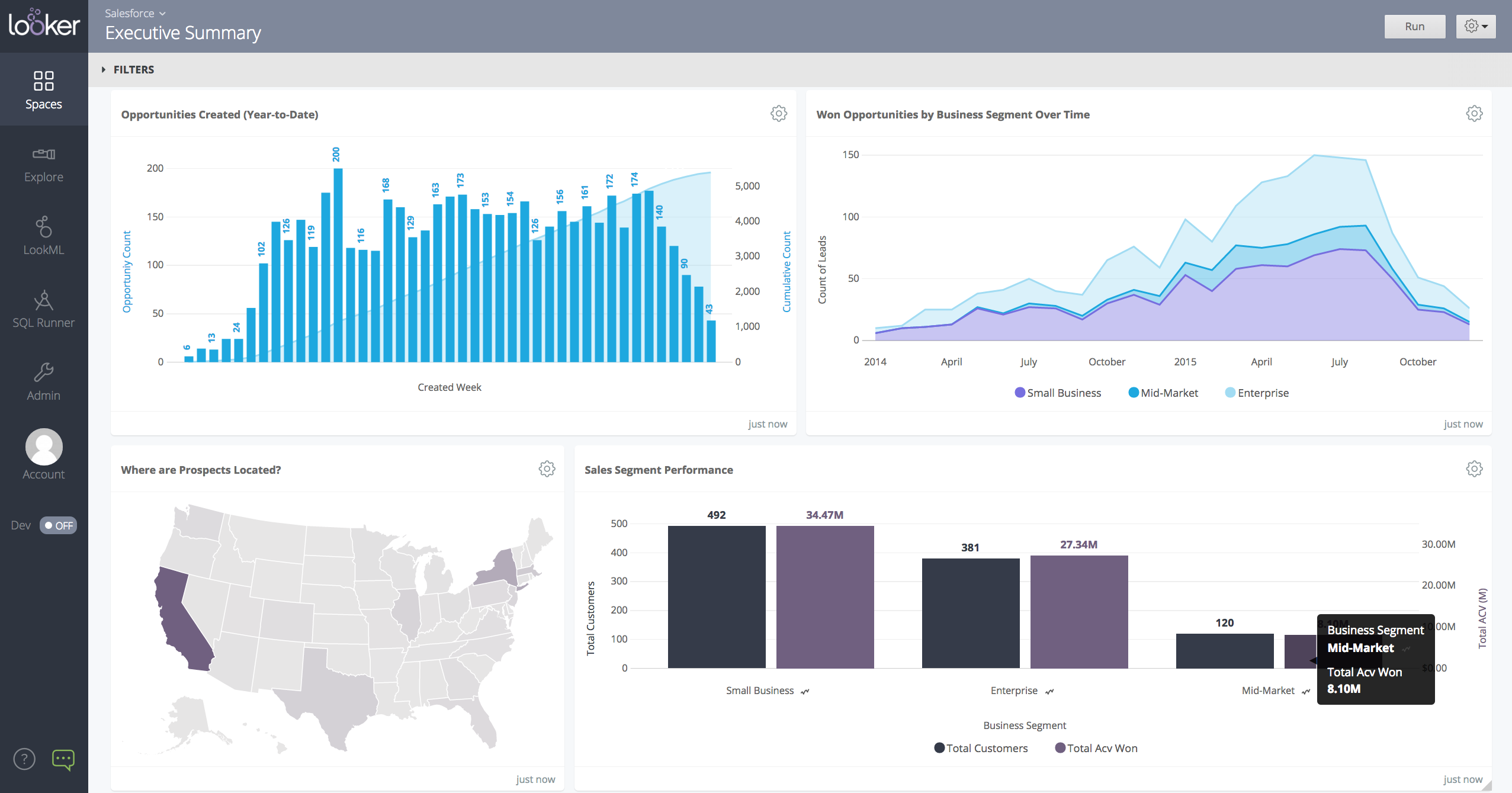
Looker is a BI application with an analytics-oriented application server that sits on top of relational data stores. It includes an end-user interface for exploring data, a reusable development paradigm for data discovery, and an API for supporting data in other systems.
N/A
Pricing
Jaspersoft Community Edition
Looker
Editions & Modules
No answers on this topic
No answers on this topic
Offerings
Pricing Offerings
Jaspersoft Community Edition
Looker
Free Trial
No
Yes
Free/Freemium Version
Yes
No
Premium Consulting/Integration Services
No
No
Entry-level Setup Fee
No setup fee
Required
Additional Details
—
Must contact sales team for pricing.
More Pricing Information
Community Pulse
Jaspersoft Community Edition
Looker
Considered Both Products
Jaspersoft Community Edition
Verified User
Anonymous
Chose Jaspersoft Community Edition
FoxPro is a deprecated product and can no longer be downloaded or purchased. While it was a great report development tool, it is no longer a viable solution. While we do use Business Objects in very specific and limited implementations and for specific users, we find that …
I cannot fairly answer this questions and I have not used other reporting tools. Other reporting tools seem to look like they are great via sales pitches and video previews etc. At end of the day, they struggle with the same issues that Jasper faces. Or they might have solved …
Our initial selection was based on the understanding of this product to be able to match up against other enterprise BI tools. However, the difficulty with the reseller and the technical issues with the RBAC make this an easy choice to eliminate against other products.
Pentaho and Cognos have been used and evaluated. Jaspersoft is similar to Pentaho, but has better support forums to answer questions. Cognos is slightly more intuitive, but at a higher licensing cost.
Cost and ease of use. We ultimately decided to use Jaspersoft because we didn't need to do anything complicated. At the time we were looking into Microsoft Business Intelligence. While we saw Microsoft BI having actual better reporting and tools, we choose to use Jaspersoft …
Spotfire - Better support. More intuitive. Works with our databases. Tableau - great support. Very simple and intuitive. Works with our databases! Infor ION - Really expensive. Works well with their products. A lot of work with other products.
At the moment of evaluation, it looked like Jasper would be able to cope with our data model. This was achieved with product customization. Visualizations are largely the same.
TIBCO Jaspersoft was chosen because it fitted our software cloud architecture the best and at a reasonable cost.
The rest didn't tick all the boxes at the time or were far too expensive. However, the likes of Power BI seem to be a contender now.
We have explored other reporting tools like IBM Cognos, Tableau, SQL Reporting, and Qlik along with TIBCO Spotfire (in-memory). FInally looking at all options, features, degree of flexibility, and then license cost, we decided to go with TIBCO Jaspersoft.
Tableau and Qlikview reporting probably have better end-user experiences but can't be easily embedded in a Web app. Microsoft BI suite needs nearly a full stack of the latest versions of SQL Server, Excel and Sharepoint which an ISV can't assume its customers have. Other …
Tableau was way, way more expensive and wasn't able to be embedded and white labeled, so we didn't go with them. I think Tableau is stronger on the visualization and predictive side... but overall... if you can't afford them, who cares?
Crystal reports is very expensive and does not integrate well with java based servers. Jasper also provides community edition, if we every want to downgrade the use, we always have the option of eliminating the server and using the reports as they are. Jasper also give you the …
Of course, there are challenges in the evolution of Jasper and it may take some time to become a stable product. With Jasper 6.4 the stability is improvised a lot compared to previous versions(5.5).
But I would recommend Jasper to any team for the following reasons.
Better in terms of data configuration with slight harder learning curve, available help material is not that much and we usually have to connect with Looker Help with chat for our data and analysis questions. While Looker offers a wide range of visualization options, there were …
It takes forever sometimes to have data ready in tableau dashboard, and also it takes effort to maintain each dashboards. We do not have so many efforts to maintain all. Also, we need to be able to see data faster and therefore take actions and work faster. With Looker we might …
Looker Studio is not as robust as Tableau or Microsoft BI. So it does not provide quite as much insight or depth and it has more limitations overall then the other major reporting products. However, it is also free and connects perfectly with other Google products. Plus, all of …
Technically, Power BI is much more complete and powerful, but it's like an ocean liner. I didn't need all that equipment. In my case, I needed to move more quickly, like on a speedboat, to build a page with several data sources in a single source of truth that could be easily …
Looker is a free tool to use on the basic level, which can't really compare apples to apples since all of the other services are paid services. Looker already has a leg up because of that. The other platforms definitely have more features and capabilities off the bat because it …
The learning curve for Tableau Cloud was too steep for our team. After watching a couple of YouTube videos, anyone can begin connecting data sources and creating reports with Looker. Looker is also free with Google Workspace, making the decision between Looker and Tableau a …
Tableau did not have the customization that we were told it had, and it was expensive. Domo looks promising, but is also expensive so we haven't purchased it (we may in the future). Google Sheets was very basic and did fine for what it was, but we needed something a bit more …
Looker seems to be all inclusive in data analysis and reporting. Along with the ability to forecast and add specific metrics to data sets. The automatic reporting sending them on scheduled days is great as well. The only concern is the ease of use as it requires high level …
I have not used any other products like Looker before and the company has been using Looker since I've joined. We've talked about replacing other software vendors in the past but never discussed replacing Looker because of how vital it is to our organization.
Looker is a great fit for our company because we have collaborative analytics workflows and complicated data ecosystems and because of its strengths in data modeling, integration, and collaboration. Brand name and peer recommendations also helps us to select Looker against …
Our organization is going all in on Google products so switching out of the Microsoft suite of tools is a no brainer. All the Google tools work incredibly well together and once you transition it’s incredibly hard to be half in half out between Google and Microsoft. If you’re a …
Looker is more mailable; it allows more dynamic visualisations, filters, drilldowns etc. It's sharing capabilities are also more streamlined than AWS Quicksight. However in contrast to this AWS Quicksight can leverage AWS IAM roles and policies which can be quite scalable. …
Looker is free, so it's certainly better bang for your buck. It's a good platform for someone who just needs a quick way to look at the data they have. It doesn't have some of the advanced functionality that Tableau has, but it integrates well with the Google ecosystem, so it's …
In terms of reporting specifically Looker Studio allows to integrate way more sources into a single report. If needed sources can be blended and parameters can be created with calculations etc
We haven't had a proper benchmarking done. We might consider looking at other options, but this thing is deeply integrated into our platform, so not anytime soon.
I choose Looker when I need quick charts. It is easier to start and configure, browser-based, and easy to connect with Google Sheets. This gives it a good competitive advantage when comparing pricing—other similar tools have expensive licenses. In a corporate Google …
Looker and Tableau are similar products with benefits and drawbacks according to which software you choose to employ. Looker is a Google product whereas Tableau is a Salesforce product. Depending on your existing tech stack it is recommended to leverage the integrated, native …
Looker is web based app and much easier to use.¨ON the othe hand Power BI offers robust integration with Microsoft products (like Azure, SQL Server, and Excel) and a wide range of other data sources. Power BI's ability to seamlessly connect and import data from these sources is …
We use both Looker and Tableau. It depends on the specific team. However, there is a clear correlation that we use Tableau more often when there are more data sources, including financial data.
TIBCO Jaspersoft Community Edition is very powerful platform that has enhanced smooth running of workflows across our organization. The system operation has greatly created positive development infrastructure in our company due to excellent planning from the data analytics. The cost running this product is low as compared to similar software and easy to learn how it works. It provides comprehensive reports that affect each department and offers solution to most challenges affecting our systems.
When you need to create a centralised dashboard for multiple stakeholders that blends cross-channel reporting. As an SEO agency reporting for clients - Looker is a great solution. It's less appropriate depending on the intended users. For instance, in my experience Looker reports have been under-utilised because they're not accessed regularly, provide too much noise or often simple PDF reports are preferred
Custom design reports in Jaspersoft Studio. There is a lot of flexibility to customize reports. You can create easy reports in a quick time frame or complex report in a bit more time.
The company does not need a 100% developer to develop reports. Someone with some level of developer experience could use Jasper Studio
Jasper also provides a stand-alone web server to deploy your reports. This opens up a lot of Jaspersoft Studio files.
There is a lot of time and effort put into the software. Years of input that improved all levels of the applications. Jasperstudio, Jasperserver, a manual, the community, etc.
Flexibility is awesome, you can do almost anything. Having well-rounded REST API or you can use the Java Studio.
There is a lot out of the box functionality. Scheduler, stand-alone reports, report output formats, logging settings, customization of GUI to a degree, permissions, roles, and user setup Studio, etc.
Even though there are challenges with Architecture, sizing and other areas with Jaspersoft provided that Jaspersoft comes up with the right set of innovation, performance, scalability, and documentation in future it will be great expansion (win-win) situation for the clients and as well as Jaspersoft.
We are very haooy with Looker, it provides us with all the funciomalities we need for both the day to day oerformance tracking and longer periods reporting. It is easy to use for account managers, configurable and customizable for soecialists and what is most imoortant, our clinets generally really love it
The overall performance of this platform has been excellent. It is easy to work with the user interface. Creation of digital content and publishing on our social media platforms during marketing has been easy. Running our applications and upgrading our system to meet international standards has been successful. The user dashboard displays reports and performance of all departments effectively.
Looker is relatively easy to use, even as it is set up. The customers for the front-end only have issues with the initial setup for looker ml creations. Other "looks" are relatively easy to set up, depending on the ETL and the data which is coming into Looker on a regular basis.
Somehow resources heavy, both on server and client. I recommned at least 50Mbs data rate and high performance desktop comouter to be abke to run comolex tasks and configure larger amount of data. On the other hand, the client does not need to worry when viewing, the performance is usually ok
We have only had a couple of tickets to be open while using Jaspersoft. Each time we have a very prompte responses that would meet our expectations. We always felt that our issues were being address in a timely manner
Never had to work with support for issues. Any questions we had, they would respond promptly and clearly. The one-time setup was easy, by reading documentation. If the feature is not supported, they will add a feature request. In this case, LDAP support was requested over OKTA. They are looking into it.
While the training was somewhat beneficial, a lot of what was taught to us was what we managed to figure out in the weeks prior. It did provide some useful tips and reference material, but overall something more tailored to our requirements would've been better.
New releases can be very buggy, also lacking when it comes to standard time zones and formats that are outside the US. As a company we never feel comfortable implementing a new release for at least 3-6 months due to errors that are found
Crystal reports is very expensive and does not integrate well with java based servers. Jasper also provides community edition, if we every want to downgrade the use, we always have the option of eliminating the server and using the reports as they are. Jasper also give you the opportunity to build BI on case by base basis including Dashboards.
In my opinion, Looker is no Power BI. It is good, but I think Power BI is amazing. That said, in my experience, Power BI is nowhere near as easy to setup and report on Google services as Looker is. We plan to continue using Power BI for c-suite and corporate reporting, especially for internal databases, but will gladly use Looker for our marketing information for AdWords, Analytics, Search Console, and YouTube.
Jaspersoft Community Edition has not had any significant impact on our ROI as we have purchased the commercial edition of the product.
The only impact on ROI is that when we bring on new developers, he or she can begin work using the community edition while awaiting the installation of the commercial edition.
Other than some people not liking the numbers, I don't see any negative impacts; we haven't experienced that.
The reports help us unravel the story of our users and how they are sifting through our pages.
Our clients enjoy seeing the numbers to understand better what stands out on their sites.
The reports have helped us see what campaigns are working and where we need to tweak things.
The reports have enabled us to have better conversations with stakeholders about how their web pages should be modified, edited, etc., to reflect the data.