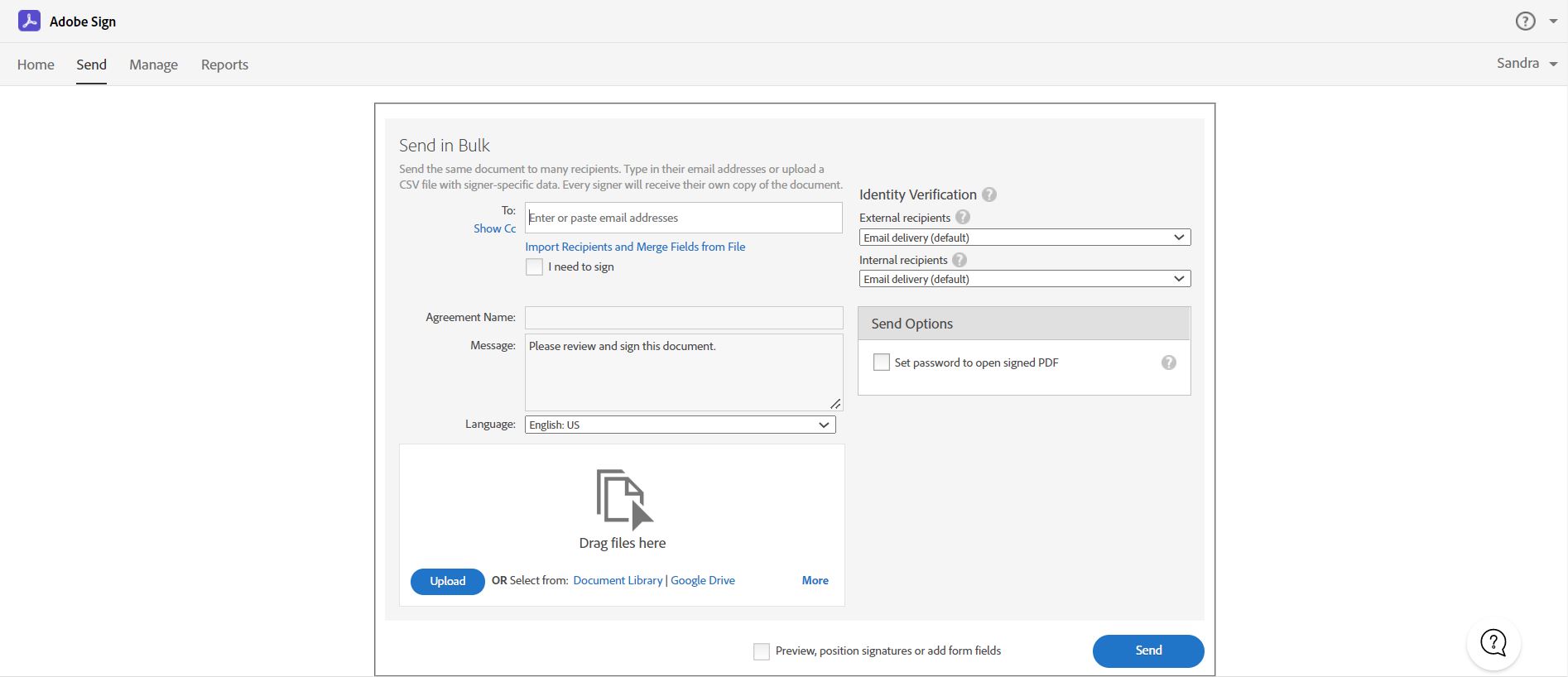
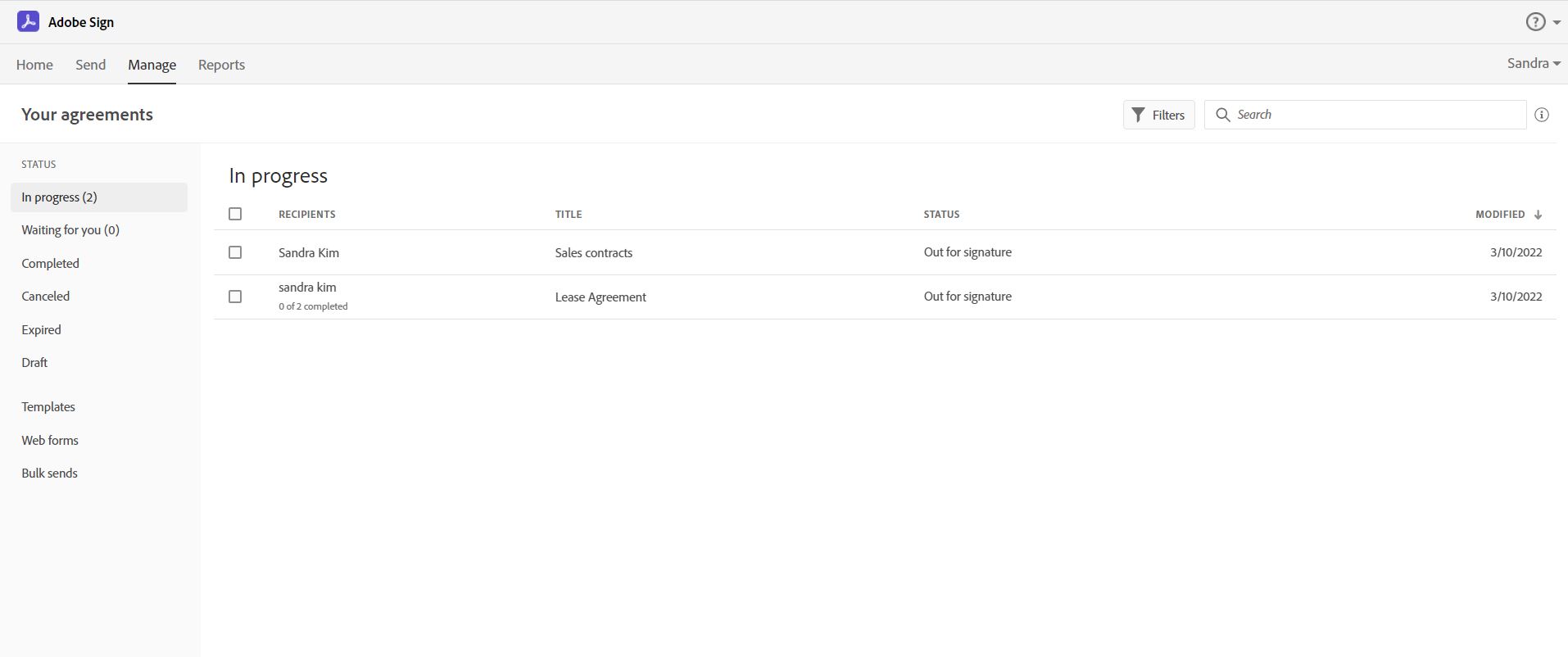
Acrobat Sign is an e-signature solution that combines simple and secure e-signatures with Adobe Acrobat. With Acrobat Sign, the user can create, sign, send for signature, manage, and track documents from one Adobe platform. The user can create signing experiences for customers and teams by enabling them to sign documents on any device or browser – anytime, anywhere. No additional software download or accounts are needed. As Microsoft’s e-signature solution, Acrobat Sign…
$14.99
per month license
DottedSign
Score 9.6 out of 10
Small Businesses (1-50 employees)
Providing e-signing on mobile devices, DottedSign lets users sign documents and get signatures from others in a legal and secure process, so as to stop wasting time emailing signers, printing copies, and faxing paper. DottedSign can be used to complete work, including NDAs, sales contracts, lease agreements, permission slips, financial agreements, and w9 forms. Import a document, sign or request signatures, and send.
$0
per year per user
Pricing
Adobe Acrobat Sign
DottedSign
Editions & Modules
Acrobat Standard DC for teams
$14.99
per month license
Acrobat Pro DC with advanced e-sign
$16.99
per month license
Acrobat Sign Solutions
Call 800-685-4192 for pricing
Free Plan
$0
per year per user
Pro Plan
$8
per year per user
Business (5-n users) Plan
$15
per year per user
Business (1-4 users) Plan
$18
per year per user
Offerings
Pricing Offerings
Adobe Acrobat Sign
DottedSign
Free Trial
Yes
Yes
Free/Freemium Version
No
Yes
Premium Consulting/Integration Services
No
No
Entry-level Setup Fee
$34.99 license per month
$9.99 per user
Additional Details
—
• Pro plan: USD 8 per user billed yearly, or USD 15 per user billed monthly
• Business (1-4 users): $18 per user billed yearly, or $ 30 per user billed monthly.
• Business (5-n users): $15 per user billed yearly, or $ 25 per user billed monthly.
More Pricing Information
Community Pulse
Adobe Acrobat Sign
DottedSign
Considered Both Products
Adobe Acrobat Sign
Verified User
Anonymous
Chose Adobe Acrobat Sign
I chose Acrobat Sign over DocuSign based on cost. Having used DocuSign previously, it would have been worth the extra money to stay with them. PandaDoc seemed straightforward and cost-effective, but I wanted to use a brand that would have wider recognition.
DocuSign is a little more user-friendly and more updated that Adobe Acrobat Sign. Ultimately, we made the switch to Adobe due to their product offerings. By choosing Adobe, we can utilize other platforms within the suite that allow us to further edit documents. Which provides …
We were thinking about using DocuSign because it integrates with our HCM system, but it was so astronomically expensive that we couldn't justify the purchase.
Adobe Acrobat Sign is a little more robust than signwell. It easily categorizes all of your documents for tracking. It's also nice to be able to see what's signed, what is pending, when someone has viewed the document vs actually completed it and being able to send reminders …
Better integrates with our other systems, and allows employees to use it easier along other applications. We already use lots of adobe products so the decision was based heavily on that. I think Adobe Acrobat Sign can be a little clunky at times, but once a user has been …
We did not evaluate any other products since we were already using Creative Cloud and specifically Acrobat, however I have received DocuSign files from vendors for signature.
Using Docusign for years and then Adobe Acrobat Sign, the decision to try PandaDoc was a surprise but they quickly captured our teams interest and eventually our business. The analytics, drag and drop features for template creation and the ability to modify documents on the fly …
The biggest difference in why we chose Adobe was because of the pricing structure. DocuSign has a "envelope" cost and you pay for certain amounts of envelopes. However, if you send more envelopes than you have paid for, either you have to a pay a premium or extend your contract …
I feel Adobe Acrobat Sign holds their own to the DocuSign brand. I see more organizations using DocuSign, but feel I can easily use the toolset that Adobe Acrobat Sign offers. I really like the signature tracking feature that Adobe Acrobat Sign offers and combined with the …
They are just different. Adobe's number one feature that puts it above it's competitors is that your document, the signing process, all of it exists within Adobe. There is no need to go from Word, to Adobe, to DocuSign. It saves you time and makes life easy for you (and for …
Pricing was within the budget, user friendly and the entire team was aware about Adobe solutions and usage (brand awareness). They have Trusted Security Standards implemented which met our needs for compliance and the tool users Simple Signing Instructions which make the life …
i am not a person selected Acrobat Sign as our company solution. i use both Acrobat Sign and DocuSign as end user. I am not comparing both feature but as end user, i think Adobe Acrobat Sign is easier to use since some menu on DocuSign is strange translation when i choose …
I have prior experience at a previous company with DocuSign, and while that platform may provide a smaller set of features & functionality, it is also more intuitive for first-time users.
We utilize DocuSign over Adobe Acrobat Sign for e-signature purposes. The functionality of DocuSign is much greater in its' self-contained application; usability appears superior, and, to my knowledge, costing is more beneficial for the total value package.
Both Adobe Acrobat Sign and DocuSign are prominent e-signature solutions on the market. Adobe Acrobat Sign has much better integration with other Adobe Suite products such as Adobe Acrobat and Adobe Creative Cloud which are also used at Uniper. It also has a more user-friendly …
Adobe Acrobat Sign is simple to use, streamlines document creation, and makes documents look better. It allows users to customize fields, set required and optional fields, and quickly generate web forms and PDFs. Templates can be saved to make sending the same document to many …
My benefits and frustrations with signing platforms are the same. Ease the preparation of documents or make template creation more intuitive, and this would be a big improvement on any e-signature product. I was not part of the selection process, but I'm sure Adobe brand …
I was looking for a tool which needs no approval (third party) as well as well aware of it. I was using acrobat so has fair knowledge of features and options
Adobe Sign is very even with the options evaluated in the top of tools for electronic signatures. One of the big things that set it apart is the previous implementation we had with other Adobe products. This greatly simplifies the implementation as well as the necessary …
I can't remember which products I've used, but I've tried several, and none of them compare to Adobe Acrobat Sign. It is the easiest to use and has the best UX/UI.
I would rate GetAccept as a superior product due to the collaborative aspect of the document, as well as the notifications and read receipts are much more robust.
For me, DocuSign is used when a standard form is already in play - nothing needs to be changed and it's a part of a larger template. Adobe Sign however is always used for forms which are unique to a client's particular situation, needs to be edited, or created from scratch. …
Eversign wasn't quite as good because of how the interface was designed. I don't think that for a software with such simple features the interface should be so piled on. While DottedSign's interface is one of its strongest features.
Organizations with heavy usage inside Adobe product suites will find adoption seamless. However as it is driven on Adobe's platform some users may face challenges but as a whole the same business philosophy drives this as other Adobe platforms - they want your business - all of your business and it presents challenges if you don't agree. Product inculturation has been successful for organizations like Apple and even BMW, but with the global economy it can provide an appearance of elitism, often duly earned, or present unnecessary hurdles for integration which always impacts adoption timing and usage. While I understand and agree (for the most part) with revenue driven product layering, I believe that easier integration and full product availability definitely affect both acquisition and retention numbers. Adobe has a mighty and well deserved pedigree, and if you are aware of and prepared for the challenges I listed - you will probably love this software. If you need to have an easier and larger adoption and rollout, there are other options that will be a better fit especially if one of your data points is monitoring the impact and efficacy of the software on your team's time, conversion metrics and the impact on your clients. Adobe doesn't appear fond of self report analytics. On a side note, Adobe is a HUGE corporation and I have managed several of their enterprise platforms and they are awesome at allowing access to and support of legacy products, but identifying direct support was moderately to extremely difficult and requires a patience and tenacity above what one might expect for a company with whom you contribute significant income for their products. In a time when a new software pops up by the minute, having the heritage of Adobe is rock solid but a little more flexibility would make this product more attractive. I would still recommend the product albeit with awareness and acceptance of aforementioned challenges
The app is quite versatile - as for me, I've been using it at work for some time and can't say that the problems that I have listed affect the general impression of the platform. Apart from using it at work, DottedSign is also pretty good for personal tasks, if you have to sign something on the go and so on. It's great for keeping track of the entire signing process and making sure everybody is on the same page with the help of reminders and such.
Adobe Acrobat Sign tracks whether or not a signer has viewed a document
Adobe Acrobat Sign tracks when a signer has signed, and the document has been sent to the next signer
Adobe Acrobat Sign sends you confirmation emails and progress update emails along the way
Adobe Acrobat Sign provides a "confirmation of signing" page at the end of the document package you put together, to prove the signatures are authentic
Of course DottedSign isn't the first one to show how convenient e-signatures are, but in my opinion the creators really nailed it because it's both easy-to-use and also pleasant to work with due to the nice and intuitive interface and truly helpful tools.
Another point I'd like to make is the reminders feature is really nice - anyone who hasn't yet signed their part gets an email notification to speed them along.
Another thing that I like that there's no need to contact customer support to figure anything out - just download the app and get going.
I've noticed if I am sent a link to sign through Adobe Acrobat Sign and I have several Acrobat windows open (especially if there is a prior sign window still open) the program freezes when it tries to open the new signature link (my firm uses Macs, so not sure how or if that is related to the glitch).
I have had times when one of the parties in the email string sent to gather signatures either encountered issues or are unable to sign and the integrated help menus don't seem to be sufficient to walk a novice through the process.
Well, the synchronization feature isn't perfect - when you log in into your account on the browser version, for instance, you need to wait for a couple of minutes to load a file that you have already loaded in the app.
Apart from that, the platform doesn't allow you to rotate blank windows to add a date or signatures and sometimes documents are scanned upside down, and you have to edit them subsequently, which is time consuming.
EchoSign has without a doubt helped our company to become more economic and time efficient. We can provide our customers with an entire documentation packet filled with all of the required paperwork they will ever need to sign in one quick email. The return time is at least four times quicker than sending through traditional mail methods, and is just as easy to instruct as flagging a hard copy. Our company is in the renewable energy industry, and it's great to know that there's a product like this that can help reduce waste. EchoSign diligently secures all documents and signatures, and provides an audit trail that is integral to keeping our customers' information private
I've had very little trouble with it in all my uses with it. I do wish the text boxes you add wouldn't cut off the text if you entered too many words and that it would adjust it's size to fit within the space you've provided. However, that just takes a little refining in the initial set up of the document before you send it out.
I would have rated this a 9 or greater had they not had had such critical outages. They have taken steps to resolve this so I may come in and revise this
The Adobe Acrobat Sign's performance are excellent.
When we send electronic document by email for signature all the customers receive it regularly, nobody has any issue to open it and the signature phase was very easy. The user-friendly aspect of this product reduce or reset the call for IT support
It is a great tool to get signatures from the client and has reduced a lot of overhead that was caused before resulting in very long delays. With the integration of Adobe Acrobat Sign, we have reduced this delay making the process much smoother and more efficient.
The best types of training are well integrated into the product and Echosign does this well. As mentioned earlier in my review - there are some areas of functionality that can be difficult to understand ("only I sign") for the novice user. Other areas such as macro usage, bulk signature and so on were easily learned and understood via the online tools.
Our IT team implemented and the implementation was fine. The only lesson learned is that the integration with Salesforce.com is great, but if you use the product for something other than sales orders (e.g. timesheets, client correspondence etc.), you need to plan with that in mind. They have a very good web based interface for that
DocuSign is a little more user-friendly and more updated that Adobe Acrobat Sign. Ultimately, we made the switch to Adobe due to their product offerings. By choosing Adobe, we can utilize other platforms within the suite that allow us to further edit documents. Which provides capabilities beyond what DocuSign offers
eversign wasn't quite as good because of how the interface was designed. I don't think that for a software with such simple features the interface should be so piled on. While DottedSign's interface is one of its strongest features.
At the beginning we assigned Adobe Acrobat Sign just to Purchase Office Department because at that moment we needed a tool that supported us to avoid manual signature and was compliance with remote working.
Now we are using it also in other situation because it help us with time and we can also reduce cost
I think after we started using DottedSign at our company, we're achieving our goals a little faster due to less time being spent on traveling to meet clients and so on, and with the process being more streamlined, it's easier. to pay attention to other parts that might have been neglected before.
We got a bit more new clients in the last quarter, but it might be due to different reasons, but I think DottedSign played a part.
Also, having all the newly signed contracts digitized and available on the cloud gives us a peace of mind.