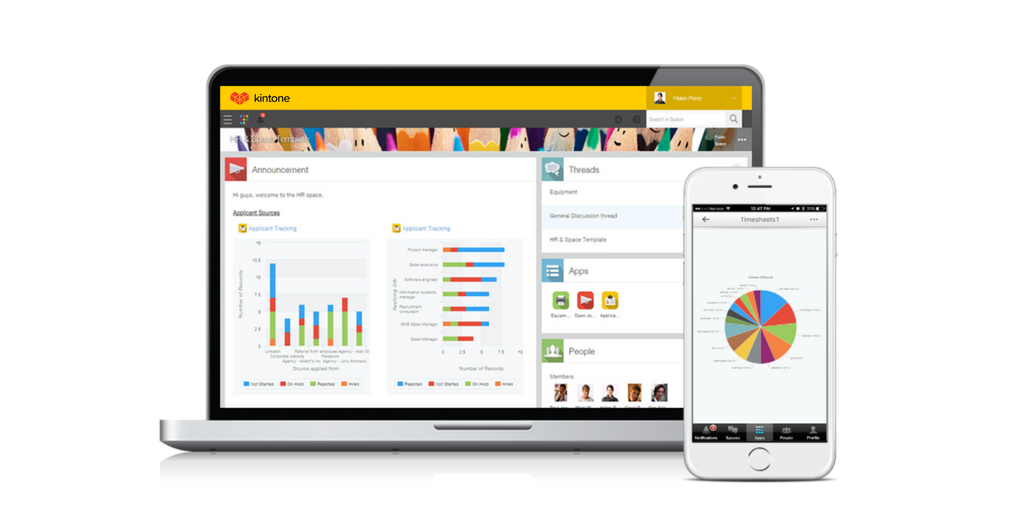
Kintone vs. TeamGantt

Overview
ProductRatingMost Used ByProduct SummaryStarting Price
Kintone
Score 7.4 out of 10
N/A
Kintone is a customizable digital workplace platform that lets the user manage data, tasks, and communication in one central place. Over 30,000 customers use Kintone’s no-code platform with more than 1.5 million database and workflow applications custom built for their businesses. The no-code drag-and-drop interface can be used to create custom database applications. Whether it’s sales leads, customer quotes, or inventory management, it can be organized in Kintone and viewed from the…
$24
per month per user
TeamGantt
Score 8.1 out of 10
N/A
TeamGantt is a project management solution built to provide users with gantt chart software through online deployment.
$59
per month per manager
Pricing
KintoneTeamGantt
Editions & Modules
Professional Subscription
$24
per month per user
Pro
$59
per month per manager
Offerings
Pricing Offerings
KintoneTeamGantt
Free Trial
YesNo
Free/Freemium Version
NoYes
Premium Consulting/Integration Services
NoNo
Entry-level Setup FeeOptionalNo setup fee
Additional DetailsAll subscriptions have a minimum requirement of 5 users.20% discount for annual pricing.
More Pricing Information
Community Pulse
KintoneTeamGantt
Considered Both Products
Kintone
Chose Kintone
Kintone wasn’t cookie cutter like the other options I consider. It was customizable and had great customer service to help me make it what I need.

Chose Kintone
We tested Pipedrive with the free 30-day trial. We did not like the standard layout. It was not customizable to our liking, and it could not perform the functions we were looking for in our daily business workflow.
Chose Kintone
We transferred our data records from google sheets to Kintone. While they aren't very comparable, the amount of tools and analysis that Kintone allowed us to do were far superior to Google Sheets.
Chose Kintone
Again, I came along after the implementation of Kintone. Kintone does provide plenty of customization and personalization within the program without the ability to code HTML.
Chose Kintone
More customizable in my opinion and free, though Kintone has drag and drop which is excellent and my favorite part.
Chose Kintone
Kintone is the easiest product to create from and the cost is the lowest I believe. In addition, reconfigurability and extendability are great. If you look for a low code tool, you can try Kintone. But as same as another low code tool, don't expect too much.
Chose Kintone
It's more flexible and better looking than its competitors. But the main reason is that after extensive searches for a product that would support our requirements, Kintone was the only one that claimed to be able to do so. After building the project, it works as expected. We …
Chose Kintone
Kintone is the best value for the dollar amount. It is also based on JavaScript (as far as the more in-depth customizations go) so you don’t have to learn a new language. Quickbase was extremely expensive for what it offered and FileMaker Pro required learning their custom …
Chose Kintone
We spent 6 months working with programmers and customer service representatives from ActiveCampaign to try to customize ActiveCampaign for our needs. ActiveCampaign employees finally told us that our use-case was too complicated for their system since it was not designed to do …
Chose Kintone
Previously we used, sequalm access, and something called CSST. None of them were as dynamic or easy to build and update as Kintone.
Chose Kintone
Kintone won out based on a few factors. MS Access can be a good alternative, but you can have trouble with sharing the data when needed. We like the mobile app that Kintone provides as well. Compared to Trello, the price of Kintone was better, considering the differences in …
Chose Kintone
These systems have always lacked customization which is really where Kintone shines. That being said, Salesforce did allow a certain level of customization on a more grand scale for a giant company I worked. for.
Chose Kintone
Salesforce was very difficult to navigate and I couldn't figure out how to use it. Their interface is not very user-friendly. I contacted someone for help and they gave me a very typical business presentation, which was not useful. I figured out how to use Kintone immediately, …
Chose Kintone
Monday.com — I used this in my previous job and loved it for tracking stages and tasks (and I color-code everything), but at the time it was more clunky on raw data. It may have improved in this since then? Kintone is strong on data and I still color-code everything! …
Chose Kintone
We have used RDP, a SalesForce product but you must pay to have any customization done and it is not user-friendly.
Chose Kintone
Kintone allowed me to test its product more fully than other platforms. Scalable pricing was an incentive, as was the ability to create apps to perform diverse functions, like scheduling and project management. Kintone's help documentation enabled me to really play around with …
Chose Kintone
We selected Kintone because it was the best combination of price and function. We needed something that could grow and scale with the organization, and that included looking at future prices. We didn't want to invest in something if we would be priced out five new users later. …
Chose Kintone
Kintone is much more customizable and user-friendly than Access. We also have experience with Service Point - Kintone is again, much more customizable. We would love a two-way interface between Kintone and Service ice Point. That would be a tremendous bonus for capturing & …
Chose Kintone
Microsoft Dynamics frequently updates to change layout, functionality, etc. Things then get hard to relearn where everything is and what functions have been added, lost, or replaced. It also didn't add much flexibility to customize.
Chose Kintone
Caseworthy is a very large extensive database that is excellent. However, Kintone is affordable for our small non-profit (with only one employee). We would be swimming in the complexity of Caseworthy.
Chose Kintone
I have experience with the following, similar, platforms that are not available as options above: Mantis Real Tracks
TeamGantt
Chose TeamGantt
I use BaseCamp with our Marketing Firm because that is what they already had in place. It is also a good tool. I enjoy, however the task oriented project environment of TeamGantt for organizing and planning my newsletter. I like the GanttChart view a lot.
Chose TeamGantt
Clarizen One was not keeping some important features. TeamGantt offers a spotless perspective on the Gantt diagram and outwardly is ideal to see who is chipping away at what assignments by the bar. However, what leads me to buy this product is its sharing abilities. This joined …
Chose TeamGantt
TeamGantt is geared towards creating a project, tasks and timelines. It literally took me just a few hours to create an entire project the first time I used it. I found it much more user-friendly than other online tools such as Smartsheet (which is a one-size fits all type of …
Chose TeamGantt
TeamGantt was the most familiar name amongst them all. Because I had also used TeamGantt before, it was easier to bring this one is above the others. They all have their perks, but I felt that TeamGantt had that ease of use and familiarity which gave them the edge over the …
Chose TeamGantt
Our team uses ClickUp for task management. Clickup has a Gantt chart feature, but it's based solely on the tasks we create in ClickUp, so in order to create a client-facing chart, we'd have to completely change the way we assign tasks to our internal team. We use TeamGantt for …
Chose TeamGantt
Smartsheet has a less intuitive interface, planning complex projects gets very cumbersome very quickly, and the overall aesthetic of the reports is of lower quality compared to TeamGantt.
Chose TeamGantt
I am unaware of whether or not we trialed any products similar to TeamGantt. Regardless, I have very few suggestions to improve TeamGantt. As a consequence, I can't imagine finding another software that would gave been seen as preferable. One could argue that products like …
Chose TeamGantt
We have used products like Gantter as well as the two above and they all do basically the same thing. Cost was the biggest determining factor for us. They all looked pretty, functioned the same, and some had better integration... however we determined that for our team size, …
Chose TeamGantt
I like TeamGantt better than Project Gantt because it is easier to print which is super important. TeamGantt allows you to have many different users with the same account for free. My company does not pay for this resource so that was extremely important in making this …
Features
KintoneTeamGantt
Low-Code Development
Comparison of Low-Code Development features of Product A and Product B
Kintone
9.4
Ratings
11% above category average
TeamGantt
-
Ratings
Platform Security9.50 Ratings00 Ratings
Platform User Management9.60 Ratings00 Ratings
Reusability9.50 Ratings00 Ratings
Platform Scalability9.60 Ratings00 Ratings
Project Management
Comparison of Project Management features of Product A and Product B
Kintone
-
Ratings
TeamGantt
8.4
Ratings
9% above category average
Task Management00 Ratings9.00 Ratings
Resource Management00 Ratings8.00 Ratings
Gantt Charts00 Ratings9.00 Ratings
Scheduling00 Ratings8.00 Ratings
Workflow Automation00 Ratings8.00 Ratings
Team Collaboration00 Ratings8.00 Ratings
Support for Agile Methodology00 Ratings6.00 Ratings
Support for Waterfall Methodology00 Ratings9.00 Ratings
Document Management00 Ratings8.00 Ratings
Email integration00 Ratings8.00 Ratings
Mobile Access00 Ratings10.00 Ratings
Timesheet Tracking00 Ratings9.00 Ratings
Change request and Case Management00 Ratings9.00 Ratings
Budget and Expense Management00 Ratings9.00 Ratings
Professional Services Automation
Comparison of Professional Services Automation features of Product A and Product B
Kintone
-
Ratings
TeamGantt
8.8
Ratings
15% above category average
Quotes/estimates00 Ratings8.00 Ratings
Invoicing00 Ratings10.00 Ratings
Project & financial reporting00 Ratings9.00 Ratings
Integration with accounting software00 Ratings8.00 Ratings
Best Alternatives
KintoneTeamGantt
Small Businesses
Stackby
Stackby
Score 9.0 out of 10
Stackby
Stackby
Score 9.0 out of 10
Medium-sized Companies
Quixy
Quixy
Score 9.9 out of 10
InEight
InEight
Score 8.3 out of 10
Enterprises
Creatio
Creatio
Score 9.7 out of 10
InEight
InEight
Score 8.3 out of 10
All AlternativesView all alternativesView all alternatives
User Ratings
KintoneTeamGantt
Likelihood to Recommend
9.0
(0 ratings)
9.0
(0 ratings)
Likelihood to Renew
8.3
(0 ratings)
-
(0 ratings)
Usability
7.8
(0 ratings)
-
(0 ratings)
Availability
10.0
(0 ratings)
-
(0 ratings)
Performance
9.0
(0 ratings)
-
(0 ratings)
Support Rating
9.4
(0 ratings)
9.3
(0 ratings)
Implementation Rating
6.8
(0 ratings)
-
(0 ratings)
Configurability
9.6
(0 ratings)
-
(0 ratings)
Ease of integration
5.0
(0 ratings)
-
(0 ratings)
Product Scalability
7.0
(0 ratings)
-
(0 ratings)
Vendor post-sale
8.0
(0 ratings)
-
(0 ratings)
Vendor pre-sale
2.0
(0 ratings)
-
(0 ratings)
User Testimonials
KintoneTeamGantt
Likelihood to Recommend
Kintone is great if you want a software that will help you in managing your data, and keep track of which tasks are assigned to whom. It also helps to streamline communication and information in one central place. However, it is not for you if you are looking for something complex that has to manage a lot of data.
Read full review
I can undoubtedly make new assignments and plot timetables by clicking and hauling. In case you're as of now utilizing an item like Teamwork or BaseCamp, the achievement schedule is extraordinary for an everyday view - however for complex ventures, I was having a difficult time seeing the higher perspective in any detail. TeamGantt permits me to impart my diagrams to different clients without the requirement for login.
Read full review
Pros
  • Flexibility. You can build apps (without coding) to serve a wide range of processes and projects.
  • Ease of use. The interface is intuitive.
  • Training. There are resources readily available to train new users. Even starting from scratch, I felt like I was up to speed in just a few hours.
Read full review
  • Visual representations - Appeals to both visual learners and non.
  • Permissions and assigning tasks - Only hands in the pots are the ones you want!
Read full review
Cons
  • I feel that Kintone is not well enough known yet. This means that other apps/APIs are not necessarily easy to connect with Kintone. Yes, you can use Zapier though for interfacing with other apps.
  • It would be great if it could give more customized options to change the look and format of certain things. You can make price quote apps, for example, but have to rely on 3rd party apps or programming skills to customize the look and fields.
  • If you make a table as an input field, it cannot connect to other internal Kintone apps for lookups and such.
  • I think there is more potential to make more customized data graphs.
Read full review
  • I wish TeamGantt had the ability to easily track different iterations of the Gantt chart over time. For example, a lot of our project plans need to be updated due to delays as we progress. Currently, if you want to compare past versions of the Gantt chart for a particular project, you either have to create multiple Gantt charts for the same project within the app or export each one as a PDF and store them somewhere so that you can go back when needed.
  • I wish TeamGantt integrated with more third-party apps. For example, we use Clickup for task management and it'd be nice if we could integrate the two.
  • The sharing function is not ideal. Whenever we need to share a Gantt chart with a client, we have to export it as a pdf and email it to them.
Read full review
Likelihood to Renew
I still think that there's a room for Kintone's future, and high expectations for them in additional features and innovative tools and supports. Truly hope that they will support email features, and standardized supports for various plug-ins with the 3rd party software and apps. In the meantime, we will have to consider our ways of doing our work in all aspects
Read full review
No answers on this topic
Usability
Kintone is agile app and most of the time we can easily come up with new apps. However, there should be more feature-based drag and drop and or a visual-based usability, as we all want to minimize the number of clicks and dropdown menu selections as much as possible. Thanks.
Read full review
No answers on this topic
Reliability and Availability
Never had an issue with this.
Read full review
No answers on this topic
Performance
No issues.
Read full review
No answers on this topic
Support Rating
The support from Kintone has been excellent. On numerous occasions, customer service representatives have proactively reached out to us to see if we needed help with anything. They also scheduled Zoom calls one month after we went live to go over any questions we had. Additionally, they assigned a local account representative to check in on us periodically to provide any necessary help.
Read full review
I only had to use support once, because the tool is very intuitive. The support I received was prompt and to-the-point, and they were able to provide the solution in a clearly-defined manner. As I remember, I had the answer within an hour or two, with clear reasons and instructions.
Read full review
Implementation Rating
Everyone has their own tastes of things and way they want to work. Asking them to adapt to the changes with the new tools or apps is always difficult. We would want to start with a very small but best example within the organization, which in our case was that the employees will not be bothered by the bosses by being asked to find the documents, status of the progresses, or major things/requests/projects.
Read full review
No answers on this topic
Alternatives Considered
Kintone is the easiest product to create from and the cost is the lowest I believe. In addition, reconfigurability and extendability are great. If you look for a low code tool, you can try Kintone. But as same as another low code tool, don't expect too much.
Read full review
I use Basecamp with our Marketing Firm because that is what they already had in place. It is also a good tool. I enjoy, however the task oriented project environment of TeamGantt for organizing and planning my newsletter. I like the GanttChart view a lot.
Read full review
Scalability
I could see this work for all departments if implemented correctly.
Read full review
No answers on this topic
Return on Investment
  • It used to take us 15-20 minutes to create a quote for a client. It now takes less than 3.
  • It allows a few of our employees to work remotely, which was essentially impossible prior.
  • We can see raw data for success/failure rates, which we actively use in our employee review process.
Read full review
  • Being able to schedule projects and estimating timelines on Mac computers.
  • TeamGantt is the best web-based Gantt chart solution I have found.
Read full review
ScreenShots

Kintone Screenshots

Screenshot of a view of apps from the portalScreenshot of 4 ways to build an appScreenshot of mobile accessScreenshot of the drag and drop interfaceScreenshot of business app views